We’ve already written in detail about viruses on Android in 2026, but they don’t appear on your smartphone out of thin air. Most of them get in through dangerous websites on the internet that users open themselves, voluntarily, and sometimes enthusiastically. In 2026, these sites have become more numerous, smarter, and more convincing (thanks to artificial intelligence). Let’s figure out which categories of web resources you should genuinely fear, how to recognize them, and why people keep falling for them again and again.
The internet is full of malicious websites
Dangerous Websites According to Russia’s Ministry of Internal Affairs
On April 25, 2026, Russia’s Ministry of Internal Affairs (MVD) issued recommendations for protecting smartphones from malicious websites. Tips from the domestic police on smartphone protection are always fascinating reading. This time, the agency recommends avoiding websites outside the national .ru domain zone (specifically zones like .site, .xyz, .click, .top, .link, and others). They also advise against clicking shortened links.
The .ru zone does not guarantee website safety.
Sounds simple. Almost like advice not to leave the house to avoid being hit by a car. Formally correct, practically useless. A large portion of the useful internet is outside .ru: services, tools, documentation, international platforms. Plus, Roskomnadzor itself has restricted access to more than 4.7 million websites by 2026, and quite a few of them actually have .ru addresses. So trusting the .ru zone as a safety guarantee is roughly like trusting the label “natural product” on packaging.
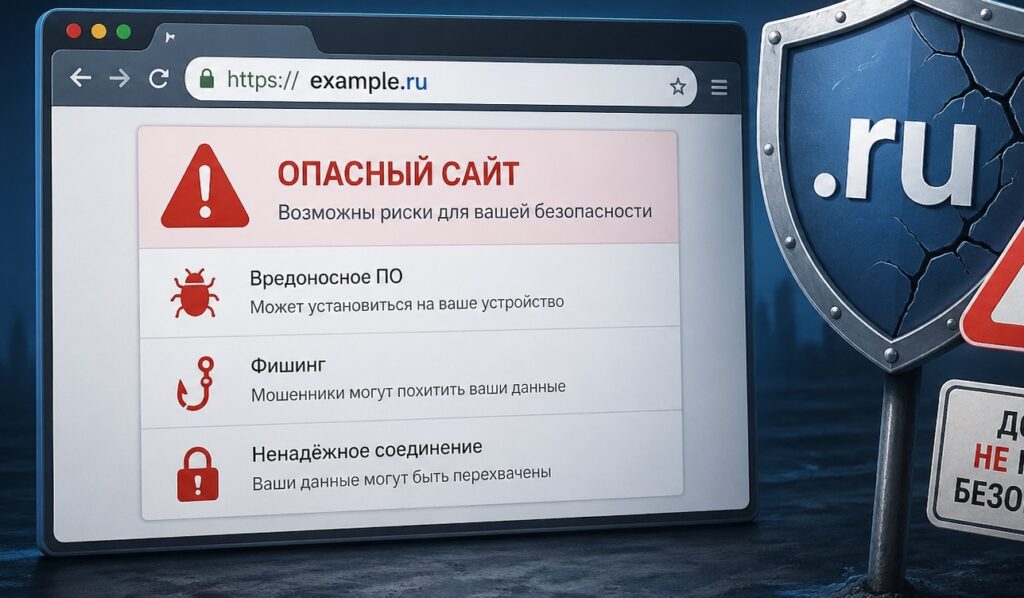
Don’t place high hopes on our domain zone
There is a grain of truth in the MVD’s advice: zones like .xyz, .click, .top, and .link are indeed more frequently used for fraudulent schemes because they’re cheap and can be registered anonymously. But this is one of the signs of a malicious website, not the only one.
Phishing Websites on the Internet
This is the main and most widespread threat in 2026. According to Yandex Browser data, the app warns nine million users about suspicious websites every month, and the most common threat is phishing. Android owners encounter it 10% more often than iOS users. In 2026, attackers use AI in 80% of phishing attacks: sites are generated quickly, look convincing, and adapt to specific users.
Phishing websites are fake copies of real resources. They look like the original, work like the original, but everything you enter (login, password, card number, SMS code) instantly goes to the scammers. The most commonly spoofed sites include:
- banking websites and apps (Sberbank, T-Bank, Alfa-Bank);
- Gosuslugi (Government Services portal, especially during tax campaigns and payment periods);
- marketplaces (Wildberries, Ozon, AliExpress);
- payment systems (SBP, order payment pages);
- messengers (fake login pages for Telegram and WhatsApp).
A particular masterpiece of 2026 is the phishing site “Digital Shield.” It presented itself as a cybersecurity awareness project, listed current threats, and offered to check your password “for reliability and compliance with Russian cryptographic strength standards of 2026.” Users entered their passwords, and they were immediately stolen by scammers. The best way to steal a password: ask for it under the guise of a security check.
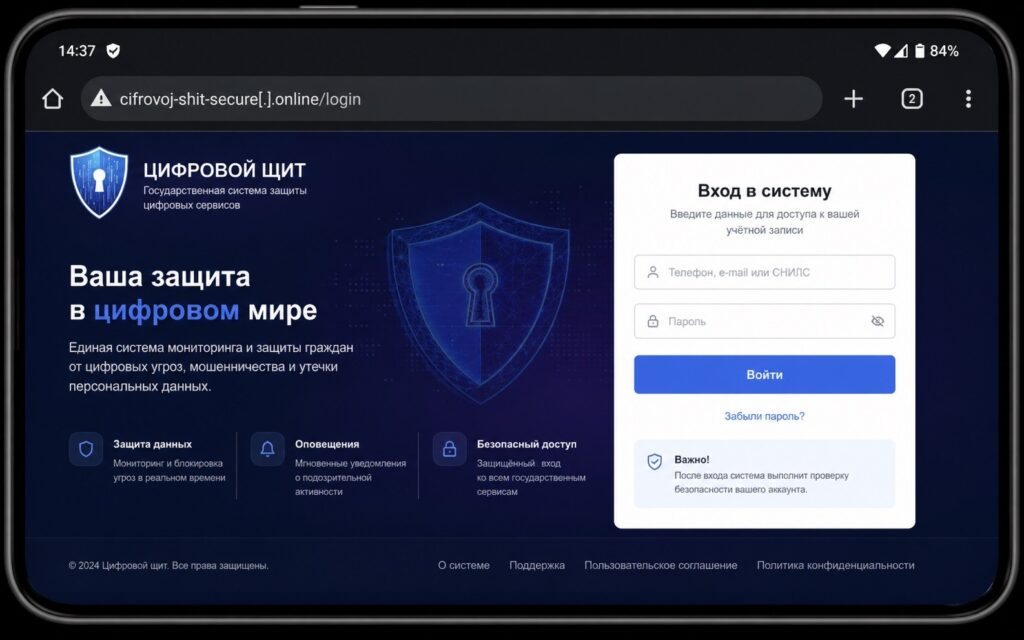
Don’t fall for “Digital Shield”
Why do people fall for it? Because phishing sites in 2026 are not sloppy pages with errors. They are professional copies with correct fonts, logos, and even SSL certificates. The padlock icon in the browser only means the connection is encrypted, not that the website is genuine.
Signs of a dangerous website — phishing:
- the address differs from the original by one or two letters or characters: sberbank-online.site instead of sberbank.ru;
- the site is in a suspicious domain zone: .xyz, .click, .top, .link;
- the page was created recently (this can be checked through WHOIS services);
- you’re asked to enter card details or a password without an obvious reason;
- the link came via messenger or SMS, rather than you opening the browser yourself.
How to check a website before entering data: copy the address and paste it into Google Safe Browsing (transparencyreport.google.com/safe-browsing/search) or Kaspersky Threat Intelligence. Both tools are free and deliver results in seconds.
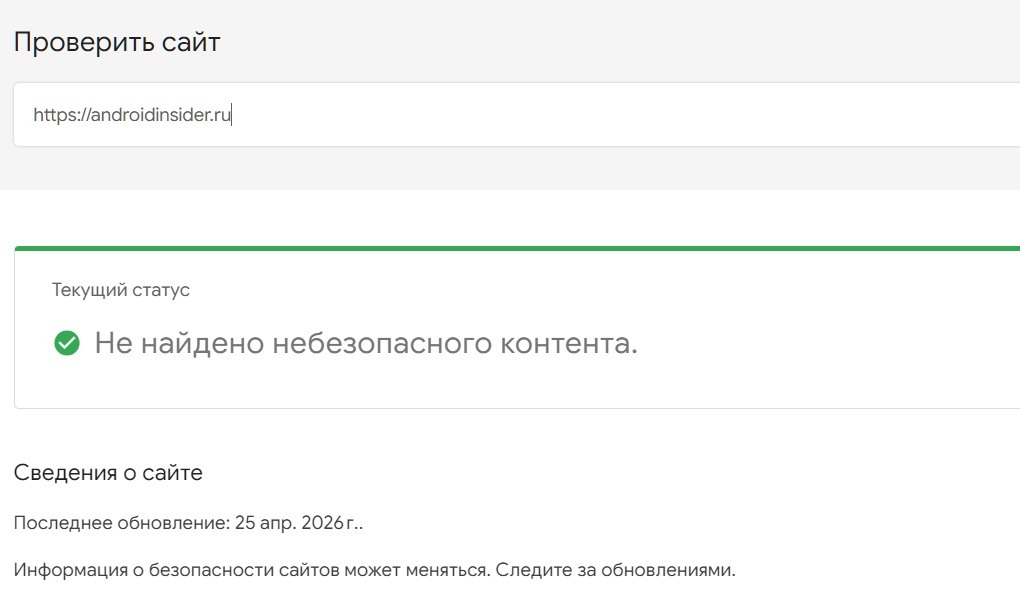
Only visit safe websites
The HTTPS padlock in the address bar does not guarantee website safety.
Websites with APK Files for Android
The second most dangerous type is websites with APK files for Android. This is the primary channel for distributing malicious software. The mechanics are simple: a user wants to get a paid app for free or download something that’s not on Google Play. They find a website, download the APK, install it, and along with the app, they get a trojan.
Why do people fall for it? Because the APK file often does contain a working application. It’s just that it frequently comes with a hidden component that runs in the background. This is exactly how Mamont spreads — a banking trojan responsible for 47% of infections among Russian banking app users in 2026.

The Mamont virus is truly very dangerous
Several categories of such sites are especially dangerous:
- sites with “free” paid applications (games, office programs, antivirus software);
- sites with mods for popular games (mods often contain adware trojans or miners);
- unofficial Telegram and MAX clients (scammers disguise message-intercepting programs as these);
- sites with app “updates” (an SMS or messenger message arrives asking you to “update” a banking app via a link).
Determining whether a website with APKs is dangerous is not difficult. Legitimate applications are distributed through Google Play, RuStore, AppGallery, or official developer websites. If an app is offered for download from a third-party site, that’s a reason to be cautious, regardless of how convincingly the page is designed.
A free APK with a paid app inside is almost always a trap.
It’s also worth separately mentioning websites with APKs posing as “official mirrors” of blocked applications. In Russia, some


