App Store has been presented to us for years as the safest app store on the planet. Manual moderation, developer verification, strict publishing rules — all of this works exactly until people who know how to profit from others’ carelessness get involved. Recently, scammers pushed a fake Avito app to the top of the store, and it quickly turned out that this was far from the only case. Right now, the App Store quietly hosts a whole batch of fakes impersonating banks and popular services, and each one is waiting for you to enter your data.
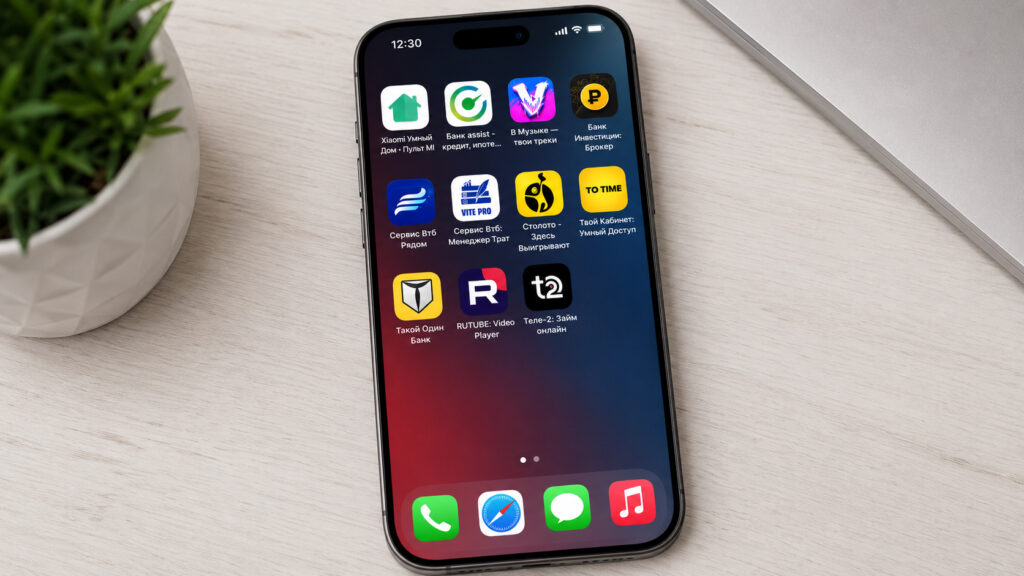
All these apps are fakes
Why Fakes Even Make It Into the App Store
The scheme here is frustratingly simple. After sanctions, apps from almost all Russian banks and some services were removed from the store. People got used to the fact that official programs return under different names: today a bank releases a “mortgage calculator,” tomorrow an “educational app,” and all of it is actually a working mobile bank. Users long ago stopped being surprised by strange names and unfamiliar developers.
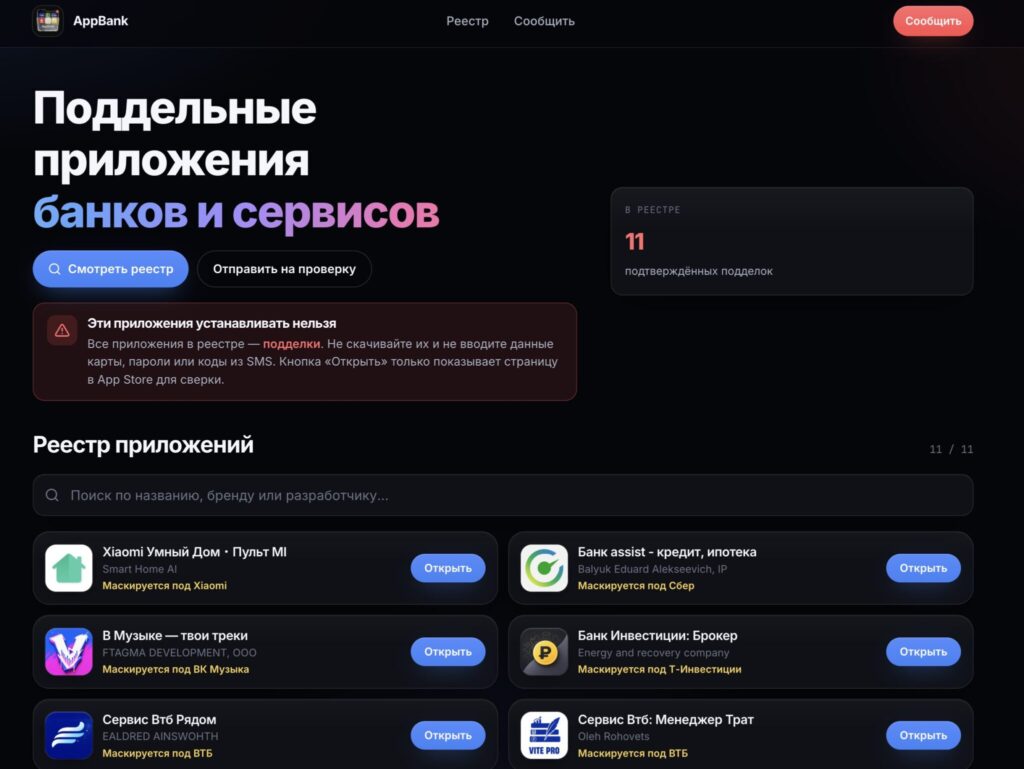
Enthusiasts created an entire website listing fakes so you don’t get caught
Scammers take advantage of this. They upload an app to the App Store with a logo in brand colors, inflate its ratings and reviews, and inside show a login form that looks identical to the real one. Apple’s moderation lets these things through because during review the program looks harmless: a calculator, a player, a notes app. The content gets swapped after publication.
A separate problem exists with services that were never in the store to begin with. This is how a fake MAKS app appeared in the App Store, and some people actually installed it. The user’s logic is understandable: if the app wasn’t available for a long time and now it appeared, it means they finally reached an agreement. In reality, completely different people reached an agreement — and not with Apple.
Complete List of Fake Apps in the App Store
Below are all the fakes currently listed in the registry. First is the name as it appears in the store, followed by the brand the app is impersonating. None of them should be downloaded, not even out of curiosity and not even “just to see what’s inside.”
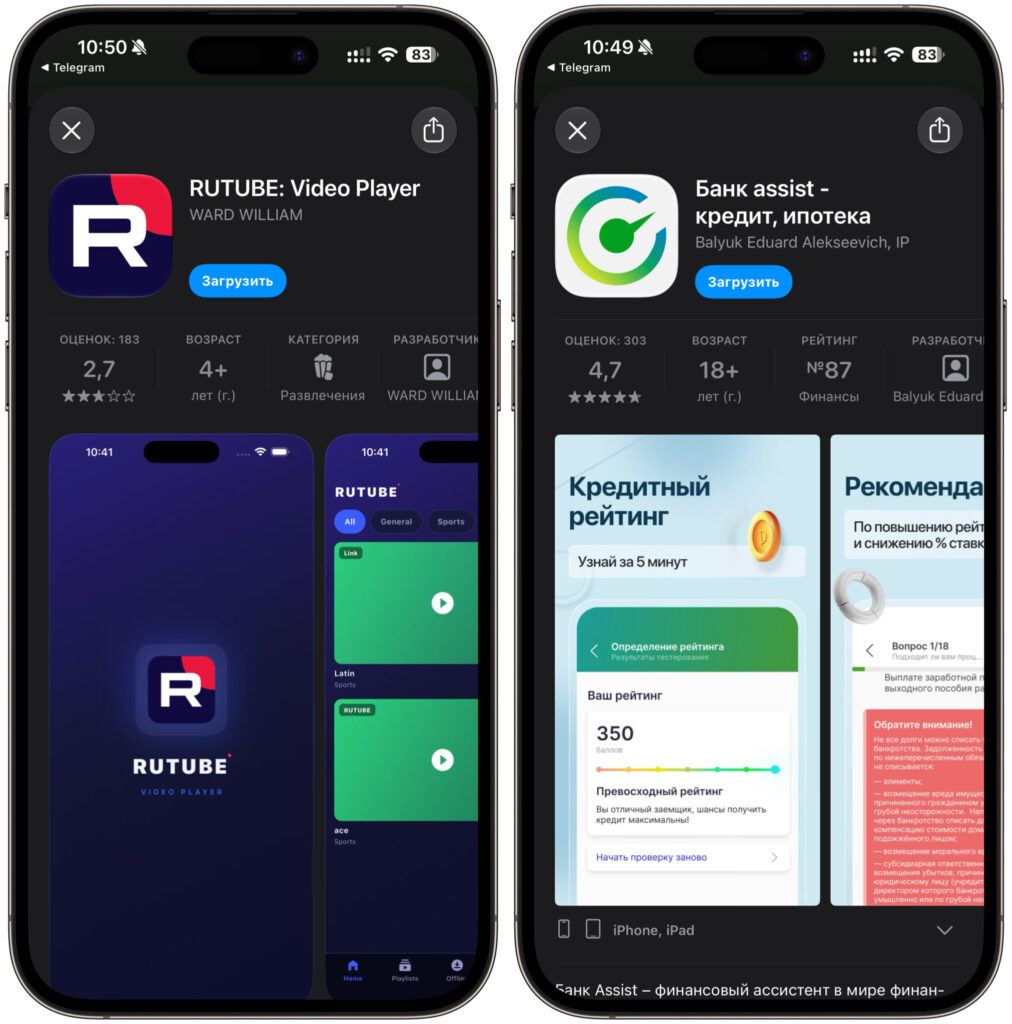
As you can see, the apps look nothing like what they claim to be
- Xiaomi Smart Home — MI Remote — impersonates Xiaomi
- Bank assist — credit, mortgage — impersonates Sber
- In Music — your tracks — impersonates VK Music
- Bank Investments: Broker — impersonates T-Investments
- Service VTB Nearby — impersonates VTB
- Service VTB: Expense Manager — impersonates VTB
- Stoloto — Winners Here — impersonates Stoloto
- Your Account: Smart Access — impersonates T-Bank
- Such One Bank — impersonates T-Bank
- RUTUBE: Video Player — impersonates RUTUBE
- Tele-2: Online Loan — impersonates Tele2
The list is live and changes almost every week: Apple removes some on its own, scammers re-upload others under new names. It’s maintained on the website appbank.pw in the fake registry section, where you can also submit a suspicious program for review. Check it at least once a week, especially if you’re about to install a banking app with an unfamiliar name.
What Happens If You Download a Fake App
The honest answer: nobody knows in advance. There are absolutely no guarantees here, because the contents of such a program can change at any moment — the developer simply loads a new screen from a server, and yesterday’s empty shell becomes a phishing form.
In the best case, nothing happens at all. You open the app, see a useless interface, poor translation, or endless loading, get annoyed and delete it. Such fakes also exist: they’re made for inflating install counts and ad impressions, and data theft simply never happens.
In the worst case, you lose everything at once. The app shows a familiar login form, you enter your phone number, bank password, and SMS code — and this data goes straight to the scammers. Next comes money withdrawal from your account, loans taken out in your name, and attempts to access your Apple ID. Account hijacking hurts the most: photos, backups, payment cards, and purchases accumulated over many years are all tied to it.
A separate warning about the temptation to “check it yourself.” Don’t. Even if you just open the fake and enter nothing, you’ve already given it some information about your device.
How to Tell a Fake From a Real App
There’s no universal sign, but there’s a set of details that can expose a fake in a minute. Always check, not just when something seems off:
- Read reviews from the bottom. Scammers inflate ratings at the top, but real people almost always manage to leave a warning. Sort by most recent and by one star.
- Check the publication date. An app from a major service that’s two weeks old and already has ten thousand reviews looks suspicious.
- Look for a link on the brand’s website. Real banks and services always provide a direct link to their app on their website or official channel.
- Look for links in official channels. Most services announce new apps.
And one more thing that people often forget. When an official app gets removed, the service almost always has a web version that can be added to your home screen as a regular icon. This works no worse than an app, and the risks are zero. It’s especially helpful in moments when the App Store in Russia doesn’t work at all and you can’t download even a legitimate program.


