Russian tourists in Turkey can now pay in rubles through the Fast Payment System (SBP) — right from their smartphone, without cash and without Mir cards. The Turinvoice service has created an interactive map with more than 1,100 locations at popular resorts that accept SBP QR codes. Journalists from the ATOR portal tested the payment method in person and compared the exchange rate with cash euro exchange. Let’s break down how it works, what you need on an Android smartphone, and whether you should rely on this method as your primary one.
Understanding SBP payments in Turkey
Where in Turkey SBP QR Code Payments Are Accepted
Turinvoice has launched an interactive guide map marking retail locations that support SBP. According to data at the time of publication, the map includes:
- More than 800 locations at Antalya resorts (Belek, Alanya, and others)
- Over 80 locations on the Aegean coast
- More than 240 locations in Istanbul
- Locations in Cappadocia, Mersin, Adana, and Ankara airport
The growth rate is approximately 150 new locations per month, so by the time of your trip there may be significantly more. Categories include pharmacies, optical shops, grocery stores, souvenir shops, bakeries, bars, restaurants, tour offices, hotel SPAs and photographers, transfers, and fast-track services at the airport.
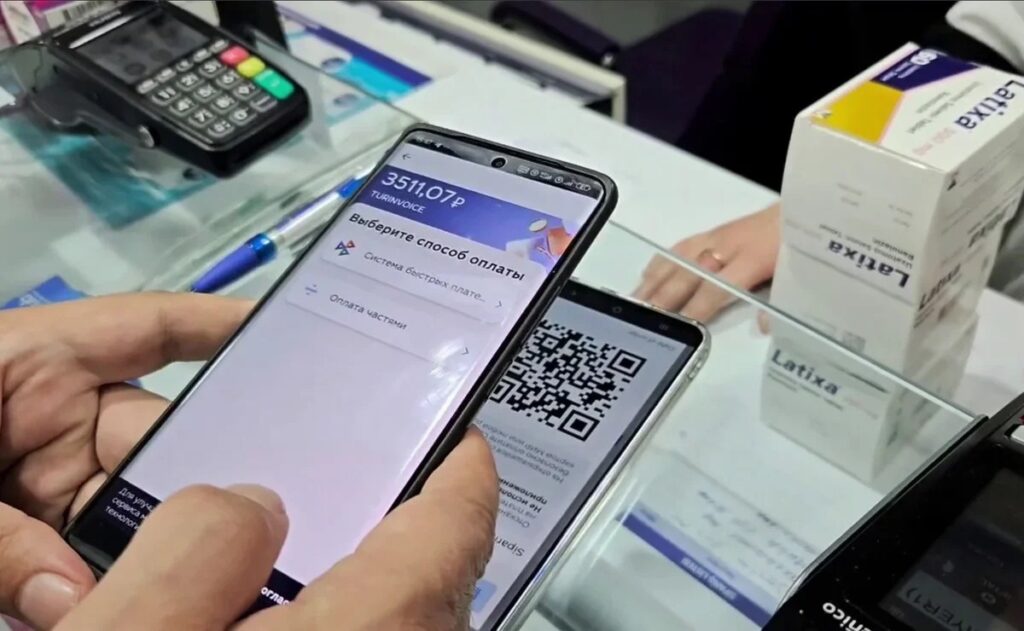
You can pay through the app using a terminal. Image: atorus.ru
Locations accepting SBP are easy to identify by stickers with the system’s logo at the entrance or near the register. The map is in Russian, meaning categories, names, and addresses are in Russian. And from there, everything works just like we’re already used to paying via QR code in Russia.
How to Pay via SBP in Turkey on Android
You don’t need to install a separate app to pay. Any banking app that supports SBP is sufficient, and that includes virtually all major Russian banks. Here’s how the process works:
- Find the desired location on the Turinvoice map or look for an SBP sticker in the store (the AndroidInsider.ru editorial team was unable to find locations on the Turinvoice map).
- The seller enters the purchase amount in their app, after which a QR code is generated on their screen.
- Scan the QR code with your smartphone camera — a payment page opens where the amount is already shown in rubles.
- Choose the banking app you want to pay through.
- Confirm the payment in the banking app.
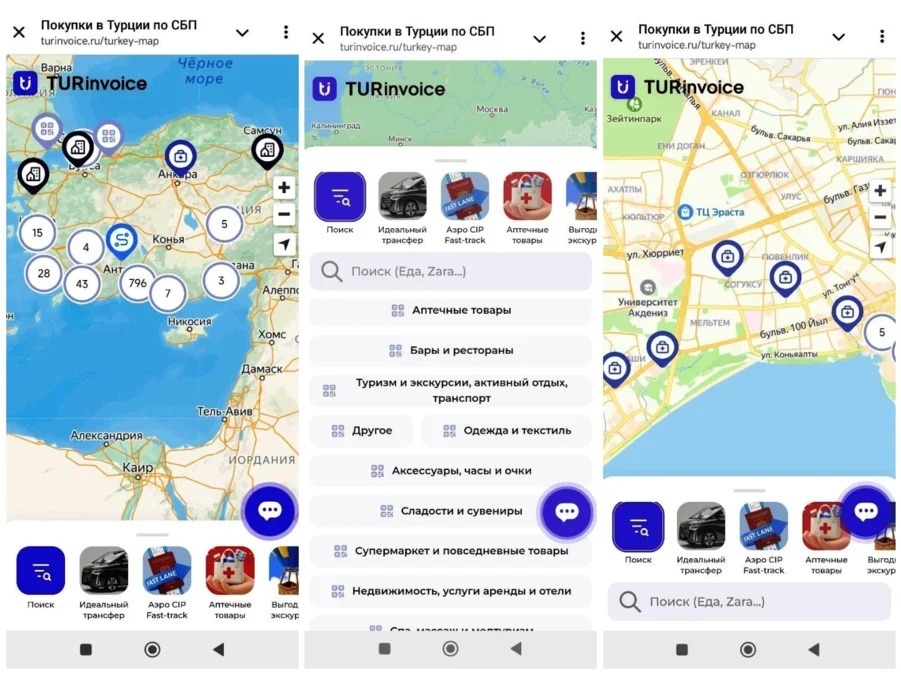
SBP acceptance points are marked on the map
No SMS confirmation is required. According to the source’s authors, the entire SBP payment process in Turkey takes 10–20 seconds — roughly the same as paying via QR code in any Russian store. The charge is in rubles from any card of any Russian bank: Mir, Visa, and Mastercard are supported, including credit accounts and installment payments (depends on the specific bank). The seller receives money in Turkish liras, and the conversion happens automatically.
Ruble-to-Lira Conversion Rate When Paying via SBP
One of the main questions is how favorable the exchange rate is. ATOR journalists compared the actual charge from a T-Bank card with prices in liras and got a rate of 1.9 rubles per Turkish lira (as of April 8).
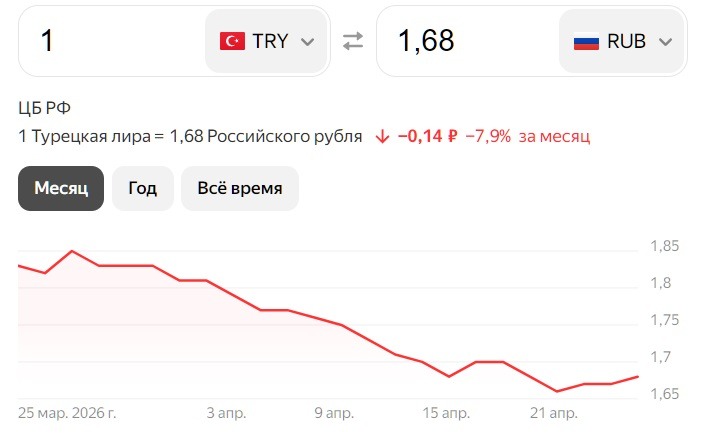
The actual lira-to-ruble rate is slightly more favorable
For comparison: if you buy euros in Moscow at the best rate, bring cash to Turkey, and exchange it at a local exchange office at the most favorable rate, in the ideal case it would come out to 1.8 rubles per lira. The difference is minimal, while the hassle is significantly greater. Meanwhile, topping up a virtual Troy card in the Letim system with rubles via SBP yielded the same rate — 1.9 rubles per lira.
Turinvoice uses the lira exchange rate with a small markup.
However, transfers by phone number and “reusable” QR codes without official SBP stickers, according to the correspondent’s observations, were more expensive: up to 2.3 rubles per lira. So the difference between the “official” and “gray” methods can reach 20%.
Issues with SBP Payments in Turkey
The system works, but not without nuances. Here’s what was discovered during testing:
- Language barrier. At two of several tested locations, staff answered “no” when asked “can I pay in rubles?” But when the correspondent clarified in Turkish — “Esbépe karekod?” (meaning “SBP QR code?”) — everything worked immediately. Sellers know the system but may not understand the phrasing in Russian.
- Mobile internet is required. To scan the QR code and confirm the payment in the banking app, you need internet access. Make sure you have roaming enabled or a local SIM card.
- SBP isn’t available everywhere. Outside the locations marked on the map, you shouldn’t count on this payment method yet. The map is your main guide.
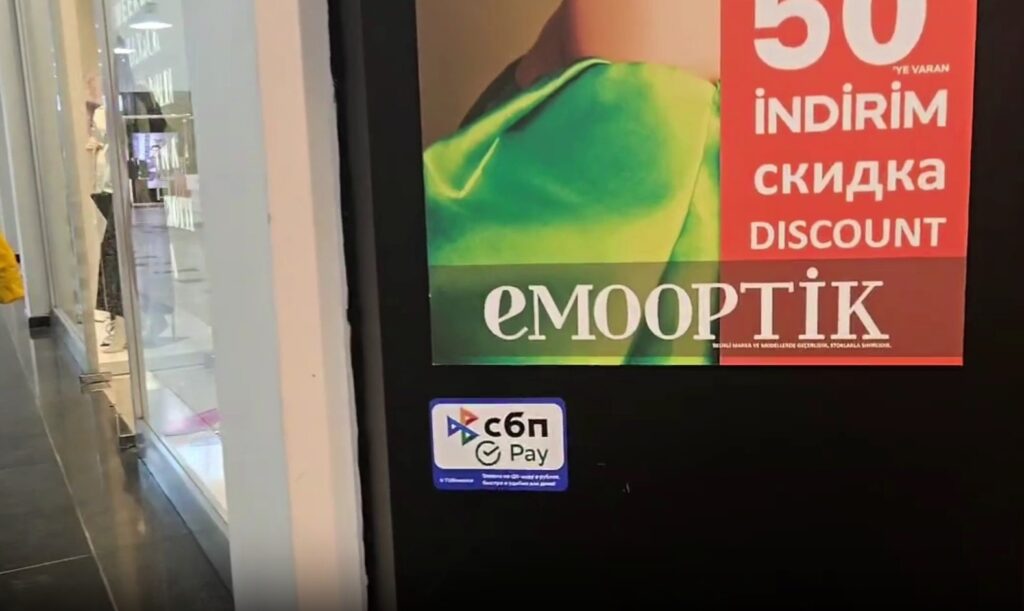
SBP sticker on a store door in Antalya. Image: atorus.ru
Overall, no critical failures or freezes were recorded during testing. All payments at the tested locations went through normally.
Who Is SBP QR Code Payment in Turkey Suitable For
SBP payment in Turkey addresses one of the most painful problems for Russian tourists abroad — how to pay when international cards don’t work and carrying cash is inconvenient. If you have an Android smartphone with any banking app that supports SBP, no additional apps or settings are needed.
For those heading to Antalya resorts or Istanbul, coverage is already quite dense: pharmacies, food, souvenirs, optical shops, tours, and transfers. At less touristy destinations, there are still few locations, but the network is growing. If you’re planning a trip to Turkey in 2026, save the link to the Turinvoice map in advance. This isn’t the only payment method, but it’s one of the simplest, and the exchange rate is comparable to the best cash exchange options. The main thing is to make sure your banking app works abroad and you have mobile internet.


