I resisted for a long time, but eventually switched to MAX. Some work communications are still in Telegram, but all conversations with friends and family have completely moved to the national messenger. And you know what — I use it every day and I’m still alive. Turns out it’s not as scary as people make it seem, so it’s time to share my experience and tell you how it happened. My programmer friend is categorically against MAX, but I disagree with him.
Completely moved all my conversations to MAX and have no regrets
Why People Are Switching to MAX Instead of Telegram and WhatsApp
The story is simple. Telegram works intermittently, WhatsApp doesn’t work at all. For everything to function properly, you need to keep a VPN turned on. But with VPN enabled, banks, marketplaces, Gosuslugi, and a bunch of other Russian apps stop working. It’s a vicious cycle: turned on VPN — wrote in Telegram — turned off VPN — opened Sber — turned VPN back on — replied in WhatsApp. And so on fifteen times a day. It’s infuriating.

It’s no surprise that users are switching from blocked WhatsApp and Telegram to MAX
My parents gave in first. Then friends. Then colleagues. One by one, everyone moved to MAX because it simply works. No VPN, no proxy, no ritual dances with MTProto. Open — write — close. The way a messenger should work. By the way, if MAX isn’t available in your App Store, here are instructions on how to download and update it on iPhone.
How Video Calls Work in MAX on iPhone and Android
I want to say something separately about calls. I have an iPhone, and half my friends have Android. You can create FaceTime calls via link, but you probably remember that Apple’s service is also blocked in Russia. Which means the same vicious VPN cycle again. Calls in Telegram and WhatsApp have been blocked since last summer, and if you really need to reach someone through those messengers, you’re back to the three-letter services.
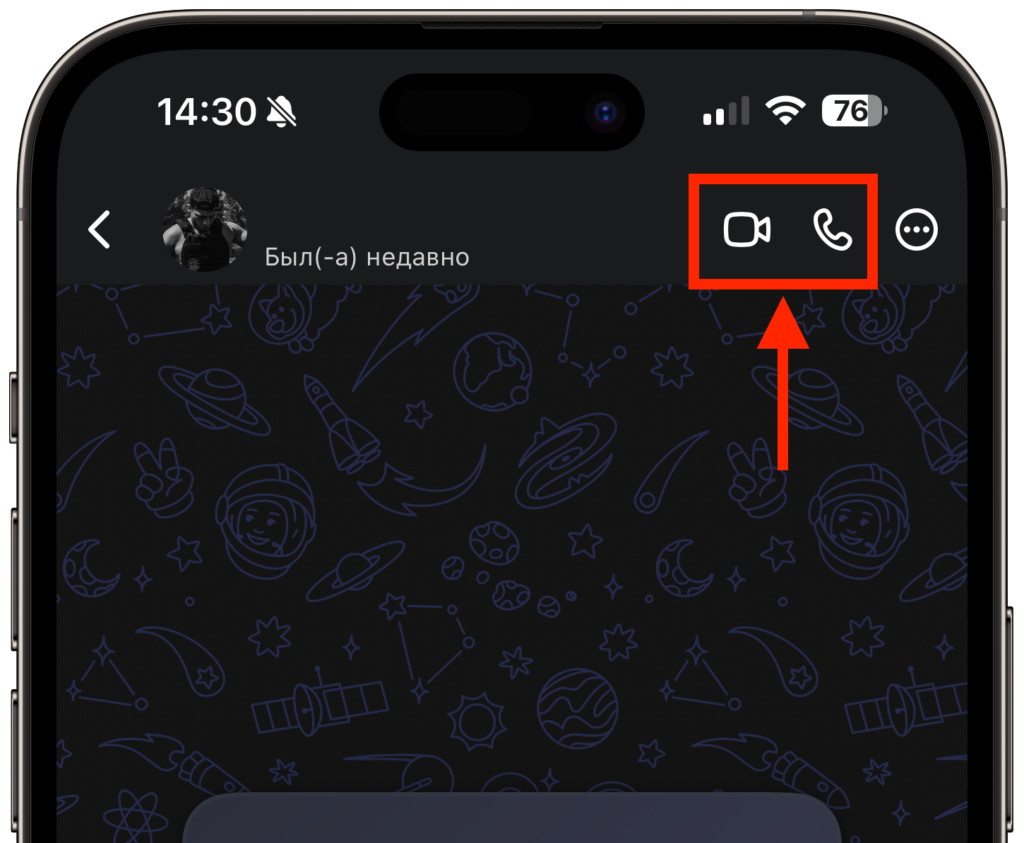
Calls work almost perfectly
I called my mom on her Samsung through MAX — and I was surprised. The picture was clear, audio had no delay, the connection was stable. Without any hassle. I’m serious: video calls in MAX work better than in Telegram and WhatsApp at their best. This is not an exaggeration — try it yourself.
What Channels Are Available in MAX and Is It Convenient to Read Them
The main thing that held me back from switching was channels. In Telegram, I’m subscribed to tons of stuff: news, tech blogs, author channels. I thought MAX would be empty. But it turned out that most popular channels already have mirrors in MAX. Some duplicate content manually, others have set up automatic cross-posting.
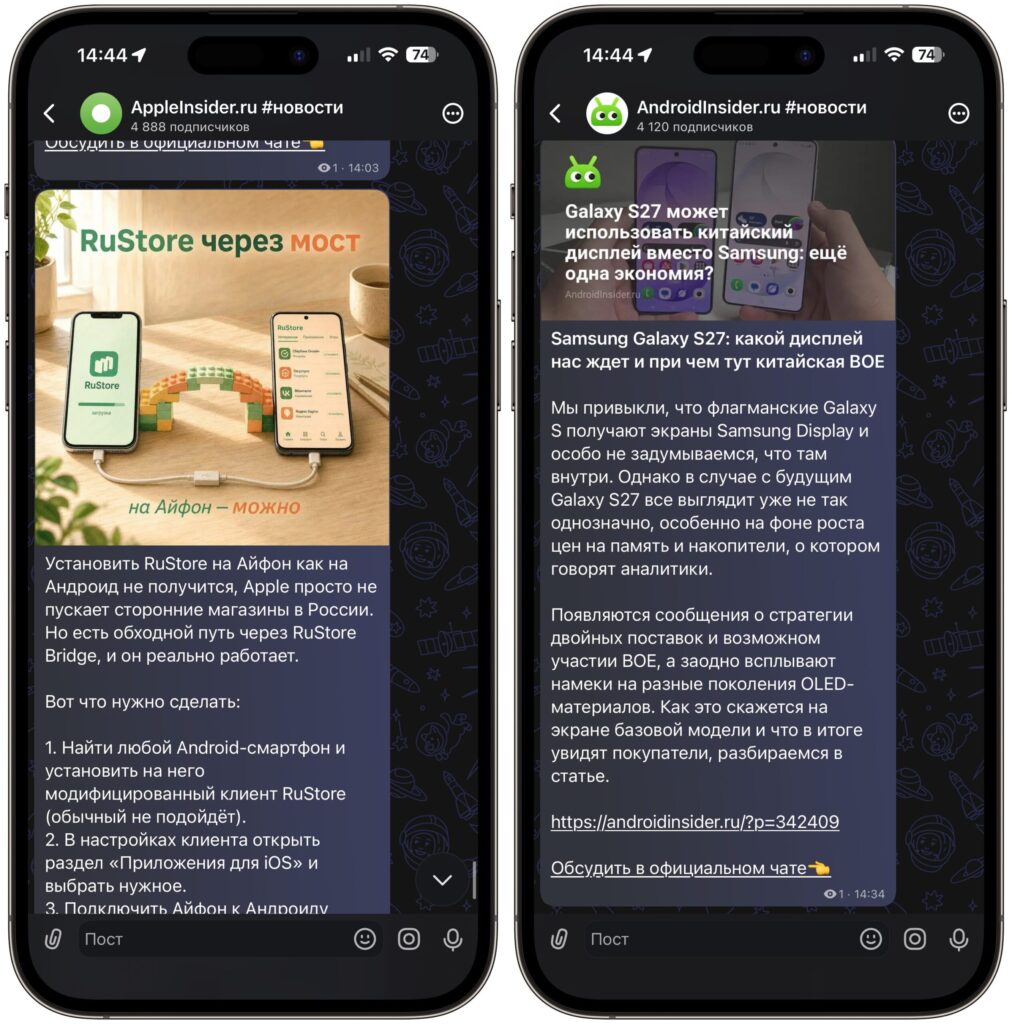
All the channels I need are already in MAX
The result is the same — the feed is practically no different from Telegram’s. I subscribed to the channels I needed in half an hour and forgot about the problem. The only downside — you can’t scroll through channels as a continuous feed. You have to exit, open the next channel, read it, exit and go to a new one, and so on in a loop. Speed suffers because of this, but I think this feature will eventually come to MAX as well.
Why MAX Checks VPN and What Data It Collects
Yes, I’m aware of all these stories. MAX checks whether VPN is enabled. MAX pings Telegram and WhatsApp domains. MAX collects data. I’ve read about it on Habr and on our own site — we wrote about it ourselves.
But honestly — it doesn’t scare me at all. I don’t discuss anything illegal in a messenger. Chats with friends, work group chats, links to articles — that’s all my content. If someone finds that interesting to read, they’ll be very bored. I understand those who are concerned about this. But personally, convenience beat paranoia. A messenger that simply works without VPN matters more to me than theoretical risks.
How to Automatically Disable VPN When Opening MAX
The only problem is VPN. I keep it turned on for YouTube and other blocked services. But since April 2026, MAX doesn’t work with an active VPN or frankly glitches and asks you to turn it off. Go into settings every time? No thanks. I set up automation through the Shortcuts app on iPhone. Now VPN automatically turns off when I open MAX and turns back on when I close it. Here’s how to do it:
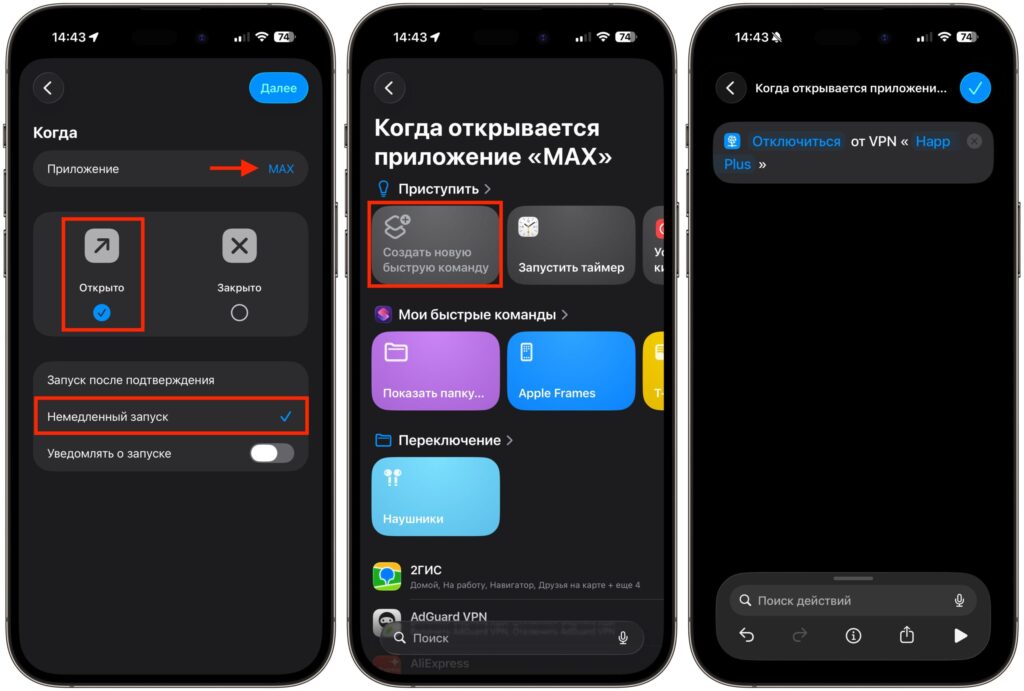
Create a simple automation, and VPN will turn off automatically
- Open the Shortcuts app on iPhone. If you don’t have it — download it from the App Store.
- Go to the “Automation” tab at the bottom of the screen.
- Tap “+” in the upper right corner and select “App”.
- Tap “Choose” and select the MAX app. Make sure “Is Opened” is checked.
- Check “Run Immediately”.
- Tap “Next” and select “New Blank Automation”.
- In the search field, type “VPN”. Select the “Set VPN” action.
- Make sure the parameter is set to “Disconnect”. If not — tap the word “Connect” and switch it.
- Select your VPN from the list and save the automation with the checkmark in the upper right corner.
That’s it. Now when you open MAX, VPN automatically disconnects. This is enough for the national messenger to work as it should.
Pros and Cons of MAX After Several Months of Use