MAX now has stories — a feature that messenger users have been waiting for. July 2026, the update arrived quietly and without loud announcements. Much like the sudden appearance of the public channel creation feature. Here’s how stories work in MAX on Android, and what to do if stories aren’t showing up for you.
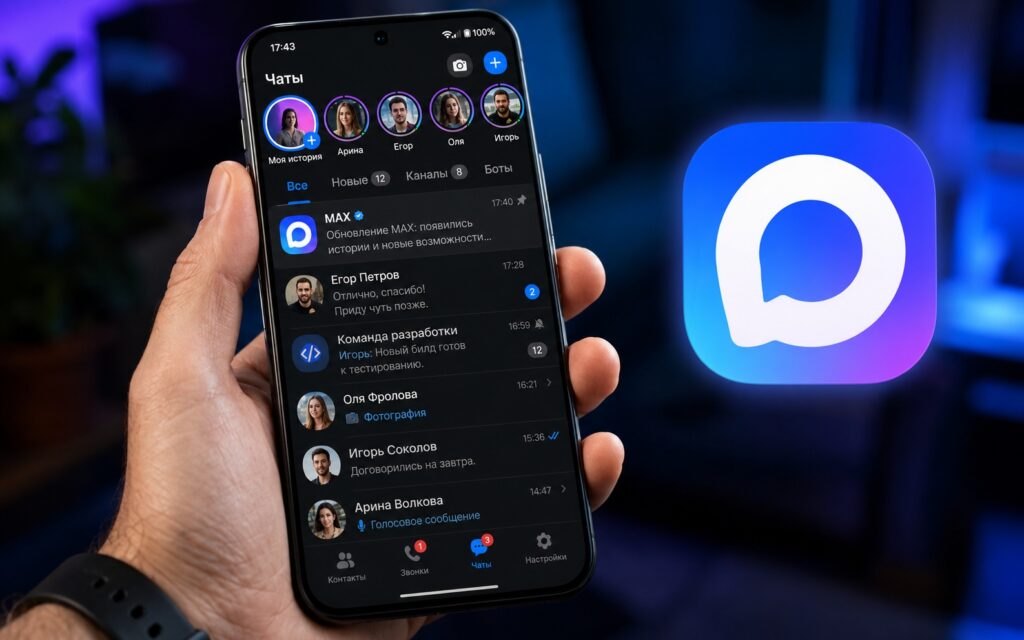
Showing how to make stories
What Are Stories in MAX and When Did They Appear
Stories in the MAX app are short-form content visible to your contacts. The principle is the same as in Telegram or any other messenger with this feature: you publish a photo or video, and it appears in the feed at the top of the screen.
The feature appeared in July 2026 and is not yet available to everyone (it depends on the app version). If stories in MAX messenger aren’t visible to you — most likely you just have an old version installed. More on that in the last section.
How to Create a Story in MAX on Android
Creating stories in MAX is simple and intuitive. Here’s a step-by-step guide:
- Open the MAX app and go to the main screen with chats.
- At the top of the screen, find the stories feed (if you can’t see it — swipe down).
- Tap on your circle with the plus sign, which will open the story creation screen.
- Choose a source: a photo or video from the gallery, or shoot directly from the camera.
- Optionally add text or stickers on top of the content.
- Tap “Publish,” and the story will appear in your contacts’ feed.
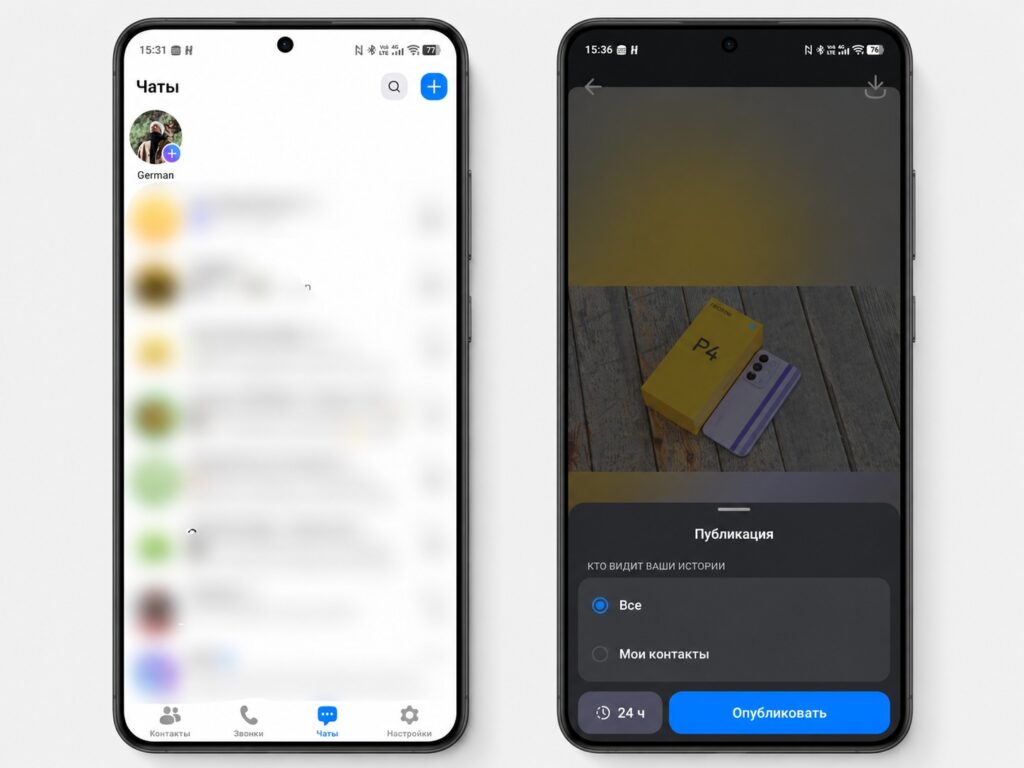
Stories are already available in the main menu
The entire process takes no more than a minute. The interface is familiar — if you’ve ever posted stories anywhere before, you’ll figure it out right away.
What You Can Add to a MAX Story
In MAX you can make stories with several types of content:
- photos from the gallery (any image from your phone);
- videos from the gallery (short clips);
- shooting directly from the camera (photos or videos in real time);
- text over content (you can add a caption or comment).
The toolset is still more modest than Telegram’s, since they’ve accumulated a lot over the years. But the basic set for stories in MAX is there and works without issues.
How Long Does a Story Last in MAX
The standard 24 hours, after which the story automatically disappears. However, during publishing you can choose a different duration ranging from 6 to 48 hours.
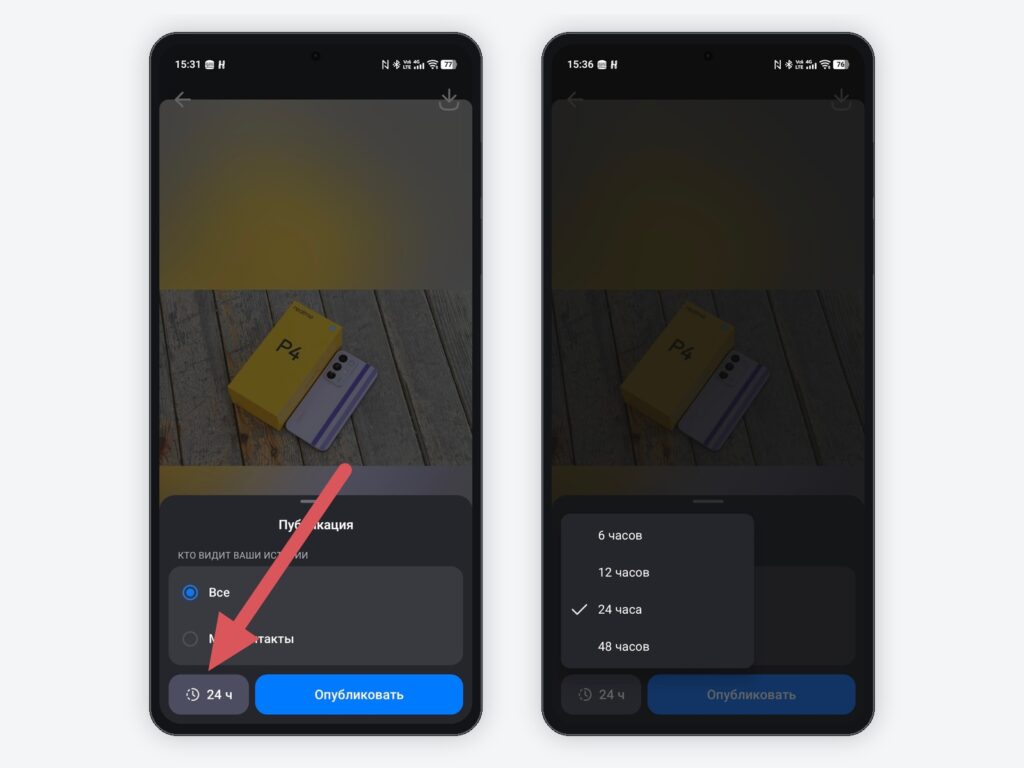
Story lifetime can be changed
Stories in MAX are visible to all your contacts in the messenger. After publishing, you can see who viewed your story (the list opens if you swipe up on your published story). You can also delete a story early: go to your story and tap the three dots in the corner.
Why Story Creation in MAX Is Unavailable, and What to Do
If story creation in MAX is unavailable and the feed with circles at the top doesn’t appear, then the reason is almost certainly the app version. The feature is only available in the latest builds.
What to do:
- Open RuStore (specifically RuStore, because MAX was removed from Google Play in July 2026).
- Find MAX in the search and check if an update is available.
- Install the latest version.
- After updating, restart your smartphone (this is an important step — without a restart, the feature may not appear).
- Open MAX again (the stories feed should appear at the top of the main screen).
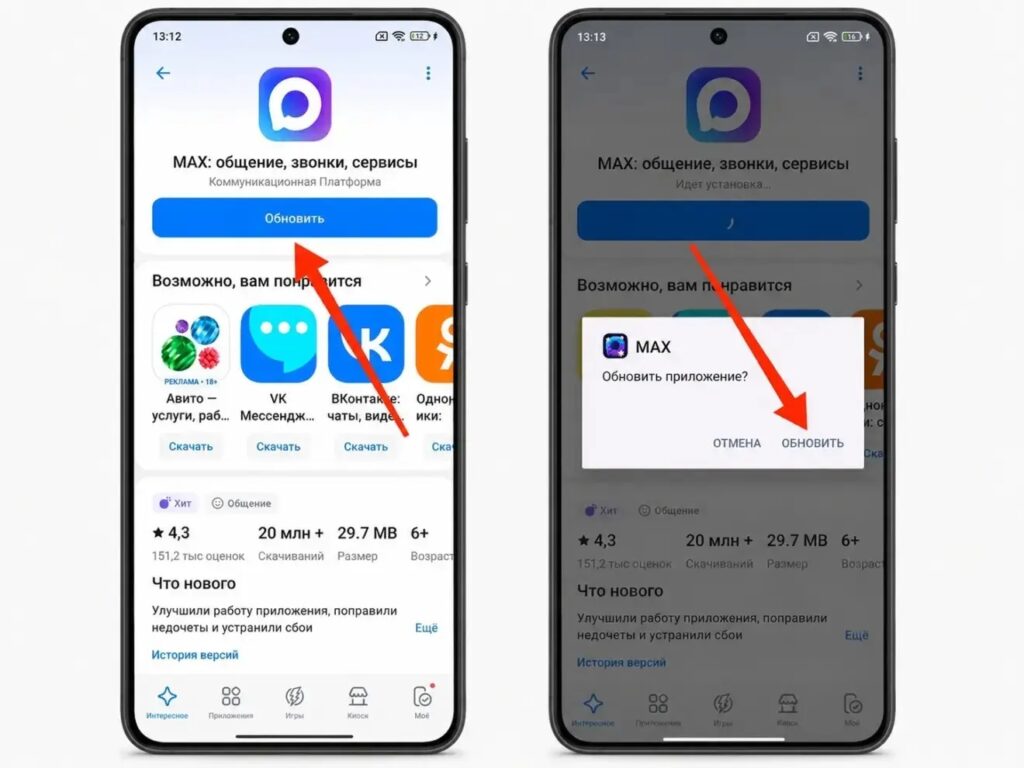
The app needs to be updated via RuStore
If after updating and restarting stories in the MAX app still haven’t appeared — wait a few hours. The feature is rolling out gradually and may reach your account a bit later.


