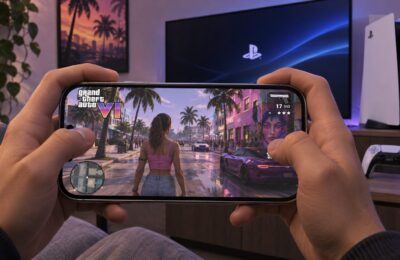
GTA VI has no Android version, but you can still play it on an Android phone. You stream it from your own console with Sony’s or Microsoft’s Remote Play, and no APK files are needed. Rockstar Games released Grand Theft Auto VI on November 19, 2026, for PlayStation 5, PlayStation 5 Pro, Xbox Series X and Xbox Series S. There is no native Android version and no official app that lets you download the game from Google Play. With Remote Play, the game runs on the console and the phone only displays the video and sends your controls back. You need a console with the game installed and a good network connection.
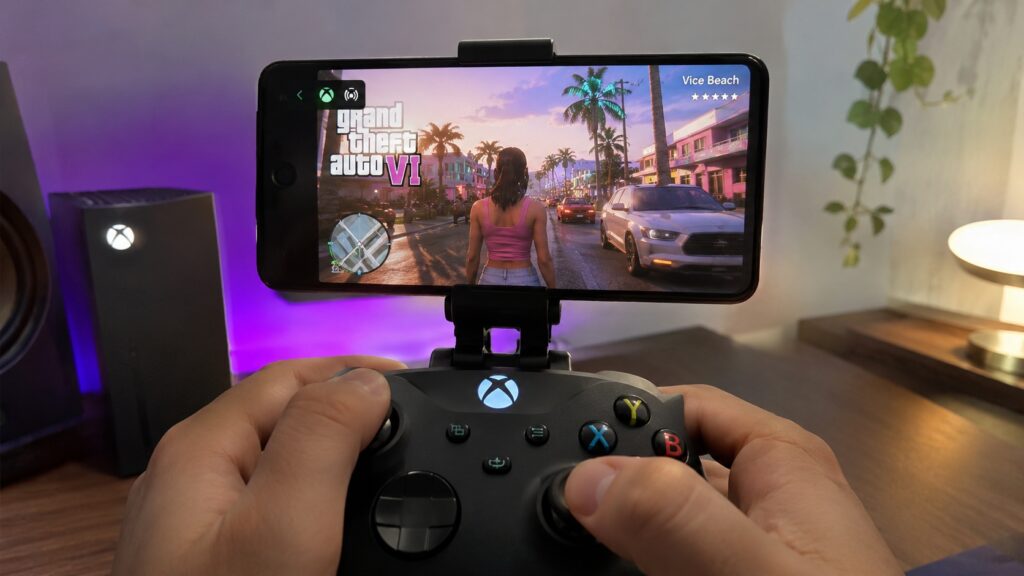
GTA VI running on Android via Remote Play
What you need to know
- GTA VI launched on November 19, 2026, for PS5, PS5 Pro and Xbox Series X|S. There is no official Android version, and sites offering a GTA VI APK have nothing to do with Rockstar Games.
- PS5 owners can stream the game to Android with the free PS Remote Play app. A PlayStation Plus subscription is not required for standard Remote Play.
- Xbox Series X|S owners can stream through Chrome at xbox.com/remoteplay. Game Pass is not needed to stream a game you already own.
- Sony recommends at least 5 Mbps, or 15 Mbps or more for a smoother experience. Microsoft specifies 10 Mbps or more for Xbox Remote Play.
Why a phone can run GTA VI: it only shows the stream
Remote Play, supported by both Sony and Microsoft, sends the picture from your console to the Android screen. It also sends your control inputs back to the console. GTA VI itself runs on the PlayStation or Xbox, so your phone’s processor matters little. Even a relatively inexpensive Android device may be good enough.
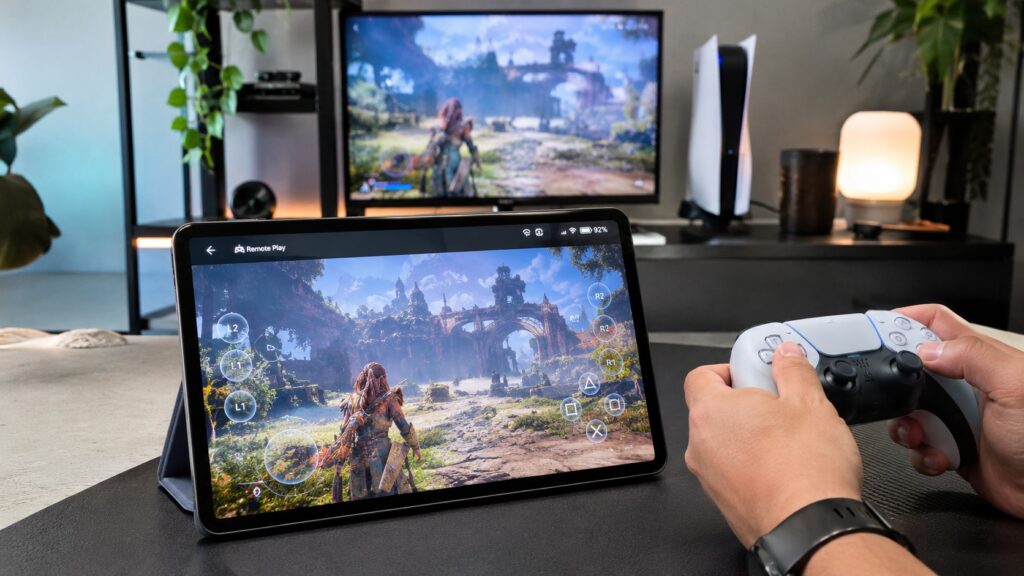
How Remote Play works with a tablet

You will need:
- a PlayStation 5 or Xbox Series X|S;
- a purchased and installed copy of GTA VI;
- an Android smartphone with internet access;
- a stable network connection;
- a compatible gamepad for comfortable control.
Remote Play only streams games that are already on your console. That means GTA VI has to be bought and installed on the PS5 or Xbox before you start. Digital store access and payment options depend on your account’s region.
PlayStation 5: turn on Remote Play and use the official app
For PS5 owners, the official PS Remote Play app is the most straightforward option. It connects to the console over the internet and lets you control installed games from the phone. First, prepare the console. The menu names below are translated from the original article and may be worded slightly differently on your system.
- Turn on the PS5 and open Settings.
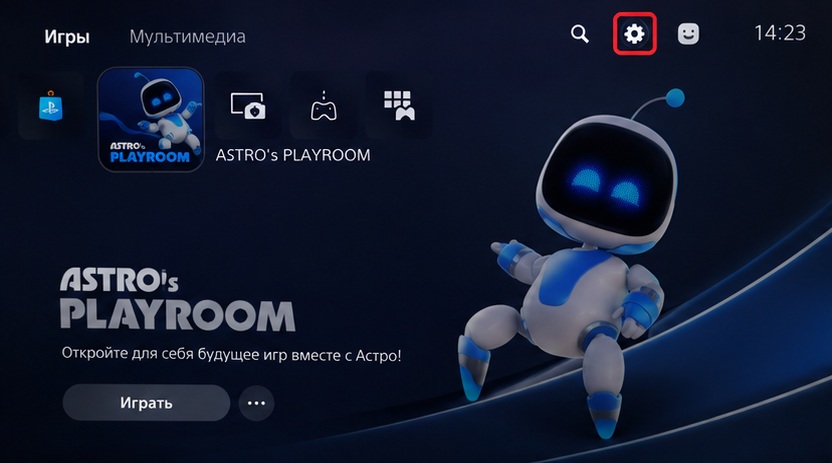
Opening the PS5 settings

- Go to System.
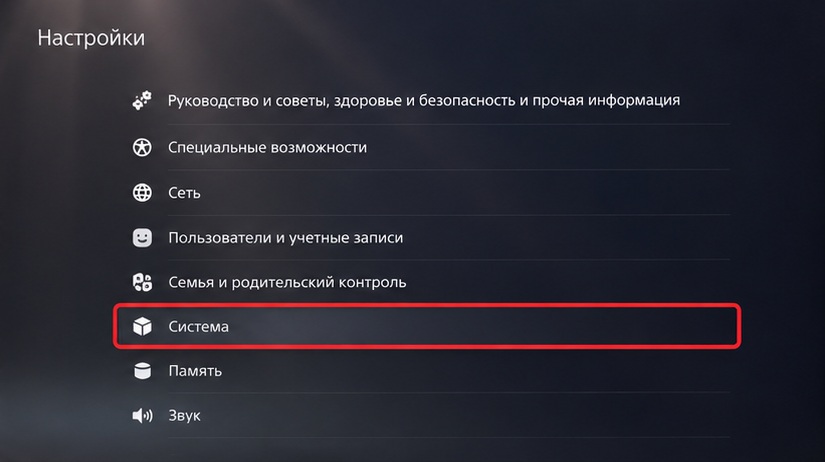
Opening the System section of the PS5 settings
- Open Remote Play.
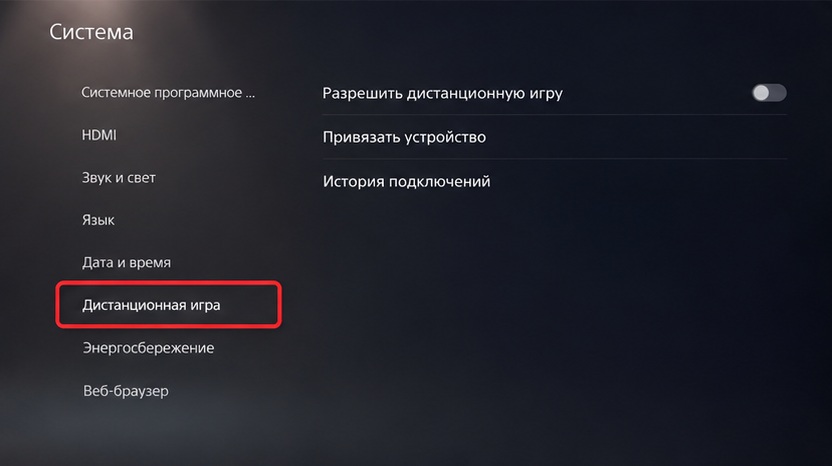
Opening the Remote Play section
- Turn on the option to enable Remote Play.
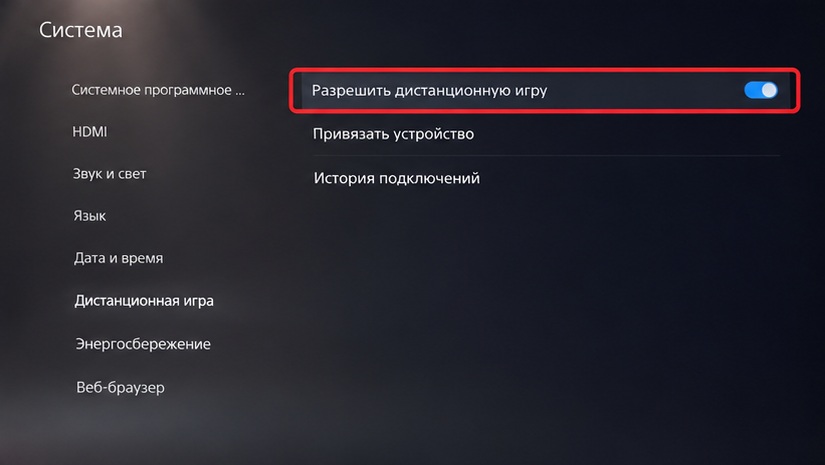
Enabling Remote Play on the PS5
To connect while the console is in rest mode, also go to Settings → System → Power Saving → Features Available in Rest Mode. There, allow the console to stay connected to the internet and to be turned on over the network. Then set up the phone:
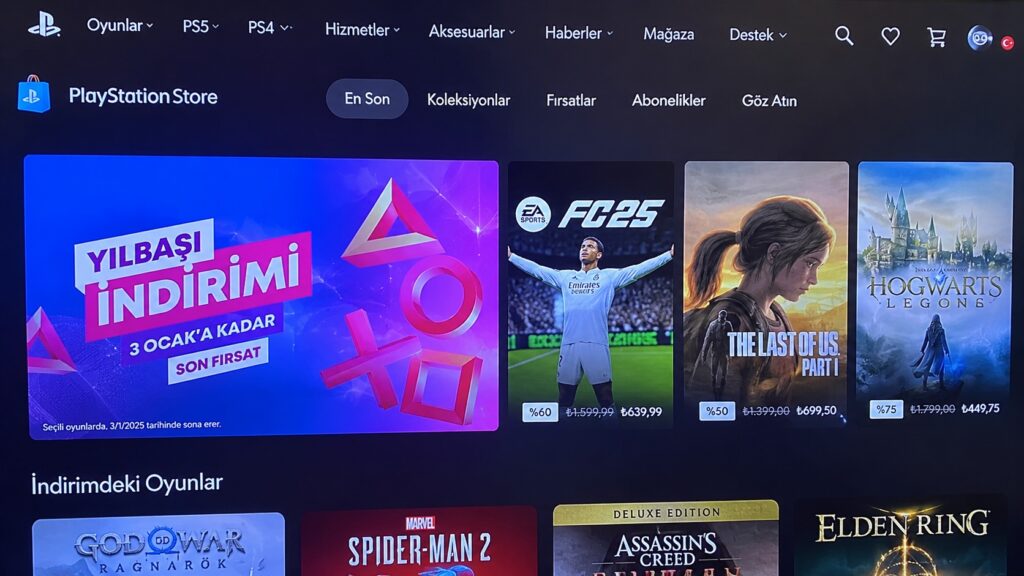
- Install PS Remote Play from Google Play.
- Open the app and sign in with the PlayStation account used for Remote Play on your console.
- Select your PS5 and wait for it to connect.
- When the console interface appears, launch GTA VI.
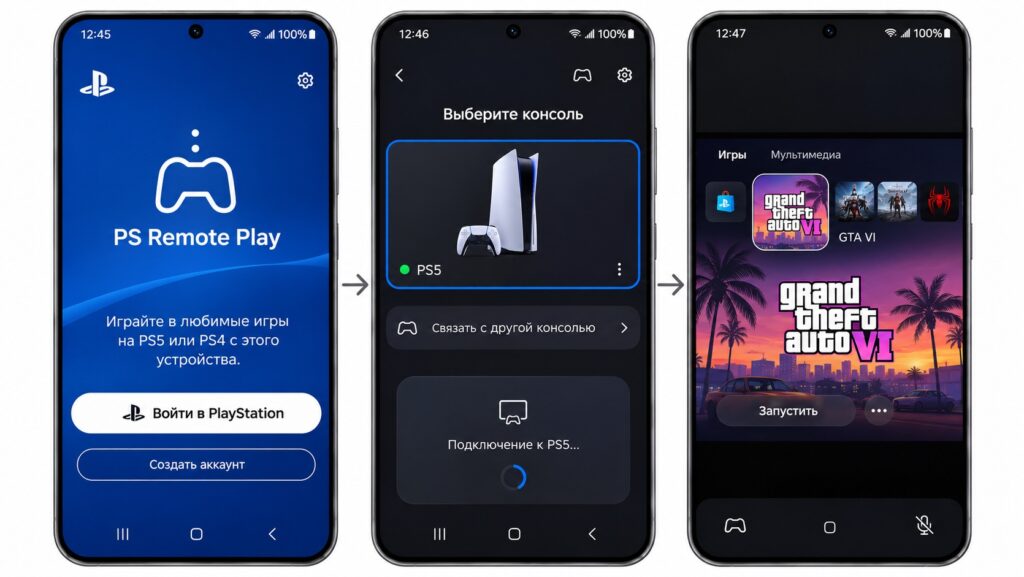
Launching GTA VI on Android via PS Remote Play
If everything is set up correctly, the console’s picture appears on the phone. You can play with the on-screen buttons or with a DualSense controller connected via Bluetooth.
If PS Remote Play will not connect, first check that the console is online, signed in to PSN and has Remote Play enabled. Problems can also come from the home router, the connection type or network settings. It is worth testing Remote Play with both devices on the same home Wi-Fi network before experimenting further. The PS Remote Play app is free, and standard Remote Play does not require a PlayStation Plus subscription.
Xbox Series X|S: stream through a browser
Microsoft also offers Remote Play. On Android it works in a browser, so you do not need a separate app. You need an Xbox Series X or Series S with GTA VI already bought and installed. An Xbox One is not suitable for running the game locally. On the console:
- Open the Xbox settings.
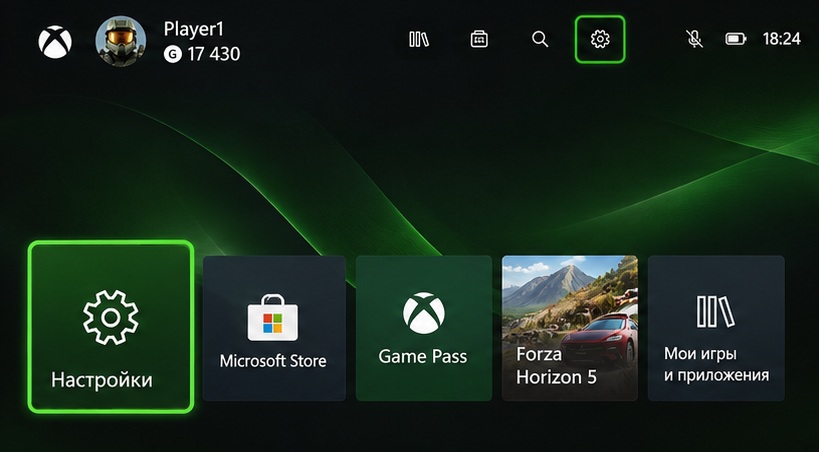
Opening the settings on Xbox

- Go to Devices & connections.
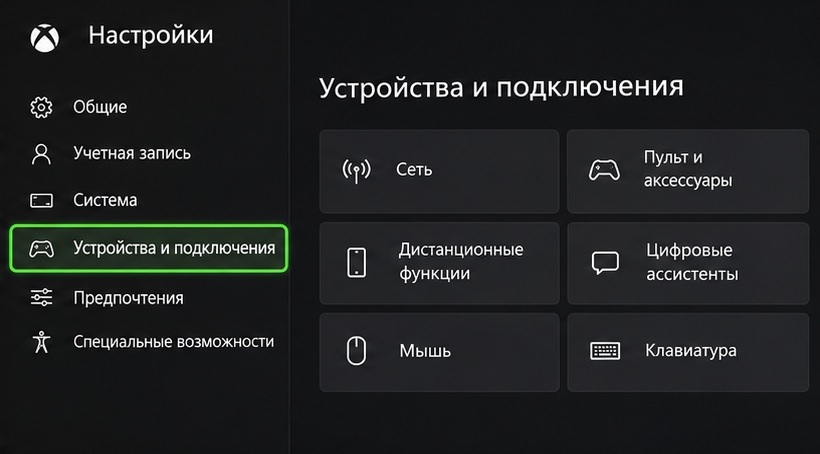
Opening the Devices & connections section
- Select Remote features.
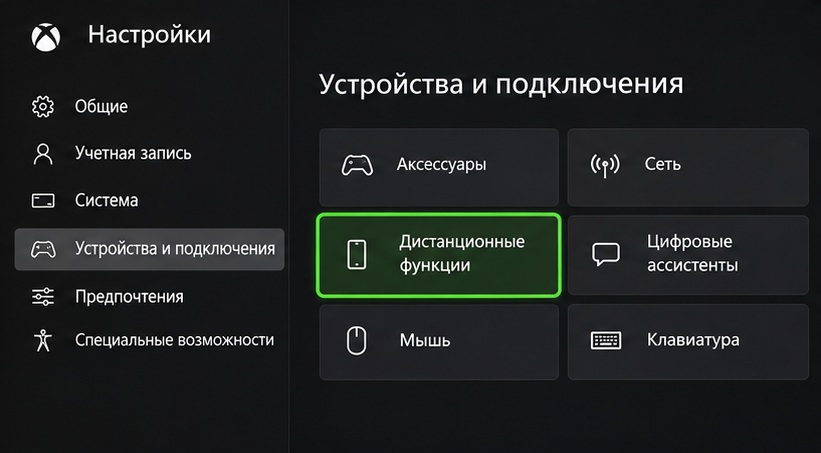
Selecting Xbox remote features
- Enable remote play.
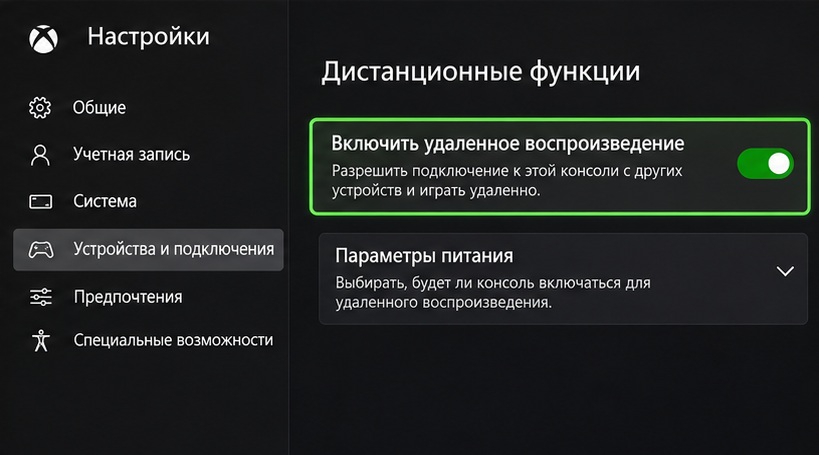
Enabling remote play on Xbox
Then connect from the phone:
- Open Chrome on Android.
- Go to xbox.com/remoteplay.
- Sign in with the Microsoft account linked to the console.
- Select your Xbox.
- Once connected, launch GTA VI.
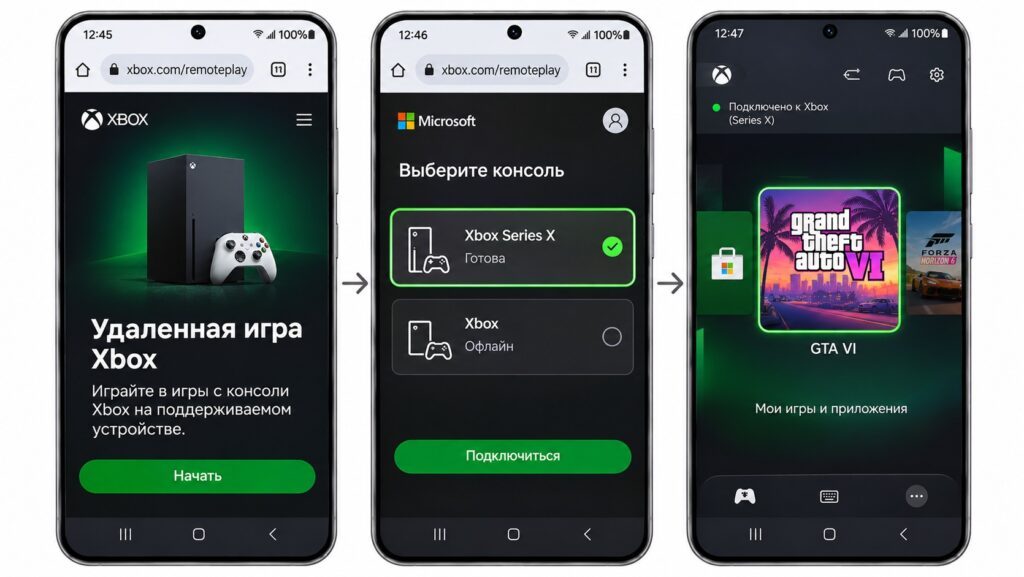
Launching GTA VI in a browser on Android
A wireless Xbox controller makes the game easier to play. As with PlayStation, the phone only receives a video stream from the console. Xbox Remote Play availability depends on region, account and network conditions, so a connection cannot be guaranteed everywhere. You do not need a separate Game Pass subscription to stream a game you have already bought and installed.
Cloud gaming is not yet a guaranteed route to Android
Xbox Cloud Gaming is another way to play console games on a phone. Here the game runs on Microsoft’s servers, so you do not need your own console. Microsoft officially announced that GTA VI would arrive on the cloud service on November 19. However, the initial announcement confirmed availability on Xbox One and Xbox Series X|S. Support for Android mobile browsers was not specifically guaranteed for this game.
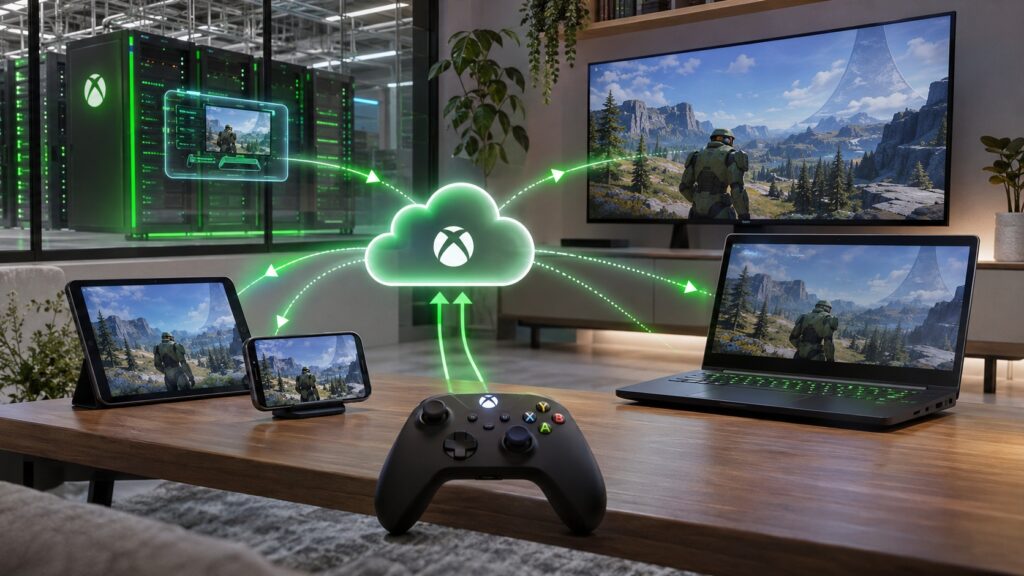
How Xbox Cloud Gaming works
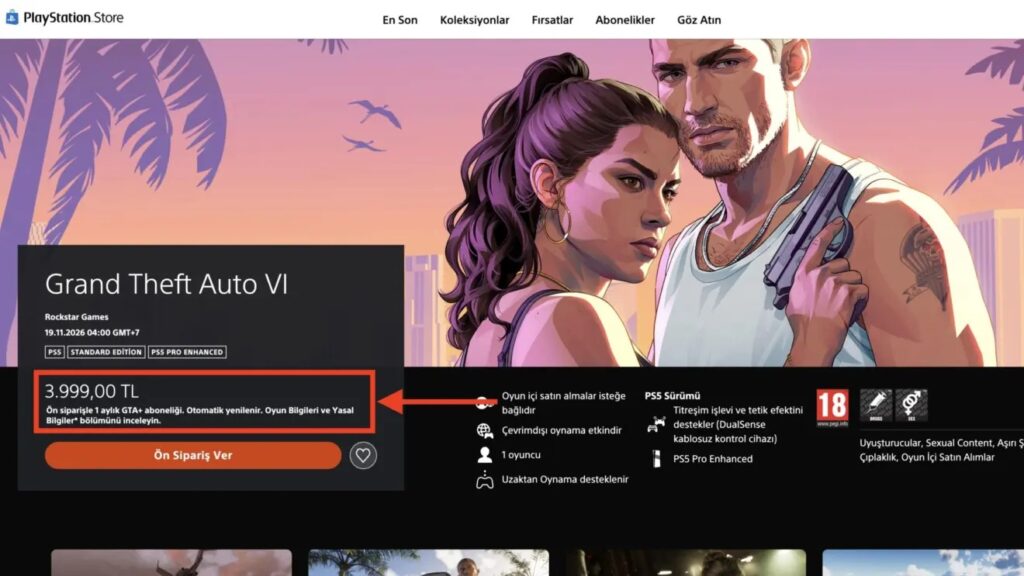
So there is no promise yet that anyone can open the Xbox Cloud Gaming website and immediately play GTA VI on a phone. There are other limitations as well:
- Xbox Cloud Gaming is not officially available in every country;
- you need a suitable account and region to use the service;
- the game is purchased separately from cloud access;
- subscription terms and available play time depend on the plan and region.
Whether GTA VI can be played on Android through Microsoft’s servers needs to be checked separately. If such support arrives, a phone, a controller and a stable internet connection would be enough to play.
Connection quality matters more than phone power
When streaming GTA VI, image quality and control responsiveness depend mainly on your internet connection. Sony recommends at least 5 Mbps, and 15 Mbps or more for a more comfortable experience. Microsoft specifies 10 Mbps or more for Xbox Remote Play.
Speed is not the only factor. Latency, connection stability and the absence of packet loss also matter. That is especially true in GTA, where you need to react quickly while driving and in shootouts.

To reduce the chance of problems:
- connect the console to the router via Ethernet;
- use 5 GHz Wi-Fi on the phone;
- use a physical gamepad where possible;
- check that Remote Play works before launching the game;
- keep mobile data usage in mind when playing away from home.
No real Android version, so avoid APK offers
Installing GTA VI directly on Android is still not possible. The game has no official mobile version, and sites offering a GTA VI APK download are not affiliated with Rockstar Games.
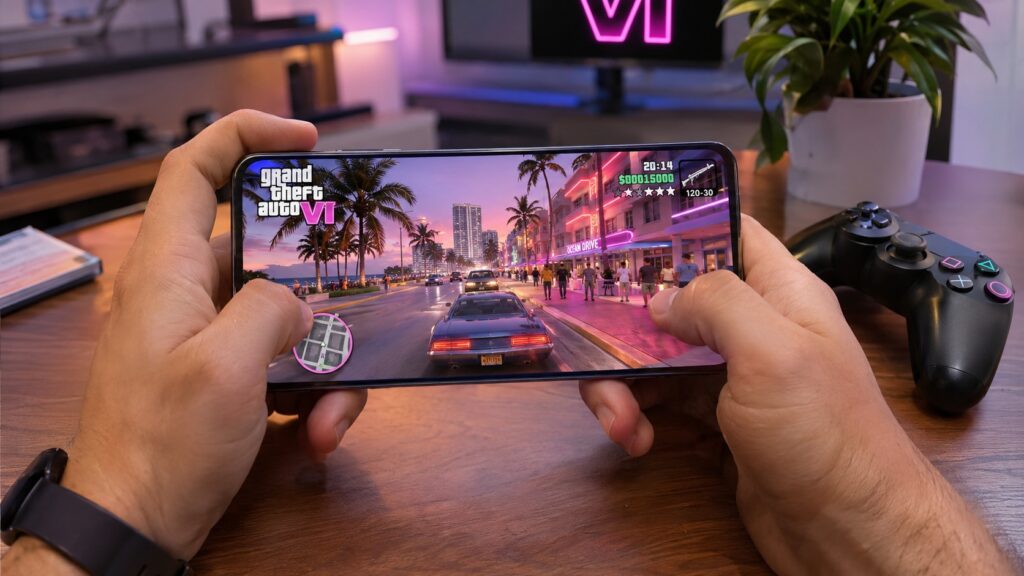
GTA VI on an Android smartphone screen
The full version of GTA VI can appear on an Android screen from launch day, but not as a regular mobile game. It works only as a stream from a PS5 or Xbox Series X|S that you own and have set up for Remote Play. Cloud play on Android remains unconfirmed.