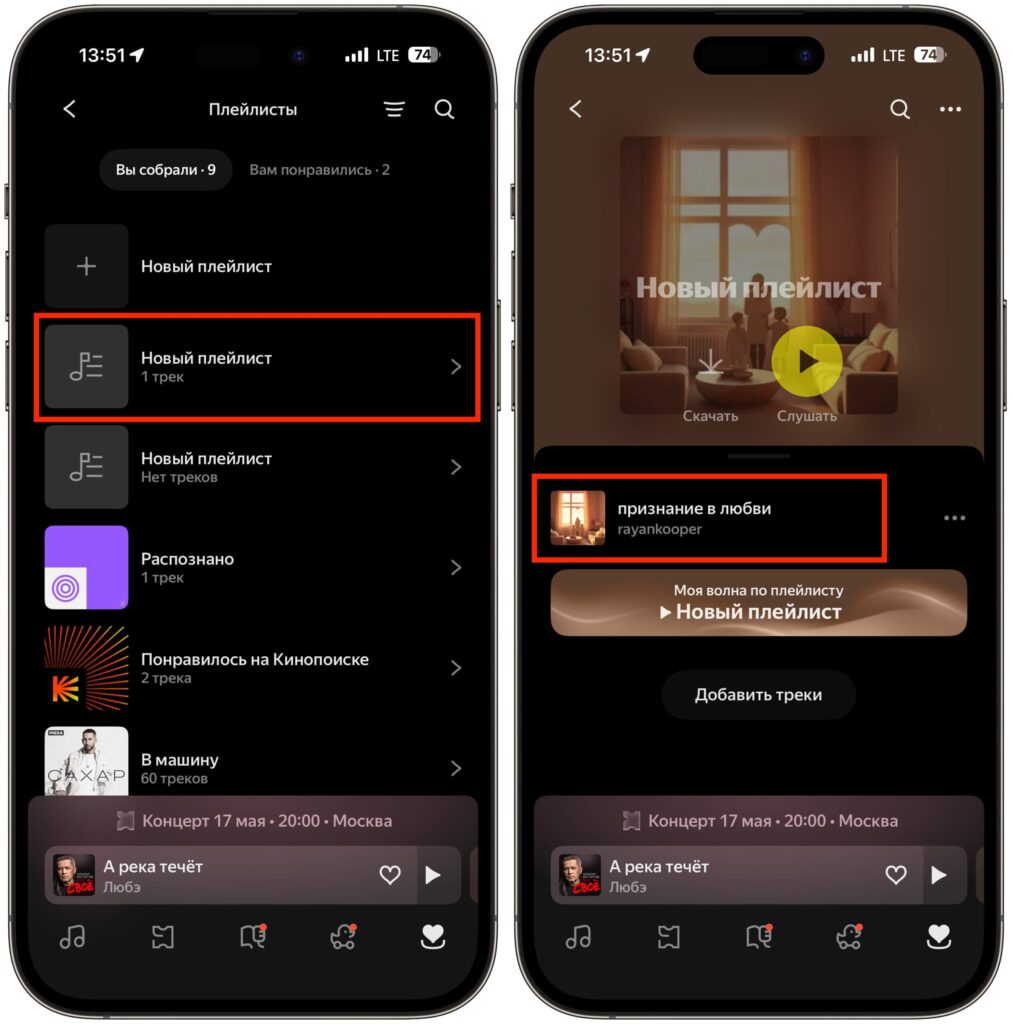
Everyone has tracks that aren’t available on any streaming service. An old concert bootleg, a rare remix from the 2000s, a recording from a cassette you digitized a year ago. Or maybe you write your own music and want to listen to it in one place alongside the rest of your collection. Yandex Music lets you upload your own audio files directly to the cloud and listen to them on any device — from an iPhone to a computer. The upload feature does have its nuances, though, which are worth knowing about in advance.

You can add your own songs to Yandex Music and listen to them alongside tracks from the streaming service
Can You Upload Your Own Music to Yandex Music
You might think — with tens of millions of tracks in the Yandex Music catalog, why would you need to add anything else? But in practice, there are plenty of situations where the track you need simply isn’t available on the service. Sometimes the rights holder removes an album from the platform, sometimes the artist is too niche, and sometimes you just want to keep all your music in one place.
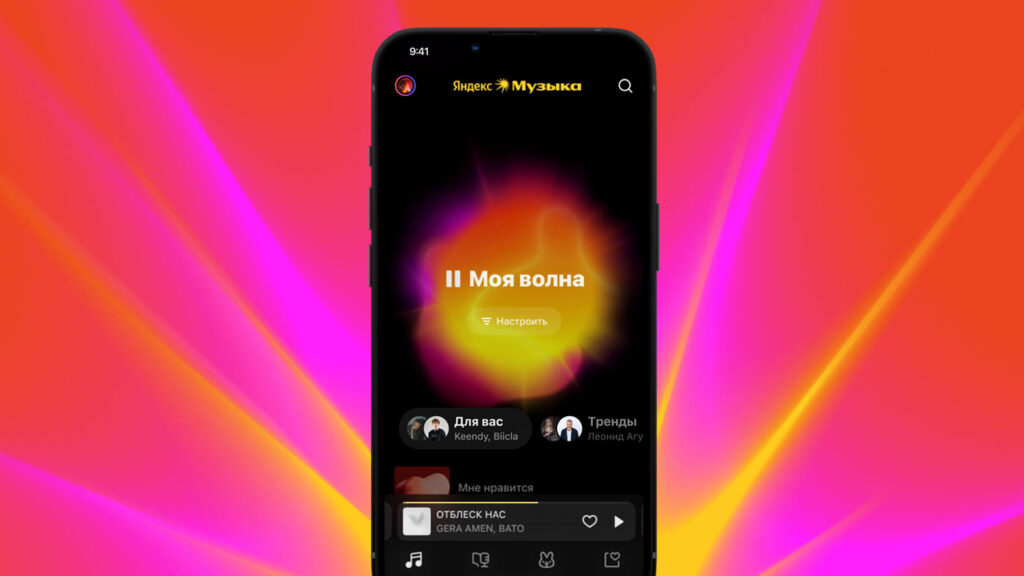
Yandex Music lets you combine your songs and streaming songs in one playlist, and that’s great
Here are a few typical scenarios. You have an MP3 collection from the days when people still bought music on CDs or downloaded it from torrents. You digitized vinyl records and want to listen to them outside of your home. You recorded a podcast or your own track. Or you switched from another service and part of your library was simply lost during the transfer.
The main advantage is synchronization across devices. Upload a track from your computer, and you can listen to it on an iPhone, iPad, or Android smartphone. No need to send files through messengers or cloud storage. Everything will be in the familiar Yandex Music interface, right next to your other playlists.
How Many Tracks Can You Upload to Yandex Music
Before you rush to upload everything, it’s worth understanding the technical limitations. Yandex Music accepts files in MP3, AAC, and FLAC formats. The most universal option is MP3. If you have FLAC files, keep in mind that the service will optimize them during upload, so you won’t be able to listen in the original lossless quality.
The maximum size per file is 200 MB. For a regular MP3 track, that’s more than enough, but a long audiobook in FLAC will need to be split into parts. The limit for the entire account is 10,000 tracks. For a personal collection, that’s more than sufficient. If you have more than ten thousand tracks, you’re probably already using something more serious than a streaming service.
Another important point is metadata. Yandex Music reads ID3 tags from files: track name, artist, album, cover art. If the tags are filled in incorrectly or are completely empty, the track will show up as unnamed. So it makes sense to tidy up your files before uploading. On Windows, there’s a free program called Mp3tag for this, and on macOS you can use the built-in editor in the Music app.
How to Add a Track to Yandex Music via Browser
The simplest and most reliable way to upload your tracks is through the web version of the service on a computer. Yandex Music mobile apps for iOS and Android do not support direct uploading to playlists. So you’ll need a computer.
- Open the music.yandex.ru website in any browser and log into your account.
- Click on the “Collection” section in the left menu.
- Go to the “Playlists” tab and click the plus button to create a new playlist. You can also use an existing one — there’s no difference.
- Give the playlist a clear name. For example, “My MP3s” or “Music from Computer.” Optionally, add a cover image.
- Click the “Upload Track” button on the right and select one or more files from your computer.
- Wait for the upload to finish. The service will scan the tags, and within a few seconds the tracks will appear in the playlist.
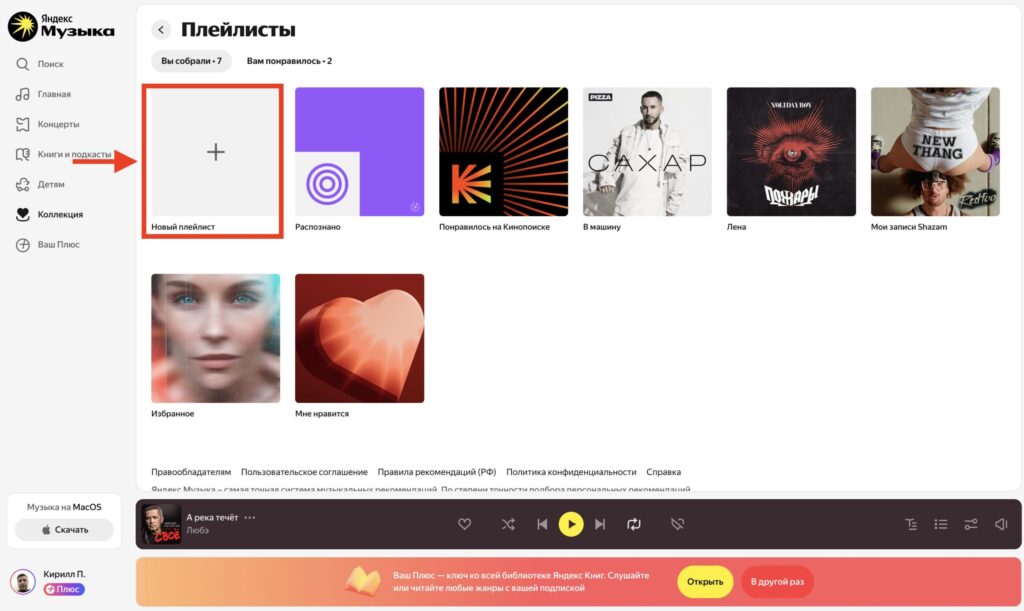
Create a new playlist
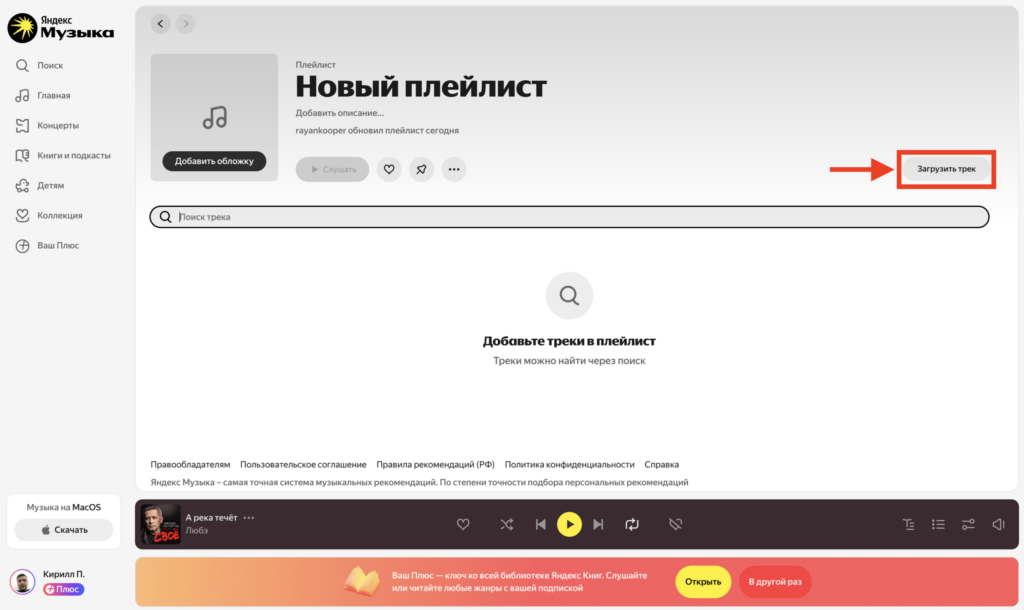
Start uploading a song
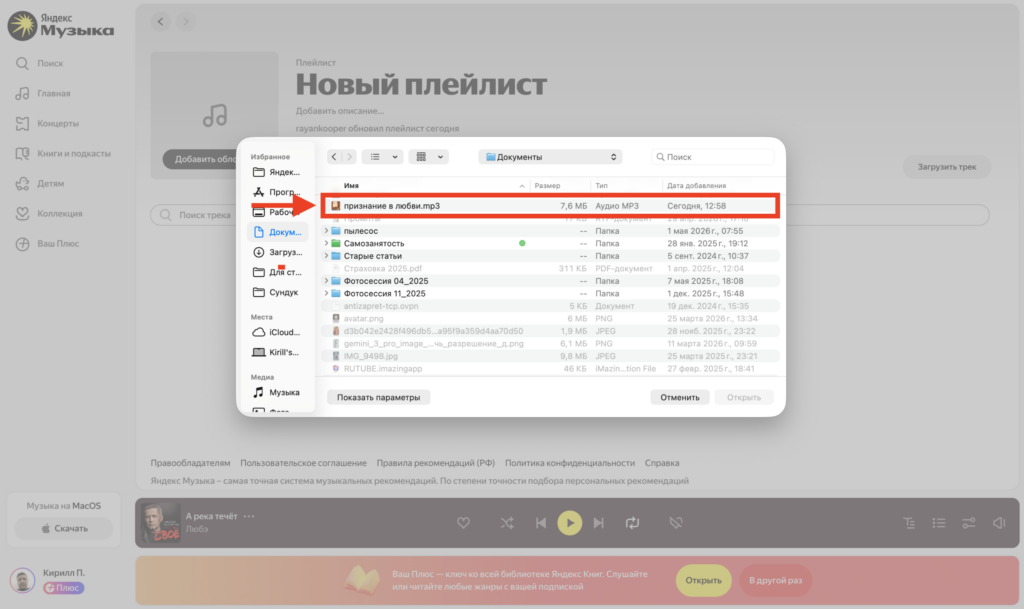
Choose a track on your computer
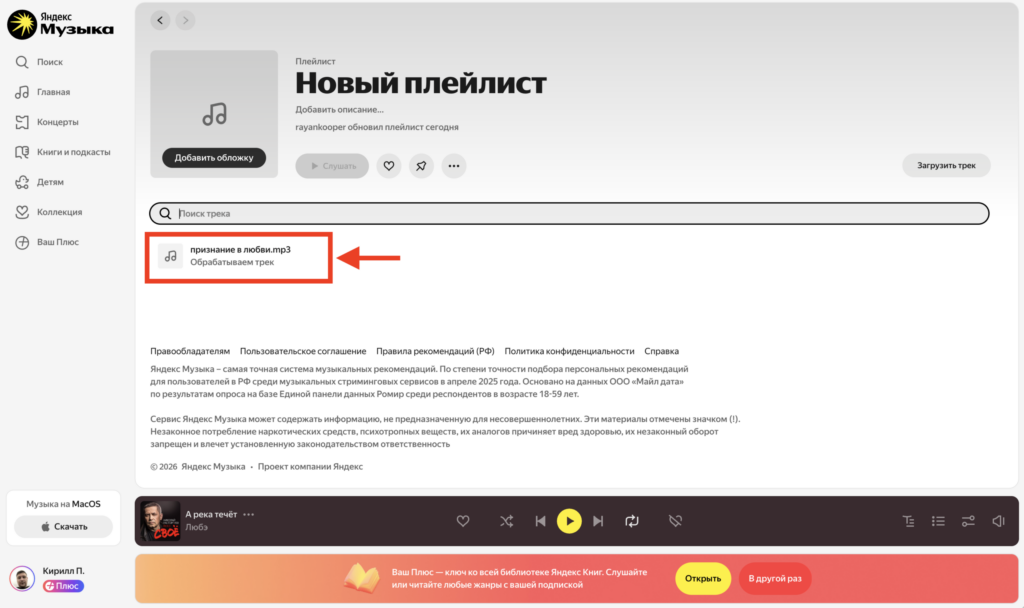
Wait for the song to appear in the playlist and be processed
After that, the uploaded tracks will be available on all your devices where you’re logged into the same account. Open Yandex Music on your iPhone — and there they are, in your playlist.
Who Can See Uploaded Tracks in Yandex Music
Uploaded files are intended exclusively for personal listening. They don’t appear in the general Yandex Music catalog, aren’t indexed in search, and don’t show up in recommendations. If you create a playlist of uploaded tracks and share the link with a friend, they’ll see an empty playlist. Your files simply don’t exist for them.