Today, June 29, Apple released the third beta of iOS 26.6 and iPadOS 26.6. Interestingly, it arrived on the same day as the stable iOS 26.5.2: while regular users are downloading an important security patch, testers are already digging into the next build. This is Apple’s normal rhythm on the home stretch of the iOS 26 cycle. No major features are promised here, but a couple of minor changes have been found. Let’s break down what’s inside, when to expect the iOS 26.6 release, and who actually needs this beta.
Day of releases: Apple also released a new beta of iOS 26.6
What’s New in iOS 26.6
Honestly, don’t expect noticeable new features in iOS 26.6. Apple is wrapping up the iOS 26 cycle, so the update is focused on bug fixes and performance optimization. But enthusiasts still dug up a couple of interesting details in the betas.
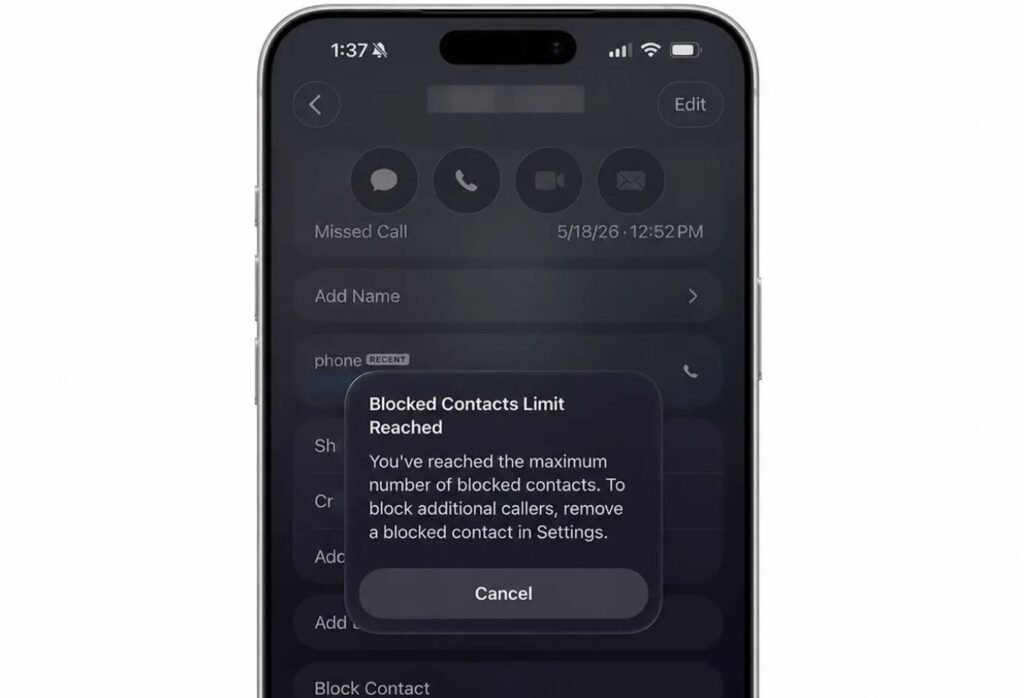
The previous beta revealed a limit on the number of blocked contacts
First, the system now warns you when you’ve hit the blocked contacts limit and suggests that the list is full. Second, the builds showed a new snatch protection feature: if an iPhone is snatched from your hands, it automatically locks so a thief can’t get inside in time. This isn’t a final feature yet, but the direction is encouraging.
There are no new icons, redesigned menus, or major capabilities here.
When Will iOS 26.6 Be Released
The third beta came out two weeks after the second, so Apple is maintaining its usual two-week testing rhythm. The final iOS 26.6, based on past years’ schedules, should appear closer to the end of July, and this seems to be the last notable update in the iOS 26 lineup.
We are definitely waiting for the iOS 26.6 release
After that, all attention will shift to iOS 27, which we expect to launch in September alongside the new iPhones.
How to Install the New iOS 26.6 Beta and Who It’s For
The build is available to registered developers. You can download the beta directly on your iPhone or iPad through Settings → General → Software Update. You’ll need an Apple ID linked to the developer program — fortunately, free registration on Apple’s website makes this possible. Here’s what to do:
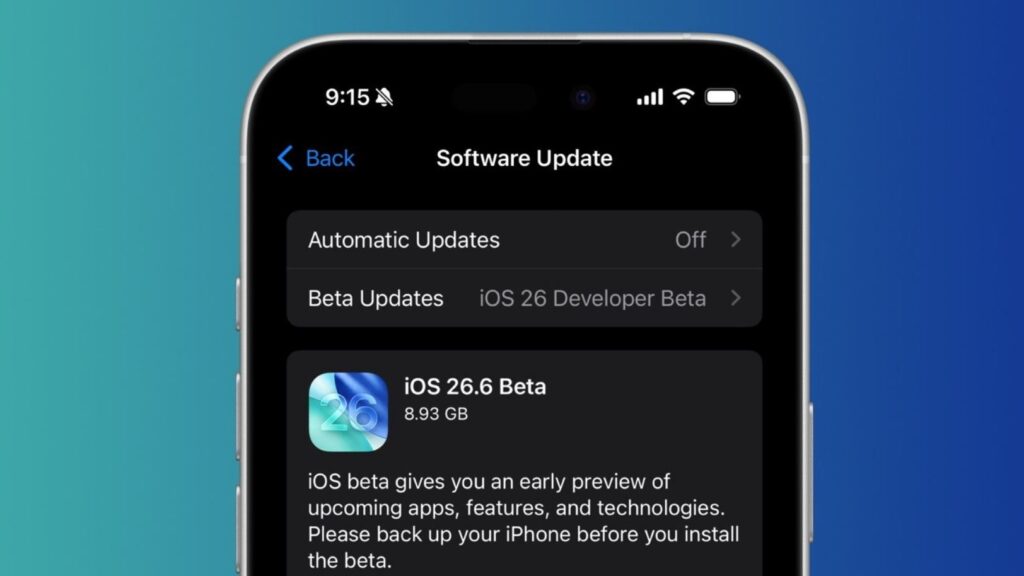
You can download the beta right now
- Go to developer.apple.com with your Apple ID and agree to the program terms;
- On your device, open Settings → General → Software Update;
- In the “Beta Updates” section, select iOS 26.6 Developer Beta;
- Wait for the update to appear and install it like a regular update.
iOS 26.6 Battery Life and How Long the iPhone Lasts on a Charge
With beta versions, battery life almost always takes a hit: the system isn’t optimized yet, and background processes run erratically. But since this is the final branch of iOS 26, battery life will surely be improved by the release, and it’s possible that 26.6 will be more efficient than iOS 26.5. On the fresh build, I wouldn’t count on stable screen-on time, but the public version should be satisfying in this regard.
Who Should Download iOS 26.6
Short conclusion: you shouldn’t install this beta on your main iPhone. There are no major features in 26.6, but glitches, faster battery drain, and finicky apps on an early build are almost guaranteed. It only makes sense if you have a spare iPhone lying around or if you’re a developer testing your app on the new system.
Everyone else is better off waiting for the public release: it will arrive automatically and without the hassle of profiles.


