The free Picture-in-Picture (PiP) mode on YouTube is no longer a US-only privilege. Now watching videos in a floating window over other apps will be available to all iOS and Android users without a YouTube Premium subscription. The rollout is gradual and will take several months. Previously, workarounds were needed, but now everything will work natively.
YouTube launches free Picture-in-Picture mode on iOS and Android worldwide
Which YouTube Videos Can Be Watched in PiP Without Premium
Previously, PiP on YouTube without a subscription only worked in the US. Now Google is expanding the feature to the rest of the world: free Picture-in-Picture is already rolling out globally and will be available to all users in the coming months.
There is an important limitation. The free mode only works for “long non-music videos” — meaning regular YouTube videos. Music videos in a small window still remain exclusive to a Premium subscription. Short YouTube Shorts also don’t support the floating window: they’re designed for vertical full-screen viewing and simply won’t launch in PiP mode.
How to Enable Picture-in-Picture on YouTube for iPhone
The mechanics are simple and don’t require separate app settings:
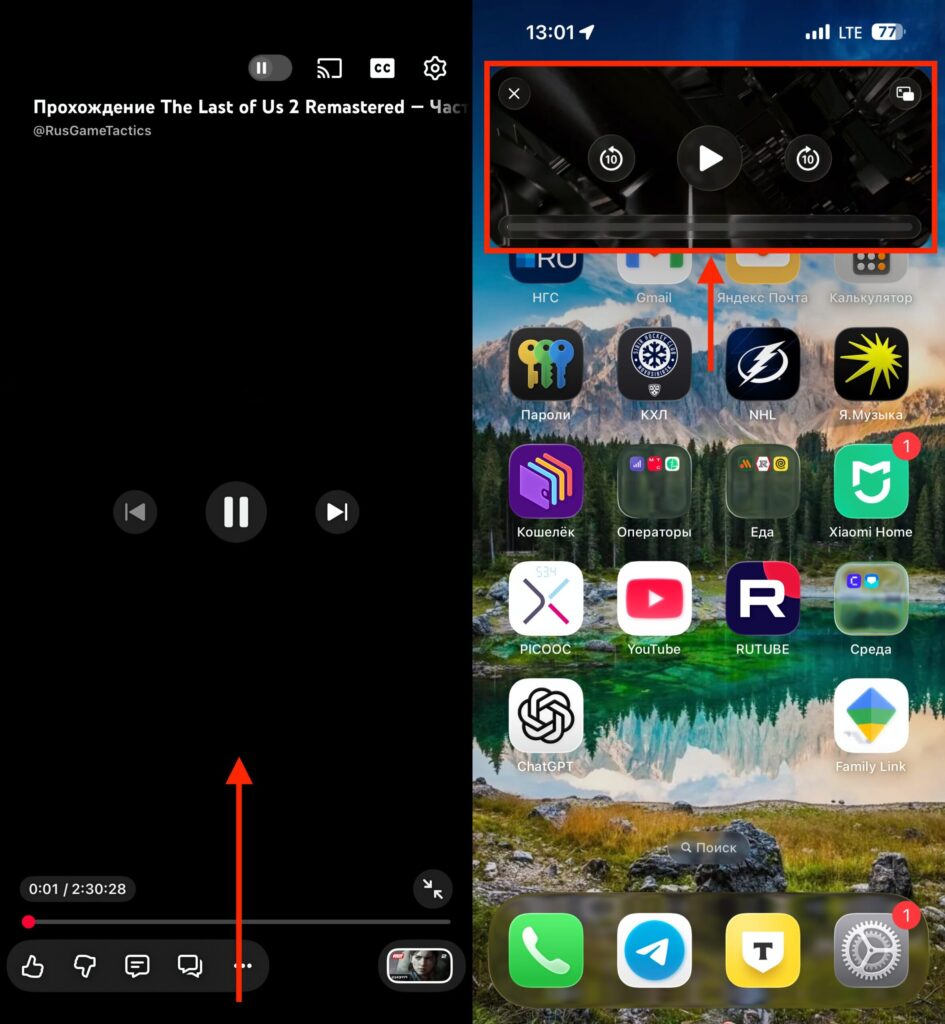
Just swipe the app away and the video will minimize to PiP
- Start a video in the YouTube app.
- Minimize the app with the usual upward swipe on the navigation bar.
- The video will continue playing in a small window over other screens.
- The window can be dragged and resized.
- Tapping on it reveals pause and return-to-app buttons.
On iPhone, for PiP to work correctly, the system-wide “Picture in Picture” toggle must be enabled in iOS settings — this is a standard Apple requirement for all apps with this feature. You can find it at “Settings — General — Picture in Picture.” Make sure the toggle is active, otherwise when you minimize YouTube, the video will simply pause.
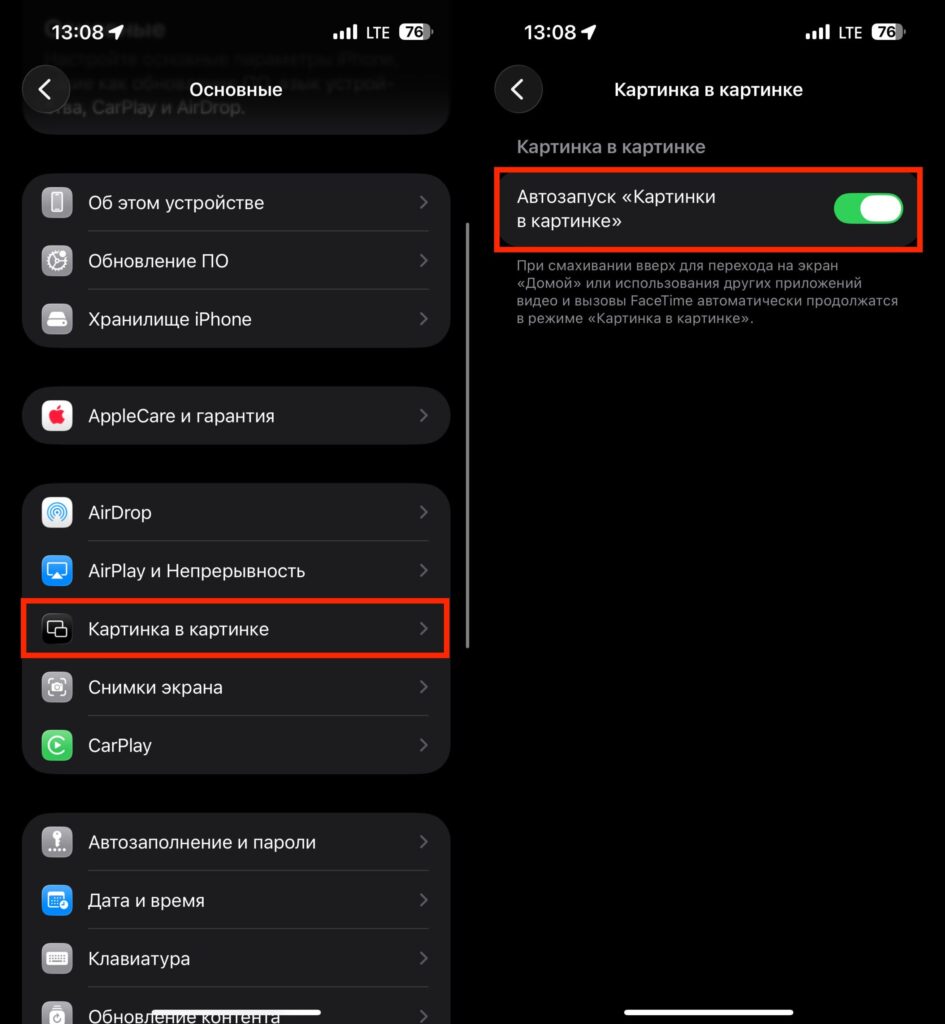
Check this setting just in case
On Android, the setting also exists but is hidden a bit deeper. Open system settings, go to the “Apps” section, find YouTube, and in the “Special access” section, enable the permission to display over other apps. Without this, the mode won’t activate.
Why You Need PiP Mode on YouTube for iPhone
Until now, iPhone users in most countries could only watch YouTube in a floating window through the web version in Safari or with a Premium subscription. Now the scenario of “listening to a lecture while chatting in a messenger” works directly from the app — without workarounds.
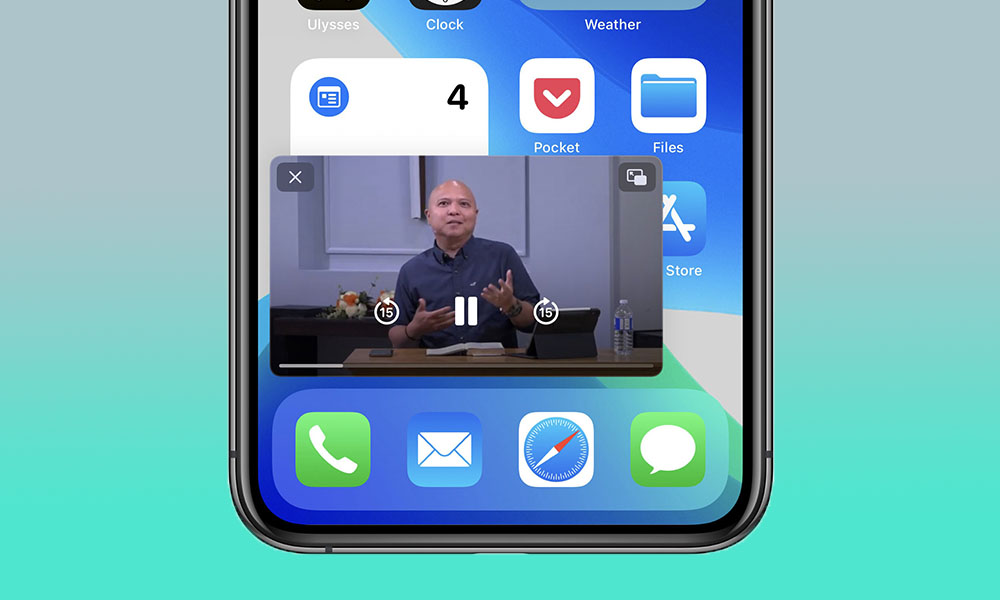
It’s a convenient feature that lets you watch videos while chatting in a messenger
Who this is really useful for:
- Those who watch long reviews, podcasts, and interviews in the background
- Those who use YouTube as a substitute for educational courses
- Those who multitask with notes, email, or a browser
In practice, PiP changes the habit of consuming video. Instead of switching between tabs or waiting for a break, you simply minimize YouTube and continue doing your things. The window stays on screen: you can simultaneously reply in a messenger, check email, or scroll through a news feed.
For fans of clips and music on YouTube, the change doesn’t offer much: music content in PiP remains behind a paid subscription.
Differences Between Free PiP and YouTube Premium
For paying users, nothing changes today. Premium Lite subscribers continue to use PiP for long non-music videos on Android and iOS. Full Premium subscribers keep PiP for both music and regular videos — this remains an advantage of the more expensive tier.
But there is still a difference between PiP with and without Premium
In other words, the free feature neatly replicates Premium Lite capabilities but falls short of the full subscription specifically due to the music restriction. Besides PiP, paid subscribers still get background audio playback, offline video downloads, and a completely ad-free experience — those benefits haven’t gone anywhere.
Also keep in mind that on older devices, YouTube may stop working after an update, so check compatibility in advance.
Why PiP on YouTube Isn’t Working on iPhone
Google explicitly mentions a global rollout “in the coming months.” This means the feature won’t arrive all at once but in waves — as is typical with YouTube’s server-side changes. For example, it hasn’t appeared for me yet.
If PiP hasn’t appeared yet, make sure the YouTube app is updated to the latest version in the App Store or Google Play, and verify that the Picture in Picture function is enabled system-wide in iPhone settings under “General — Picture in Picture.” On Android, make sure the PiP permission for YouTube hasn’t been manually disabled.
If you were keeping a YouTube Premium subscription solely for background viewing of regular videos in a small window — that’s no longer a reason to pay. For everyone else, it’s pleasant news but no reason to rush: wait until the feature reaches your account and simply start using it. For music listeners and those who value ad-free YouTube, Premium still remains a worthwhile purchase.


