As soon as Google officially introduced Android 17, Samsung began the global rollout of the stable version of One UI 8.5 — a shell update for Galaxy smartphones, tablets, and foldable devices. The update is already available for more than a dozen models, and even more smartphones will receive it in the coming weeks. Despite the fact that this version is based on Android 16, there are five specific improvements that turn One UI 8.5 from an ordinary Samsung update into a noticeable change in everyday experience.
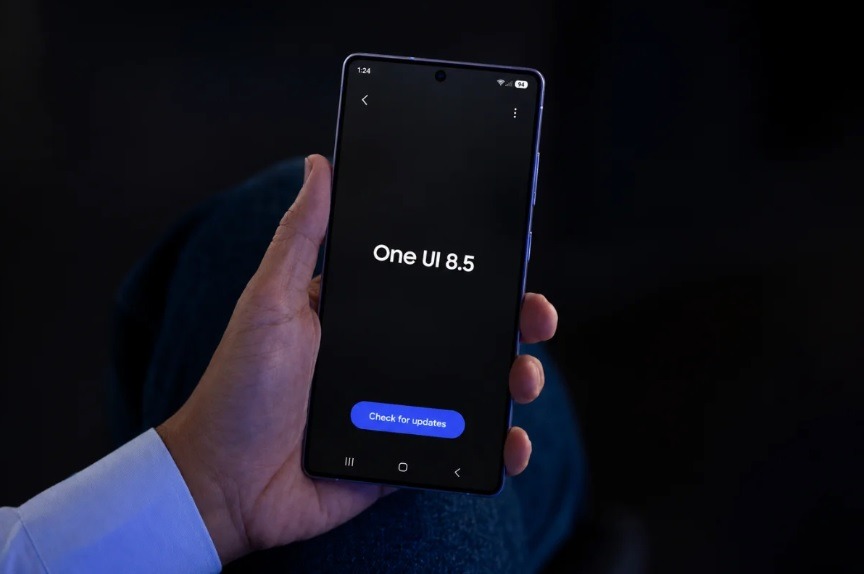
Full review of One UI 8.5 on Samsung. Image: gizmochina.com
Quick Panel in One UI 8.5
Samsung’s Quick Panel (the drop-down shade with toggles and sliders) has received perhaps its most significant update in recent years. In One UI 8.5, almost all restrictions on its customization have been removed: you can now freely drag, resize, and delete any sliders, toggles, and widgets. The brightness and volume sliders can be made vertical, and the media player can be compressed or stretched.
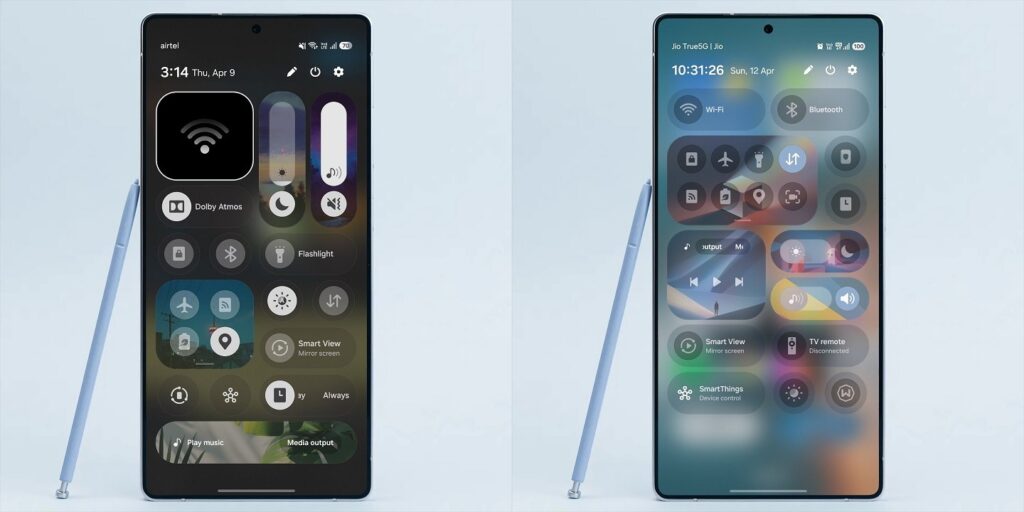
The notification shade can now be fully customized. Image: Tarun Vats
For comparison: in One UI 8.0, you could only change the order of some sections, and it was impossible to remove or move Smart View and “Device Control” tiles. Now you can even completely clear the panel, leaving it empty. If you were annoyed by unnecessary elements in the shade, this update is exactly what was missing.
New Samsung Navigation Bar
The One UI 8.5 update replaces the familiar bottom navigation bar with a so-called floating tab bar. It now looks like a pill and features a frosted blur effect, visually separated from the screen edges, appearing to float above the content.
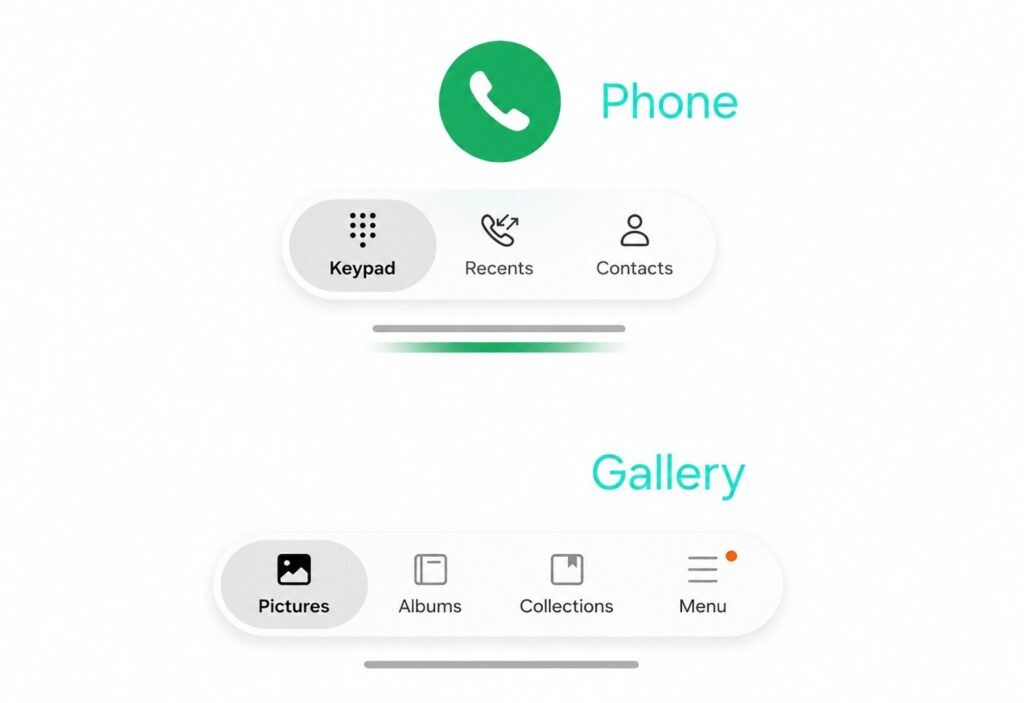
This is what the navigation bar looks like now
In addition to a more modern appearance, the floating bar is slightly more convenient for one-handed use. Samsung already uses it in its Phone, Gallery, and Samsung TV Plus apps. Third-party developers are also starting to implement this element, so the interface will become more uniform over time.
Galaxy AI Update: Call Screening and Improved Photo Editor
Samsung’s artificial intelligence has become noticeably more useful in practical scenarios. The main innovation is the Call Screening feature within Call Assist. If an unknown number calls you, the AI can automatically answer the call, ask the caller about the purpose of the call, and show you a text transcript right on screen. At any point, you can take over the conversation by voice or switch to text mode. This is a convenient way to filter spam and avoid unnecessary calls when you’re busy.
The Photo Assist photo editor has also been updated: you can now edit photos using AI without having to save each intermediate version, and a history button lets you go back to previous versions. The Sketch to Image feature has been replaced with a Create tab: instead of drawing freehand, you can describe in text what to add or change in a photo (change the background or add an object). There’s a caveat: Galaxy AI features are only available on a limited number of devices (mainly flagships from recent years). The reason is hardware requirements for the neural processor.
File Transfer from Samsung to iPhone via AirDrop
One UI 8.5 solves one of the longest-standing everyday problems: Quick Share is now compatible with Apple AirDrop. This means you can send files to an iPhone, iPad, and Mac without third-party apps or cloud services — directly, in just a few taps.
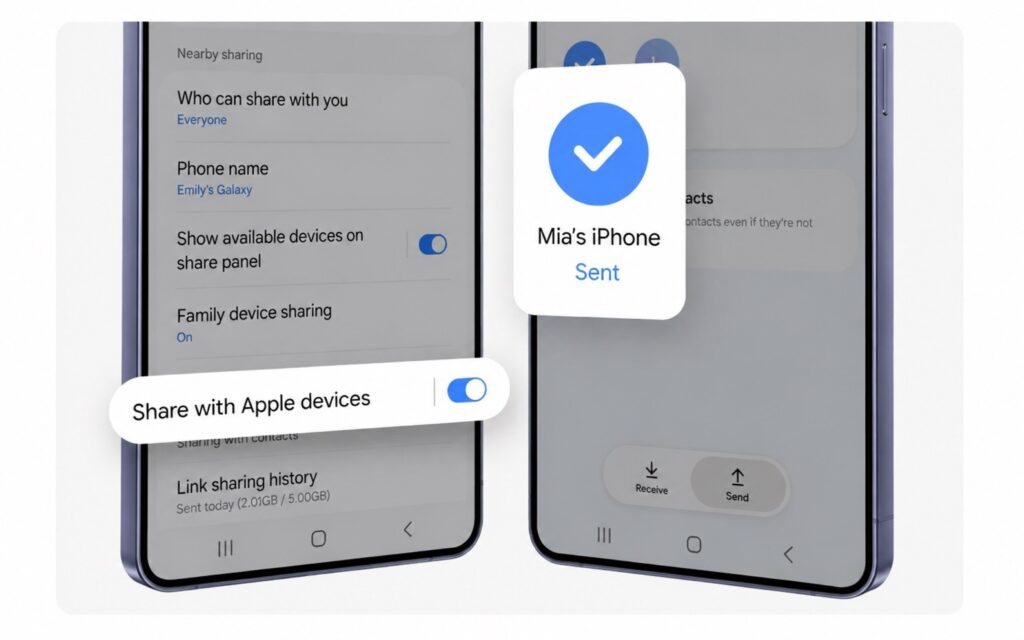
Now Samsung supports the AirDrop feature too
To enable the feature, you need to:
- Open “Settings,” go to “Connected Devices,” then to Quick Share.
- Turn on the “Share with Apple devices” toggle.
- On the Apple device, go to “Settings,” then to AirDrop, and select “Everyone for 10 Minutes.”
There are some nuances to consider. According to several sources, AirDrop works on Galaxy S22 and newer, as well as Galaxy A36. Samsung has not yet confirmed support for older and budget models, as the feature requires not only a software update but also certain chipset capabilities. Additionally, Samsung is rolling out this feature in stages, so it may not appear immediately after the update.
Samsung Lock Screen Customization
The lock screen in One UI 8.0 already offered a lot of freedom, but version 8.5 introduced pleasant details. The updated system automatically adjusts the placement of people and animals on wallpapers around clocks and widgets so that nothing gets overlapped.
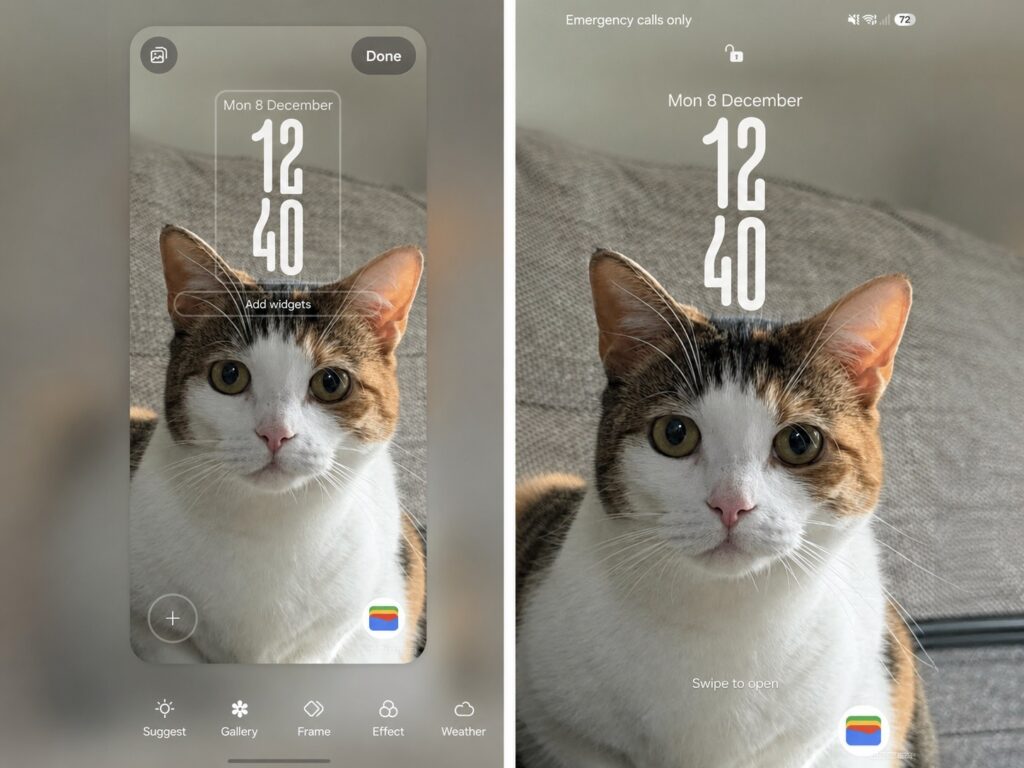
There are really more lock screen settings now
A new option to preview and apply live weather effects directly from the wallpaper selection screen has also been added. This means you don’t have to set the wallpaper first and then check how it looks with animation.
Who Will Get the One UI 8.5 Update and When
The rollout of stable One UI 8.5 began on May 6, 2026, in South Korea, and from May 11, the update became available in Europe, North America, India, and Southeast Asia. The Galaxy S25 and S25 Edge series were the first to receive the update, followed by the Galaxy S24, Z Fold 7, Z Flip 7, as well as the Galaxy Tab S11 and Tab S10 tablets. Devices from the Galaxy S23 and Z Fold 5 lines are expected to receive the update in early June. Models from the A, M, and F series will come later.
The update size is approximately 4–4.5 GB when upgrading from One UI 8.0, so it’s better to install it over Wi-Fi. If you were a beta tester, the intermediate update to the stable version will only take 480–580 MB. If you’re using a Samsung flagship from the last three to four years, the update is worth installing: the customizable shade, call screening, and file sharing with Apple devices are things that genuinely simplify everyday tasks. Budget model owners will need to be patient: the update will reach them, but some AI features and AirDrop may be unavailable due to hardware limitations.


