The latest Chrome takes up more disk space than it appears at first glance. If you’ve noticed that after a browser update your free space has decreased, it’s time to clear the browser cache on your Mac and also check the system folders. Researcher ThatPrivacyGuy discovered that the browser downloads the AI model Gemini Nano without user consent, weighing about 4 GB — and this happens on both Windows and Mac. Below, we break down what exactly gets installed, how to find it, and how to disable it if 4 GB is too much to spare.

Chrome may download 4 GB of files without your knowledge. Or it may not
Where Chrome Stores the Gemini Nano AI Model
We’re talking about the file weights.bin in the OptGuideOnDeviceModel folder. This is a local version of the Gemini Nano model for the browser’s built-in AI features — for example, suggestions and experiments with the Prompt API. The model runs directly on the device, which is why it’s so large: about 4 GB of permanent disk space. Google positions it as a way to speed up working with neural networks without accessing the cloud, but most users don’t even know it exists.

Why Chrome downloads Gemini Nano on some computers remains unclear
According to the researcher, a freshly installed Chrome took less than 15 minutes to download Gemini Nano on its own, without a single click from the user. There’s no consent dialog or checkbox in the installer — the model simply appears in the system folders. The process runs in the background immediately after installation or update, and no notification is displayed.
Both Windows users and Mac owners are affected — everywhere Chrome is installed. On macOS, the files are located at ~/Library/Application Support/Google/Chrome, on Windows — in the hidden AppData folder of the user profile. For MacBook owners with a base 256 GB, this is particularly unpleasant: 4 GB goes to a feature you didn’t know about. On SSDs with small capacity, every such “silent” addition is noticeable.
How to Delete Gemini Nano from Chrome and Free Up Space

Two flags in chrome://flags that need to be disabled before deleting the folder
The researcher proposed a way to remove the model and prevent it from being downloaded again. Simply deleting the folder isn’t enough — Chrome will download it again during the next update. You need to disable the related flags first, and only then delete the files.
- Open chrome://flags in the address bar
- Disable the parameter Enables optimization guide on device
- Disable the parameter Prompt API for Gemini Nano
- Restart the browser
- Delete the OptGuideOnDeviceModel folder manually
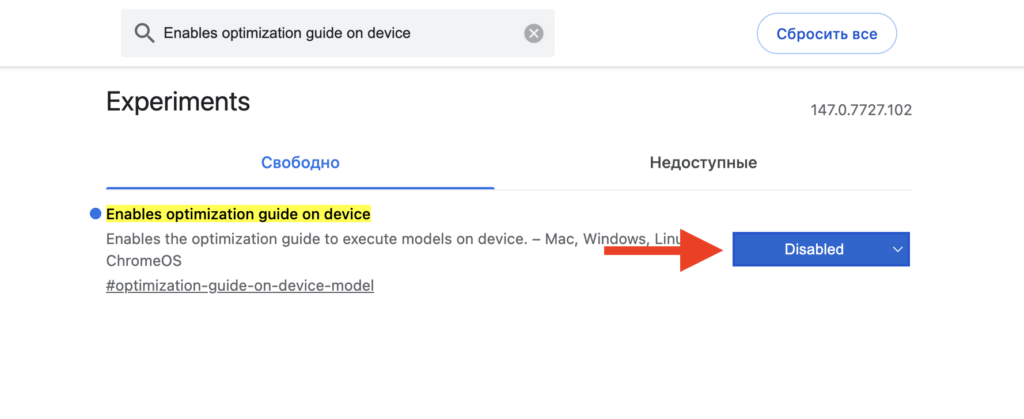
First, disable this option

And then this one
On Windows, the folder is located at “Local Disk (C:) — username — AppData — Local — Google — Chrome.” AppData is hidden by default — enable hidden file display in File Explorer. On Mac, the path is shorter: ~/Library/Application Support/Google/Chrome. After deleting the folder, it’s recommended to restart your Mac to make sure Chrome isn’t keeping the files in memory.
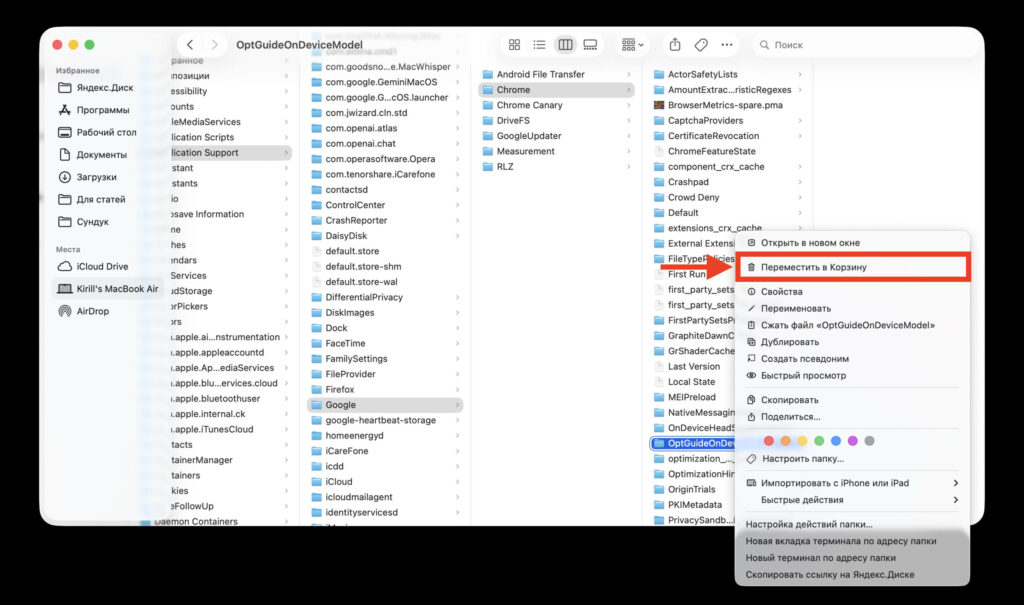
If this folder doesn’t exist on your system, Chrome didn’t download anything
Why Google Added Local AI to Chrome
The main complaint isn’t about the model itself, but about how it’s installed. The Chrome installer says nothing about Gemini Nano, and there’s no way to opt out in advance. The researcher believes this contradicts European transparency rules that prohibit installing optional software without user consent. In the context of GDPR and the Digital Markets Act, such behavior could lead to legal proceedings.
The second argument is environmental. Chrome is used by billions of people, and automatically downloading 4 GB on every device means a significant amount of traffic and data center energy consumption. The argument is debatable, but the EU takes such matters seriously. With an estimated two billion Chrome installations, the total traffic from just one such background download amounts to exabytes.
Should You Delete Gemini Nano If Chrome Is Working Fine
If you work on a Mac and Chrome is your main browser, it makes sense to check the Application Support folder and evaluate whether you need the built-in AI features. If you don’t use them, disabling two flags will free up about 4 GB and block the repeated download.
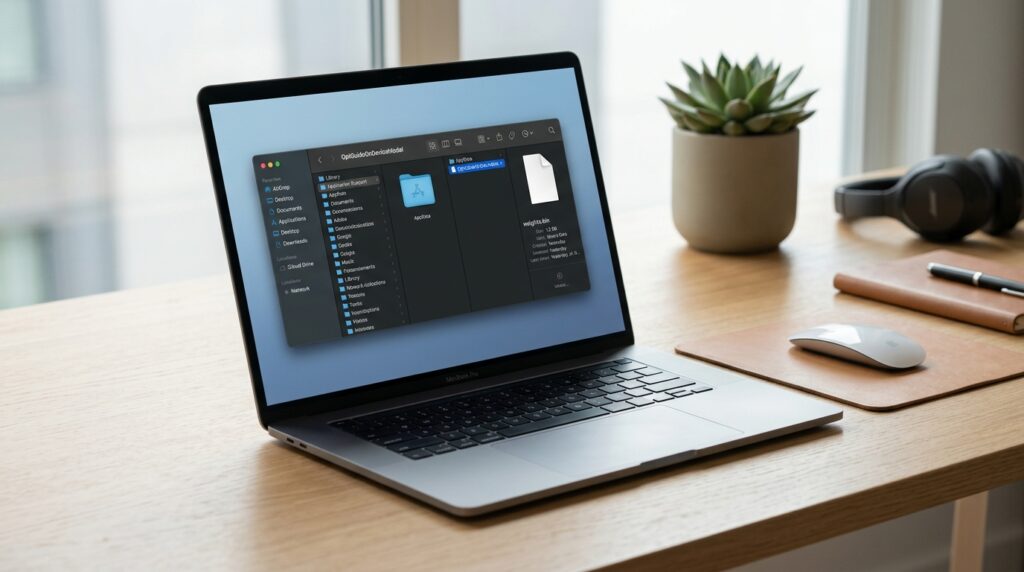
OptGuideOnDeviceModel folder with weights.bin file on macOS
For those who, on the contrary, want to work with Google’s neural networks consciously, it’s more convenient to access them directly.


