Late last night Google released Android 17, and we covered in a separate article who will get the long-awaited update and when. At the same time, the American company introduced nine key Android 17 innovations, which go far beyond just AI features. Updated emoji, the Pause Point digital wellbeing tool, Quick Share compatibility with AirDrop, and a simplified switch from iPhone — all of this will arrive on smartphones in the coming months. Here’s what will actually change for Android users.
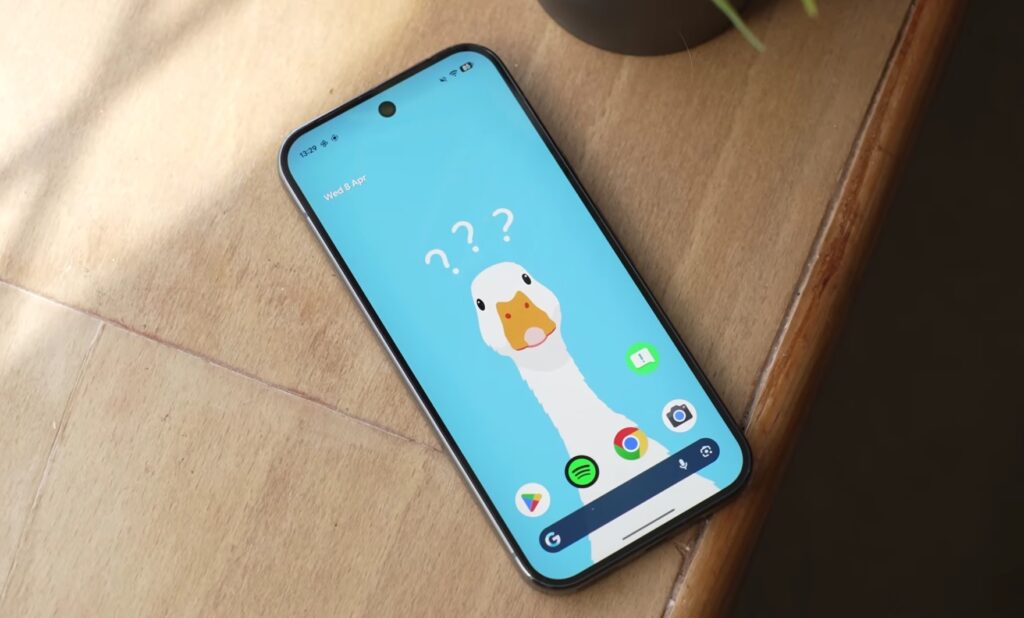
Overview of all new Android 17 features. Image: Android Police
Completely Redesigned Emoji on Android
Google has updated the entire set of 4,000 emoji in Android. The new icons are more voluminous and detailed: instead of the previous flat “cartoonish” versions, expressive three-dimensional versions have appeared. If previous Android emoji looked pale compared to iOS, the gap should now narrow significantly.
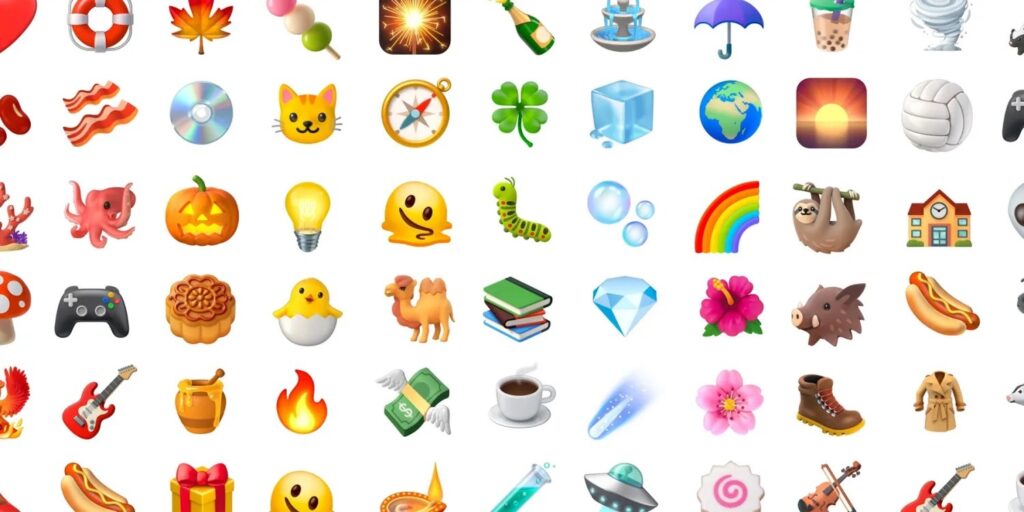
This is what the new emoji in Android 17 look like. Image: Google
Pixel smartphones will be the first to receive the updated emoji — by the end of this year. Google hasn’t yet specified when exactly they’ll appear on other manufacturers’ devices.
Android Digital Wellbeing Update
Pause Point is a new Android Digital Wellbeing tool that adds a 10-second pause before opening an app marked as “distracting.” During that time, the system will suggest doing a breathing exercise or opening a more useful app. The idea is simple: give you a moment to realize whether you really need to scroll through a feed right now.
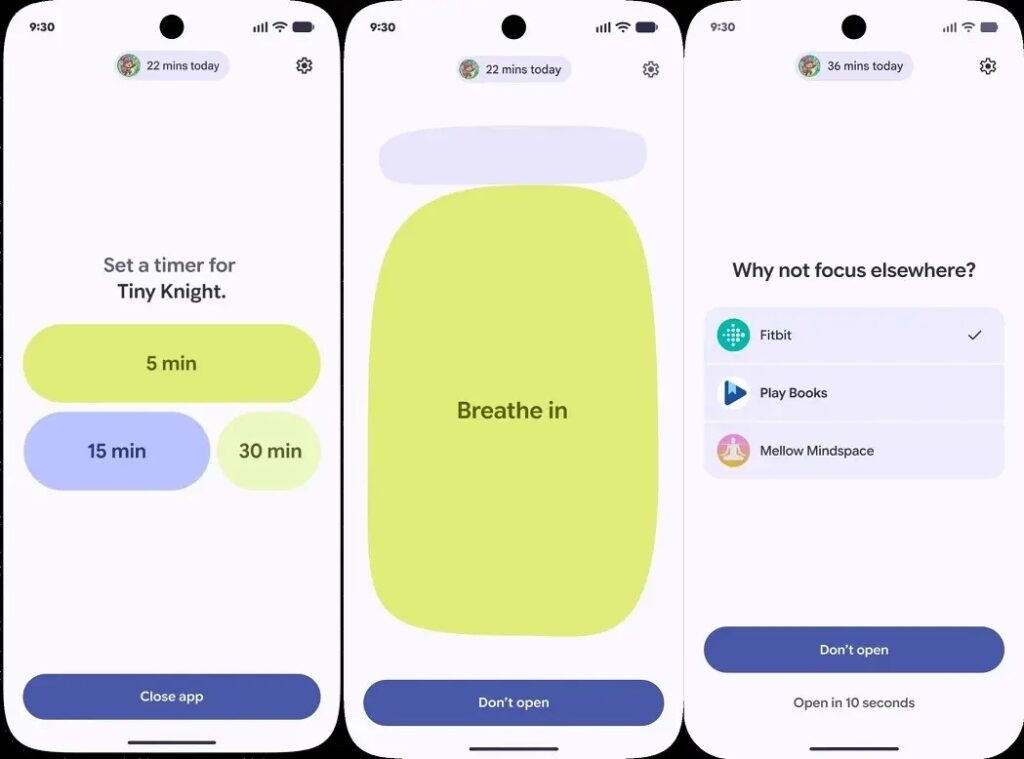
Digital Wellbeing got a new feature. Image: Google
Besides the pause, you can set a timer for each session — how many minutes you’re willing to spend in an app. And importantly, disabling Pause Point is only possible through a full phone reboot. This creates enough “inconvenience” so you won’t swipe away the restriction in a second. For those who genuinely struggle with the habit of endlessly scrolling through social media, Pause Point may prove more useful than any third-party blockers simply because it works at the system level.
Screen Recording Reactions in Android 17
The new Screen Reactions feature allows you to simultaneously record video from the front camera and what’s happening on the screen, as we showed in a separate guide. Your face is displayed on top of the content — as a cutout figure. You can record a reaction to a photo, video, web page, or anything else on the screen.
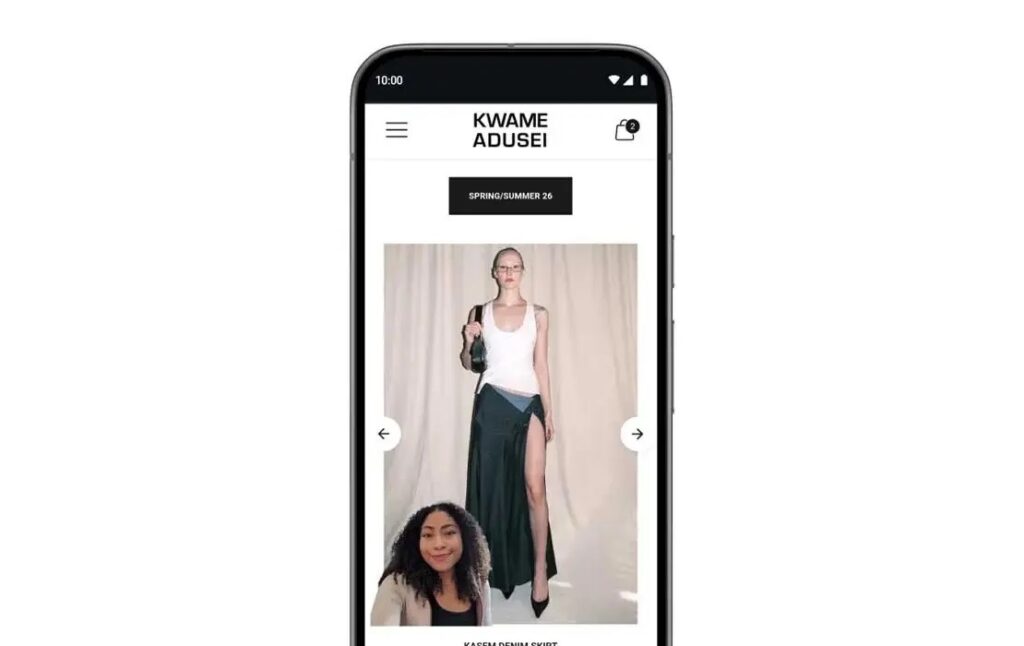
A feature for those who love recording reactions to content. Image: Google
The feature is primarily aimed at bloggers and content creators who previously had to assemble such videos in separate video editors. Now it’s done in a few taps, without third-party apps. Screen Reactions will first appear on Pixel — this summer.
AirDrop Support on Android
Quick Share compatibility with Apple AirDrop, which appeared late last year on Pixel 10 and later on Galaxy S26, is expanding to Xiaomi, Honor, OnePlus, Oppo, and Vivo devices. This means that file sharing between Android and iPhone will become available not only to owners of Google and Samsung flagships.
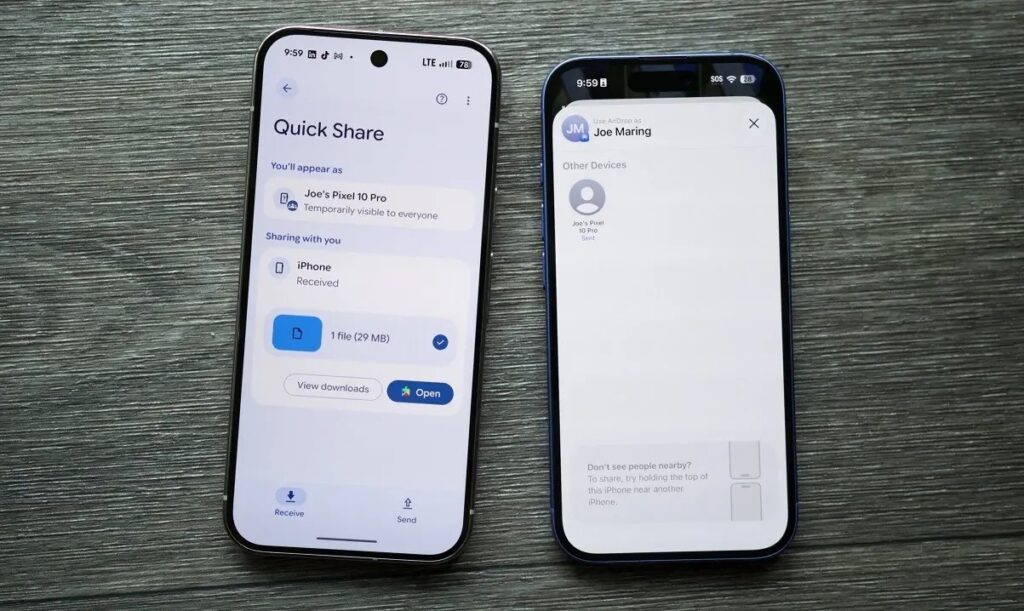
AirDrop will now appear on Android too. Image: androidauthority.com
For smartphones that don’t yet support direct compatibility, Google is already adding a workaround today: Quick Share can generate a QR code that an iPhone user scans to receive the file directly to iCloud. And later this year, Quick Share and AirDrop support will appear directly within individual apps, including WhatsApp.
Switching from iPhone to Android Got Easier
Apple added a built-in “Transfer to Android” tool back in February with iOS 26.3, which can wirelessly transfer photos, messages, contacts, home screen layout, and even eSIM from iPhone to Android. But until now it didn’t fully work — it required a compatible device running Android 17.
Google confirmed that support will appear this year, starting with Pixel and Galaxy. This means that for the first time, switching between platforms will be two-way and native — without third-party apps or cables. However, health data, Bluetooth-paired devices, and protected elements like locked notes won’t transfer.
Smart Speech-to-Text Conversion via Rambler
Rambler is one of the new AI features in Android that Google has united under the “Gemini Intelligence” brand. It’s a real-time dictation tool that doesn’t just transcribe speech but removes filler words (like “um” and “uh”), shortens text, and corrects errors.
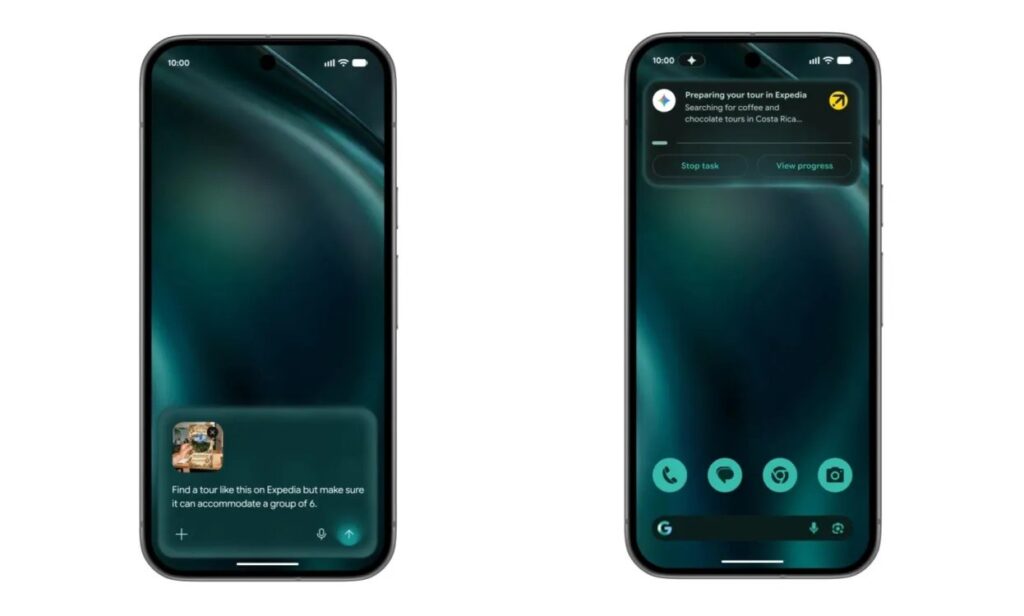
Even speech-to-text has become smarter. Image: Google
In Google’s demo, they showed dictation of a shopping list: a person dictated the list, then changed their mind about bananas — and Rambler excluded them from the final version. The feature can also switch between languages within a single message, which is useful for multilingual speakers. Rambler will appear this summer on the latest Samsung Galaxy and Google Pixel models.
AI Widgets on Android Smartphones
The Create My Widget feature lets you describe a widget in text — and the system will create it for your home screen. Among Google’s examples: a meal planner with high-protein recipes, a weather widget for cyclists prioritizing wind and rain, or a feed of nearby concerts at your favorite venue.


