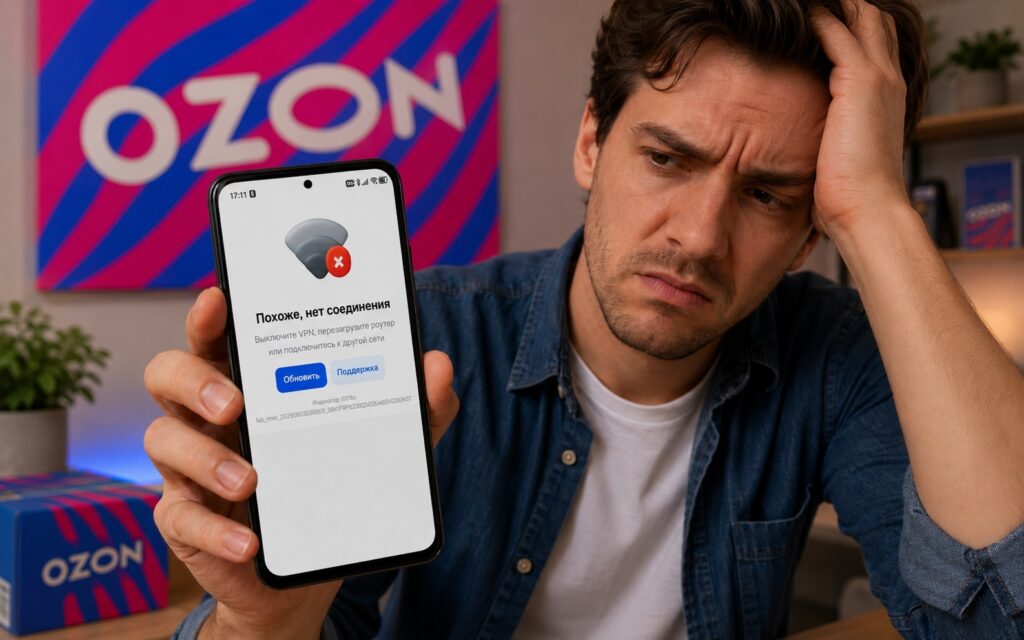
Not long ago, we talked about whether it’s worth buying smartphones on OZON. And it turned out that it is. But it can also happen that despite all your desire, you can’t buy anything even if you have the money: the app opens, shows a loading screen, and displays “It looks like there’s no connection.” The internet works, other apps open, but OZON doesn’t. I’ll go through the causes and solutions in order.
Solving the problem with launching the OZON app
Why the OZON App Doesn’t Work
The message “It looks like there’s no connection” in OZON on Android appears for several reasons, and not all of them are related to the internet. The most common cause is an enabled VPN. OZON, like most major Russian services, blocks access through VPN. The app detects that the connection is going through a third-party server and refuses to connect.
Other possible causes:
- OZON outage on the server side (happens rarely, but it does happen);
- outdated app version (old versions sometimes stop working after a server-side update);
- accumulated app cache that conflicts with the new version;
- unstable internet connection (despite other apps working, OZON may require a more stable channel);
- account issues (a rare case, but sometimes the app fails to load due to an authorization error).
Before taking action — check whether OZON is down today for everyone. Go to detector404.ru and find OZON. If there are hundreds of complaints in the last hour, the problem is on the service’s side and all you can do is wait.
Why OZON Doesn’t Work with VPN
OZON with VPN doesn’t work intentionally. This is not a bug but a deliberate decision. As required by the Ministry of Digital Development, major Russian platforms are obligated to restrict access through VPN. The deadline for complying with this requirement was in April 2026, after which OZON via VPN stopped opening for most users.
OZON blocks VPN itself
Whether VPN will be completely banned in Russia is a separate topic. In short: there’s no full ban for regular users yet, but infrastructure restrictions are growing, and blocking within apps is part of the same trend.
Technically, the app detects VPN in several ways: by IP address from a database of known servers, by connection characteristics, and some apps can see the list of installed VPN apps on the device even when it’s turned off. This means that sometimes OZON without VPN may also work unstably if the app has detected the presence of a VPN client on the phone.
How to Disable VPN on Android
This is the main solution that helps in most cases. It’s important to actually disconnect, not just minimize the app — VPN continues to work in the background as long as the tunnel is active.
Through the VPN app itself:
- Open the VPN app on your smartphone.
- Press the disconnect button or toggle (the connection should be terminated).
- Make sure the VPN icon (a lock or the letters VPN) has disappeared from the status bar at the top of the screen.
- Open OZON.
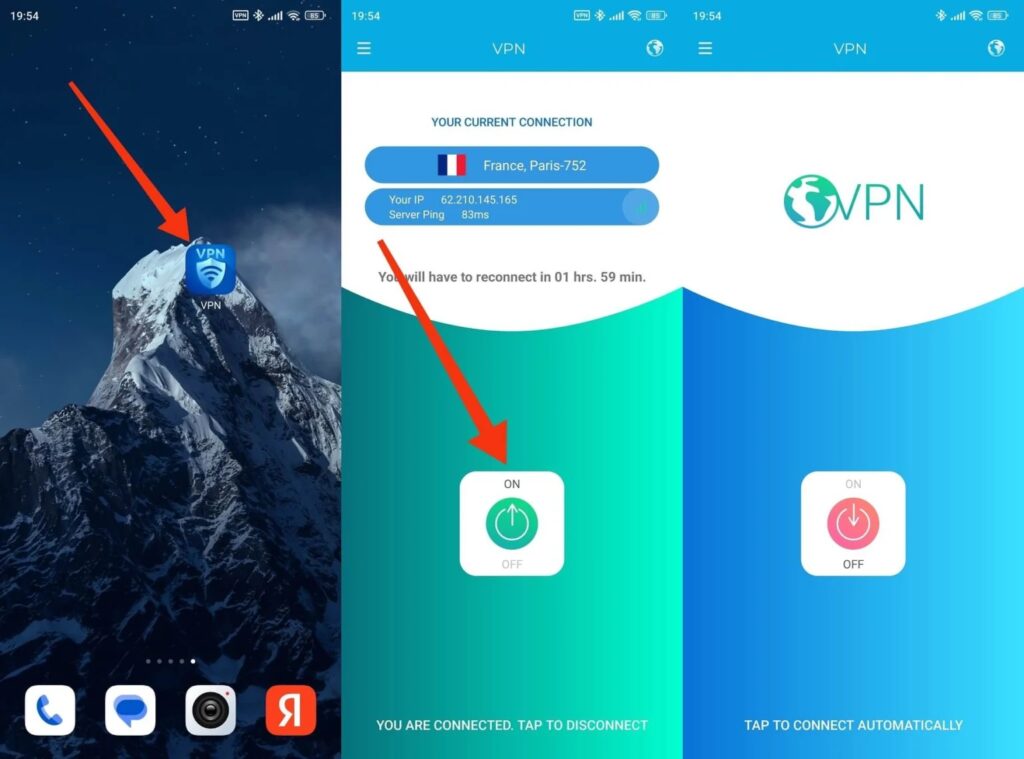
You can disable VPN through the app itself
Through Android settings:
- Open “Settings.”
- Go to “Network & Internet” or “Connections.”
- Find the “VPN” section.
- Tap on the active VPN connection and select “Disconnect.”
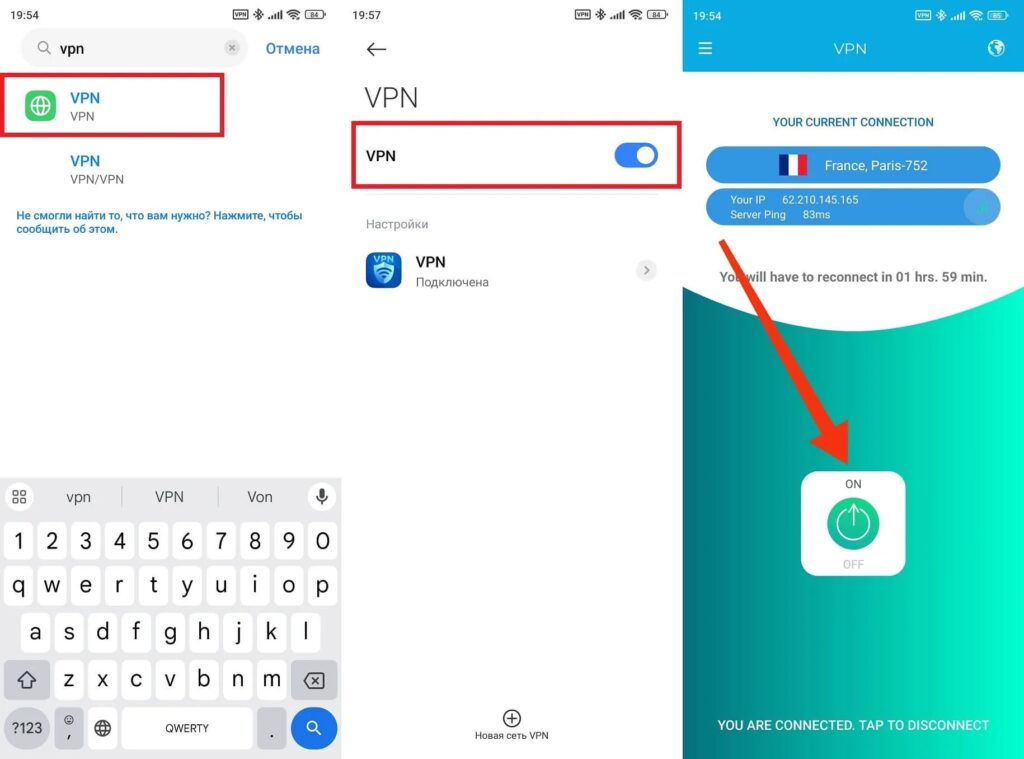
You can also solve the problem through settings
Additionally, on many Android smartphones, there’s a VPN tile in the quick settings panel. Tap on it — the connection will be terminated. After disabling the VPN, give your smartphone 5-10 seconds to switch the connection and try opening OZON on Android again. In most cases, this is enough.
OZON Still Doesn’t Work on Android — What to Do
If VPN is disabled but OZON still won’t open on Android, then let’s move further down the list.
Clear the app cache:
- Open “Settings — Apps.”
- Find OZON and tap on it.
- Select “Storage — Clear Cache.”
- Restart the app.
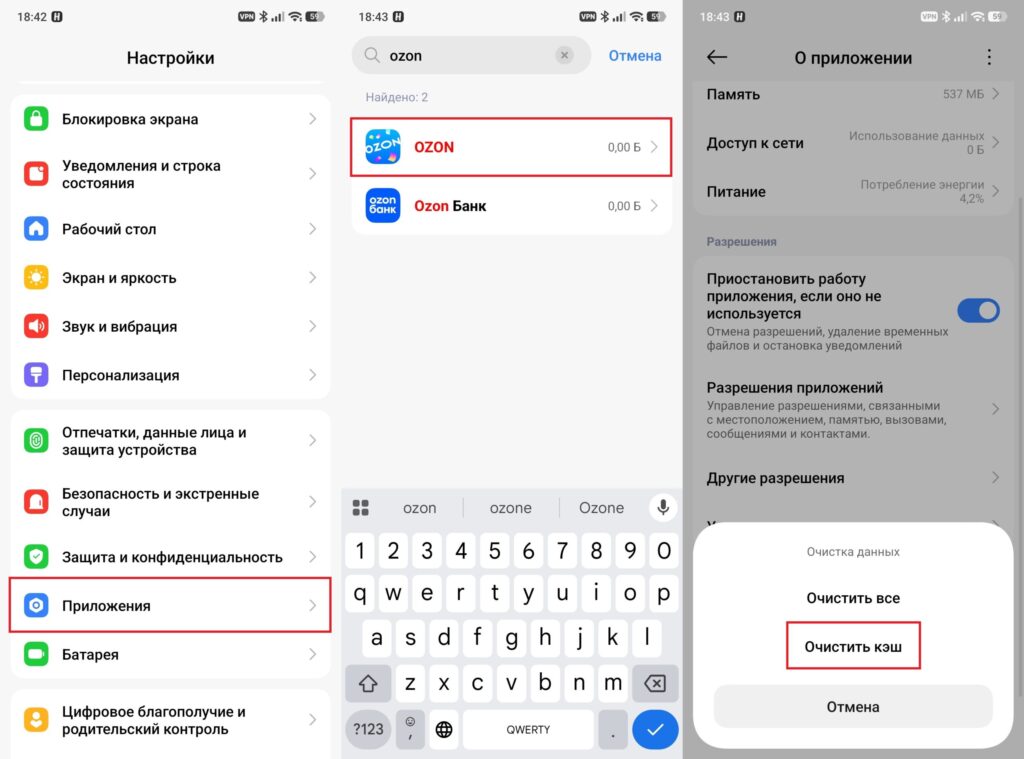
First of all, you need to clear the cache
Update the app:
- Open Google Play or RuStore.
- Find OZON and check for updates.
- If there is one — install it and try again.
Reinstall the app:
- Delete OZON through “Settings — Apps — OZON — Uninstall.”
- Restart your smartphone.
- Install OZON again from Google Play or RuStore.
If that didn’t help, switch from Wi-Fi to mobile data or vice versa. Sometimes OZON doesn’t work specifically because of the settings of a particular network (for example, corporate Wi-Fi may block certain connections).