The gasoline frenzy in Russia has been going on for months now: long lines, liter limits, and gas stations where the fuel grade you need simply isn’t available. The first to launch its own fuel availability map was T-Bank, followed by Yandex. Now Sber has taken on the task, and it has an ace that no one else had: anonymized payment data from 100 million customers and 23 thousand gas stations on the map. Let’s figure out whether it works better than its predecessors and how to open the map on an iPhone.
Sber released its own gas station map
How Sber’s Gas Station Map Works
Over the past month, three services launched that promised to show where there’s fuel. All three turned out to be mediocre, and I say this as someone who tested them personally.
- GdeBenz. Frequently down. You open it at the exact moment your fuel light comes on, and the map won’t load.
- Fuel by T-Bank. Data updates with a delay. Out of five gas stations I actually drove to, the prediction was wrong at four of them.
- Yandex Gas Stations. Also makes mistakes, plus not all stations are visible on the map. Some gas stations are simply missing.
The problem is the same for all of them: data is collected from driver reports, and drivers are lazy. When you’ve been standing in line for forty minutes, the last thing you want to do is mark in an app whether the station has AI-95 gasoline. That’s why all hope was pinned on those who can count without human involvement. Sber took exactly this approach.
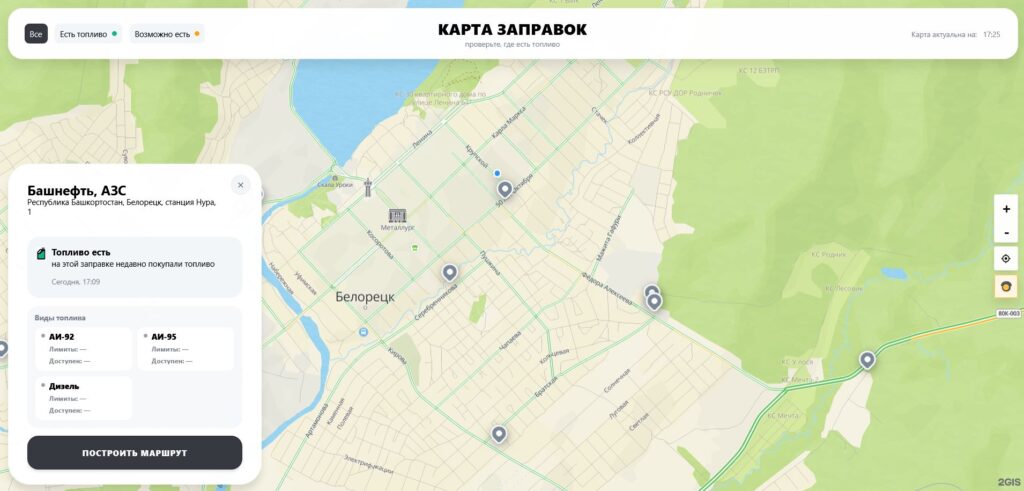
Let’s see whose gas station map turns out better
The service runs on anonymized payment data from more than 100 million bank customers. Every day, the infrastructure records millions of fuel purchases across the country, and AI algorithms separate fuel transactions from everything else. The payment amount, merchant type, and other parameters are taken into account so as not to confuse a tank of gas with a cup of coffee at a station convenience store.
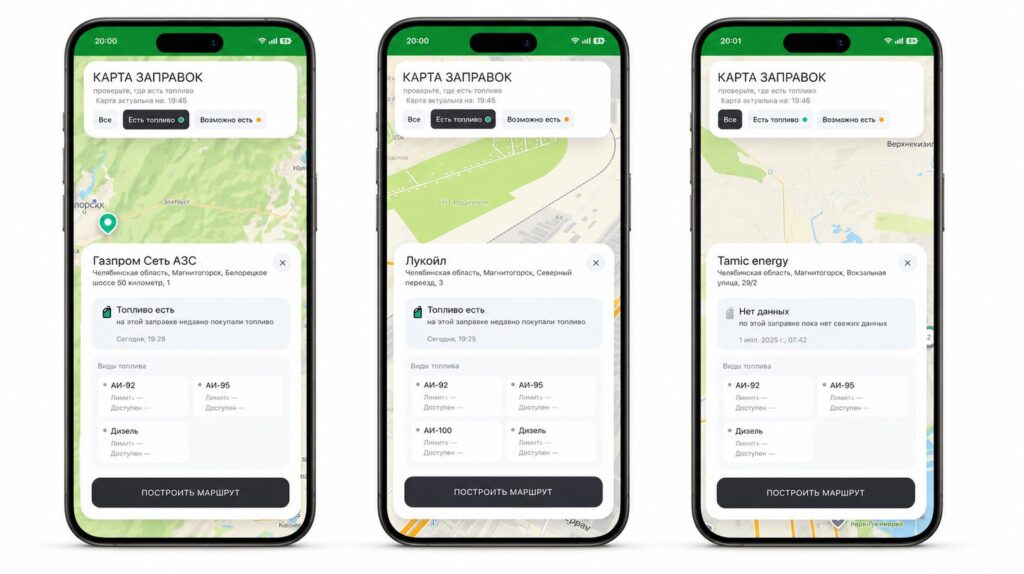
Based on this, each station is assigned a freshness status. Data is updated automatically as new transactions come through. No manual check-ins, no “mark if you filled up.” What the map shows:
- The freshness status of a specific station
- Time of the last recorded fuel purchase
- Directions to the selected gas station
The coverage is impressive: 23 thousand gas stations from major cities and federal highways to small towns. 2GIS serves as the mapping platform, so the interface will be familiar to many.
How to Open Sber’s Gas Station Map on iPhone
There are two ways, and neither requires jumping through hoops. Viewing Sber’s gas station map is very easy.
- Open the SberBank Online app.
- Go to the “For Life” section.
- Open the gas station map service.
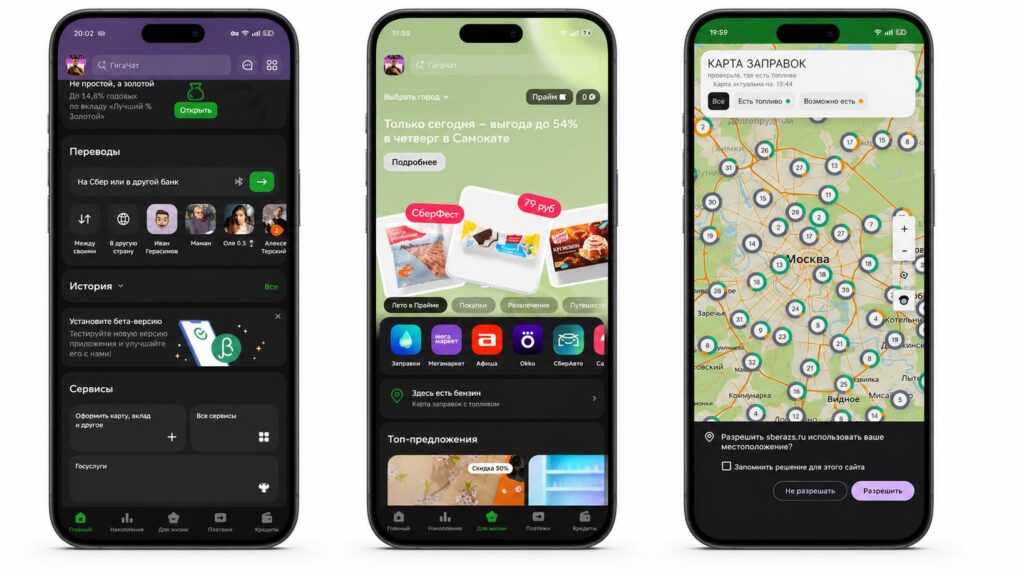
The map opens right through the existing app
You can also simply open the web version in Safari, so you don’t have to download anything. Essentially, it’s the same online gas station map and you don’t even need the app.
How Sber’s Gas Station Map Differs from the “Gas Stations” Service
It’s easy to get confused here, because gas stations in the Sber app existed before. In the “Auto” section, there’s a “Gas Stations” service: you select a station, tap on a pump, see the available fuel grades, and pay right from the app.
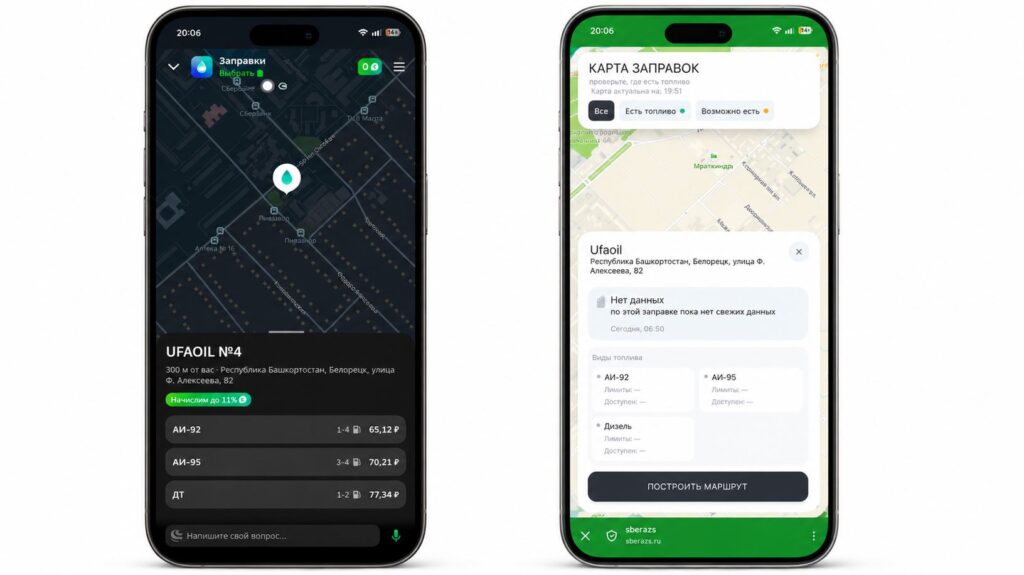
Don’t confuse the gas station map with the fuel availability map
But this is a fundamentally different thing. “Gas Stations” only shows partner stations and solves the payment problem. The new map solves the opposite problem: finding a station where fuel is available at all, regardless of whether it’s a partner or not.
Sber’s Gas Station Map vs. T-Bank — Which to Choose
We compared the gas station map features from different services for you. Sber wins on scale, T-Bank on detail. In any case, it’s convenient to check where there’s fuel with both.
| Parameter | Sber | T-Bank |
|---|---|---|
| Coverage | 23,000 gas stations | over 20,000 gas stations |
| Database | 100 million customers | 55 million customers |
| Fuel grade | no, promised later | AI-92 and AI-95 forecast |
| Driver reports | no | yes |
| Mapping | 2GIS | proprietary |
The difference is in the tasks. If you need a specific AI-95 and you’re willing to tolerate data delays, go with T-Bank. If the question is simpler — “is this gas station even open and will I drive there for nothing” — Sber is more reliable. The bank itself promises that approximate gas station congestion levels and availability of specific fuel grades will appear soon. In my own city, I can see that data is already starting to show up.
There’s also a third option. Yandex Gas Stations for iPhone lets you not only find fuel but also pay for it without leaving your car or standing in line at the register. Honestly, the optimal strategy right now is this: keep all three maps handy and cross-reference them before heading out.
Should You Trust Sber’s Gas Station Map
Here’s where we need a reality check, and it’s a big one. Sber’s gas station map doesn’t show the remaining fuel in a reservoir — it shows the fact that someone recently paid at that station. It’s a prediction, not a sensor readout. A station could have sold its last two hundred liters five minutes ago, and on the map it will still be green.
The map is gradually starting to work


