You open YouTube in a browser and after half an hour notice your laptop roaring like a runway? It turns out this isn’t paranoia: a single YouTube tab can devour over 7 GB of RAM and push CPU usage to 100%. Users of all popular browsers are affected — Chrome, Firefox, Edge, and Brave. Third-party developers have already dug up the cause, while Google remains oddly silent. Let’s break down what exactly is happening and how to protect your computer.

It turns out browsers devour RAM with YouTube open
Why YouTube Lags in the Browser
Last week, complaints started flooding Reddit and developer forums: while watching videos, YouTube consumes massive amounts of RAM and overloads the CPU. Tabs freeze, videos stutter, and in some cases the entire system hangs.
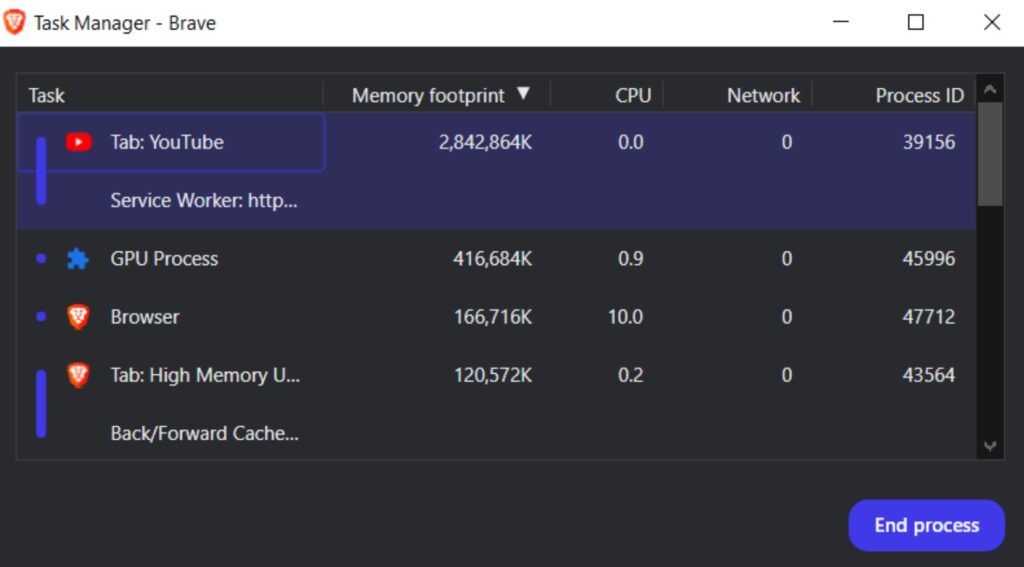
Users noticed an anomaly: YouTube eats up RAM and overloads the CPU
The problem isn’t limited to a single application. Users of Firefox, Brave, and Microsoft Edge describe the same symptoms: browser stuttering, frozen tabs, and system strain during ordinary YouTube video playback.
Why YouTube Overloads the CPU on Your Computer
Developers on the Bugzilla platform (Mozilla’s bug tracker) conducted their own investigation and figured out the cause. The problem lies in the flexible menu right below the YouTube video player — the very block with the “Like,” “Dislike,” and “Share” buttons.
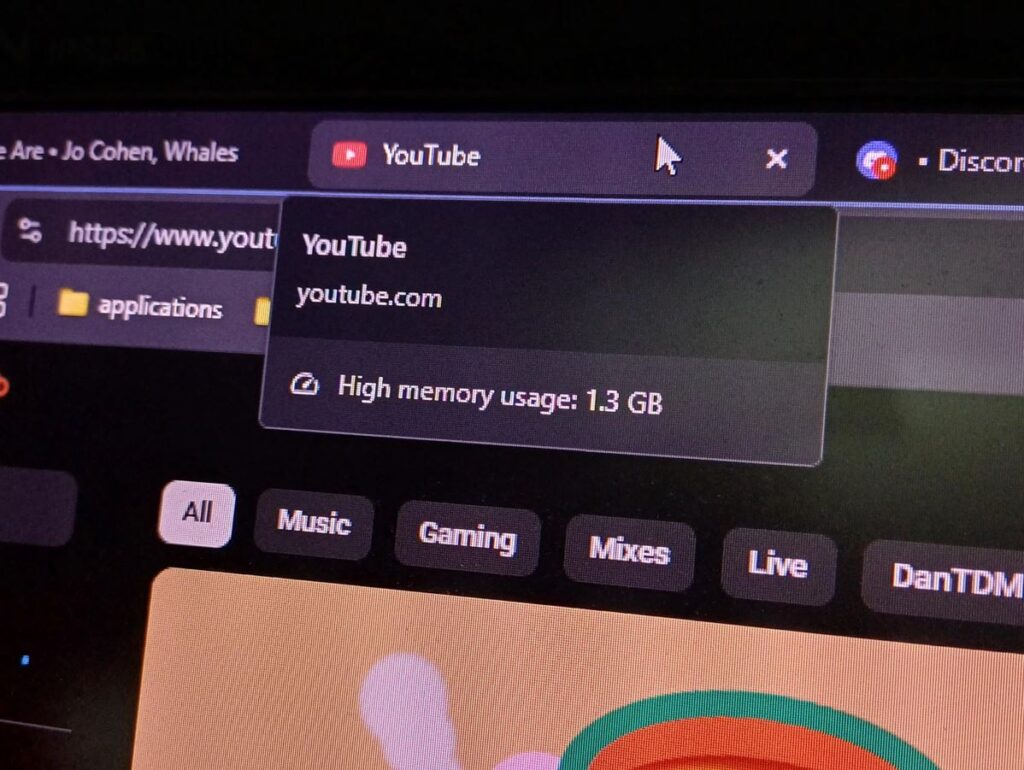
The reason YouTube devours RAM is quite strange
Here’s how it works: YouTube checks whether all buttons fit in a single row across the width. If they don’t fit, one button is hidden to free up space. But as soon as the button disappears, there’s enough room again, and the system gets a command to bring it back. The button reappears, space runs out again — and the cycle repeats endlessly.
The browser on the computer recalculates the position of all elements on the page each time this happens. When this occurs thousands of times per second, the CPU and memory quickly hit the ceiling. Developers call this behavior “layout thrashing” — a situation where the browser gets stuck in an infinite loop of recalculating page geometry.
Which Computers Are Most Affected by YouTube Lag
The bug isn’t tied to a specific browser — it’s an error on YouTube’s side. Users of Chrome, Firefox, Edge, and Brave report identical symptoms. Devices with limited RAM are hit especially hard.
Chromebooks with 4 GB of RAM are especially vulnerable to this bug
Comments particularly note that the bug disrupts Chromebook usage, which are widely used in schools. On devices with 4 GB of RAM, just a couple of tabs are enough to freeze the entire system. The situation is similar for Android tablets and budget laptops: YouTube in the browser causes more harm than the app.
When Will Google Fix the YouTube Memory Bug
Mozilla developers have confirmed they are investigating the issue. However, since the YouTube freezing bug is related not to the browser engine but to YouTube’s own code, the ultimate fix must come from Google. As of publication, Google has not commented on the situation, so the findings of independent developers on Bugzilla remain unconfirmed by the company.
Exactly when a fix will be released is unknown. Given that the problem affects all browsers, it’s logical to expect that Google will update the YouTube interface code on the server side, and users won’t need to download or install anything. But that hasn’t happened yet.
What to Do if Your Browser Lags Because of YouTube
There’s no full workaround for this bug yet — the YouTube problem can’t be fixed on your own. But there are several things that can help reduce the load on your system:
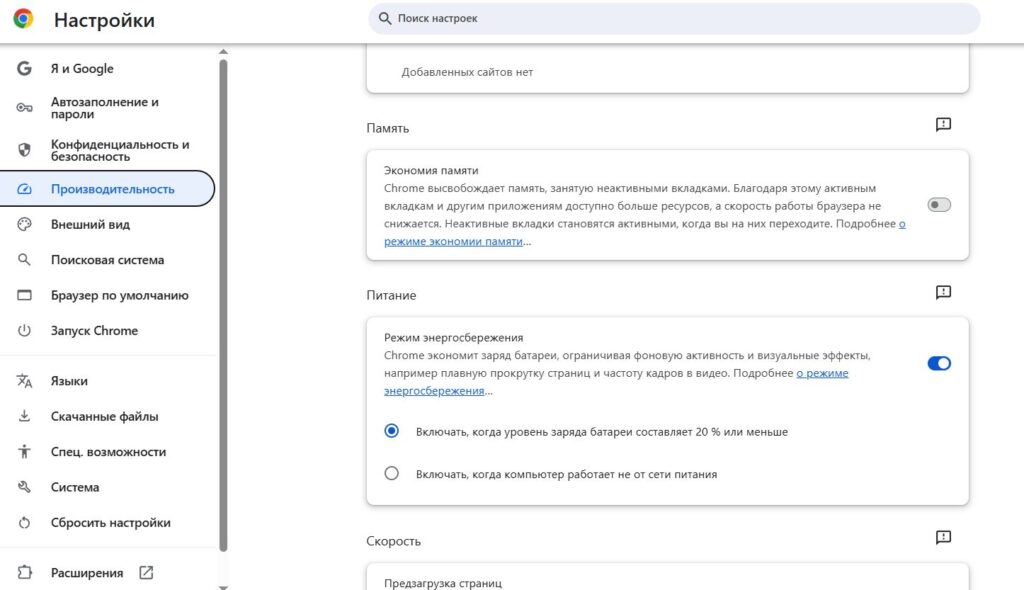
Enable memory saving in Google Chrome so the browser uses less RAM
- Don’t keep multiple YouTube tabs open at the same time. If a tab freezes — close it through the browser’s task manager.
- Use the YouTube app instead of the browser where possible. On Android tablets, Chromebooks, and Android TV, the browser version bug doesn’t affect the native app.
- In Chrome, enable “Memory Saver” mode. To do this, open “Settings,” go to the “Performance” section, and activate the Memory Saver feature — the browser will unload inactive tabs from memory.
- Close unnecessary tabs and programs to free up resources for the active video tab.
- Keep an eye on YouTube updates — when Google fixes the interface bug, the changes will apply automatically, without a browser update.
The situation is unpleasant, but it’s important to understand its scope. The bug doesn’t manifest on every video and not for every user — it’s related to specific interface behavior at a certain window width. But if you’ve noticed that your computer started lagging on YouTube, now you know the reason. All that’s left is to wait for Google to fix the code on their end.


