In May, Telegram released another major update, and it’s clearly focused on one thing — restoring order. The developers addressed the most problematic areas: poll manipulation, reaction spam, and previously locked business features. Additionally, the AI message editor that appeared in April now supports custom styles — you can now set up your own assistant to match your communication style.

Telegram quietly updated. What’s new in May?
Create a Custom AI Editor Style in Telegram
The main feature of the previous update has become significantly more practical: you can now create your own styles in the AI editor. Not enough with the standard Formal, Short, and Viking? Create your own: come up with a name, choose an icon from custom emoji, and write instructions for the neural network. For example, “rewrite in a friendly message style, no bureaucratic language, with slight irony” — and the editor will work exactly that way.
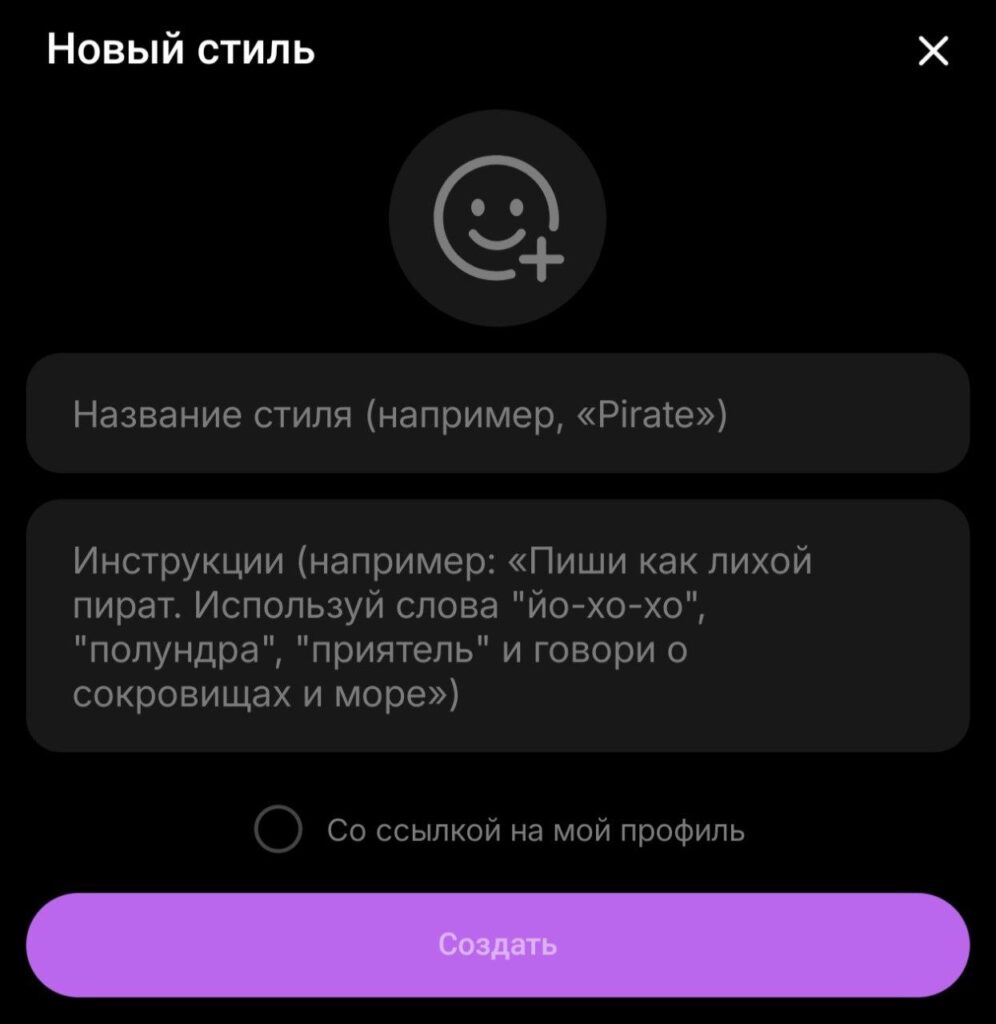
You can now create your own AI style to rewrite messages
Finished AI styles can be shared with other users. Via a link, a person will see examples of text transformation and can add the style to their own collection. The creator can optionally include a link to their profile in the preview window — a mini business card for those who run channels. I’ve already collected a couple of styles for work tasks and for channel posts, and it’s great.
Poll Protection Against Manipulation in Telegram
Polls in Telegram continue to level up, but now the focus is on result integrity. Channel administrators received two new anti-manipulation tools. The first is a subscription time filter: only those who have been subscribed to the channel for at least 24 hours can vote. This new feature in Telegram immediately cuts off bots and accounts that were flooded in just minutes specifically for voting.
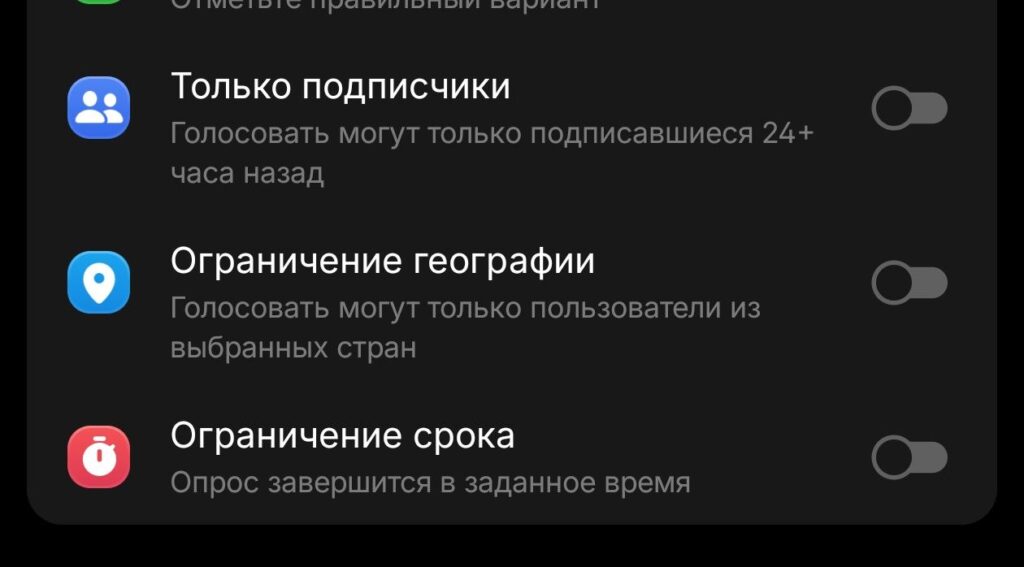
When creating polls, you can enable country restrictions
The second tool is geographic restrictions. You can allow participation only from users in selected countries. This is convenient when the question concerns a local event or regional business — there’s no point in collecting votes from around the world.
How to Delete Reactions in a Telegram Group
Reactions in Telegram groups long remained a gray area — spammers flooded messages with junk, and there was no way to delete them. The May update fixed this. Admins with message deletion rights can now delete reactions in groups: open the list of all reactions to a post, long-press the desired user, and their reaction disappears.
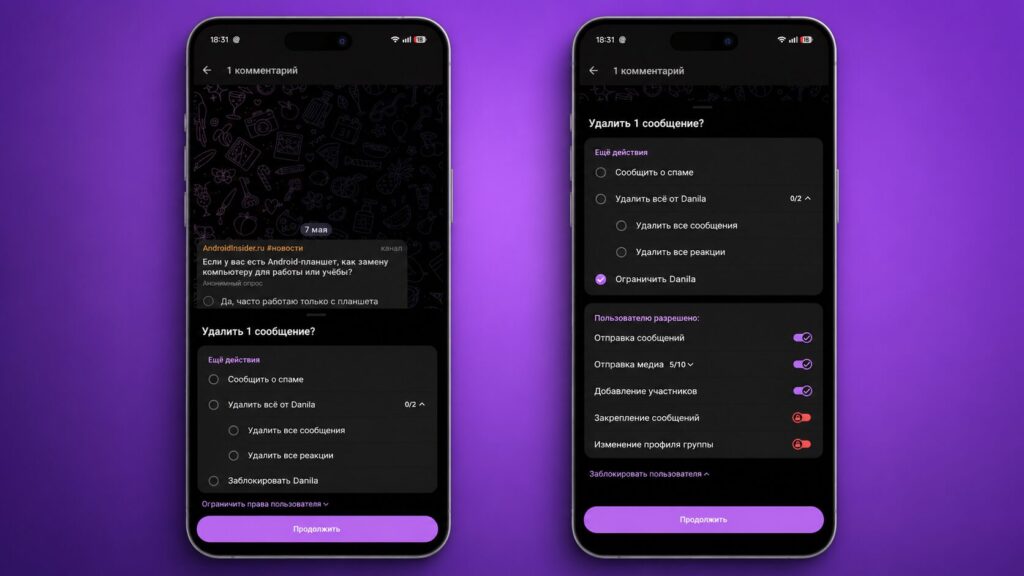
New anti-manipulation features have appeared
At the same time, the ability to restrict sending reactions in group chats appeared. The restriction can be configured both for all participants at once and selectively — for a specific user. If you have an active chat and someone decides to spam sad emojis, the issue is resolved in a couple of seconds.
How to Add a Business Bot in Telegram Without Premium
Since the launch of Telegram Business subscription in 2024, business bots were available only to Premium subscribers. In the May update, this restriction was removed: linking a business bot to a Telegram account is now available to any user, without paying for a subscription.
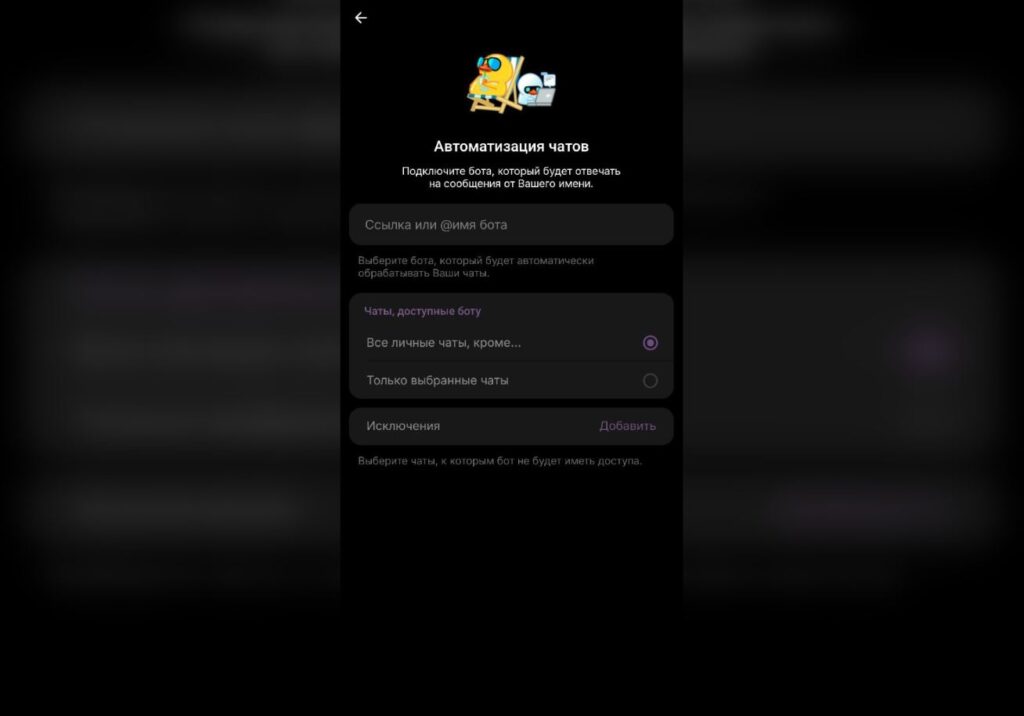
Linking a business bot now works without a subscription
With such bots, you can automatically process incoming messages, reply to clients using templates, sort chats, and collect inquiries. Now, even if you can’t pay for Premium, everything works seamlessly.
New Telegram Features 2026
Among the smaller details worth noting: an option to send a scheduled message without sound has appeared. Previously, with scheduled sending, the recipient would still receive a notification sound — now this can be turned off. Perfect for those who write to colleagues during off-hours and don’t want to wake them with a push notification.
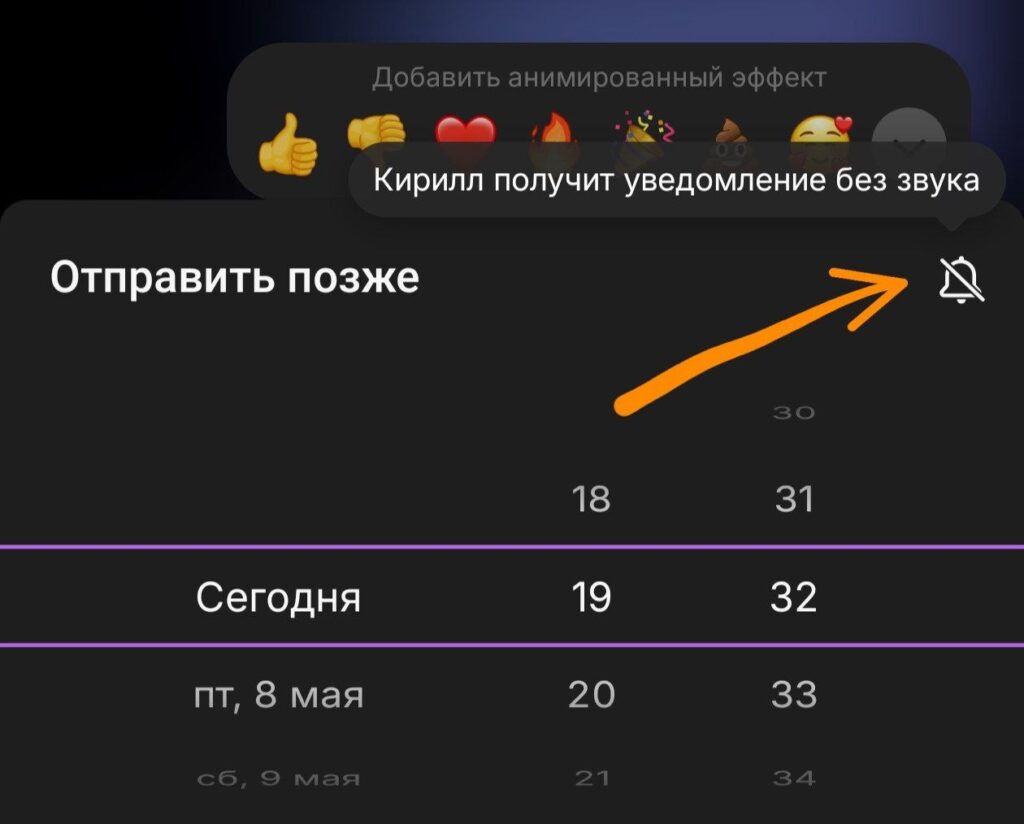
Scheduled messages are sent without sound
The second small addition: .md files up to 64 KB now open in Instant View mode. Markdown documents can now be read directly in the messenger, without downloading or third-party apps. Useful for developers and anyone who works with README files and notes in this format.
How to Update Telegram to the Latest Version
For all features to work, you need to install the latest version of the messenger. Open Google Play and tap “Update.” On iPhone, do the same in the App Store — via this link.


