Previously, Android 17 Beta 4 was released exclusively for Google Pixel smartphones, while other manufacturers remained on the sidelines. Now the situation has changed: Xiaomi has opened access to the Android 17 beta for four flagship smartphones as part of the Developer Preview program. Inside the update lies a surprise: along with Android 17 comes HyperOS 3.3, which skips version 3.2 and doesn’t become HyperOS 4. Let’s break down which devices are on the list, how to install the beta, and whether it’s worth rushing at all.
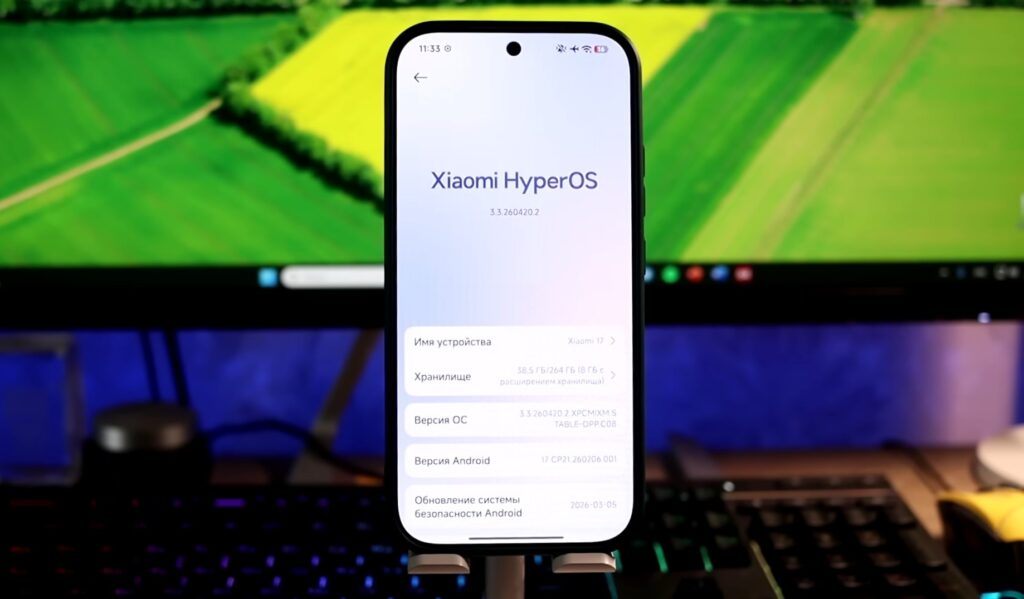
The Android 17 beta can already be installed on Xiaomi. Image: XTB
Which Xiaomi Smartphones Have Already Received Android 17
The Developer Preview program is currently limited to four devices. The list of participants in the first wave of the Android 17 update on Xiaomi looks like this:
- Xiaomi 17;
- Xiaomi 17 Ultra;
- Leica Leitzphone powered by Xiaomi;
- Xiaomi 15T Pro.
All four are flagships from the current and previous year. Notably, the Xiaomi 15T Pro made the list — a smartphone from the T lineup, which is usually not included in the first waves of updates. Xiaomi promises to expand the list later, but specific models and timelines have not been announced yet. If you have a different model (from the REDMI, POCO series, or even last year’s Xiaomi 15), there’s no point in waiting for the Android 17 beta on Xiaomi at this time.
HyperOS 3.3 Update Instead of HyperOS 4 on Xiaomi
Xiaomi is releasing HyperOS 3.3, not HyperOS 4
The main surprise of this beta isn’t Android 17 on Xiaomi itself, but the shell version. The beta build came with HyperOS on Android 17 version 3.3, although either HyperOS 3.2 or a big jump to HyperOS 4.0 was expected. Xiaomi completely skipped version 3.2 and decided not to transition to a new generation of the shell.
Instead of HyperOS 4, HyperOS 3.3 will be released.
This points to an evolutionary approach: instead of a major interface overhaul, there are targeted improvements and tighter integration with Android 17 features. Based on initial observations, the build lays the groundwork for an updated HyperOS design, but there are few visual changes at the user level so far. The full picture will become clearer in subsequent versions.
How to Install Android 17 on Xiaomi — Step-by-Step Guide
Before installation, make sure your smartphone is running the required firmware version (without this, the HyperOS update won’t install). Required firmware versions:
- Xiaomi 17 — OS3.0.301.0.WPCMIXM;
- Xiaomi 17 Ultra — OS3.0.9.0.WPAMIXM;
- Leica Leitzphone powered by Xiaomi — OS3.0.9.0.WPAMIXM;
- Xiaomi 15T Pro — OS3.0.11.0.WOSMIXM.
For the Android 17 beta installation, the process is slightly different from a regular update:
- Download the required ZIP file with the Android 17 beta version for your model (links are available on the Developer Preview program page).
- Copy the ZIP file to the phone’s internal storage if it was downloaded elsewhere.
- Open “Settings,” then “About Phone,” and tap the Xiaomi HyperOS logo at the top of the screen.
- Tap “Xiaomi HyperOS” 10 times in a row (a hidden menu will open).
- Tap the three dots in the upper right corner and select “Choose update package.”
- Select the downloaded ZIP file and start the installation.
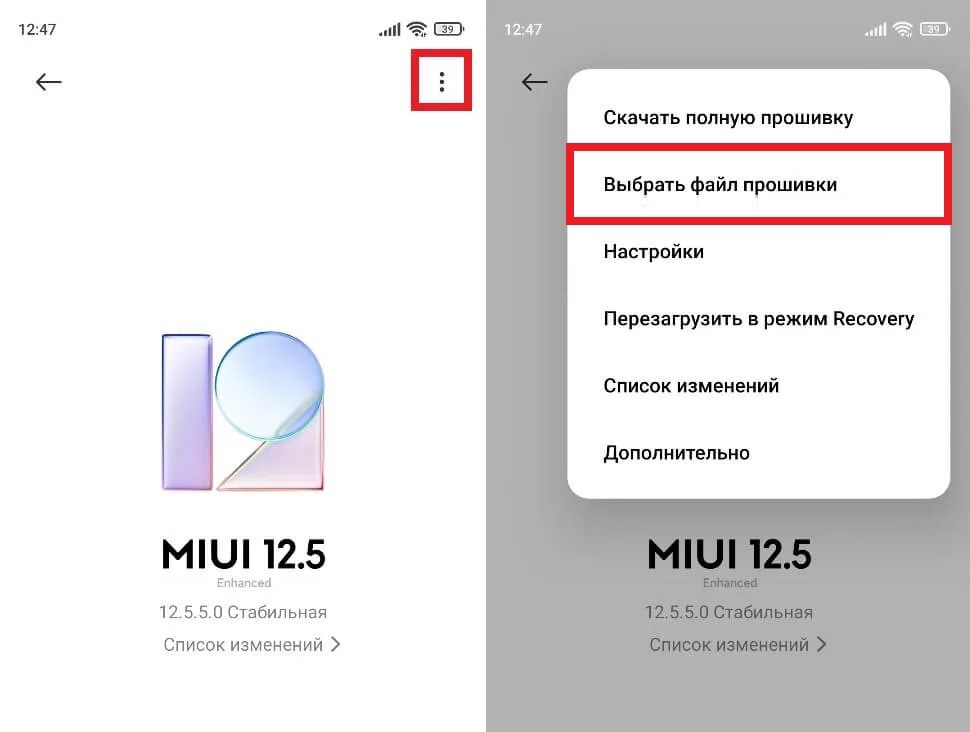
The firmware file must be selected manually
Before installation, charge your smartphone to at least 40% and make sure there is at least 10 GB of free space on the device. Installation will take longer than a regular update.
Is It Worth Installing Android 17 Beta on Xiaomi
You can technically download Android 17 on Xiaomi and install it right now. But this is a Developer Preview, meaning a build for developers, not for everyday use. Apps may work unstably, some features are not finalized, and crashes and freezes are possible. Installing such firmware on your primary smartphone is a bad idea.
Beta firmware may erase your data.
Another important point: installing beta firmware may result in complete data loss. Before updating your Xiaomi, be sure to make a backup to the cloud or another device. If something goes wrong, Xiaomi provides “rollback” files to return to stable HyperOS 3.0. But even when rolling back, data may also be deleted (this is a serious warning).
When Will Android 17 Be Released for Xiaomi
The stable version of Android 17 for Google Pixel smartphones is expected around June 2026. For devices from other manufacturers, including Xiaomi, the update usually arrives later: approximately at the end of Q3 2026. The Android 17 release date for specific Xiaomi models has not been announced yet.
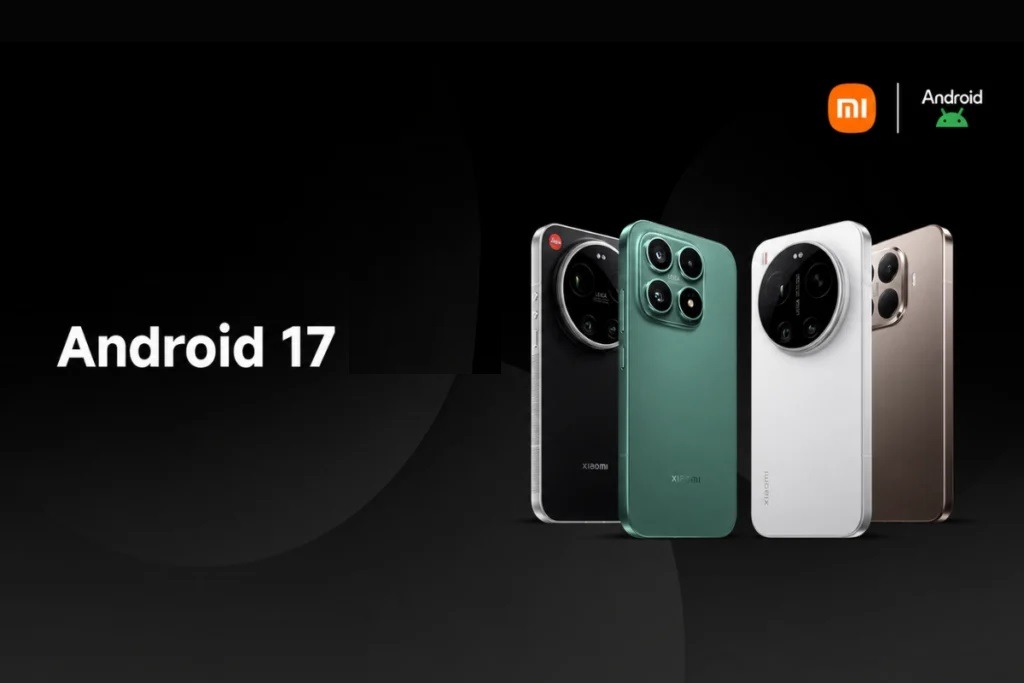
After the beta, all that’s left is to wait for the stable version. Image: gizmochina.com
For most Xiaomi owners, the right strategy is not to rush with the beta but to wait for the stable release. It will come as part of HyperOS 3.3 and will include both Android 17 innovations and improvements from Xiaomi itself. A few months of waiting is a reasonable price for stable operation of your primary smartphone.


