The alternative Telegram client called “Telega,” which was recently labeled as spyware, has announced its shutdown. The service will cease operations on July 1, 2026, and users with active paid subscriptions are promised refunds. If you’ve been using this app, there are several things worth doing in advance, and one important reason to think about the security of your account.
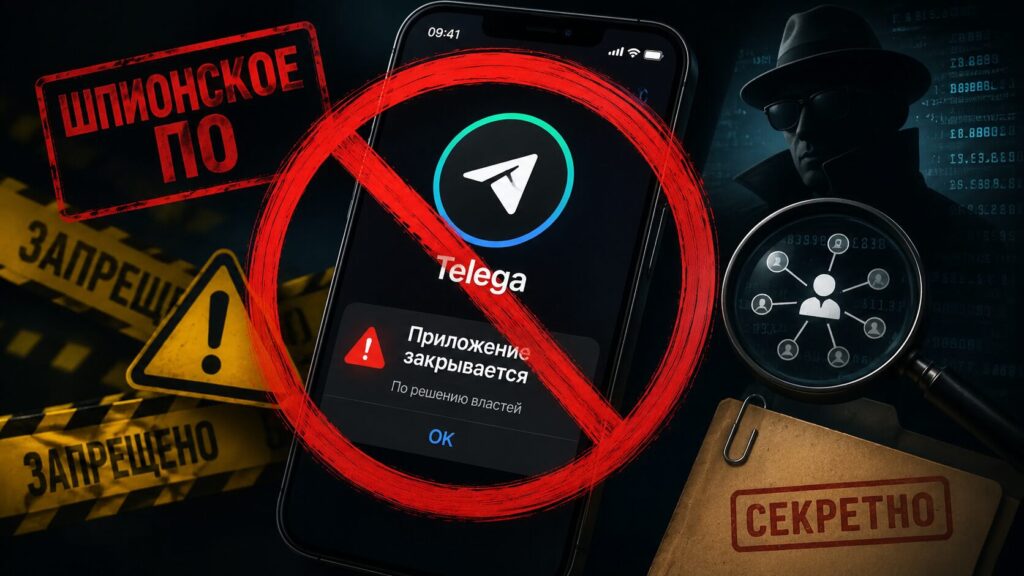
Telega has shut down. As they say in Mordovia, we worked — and that’s enough
Telega Messenger Is Shutting Down
The administration of the Telega app, whose dangers we’ve already covered, announced on its Telegram channel that it is shutting down the project effective July 1, 2026. The team explained that as a third-party Telegram client, they cannot ensure full localization and compliance with all current requirements. Among the reasons cited were external restrictions from technology platforms, including the removal of the app from the App Store.
The project positioned itself as a Telegram client that promised to work “without a VPN” and gathered, according to the developers, a multi-million user base within a year. The app is developed by the Russian company JSC “Telega” (formerly known as JSC “Dal”).
What Will Happen to the “Telega Plus” Subscription and Your Money
Shortly before the shutdown, the project launched a paid subscription called “Telega Plus” — it provided priority access to the app during periods of high load. Essentially, it was a fee not for additional messenger features, but for being able to access the service without queues and connection drops. Important: this subscription did not replace Telegram Premium and was not related to it. Although, to be fair, there are Telegram clients that offer access to Telegram Premium features for free. For example, Ayugram. But that has its own nuances too.
The team promised that users with active subscriptions will receive refunds. The procedure and timeline for refunds will be announced separately. If you subscribed to “Telega Plus,” it makes sense to wait for the official refund announcement and keep your payment records — the receipt or transaction history in your banking app.
Why You Should Check Your Telegram Account Security After Telega’s Shutdown
This is the most important part, and it cannot be overlooked. There have been several technical investigations surrounding “Telega,” with authors claiming the app didn’t function like a regular client. According to their findings, user traffic may have been routed through Telega’s own servers rather than going directly to Telegram. In such setups, interception of messages and data between the app and the server is theoretically possible.
It was precisely due to suspicions of unsafe behavior that Apple removed the app from the App Store back on April 9, 2026, and later iOS began flagging the previously installed “Telega” as malicious and blocking its launch. The developers themselves called this a misclassification and even filed a complaint with the FAS (Federal Antimonopoly Service) against Apple’s actions. Nevertheless, for the average user, the very fact of such claims is reason enough not to take risks.
If you logged into your Telegram account through “Telega,” you should do the following:
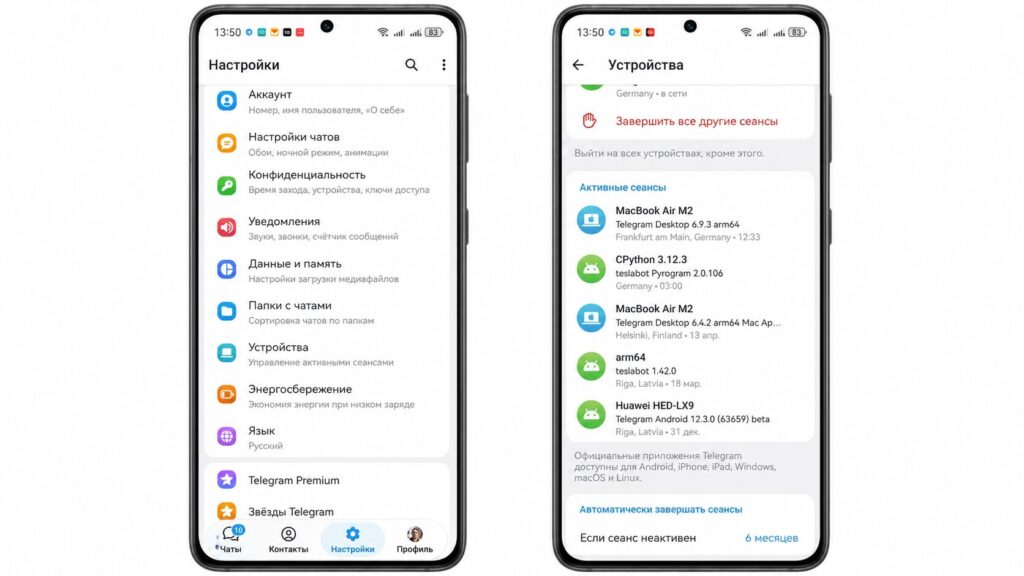
Terminate sessions just to be safe
- Open the official Telegram app, go to Settings, then the “Devices” or “Active Sessions” section.
- Terminate all third-party and unfamiliar sessions, keeping only the official apps you use.
- Enable two-step verification (cloud password) if it’s not already enabled.
- Change your password and check whether any unnecessary bots or apps are linked to your account.
These steps are useful not just because of Telega’s shutdown — it’s basic hygiene for anyone who has ever logged into their account through a third-party client.
What to Replace Telega With on Android
The most obvious and safest option is the official Telegram app from Google Play or RuStore. It’s free, regularly updated, and doesn’t route your traffic through third-party servers. If you’re missing certain features, there are trusted open-source clients, but any third-party app promising “Telegram without VPN” should now be treated with extra caution.
At the time of the shutdown announcement, the “Telega” app is still available on Google Play and RuStore, but there’s no point in installing it right before the service shuts down. After July 1, 2026, it will simply stop working.
The main practical takeaway is simple: starting July 1, 2026, Telega will no longer work, refunds for active subscriptions are promised, and your Telegram account is worth securing — terminate unnecessary sessions and enable two-step verification. This is one of those situations where it’s better to spend five minutes on settings than to deal with the consequences later.