Wildberries has made order cancellations paid — now you can no longer cancel an item for free through the app. The marketplace hasn’t specified how long this rule will be in effect. Let’s break down how much it costs to cancel a Wildberries order, how you can still refuse an order without paying, and who this primarily affects.

WB has introduced paid order cancellation for 50-100 rubles
What Changed in Order Cancellation on Wildberries
The main change is simple: order cancellation in the app is now paid. If you placed an order and then decided to cancel it before receiving it, the marketplace will charge a fee for the cancellation procedure itself, even if you haven’t created a WB Wallet. Wildberries hasn’t publicly explained the exact reason, and hasn’t announced how long the new policy will last — this is important to keep in mind, as the rules could change at any moment.
Now, you can only refuse an order for free when picking it up at a pickup point. In other words, only the cancellation through the app has become paid, not the refusal itself. At the same time, it’s very important to actually go to the pickup point. If you wait for the order to cancel itself — there will still be a penalty.
How Much Does Order Cancellation Cost on Wildberries
According to available data, cancelling an order through the app costs between 50 and 100 rubles depending on the region. However, there is also a penalty for uncollected orders, and that one is much larger — 200 rubles and 500 rubles depending on the situation. The smaller amount usually applies to cancellations before shipment or for small items, while the larger one applies to orders you placed but never picked up.
If you want to cancel an order on WB before it arrives at the pickup point, do the following:
- Open the Wildberries app and go to your profile;
- Select the “Orders” tab and find the order you want to cancel;
- Open it and tap the “Cancel” button;
- Confirm the cancellation (it may also be free).
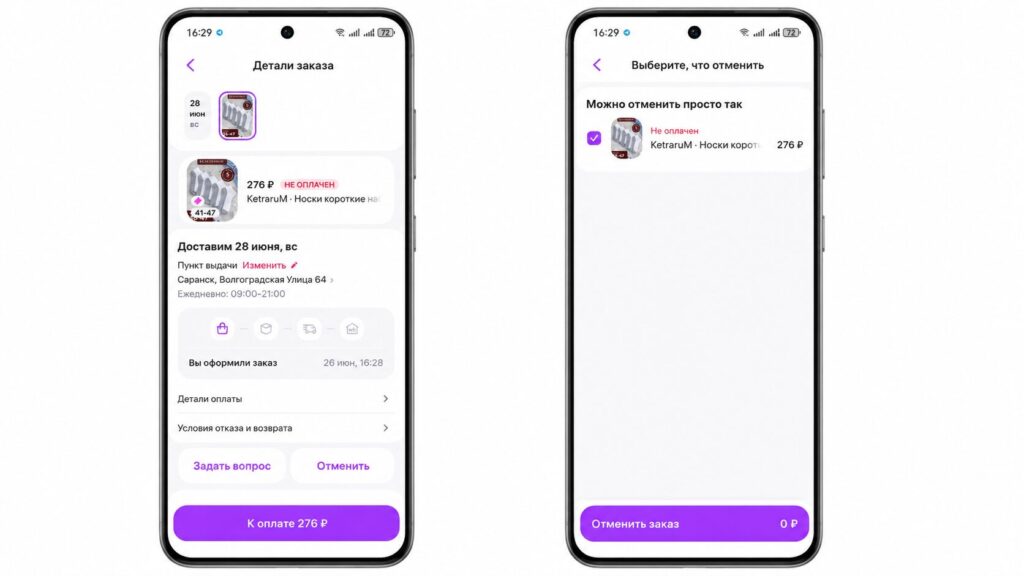
Apparently, the paid cancellation doesn’t apply to all orders. Here’s a screenshot from my account, and the cancellation here is free
If you’re used to filling your cart “to try on” and then mass-refusing half of it, that habit can now cost you noticeable money. This is especially painful for those who order clothing and shoes in multiple sizes at once.
How to Cancel a Wildberries Order for Free at a Pickup Point
The simplest way to avoid paying is to not cancel the order in the app, but refuse it at the pickup point. The logic is this: the item arrives at the pickup point, you open it, inspect it, and simply don’t purchase it.
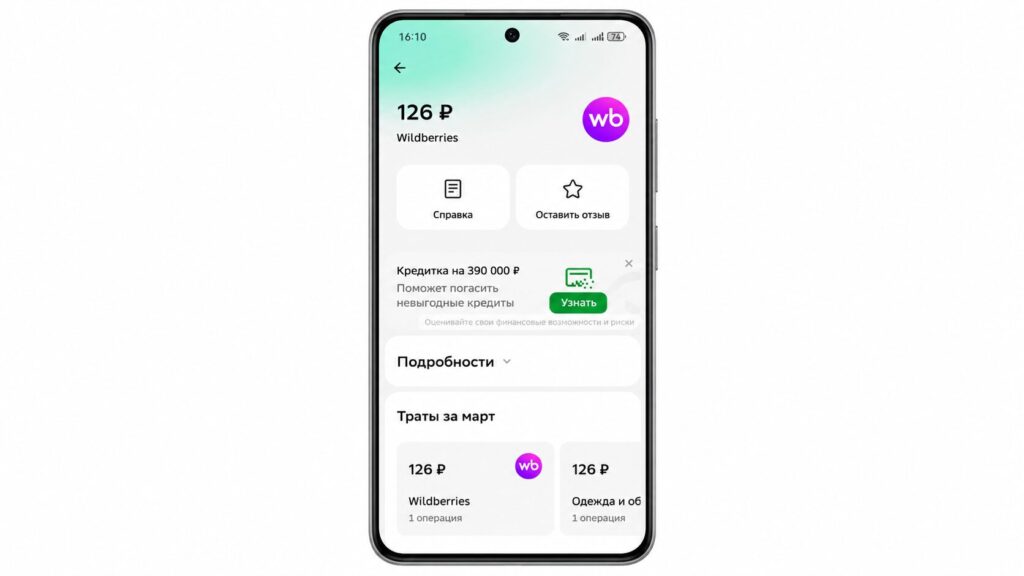
This is WB charging me 200 rubles for an uncancelled order: part of the money was already in the wallet
- Wait for the order to arrive at the pickup point and for the notification that it’s ready for collection.
- Go to the pickup point and ask the staff to bring out the item for inspection.
- Open the packaging and check the item in the fitting room or right on the spot.
- If the item doesn’t suit you, tell the staff member that you’re refusing to purchase it.
- The money will be returned to your payment method in the usual manner, without a cancellation fee.
This route takes longer than cancelling with a couple of taps, but it costs nothing. Essentially, the marketplace is pushing buyers not to cancel items in advance but to let the order reach the pickup point.
Why Wildberries Charges Money for Order Cancellation
There’s no official detailed explanation, but the market logic is clear. Mass cancellations and uncollected orders create extra logistics costs: the item is picked, shipped, processed, and then returned. The cancellation fee is a way to shift some of these costs onto buyers and reduce the number of “wasted” orders.
Yes, it’s not pleasant. But nobody forces you to cancel the order in the Wildberries app. You can always go to the pickup point and do it for free.