Apple has released iOS 26.5 and iPadOS 26.5 Release Candidate 2 — five days after the first RC. The appearance of this version usually indicates that bugs were found and fixed in the first build before the public release. The release of iOS 26.5 will take place next week. A similar situation has happened before — for example, with iOS 17.2, when only a few days passed between the RC and the public update.
Apple re-released iOS 26.5 Release Candidate
Why Apple Released iOS 26.5 Release Candidate 2
iOS 26.5 Release Candidate (RC) is the final test build that Apple gives to developers before the public release. If no critical issues emerge within a few days, the same build goes out to all users. When a second iOS RC comes out, it means engineers fixed something and want to make sure everything is stable one more time. Apple doesn’t disclose what exactly the issue was. But the fact remains: it’s good that the bugfix was released now rather than instead of the public version.
Apple found and fixed bugs. This is the main reason for RC 2’s release
For the average user, this is a simple signal: iOS 26.5 is on the home stretch, and there are literally just a few days left to wait.
Release Date for iOS 26.5 and iPadOS 26.5
The second release of iOS 26.5 RC is not a cause for celebration but rather a technical step. The release of iOS 26.5 for everyone next week remains on track, and the update will be more evolutionary: new suggestions in Maps, preparation for ads in Maps, continued work on RCS encryption, and cosmetic touches like new wallpapers for iPhone. There are no Siri revolutions or major features here — Apple is apparently saving those for iOS 27.
What’s New in iOS 26.5 and iPadOS 26.5
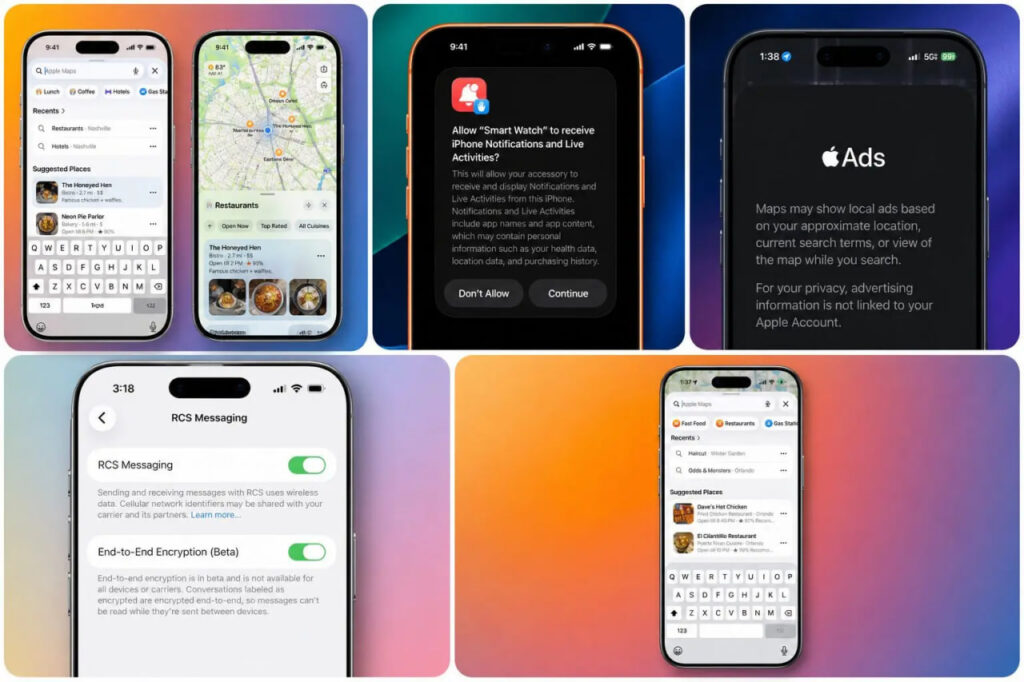
The set of new features remains the same
The update turned out to be mostly technical, without any headline features. The main thing to know is that all features are in place — nothing was removed. But at the same time, nothing was added either.
- There will be no new Siri in iOS 26.5 — major voice assistant updates have apparently been postponed until iOS 27.
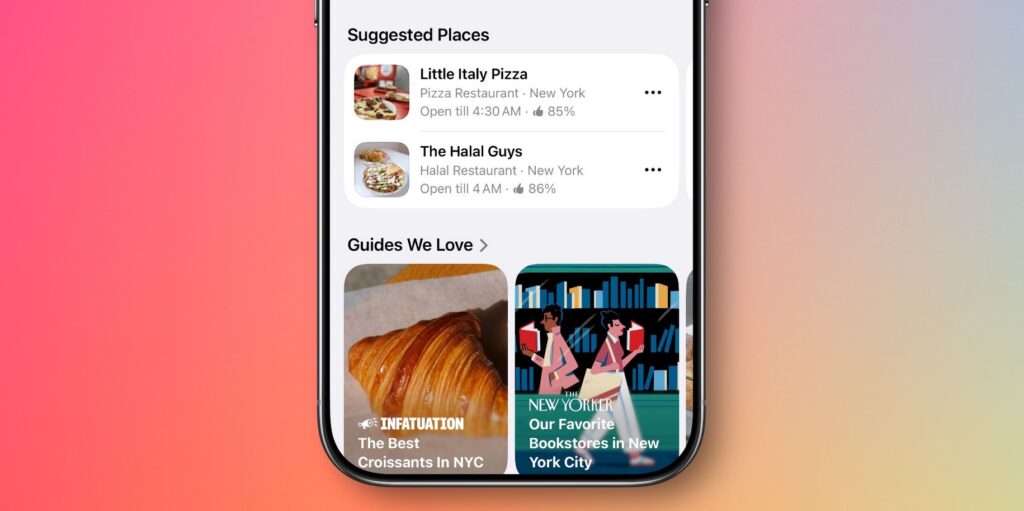
- Apple Maps has gained a recommendations feature — the app suggests nearby places based on trends and recent searches.
- Apple is laying the groundwork for ads in Apple Maps — currently at the technical infrastructure level, with no visible banners.
- Testing continues for end-to-end encryption (E2EE) for RCS messages between iPhone and Android.
- New dynamic wallpapers have been added.
A note about RCS: Apple had already tried to add end-to-end encryption for messaging with Android in the iOS 26.4 beta but ended up removing it before the public release. The feature is now being tested again — whether it will make it into the final 26.5 or will be pushed to the next update remains unclear.
iOS 26.5 RC 2 — Who Should Download the Update
If you’re not a developer, downloading iOS 26.5 RC right now isn’t worth it — the public version will be released in just a few days and will be the exact same build. It’s easier to wait and avoid unnecessary steps.
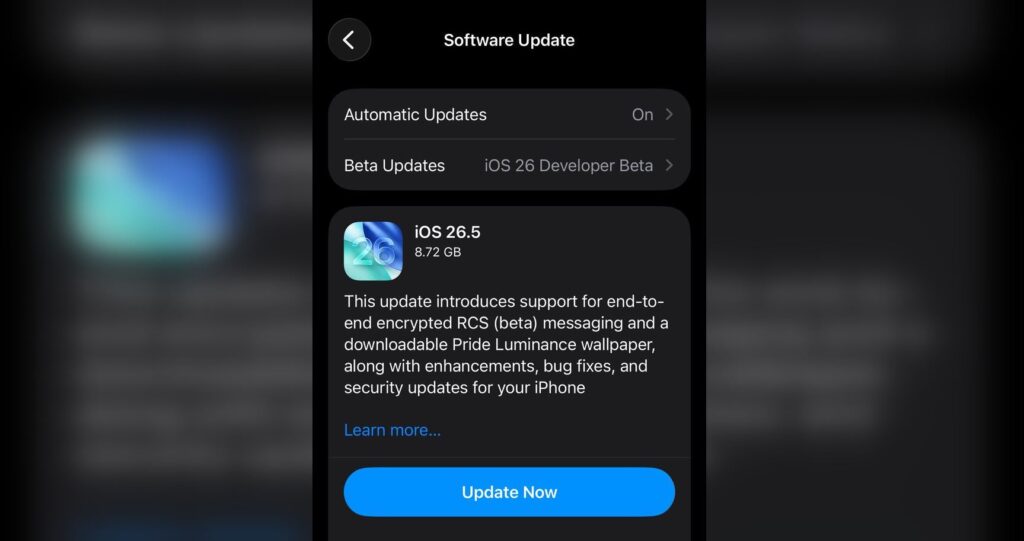
Everyone using iOS beta versions should update
When the iPhone update reaches everyone, there’s no need to rush with installation either. iOS 26.5 is mainly about fixes, minor features, and preparation for future changes, not a radical update. Installing it right away makes sense for those who actively use Apple Maps and want to try the new place suggestions, or for those who want the latest dynamic wallpapers in iOS 26.5.
How to Install iOS 26.5 RC 2 and iPadOS 26.5 RC 2
If you have a developer account and still want to try the build before the public release, here’s the procedure:
- Register in the Apple Developer Program.
- Open “Settings” on your iPhone or iPad.
- Go to the “General” section.
- Select “Software Update” and enable beta updates for your developer account.
- Wait for iOS 26.5 RC to appear and install it.
For everyone else, the advice remains the same: wait for the public release next week and update through the standard “Software Update.”


