Apple released iOS 26.5 and iPadOS 26.5 with patches for more than 50 security vulnerabilities. There are no actively exploited flaws among them, but the very fact that descriptions have been published gives attackers clues for attacks on devices that haven’t been updated yet. You shouldn’t delay the installation.
Apple once again patched a large number of holes in its OS
What Changed in iOS 26.5
The iOS 26.5 and iPadOS 26.5 update fixed more than 50 vulnerabilities, and Apple listed them in its security document. At the time of release, there were no known actively exploited bugs, but publishing the documentation potentially gives attackers clues about vulnerabilities that can still be used on unupdated devices.
iOS 26.5 for Apple closes more than 50 security vulnerabilities — update urgently
Among the fixes are several vulnerabilities in image processing, kernel issues, as well as bugs related to the Shortcuts app, Spotlight search, and screenshots. Separately, Apple closed ten vulnerabilities in WebKit — the engine that powers Safari and every browser on iPhone. Through it, an attacker could gain access to sensitive data or cause an app to crash.
In addition, several patches address components related to Bluetooth and Wi-Fi. Theoretically, through these vulnerabilities an attacker could intercept data when connecting to public networks. Apple also fixed a problem in the Sandbox mechanism, which allowed an app to escape its sandbox and gain access to files from other programs.
Old iOS Versions: Why They’re Dangerous
When Apple publishes a list of patched vulnerabilities, it essentially reveals what was broken in the previous version. For owners of devices without the update, this becomes a window of opportunity for attacks: security researchers and attackers alike read these documents very carefully.
WebKit patches are especially important. Browser vulnerabilities are often exploited through simply visiting a malicious page — without downloading files and without any action from the user. So even if you’re careful on the internet, the risk is still there.
Let’s recall that in the previous Apple update, the company also significantly improved system security: in iOS 26.4.2, critical vulnerabilities that were already being used in real attacks were closed. The trend is obvious — Apple is releasing patches more frequently, and ignoring them becomes more dangerous each time.
Security Updates for Older iPhones and iPads
Apple hasn’t forgotten about devices that don’t support iOS 26. Separate security updates have been released for them:

The update was also released for older devices
- iOS 18.7.9 and iPadOS 18.7.9
- iPadOS 17.7.11
- iOS 16.7.16 and iPadOS 16.7.16
- iOS 15.8.8 and iPadOS 15.8.8
If you have an iPhone or iPad stuck on an old system version, check the “Software Update” section in settings — the corresponding patch should already be available. This is important: older devices are also affected by some vulnerabilities from the overall list, and Apple specifically highlights the most critical fixes for them.
macOS Tahoe 26.5: What Apple Fixed in the New OS
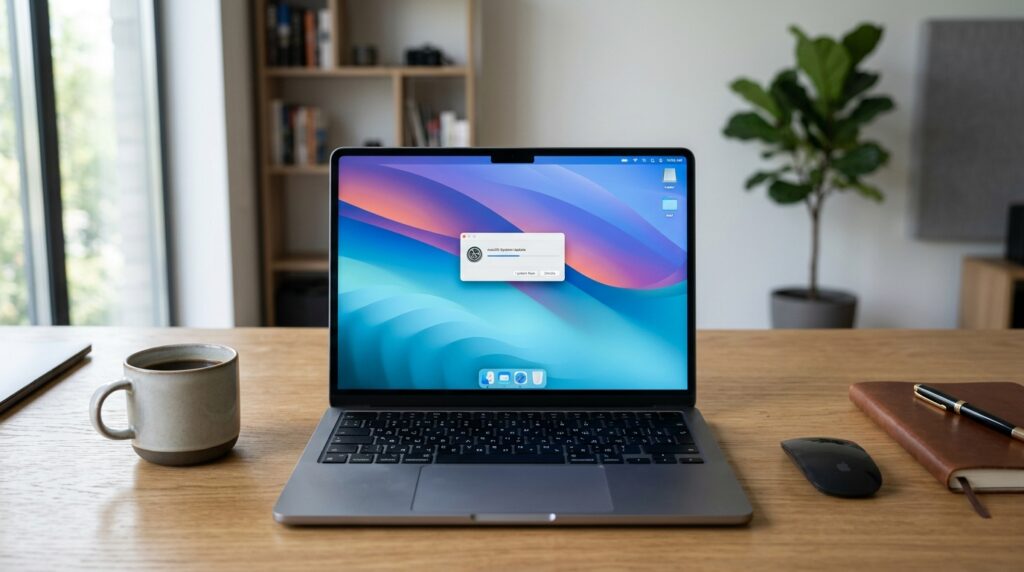
macOS Tahoe 26.5 update on MacBook
For macOS, the situation is even more serious: macOS Tahoe 26.5 closed nearly 70 vulnerabilities. That’s more than in iOS, and it’s because the desktop system has a wider attack surface — more network services, more background processes, and more opportunities for local access.
For those who can’t upgrade to Tahoe, Apple released macOS Sonoma 14.8.7 and macOS Sequoia 15.7.7 — with security patches for previous generations of the system. If your Mac runs one of these versions, the update is also worth installing soon.
How to Properly Install iOS 26.5
The steps are standard, but just as a reminder:
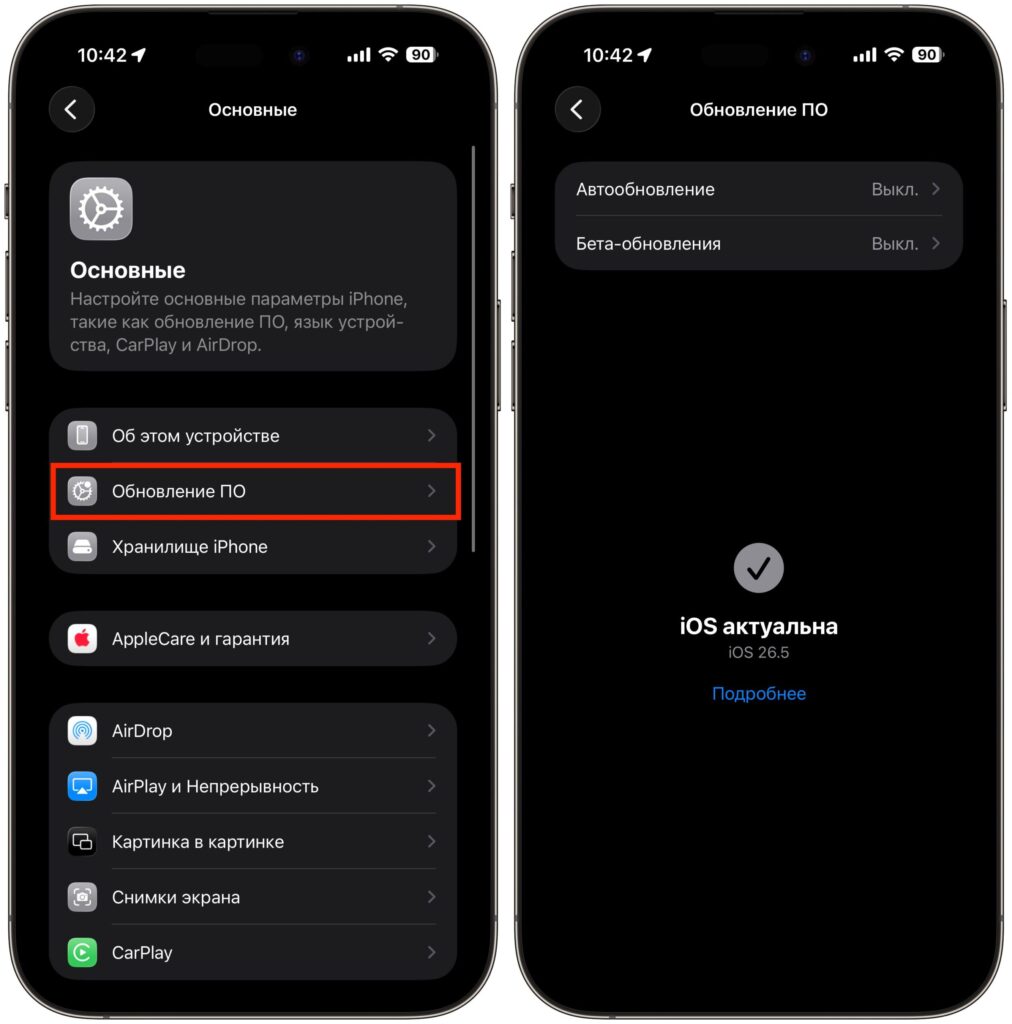
I already updated and recommend you do the same
- Open “Settings” on your iPhone or iPad, go to “General” — “Software Update.”
- Wait for iOS 26.5 or the corresponding patch for your system version to appear.
- Connect your device to a charger and Wi-Fi, tap “Update Now.”
- On Mac, open “System Settings” — “General” — “Software Update” and install the available version.
Before installing, it makes sense to ensure you have a fresh backup in iCloud or locally — just in case something goes wrong. This is especially true for owners of older devices: updates on them sometimes require more free space than expected.
When Can You Delay Installing iOS 26.5
In short, you shouldn’t delay the update. This isn’t a feature update where you can wait a week or two for reviews. This is a security patch, and its purpose is to close holes before they start being exploited.
If you have a work iPhone, iPad, or Mac with access to email, banking, and messaging apps — update within the next few days. Waiting a couple of days to read stability reviews is acceptable, but there’s no point in delaying longer. Every day without the update is a day your device remains vulnerable to attacks whose descriptions are already publicly available.


