How to help your child dive into programming without pain
My nephew built his first game in Scratch at age eight. Not a masterpiece — just a simple arcade game: a square catches falling circles. But his joy was as if he’d released a hit on the App Store. It’s from moments like this, when a child sees that code brings a picture on the screen to life, that a genuine interest in programming usually begins. Then parents face a trickier question: how not to lose that interest and where to go from here. Let’s figure out what you need to do to keep that spark alive.
How to Prepare Your Child for Learning Programming
It doesn’t start with a language or a textbook. It starts with logic and the desire to create something.
If your child is 6-7 years old, it’s too early to sit them down with serious code. At this age, block-based editors work great — commands are assembled like a construction set. The child doesn’t type lines of code but drags blocks and immediately sees the result. This removes the beginner’s main fear: the dread of a blank screen with a blinking cursor.
Don’t buy an expensive computer at the start. You probably won’t need its capabilities
By the way, expensive hardware isn’t needed to start. Any laptop or even an aging home computer that can open a browser will do. All the first steps are done online, without installing heavy software.
It’s best to start from what the child is already interested in: games, cartoons, robots, drawing. You can find a format for any of these hobbies, and then the first lesson won’t feel like an extra class at school.
Scratch, Python, or Roblox: What’s Best for Kids
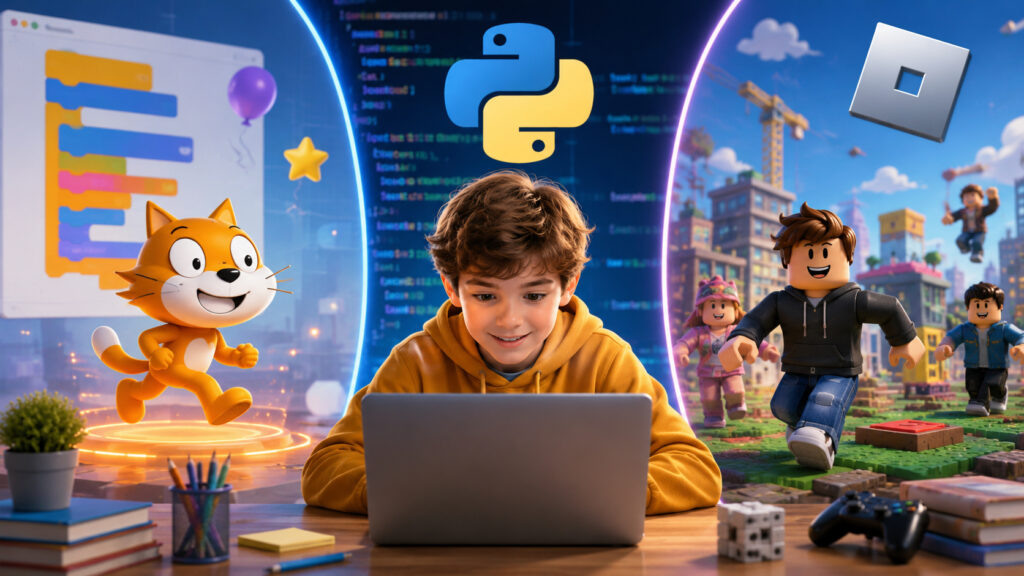
It’s important to choose the right language
It all depends on the child’s age and personality.
For the youngest kids, Scratch is the way to go. It’s that same block-based editor where you can build a working game in just a couple of sessions. Kids aged 7-9 love it for its visual clarity.
For those who are older and want to move toward real code, Python is worth considering. The language is concise, reads almost like English, and forgives minor mistakes. It’s used by both schoolchildren and engineers at major companies, and it’s also the driving force behind nearly all the current buzz around neural networks. So the skill definitely won’t become outdated in a year.
There’s a separate story for gaming fans. If your child can’t stay away from Roblox, it would be a shame not to use that. There, they program in a language called Lua, and the motivation goes through the roof: after all, they can show their game to friends right on the same platform.
And for those who are more drawn to websites and design, the direct path is the HTML, CSS, and JavaScript combo. The first result — your own page in a browser — appears quickly and is a great motivator.
How Games Help Children Learn Programming
An adult can read theory for months and push through for the sake of a future salary. A child can’t do that. They need results here and now.
Games provide exactly that. Write a couple of lines, and the character starts running. Make a mistake, the hero gets stuck in a wall — and it’s immediately clear what needs fixing. This kind of instant feedback works better than any lecture. At the same time, the child learns to calmly search for bugs in their code, which is arguably the most important skill any programmer can have.
On top of that, related skills get a boost. For the character to jump correctly, you need math. For the game to run smoothly, you have to think about logic and physics. English improves naturally too, since commands and documentation are almost always in English. The child picks all this up without noticing, because they’re busy doing something fun rather than cramming.
There’s also a nice bonus for parents who worry about screen time. It’s one thing when a child spends hours scrolling through other people’s videos, and quite another when they’re creating something themselves on that same screen. They go from being a passive content consumer to an author, and that noticeably changes the family’s attitude toward gadgets.
What Prevents Children from Learning Programming
There are many factors that can get in the way, and the main one is, oddly enough, the parents
The first and most common: pressure. If you turn lessons into a chore with grades and lectures, programming will quickly end up in the same category as a disliked math class. Interest fades, and getting it back is hard.
The second mistake: chasing a prestigious language instead of an interesting one. Yes, Python is used for serious things, but if your child enjoys building worlds in Roblox, that’s exactly where you should start. Any first language teaches the most important thing anyway: thinking in algorithms.
The third: expecting quick results. Nobody becomes a developer in a month. The first weeks are spent on simple games and small projects, and that’s normal. Quitting after the first stumbling block when something doesn’t work out is definitely not the way to go — it’s precisely through those stumbling blocks that understanding comes.
And lastly. Don’t try to teach your child yourself if you’re shaky on code. It’s better to find someone who can explain things clearly than to muddle through random forum advice together.
Programming Courses for Kids or Self-Study
Self-study is absolutely possible. The internet is full of free lessons on Scratch and Python, and there are kids’ books with pictures. The downside is just one, but it’s significant: the parent will have to figure out the material themselves and keep the child motivated. There’s rarely enough time and patience for that.
An alternative that removes this burden is specialized programming courses for kids. They have a curriculum, a teacher, and a clear goal: not just to listen, but to build a finished game or program.
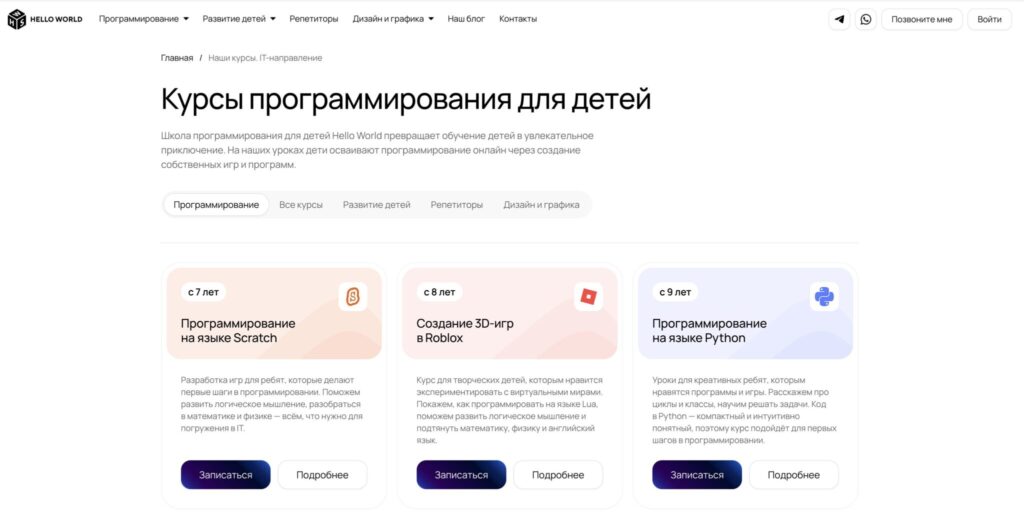
Hello World offers courses for different ages
For example, the online school Hello World teaches kids aged 7 to 16 and builds everything around practice. Younger children build games in Scratch, Roblox fans code in Lua, and older students take on Python or web development. The pace is adjusted to the student, so nobody gets stuck and nobody gets bored. Before starting, they usually hold a trial lesson to assess the child’s level and find the right direction for them.
The bottom line. Don’t try to turn your child into a programmer right away. Let them try and catch that moment when the little square first catches a circle. If the interest sparks, the rest is about regular practice and a good mentor. And you can always switch the language and platform along the way.