Delta Chat is a free messenger from German developers that doesn’t require a phone number to register and can easily replace WhatsApp and Telegram in Russia. Instead, it works on top of regular email, and you can find each other using QR codes. The app is available in Russia without restrictions — let’s figure out who it’s suited for and how to set it up.
Delta Chat can be easily installed on any device
What Is Delta Chat and How Does This Messenger Work
Delta Chat is an open-source messenger released by German developers in 2019. Its main difference from WhatsApp, Telegram, and other familiar apps: it doesn’t work through its own servers but on top of email protocols. Essentially, it’s a convenient shell for email that looks and behaves like a regular messenger — with chats, attachments, and even calls.
The app has been downloaded more than 1 million times on Google Play alone. Delta Chat has no centralized data or encryption key storage — everything goes through mail servers chosen by the user.
Download Delta Chat on iPhone, Android, and Computer
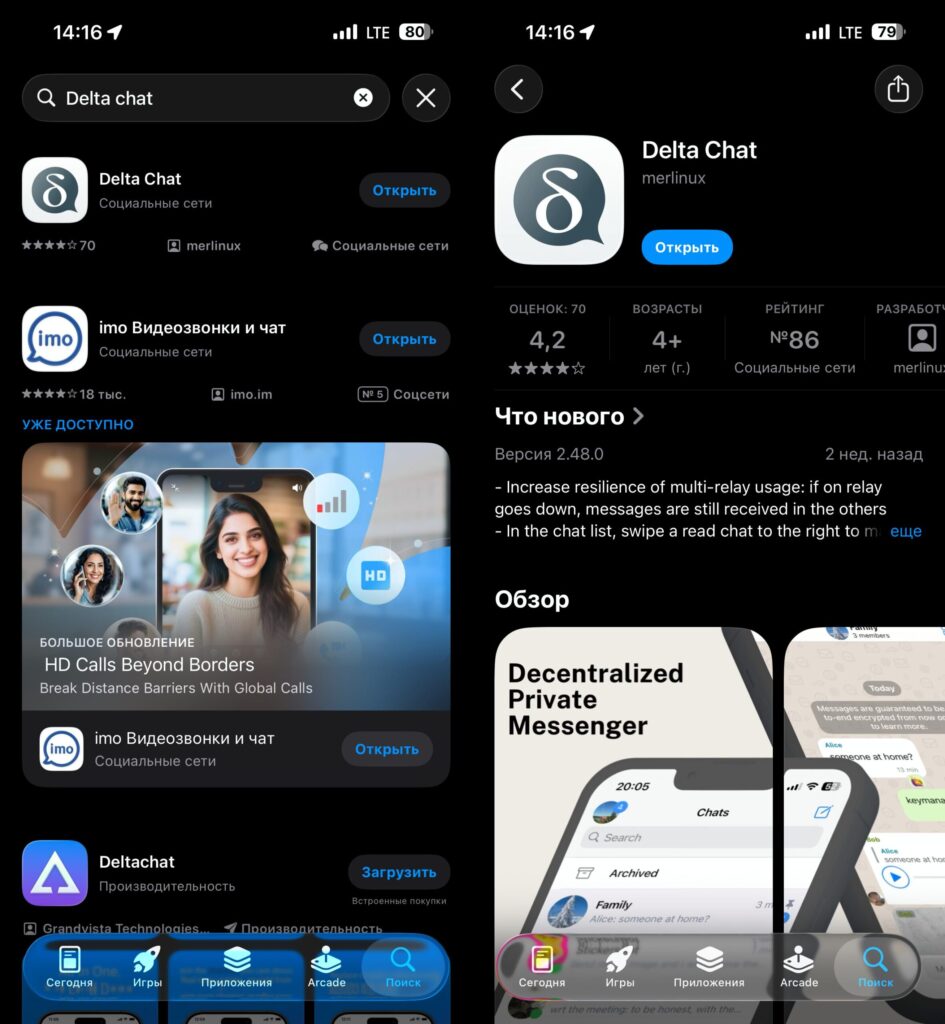
Delta Chat can be downloaded from the App Store without changing regions
The app is published in major app stores and is available for free:
- App Store — for iPhone and iPad
- Google Play — for Android
- RuStore — for those without Google Play
There is also a desktop version for computers running Windows, macOS, and Linux. The availability of Delta Chat in the App Store and RuStore means that Apple device users and smartphone owners without Google services can install it without any extra steps.
Registration in Delta Chat Without a Phone Number
On first launch, Delta Chat prompts you to create a profile. No phone number is needed — registration is tied to email. You can use an existing mailbox on Gmail, Yandex, Mail.ru, or any other service.
To find someone to chat with, you don’t need to know their phone number or email. Just scan a QR code — after that, the chat will appear for both participants. This is convenient if you don’t want to share your contact information with people you barely know.
From a single device, you can register multiple profiles for different purposes — for example, work and personal. This is a built-in multi-account feature.
Connect Email to Delta Chat
If you want to use an existing email, a few additional steps are required. The thing is, major email services require a special app password. Here’s what the setup looks like for Gmail:
- Open the settings of your Google account email.
- In the search, type “App Passwords” and go to the corresponding section.
- Enter the app name and click the “Create” button.
- Open Delta Chat, enter your name, and tap “Use another server.”
- In the window that opens, select “Use email as relay.”
- Enter your email address and the app password you created.
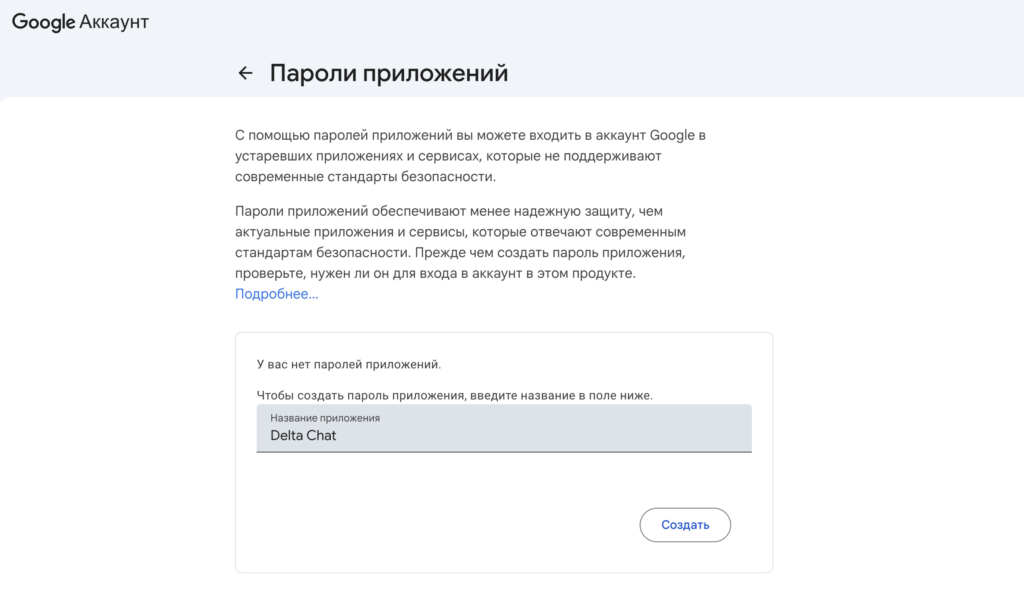
Create a password for the Delta Chat application
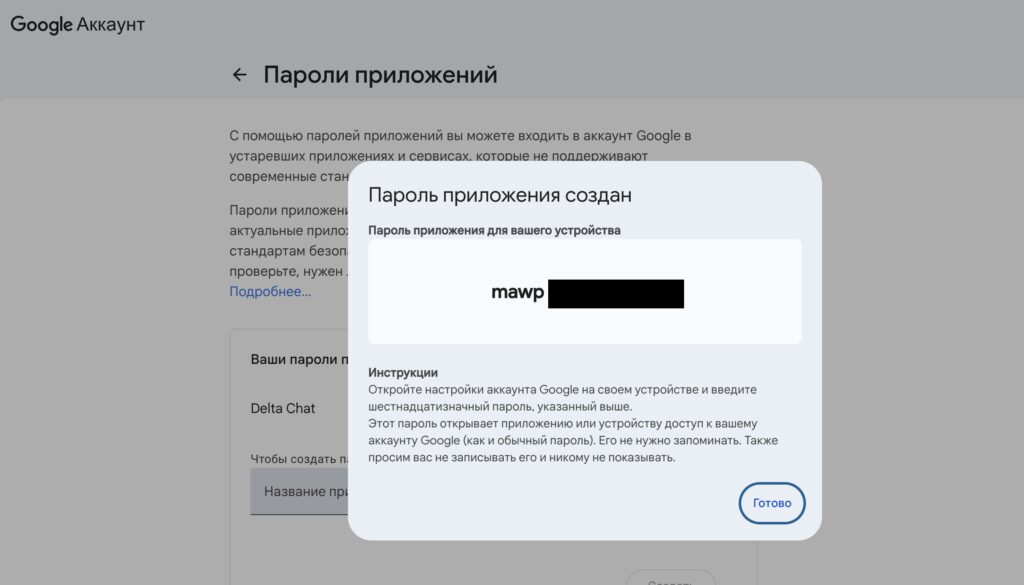
Google will generate the required combination of characters
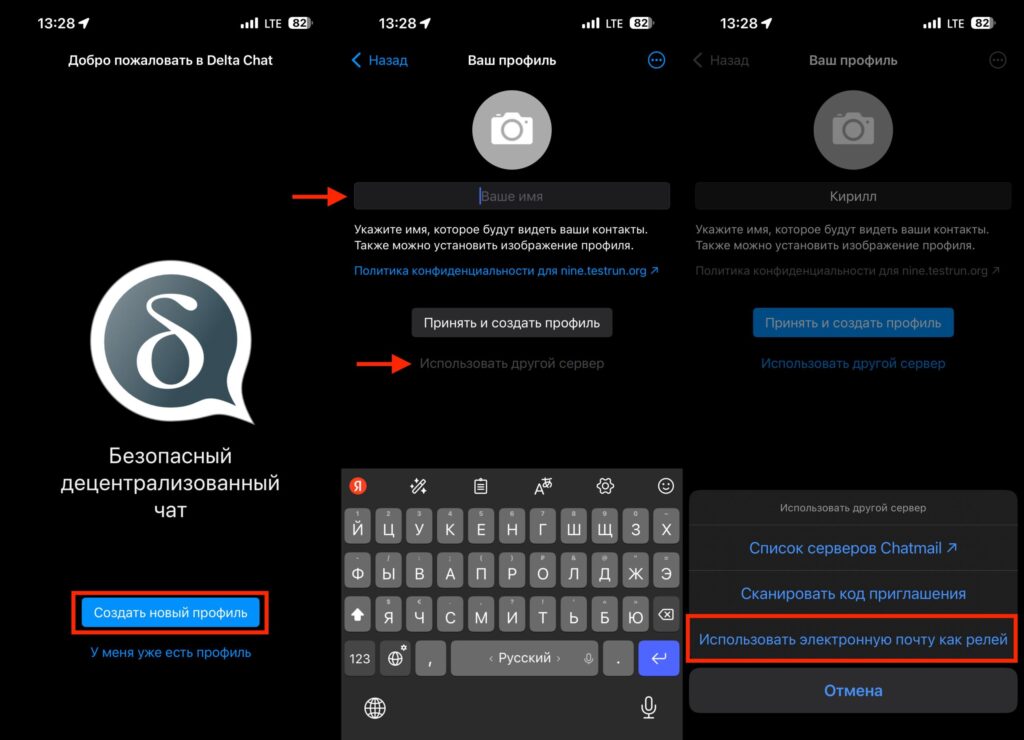
Create an account in Delta Chat
Other email services work in a similar way, so you definitely won’t have any problems with registration. The main thing is, don’t keep tapping the “Accept and create profile” button endlessly. It won’t help with registration and will only frustrate you.
Delta Chat Messenger Features
Despite running on email, Delta Chat has a fairly modern feature set:
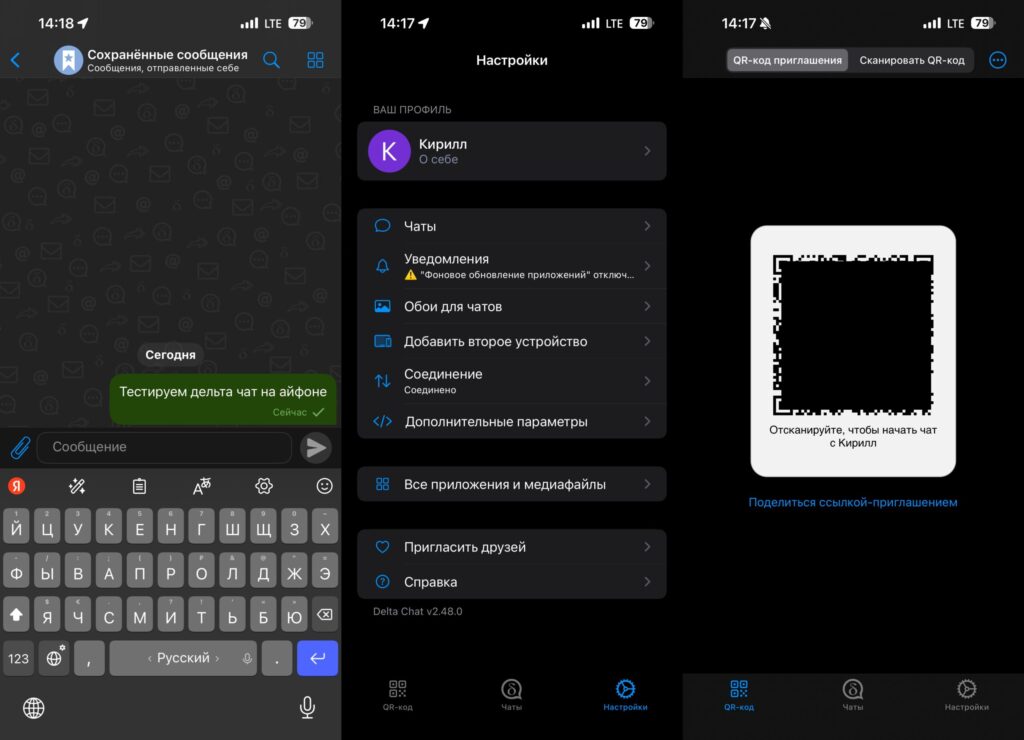
In the app, you can even send messages and files to yourself
- Private and group chats — with text and voice messages, as well as disappearing messages
- File sharing — photos, videos, and documents
- “Saved Messages” notes — similar to Telegram’s Saved Messages, where you can send messages to yourself
- Maps — you can add and label points on a map, for example, to plan a shared route with someone
- Bots — you can connect additional bots
- Backup — a data export feature for transferring your profile to another device
Audio and video calls are in beta and are disabled by default. To activate them, go to the app settings, open “Advanced Settings,” and enable the toggles in the “Experimental Features” section. The stability of these features is not yet guaranteed.
How Delta Chat Differs from WhatsApp and Telegram
The main architectural difference is the absence of its own servers. WhatsApp and Telegram store data (or metadata) on their servers, while Delta Chat uses mail servers chosen by the user. This leads to several practical implications:
- No phone number required — no need to expose your number
- No central point that can be blocked — as long as email works, Delta Chat works too
- No single storage from which user data can be requested
But there are obvious limitations too. Delta Chat has fewer users than Telegram or WhatsApp, so getting all your contacts to switch to it won’t be possible. Audio and video calls still work only in experimental mode. Message delivery speed depends on the mail server — it can be noticeably slower than in familiar messengers.
Delta Chat is better suited as an additional communication channel for those who value independence from a specific platform and anonymity, rather than as a complete replacement.


