Samsung is gearing up for a massive rollout of the One UI 8.5 update, and calling it a routine “half-version” update would be a stretch. A new visual language, a redesigned notification shade, AI call filtering, built-in file sharing with iPhone, and an app for generative creativity. While Samsung hasn’t revealed everything about the capabilities of One UI 9 coming next, let’s break down the five main reasons to look forward to this update right now.
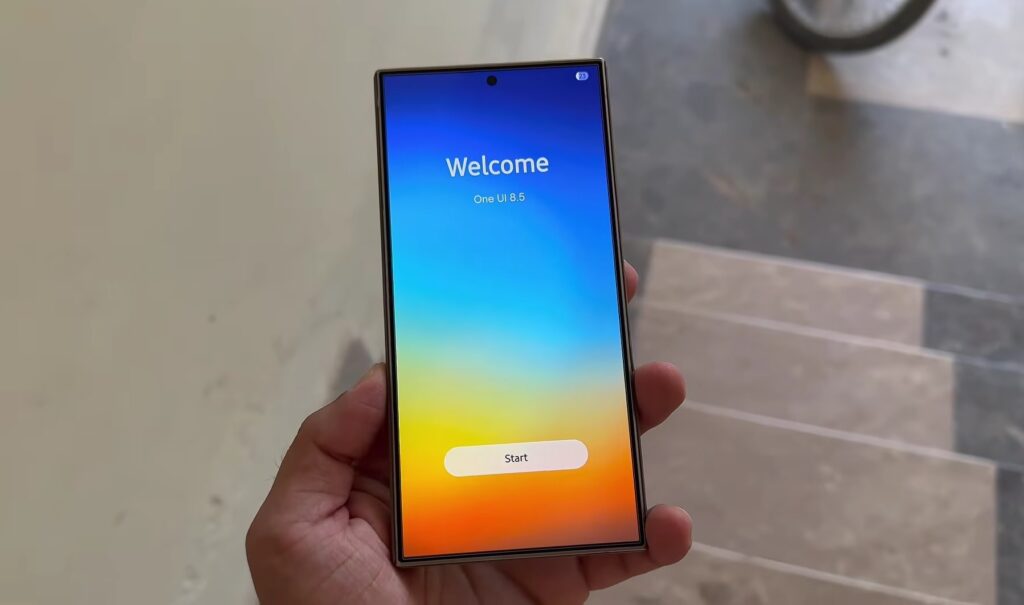
Features we’re looking forward to in One UI 8.5. Image: Cybo Tech
When Is One UI 8.5 Coming Out and Who Will Get the Update
May 2026 marks the start of the One UI 8.5 shell rollout. The Galaxy S25 series is first to receive the update, with global distribution starting on May 4. The Galaxy S26 smartphone already ships with One UI 8.5 out of the box.
Galaxy S25 will get One UI 8.5 first.
After that, the rollout schedule branches out:
- Galaxy S24, Z Fold 6, and Z Flip 6 (estimated first half of May);
- Galaxy S23 and S22 series (May–June);
- budget A, M, and F lineups (also May–June).
The list of supported devices is unusually broad for a “half-version” update (from Galaxy S22 to current A and M series models).
New Liquid Glass Design on Samsung
One UI 8.5 on Samsung introduces the Liquid Glass visual language for the first time. Instead of the familiar flat rectangular elements, you get semi-transparent floating surfaces, rounded controls, and soft depth effects.
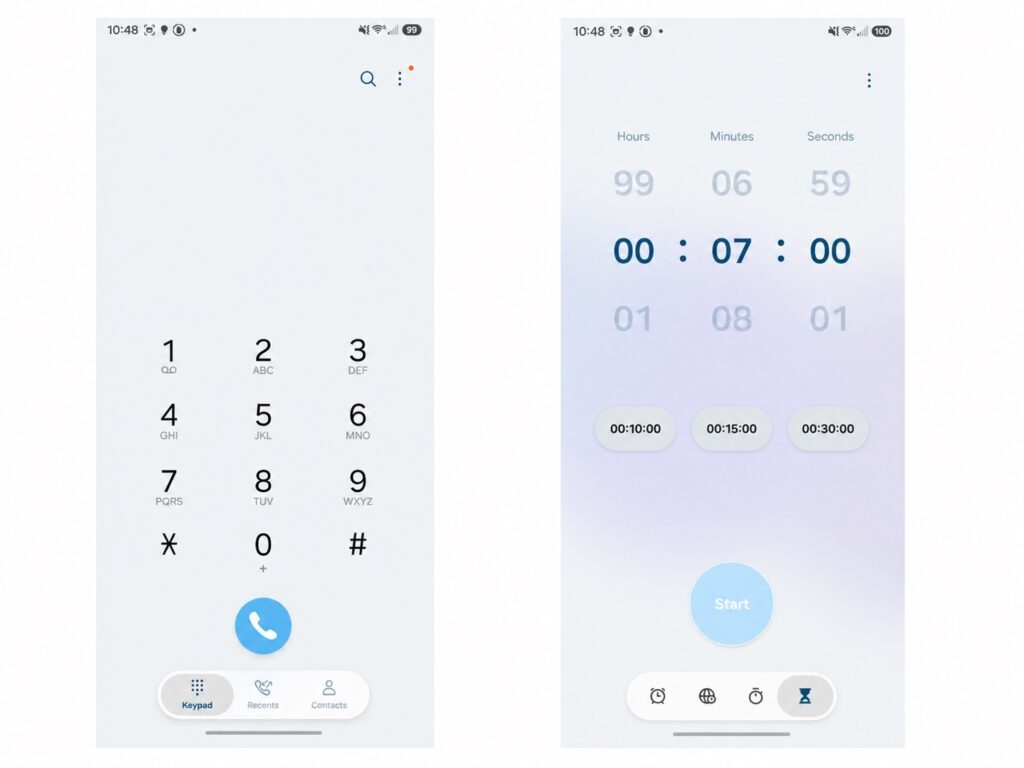
The liquid glass effect will be noticeable in the system and Samsung’s own apps
What exactly changes visually:
- Settings, Phone, Gallery, Calculator, and other system apps get an updated look;
- the navigation bar looks like a separate “floating” strip with a semi-transparent background;
- notifications, widgets, and the control center adopt a “glass” style with blur and shadows.
In practice, the interface feels visually lighter and more modern, though it may take a couple of days to adjust to the new look. An important note: the new design is most noticeable in Samsung apps. Third-party apps from Google Play will keep their familiar interface until their developers update the visuals.
One UI 8.5 Quick Settings Shade
The notification shade in One UI 8.5 firmware gets the biggest overhaul in the shell’s entire history. Tiles and widgets can now be freely moved, resized, and reoriented. You can remove all toggles and leave the panel almost empty.
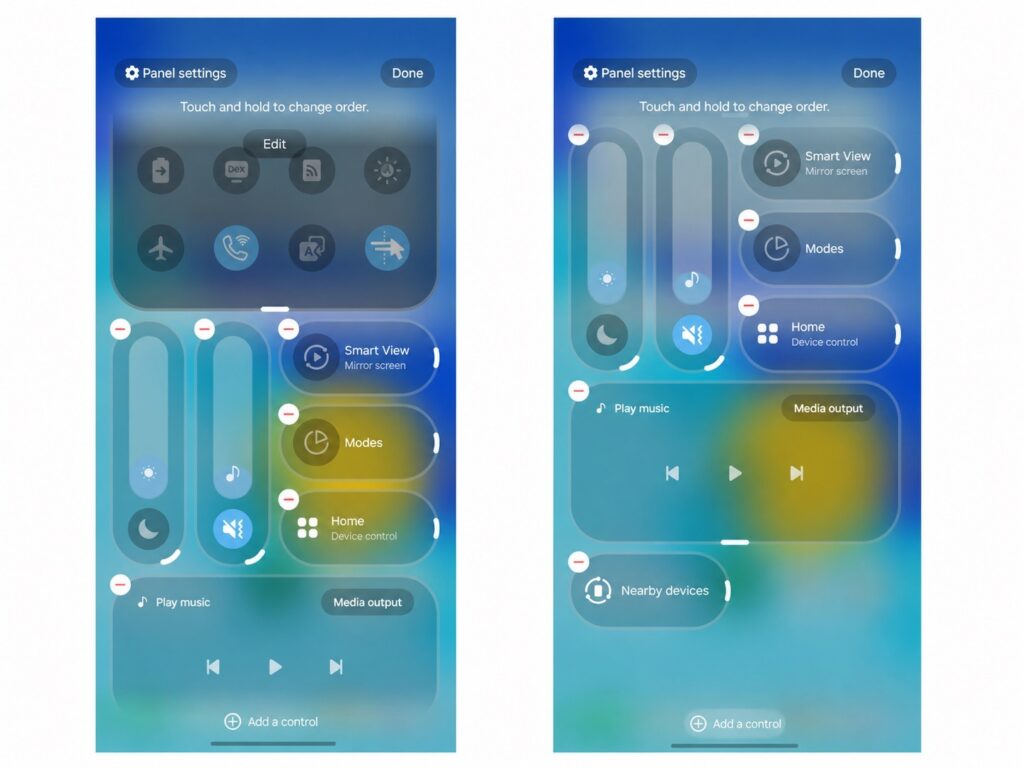
This is what the new One UI 8.5 notification shade looks like
What specifically has changed:
- brightness and volume sliders can switch between horizontal and vertical orientations;
- tiles can be rearranged and resized without restrictions;
- if you don’t like the result of your customization, there’s a reset button to return to the default layout.
For those who were annoyed by the fixed tile layout, One UI 8.5 features finally solve this problem. For those who were fine with the standard look, nothing will change unless you dive into the settings.
AI Call Handling on Samsung Galaxy
One of the most practical innovations in the Samsung One UI 8.5 update is a major overhaul of call handling powered by AI. The phone can now automatically answer calls from unknown numbers or suspected spammers. The AI assistant asks the caller about the purpose of their call, shows a live text transcription, and lets you decide whether to pick up or mark the number as spam.
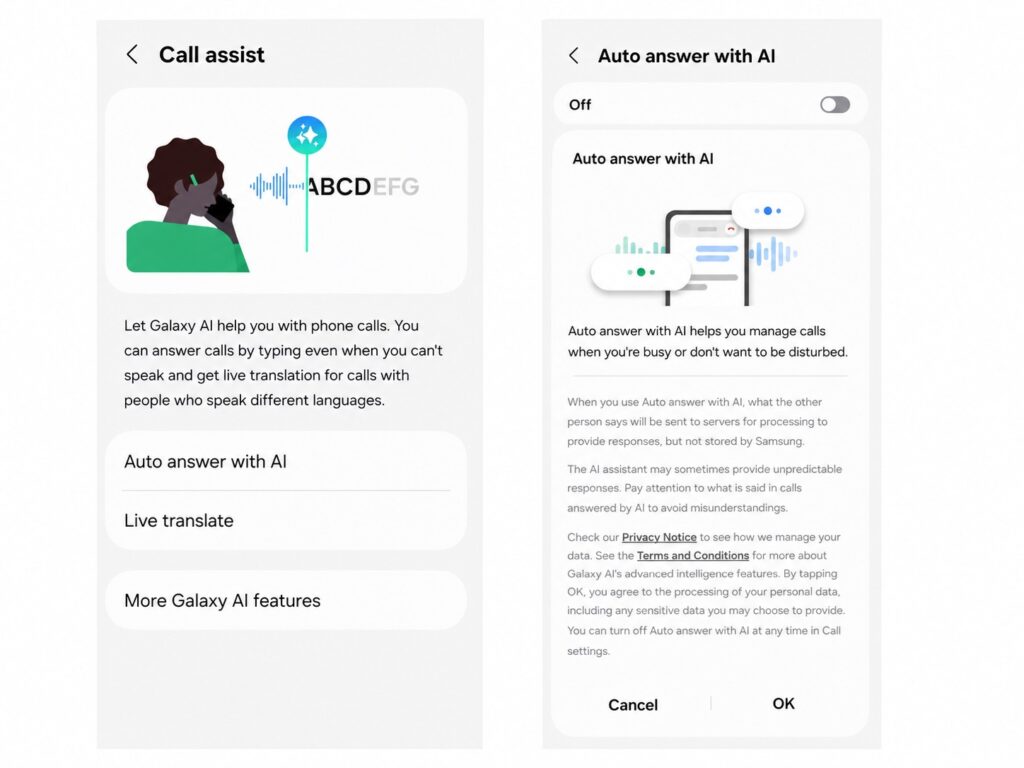
Samsung will add new AI features for calls
What else the new call system can do:
- auto-answer with a delay of 5 to 30 seconds: the phone picks up automatically and transcribes the conversation in real time;
- on-device live voicemail: the caller leaves a message directly on your phone, and you see the transcription in real time;
- text transcription during a regular conversation (useful in noisy places);
- Now Bar on the lock screen shows a missed call counter.
This is a significant step forward compared to the manual Bixby Text Call mode. The only question is how well all of this works with the Russian language (Samsung hasn’t yet disclosed the full list of supported languages).
New Creative Studio App on Samsung
Samsung has added a new Creative Studio app that combines AI tools for creating visual content. Through it, you can generate wallpapers, stickers, greeting cards, invitations, and profile cards (based on sketches, photos, or text descriptions).
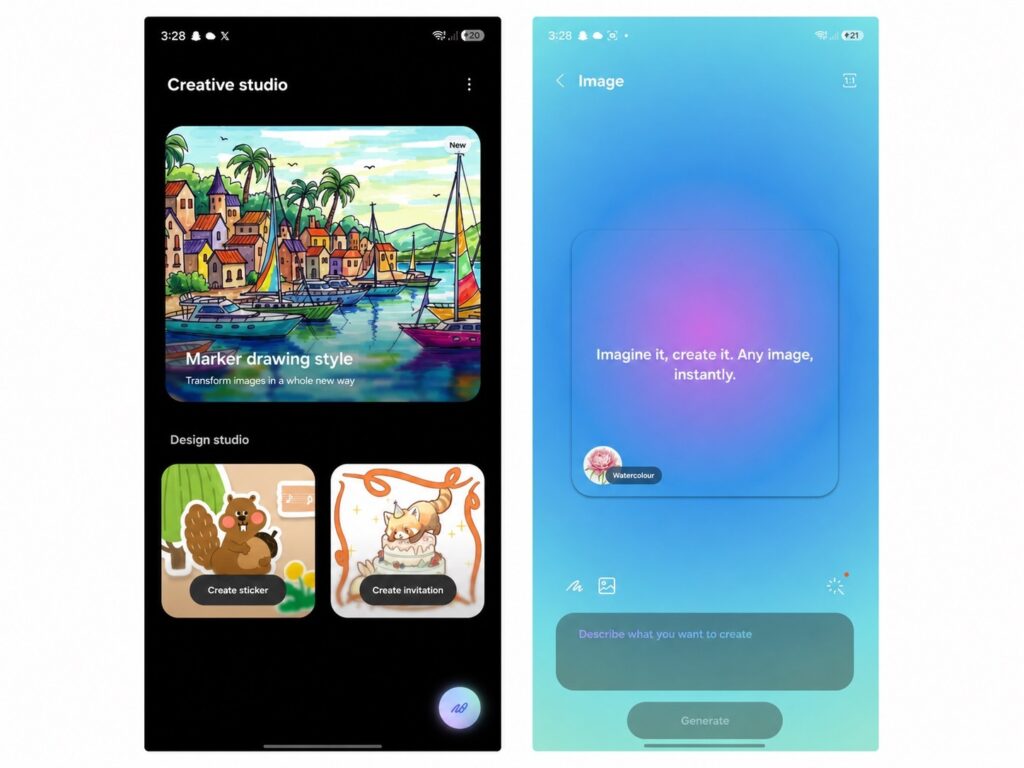
This is what the new app on Samsung looks like
What the app supports:
- different aspect ratios: 16:9, 4:3, and other formats;
- multiple artistic styles: children’s sketch, marker drawing, oil painting;
- generation based on a photo, sketch, or text description.
In practice, Creative Studio is more of an entertainment tool than a replacement for a graphic editor. But it works well for quickly creating personalized greeting cards or wallpapers — especially for those who can’t be bothered with separate apps.
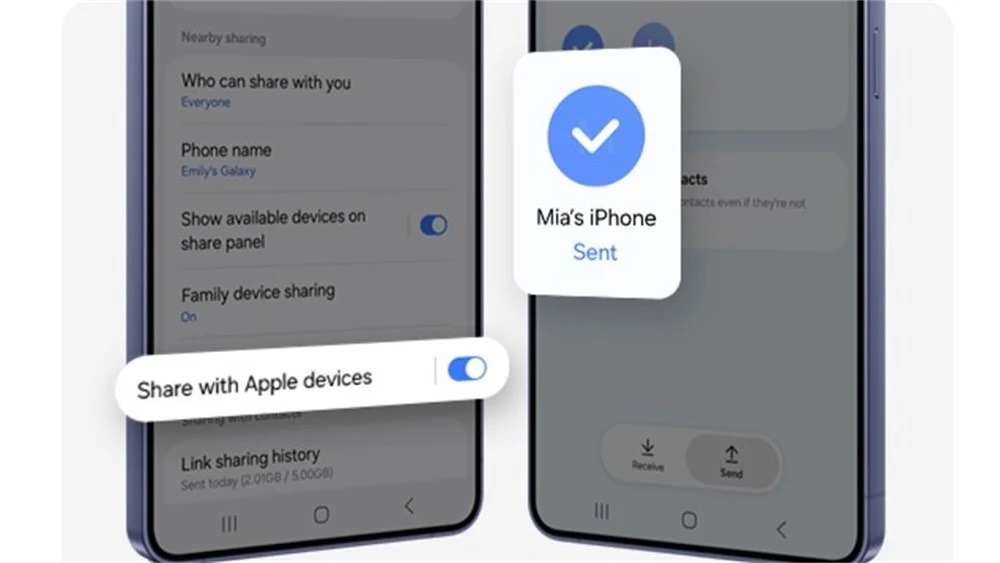
File Transfers from iPhone to Samsung via AirDrop
Perhaps the most useful change for those living in a mixed Android and Apple ecosystem. A “Share with Apple devices” option appears in quick settings. Google reverse-engineered the AirDrop protocol without an official partnership with Apple (Android devices with Quick Share now speak the AirDrop language). To an iPhone, your Samsung looks like just another Apple device.