Instagram* has finally started rolling out a feature that users have been requesting for literally years: manual sorting of posts in the profile grid. Until now, the order of posts in a profile was determined solely by the publication date, making it simply impossible to move an older great photo higher up. While the app itself is still blocked in certain regions, inside the application there’s finally something that was sorely missing: you can now rearrange your photos however you like.
You can now rearrange posts in your profile. However, not everyone has access yet
New Instagram* Feature: Rearranging Photos and Videos in Your Profile
Back in March of this year, Instagram* added the ability to change the order of photos and videos within a carousel after publication. At the time, this was perceived as a half-measure since the profile grid itself remained strictly tied to chronological order, and there was nothing you could do about it.
Now the app is extending this control to the entire profile. A new menu option has appeared in the interface that allows you to manually arrange posts in the grid in any order. Previously, the only way to move a desired post to the top was to delete it and re-upload it, which would reset all likes, comments, and reach. The new tool completely eliminates this pain point: a post’s statistics stay with it no matter where you move it.
The feature lived in closed testing for a while, and now it’s being enabled for everyone. All you need to do is tap on any photo in your profile grid and select the corresponding option. There’s no hidden menu in the settings to search for.
How to Change the Layout of Posts in Instagram*
The process takes less than a minute and doesn’t require any third-party apps or workarounds. Everything is done right in the app on your phone:
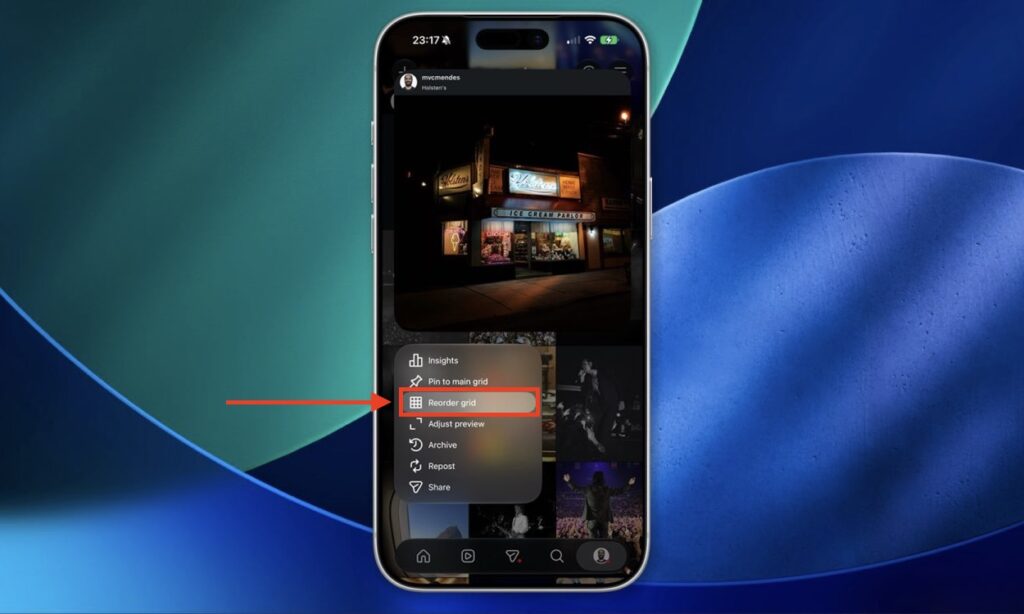
Tap this button and rearrange your posts however you like
- Go to your profile and open the post grid.
- Tap on any photo and select the “Reorder grid” option.
- In the window that opens, drag photos with your finger to arrange them in the desired order.
- When you’re done, tap the arrow (chevron) in the upper left corner.
- The changes will immediately apply to your actual profile.
There are no confirmations, saves, or reloads. Exit the editing mode, and the grid already looks different. If you don’t like the result, you can go back in and rearrange everything again, as many times as you want.
What to Do If Post Sorting Isn’t Working
On Instagram*’s account on Threads, they wrote that the feature is rolling out this week, which means not everyone will get it at the same time. This is a classic story for the app: a phased rollout, where some people already have the option while others have to wait a few more days or even weeks.
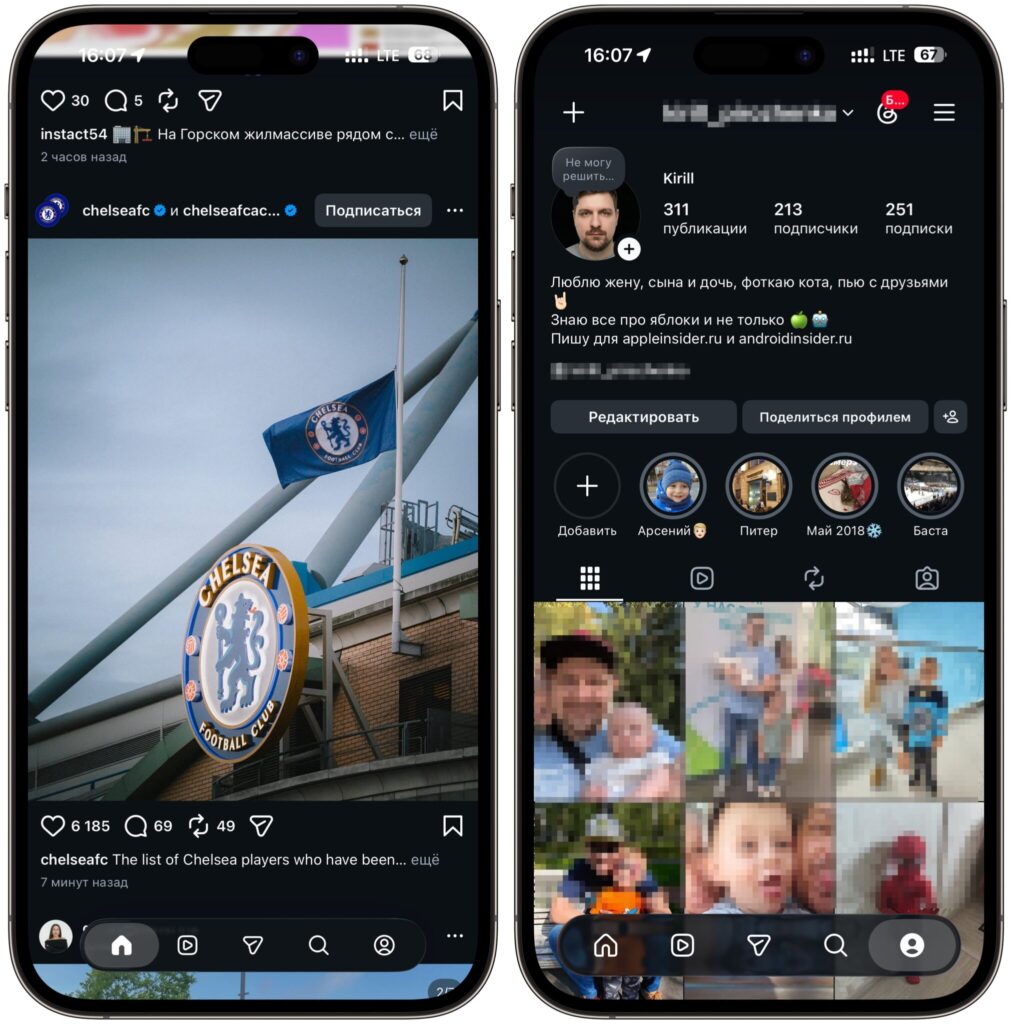
The new app design has already arrived for me
I can confirm this from my own experience. The new app design has already arrived for me, the interface has been updated and looks fresh. But the actual feature for changing the order of posts hasn’t been rolled out to my account yet. So all that’s left is to wait until the servers reach me too. If you’re seeing the same thing, don’t worry: it’s not a bug or a regional restriction, your account’s turn simply hasn’t come yet.
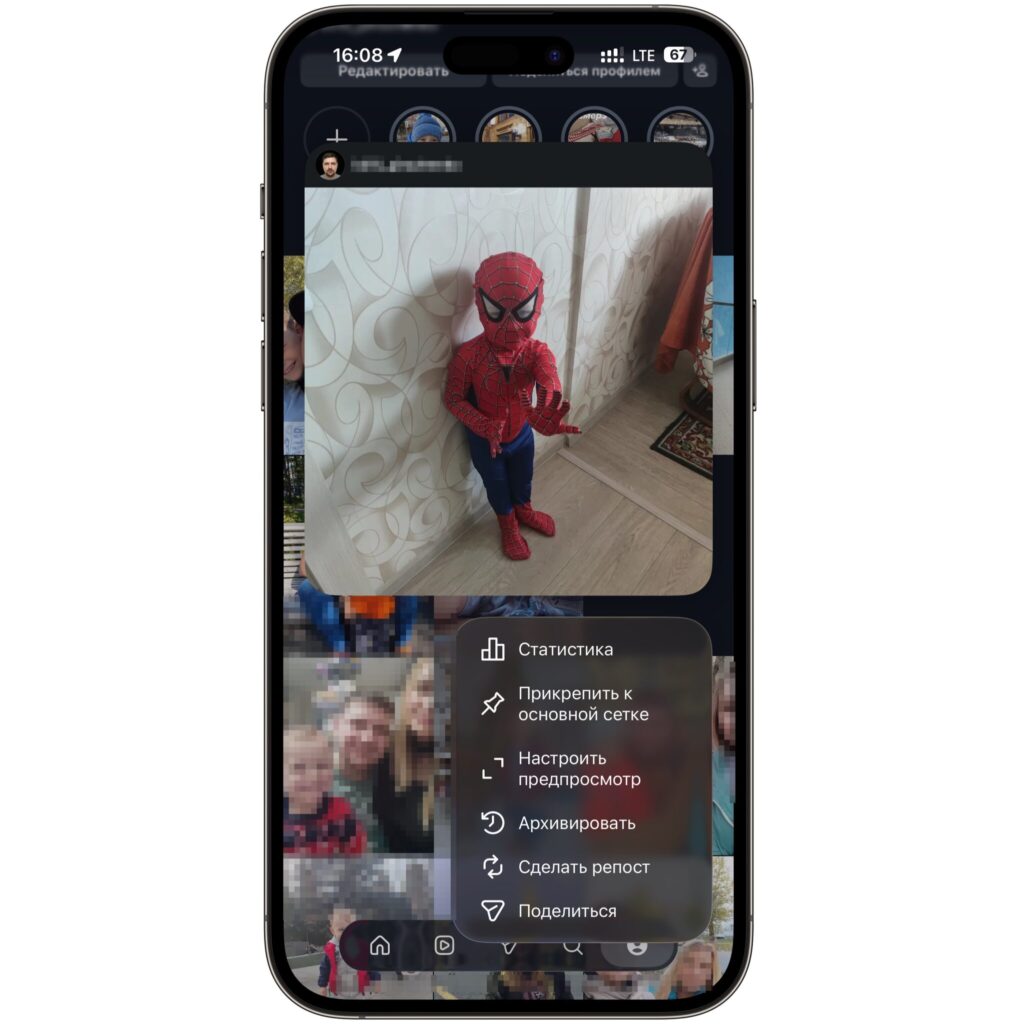
But the button for changing the order of posts is not yet available
Why Change the Order of Posts in Your Instagram* Profile
For a regular user who simply shares vacation photos, rearranging posts is unlikely to be something critically important. But for those who manage their profile intentionally, this is truly a powerful update. This primarily applies to bloggers, small shops, photographers, and artisans whose profile grid is essentially a showcase that shapes the first impression.
Previously, to achieve a neat layout, you had to plan posts in advance using third-party scheduling tools and hope that nothing would get disrupted. Now you can move a great shot to the top at any time, push weaker posts further down, and not lose accumulated likes and comments in the process. For commercial profiles, this saves both time and nerves.
In words, the update sounds minor, but in practice, it addresses one of the oldest requests from the audience. If the feature has already appeared for you, I recommend tidying up your profile right away and arranging the grid the way you’ve always wanted.
*The social network Instagram is banned on the territory of the Russian Federation.


