Yandex is once again raising the price of its multi-subscription. This time, the annual plan is affected — starting June 16, 2026, it will cost 4,490 rubles instead of the previous 3,490. Here’s what exactly is changing, who it will affect, and how to renew your subscription at the old price before the increase.
Yandex is raising the price again, and this time significantly
How Much Does Yandex Plus Cost in 2026 After the Price Increase
If you’ve been keeping track of Yandex subscriptions, you’ve probably noticed a pattern. The company regularly revises the cost of its plans. In December 2025, the monthly subscription went up — from 399 to 449 rubles. Now it’s the annual plan’s turn.
Starting June 16, 2026, the annual Yandex Plus multi-subscription will cost 4,490 rubles. That’s exactly 1,000 rubles more than the current price. At the same time, the annual plan still remains 16% cheaper than paying monthly. If you pay month by month, the yearly total comes to 5,388 rubles — a noticeable difference.
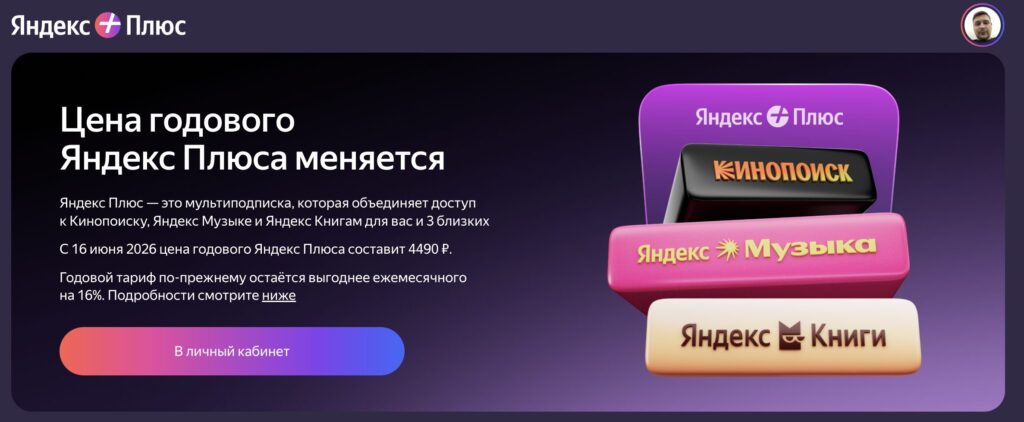
Here’s the information from the Yandex website about the price hike
Yandex explains the increase in the usual way: service development, new content, and improved recommendations powered by AI. Over the past couple of years, the subscription has indeed gained more features. In addition to Kinopoisk and Yandex Music, it includes Yandex Books, Plus points with improved conditions for Saves and Split, as well as the ability to add up to three family members to one account.
Additionally, sports broadcasts, exclusive series, and podcasts are constantly appearing on the services. All of this costs money — and Yandex passes part of the expenses on to subscribers. This isn’t new: in 2022, the cheap individual plan at 199 rubles was eliminated; in 2024, the price was raised to 399 rubles; in 2025 — to 449. The trend is obvious.
Yandex Plus Plans That Won’t Increase in Price on June 16
There is some good news. The increase applies only to the annual plan of the basic Yandex Plus. Here’s what stays the same:
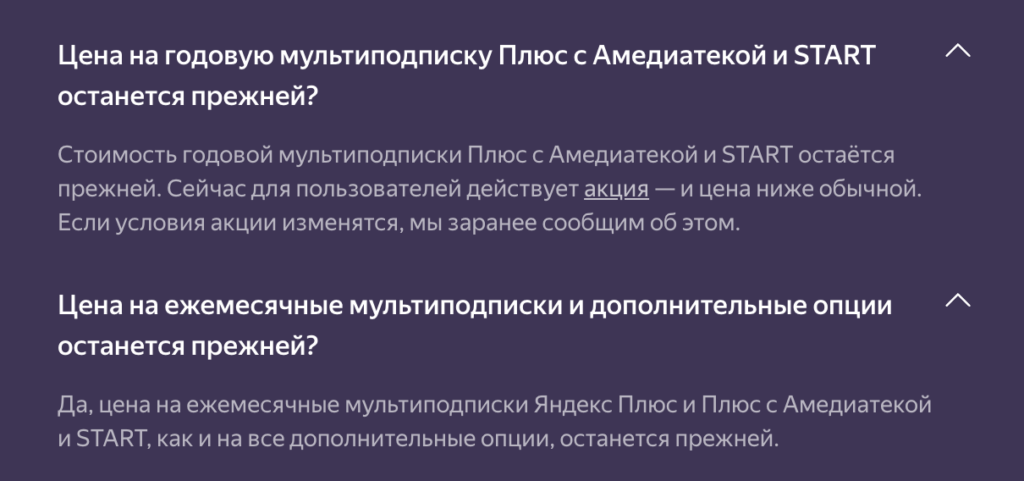
These parameters won’t change
The monthly subscription price remains at 449 rubles per month. The cost of the annual Plus with Amediateka and START multi-subscription stays the same. Prices for all additional options are also unchanged. Promotional subscriptions — if you’re currently paying a reduced price as part of a promotion, nothing changes for you until the end of the promotional period.
If you already have an active annual subscription, it will continue until the end of the paid period. The new price will only apply at the next renewal after June 16.
How to Renew Yandex Plus at the Old Price Before the Increase
The most obvious option is to renew the subscription right now while it still costs 3,490 rubles. Unfortunately, saving money on a full subscription by purchasing an activation code on marketplaces isn’t really possible. I wasn’t able to find better deals than the standard price, but even that is cheaper than the new price.
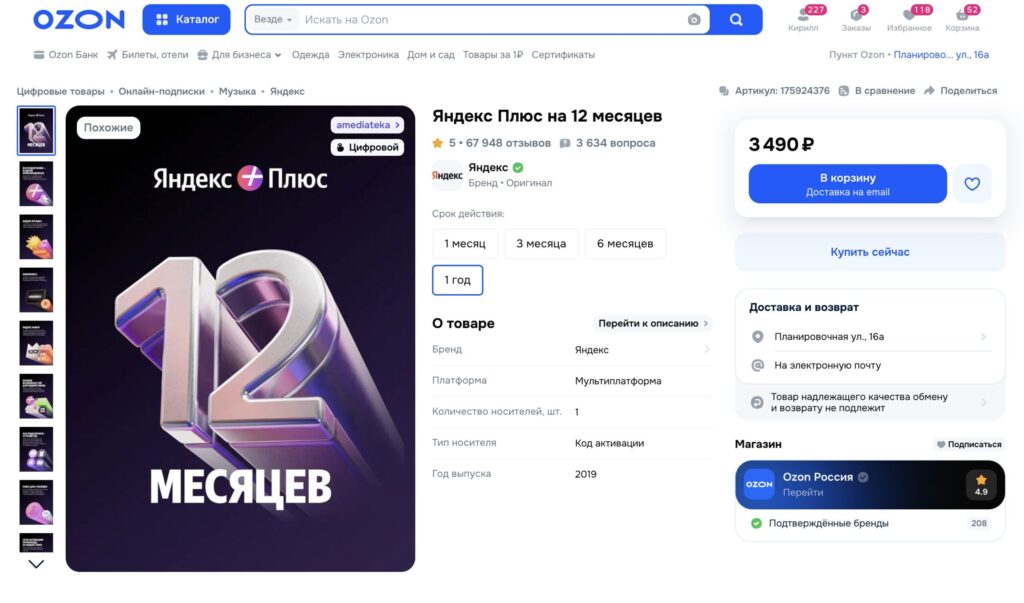
You can currently buy the subscription for 3,490 rubles. Seller: Ozon
On Ozon and Wildberries, annual Yandex Plus activation codes with coupons sometimes go on sale, as happened in December last year. But at the time of publication, there are no promotions. I’d venture to guess that they may appear soon, so it’s worth keeping an eye on marketplace offers. The seller is often Yandex itself, so there’s no catch — it’s not being added to someone else’s family group, but a full subscription for your account.
Where to Enter the Yandex Plus Activation Code
The easiest way to activate a promo code or marketplace code is through a browser on your computer. Here are step-by-step instructions:
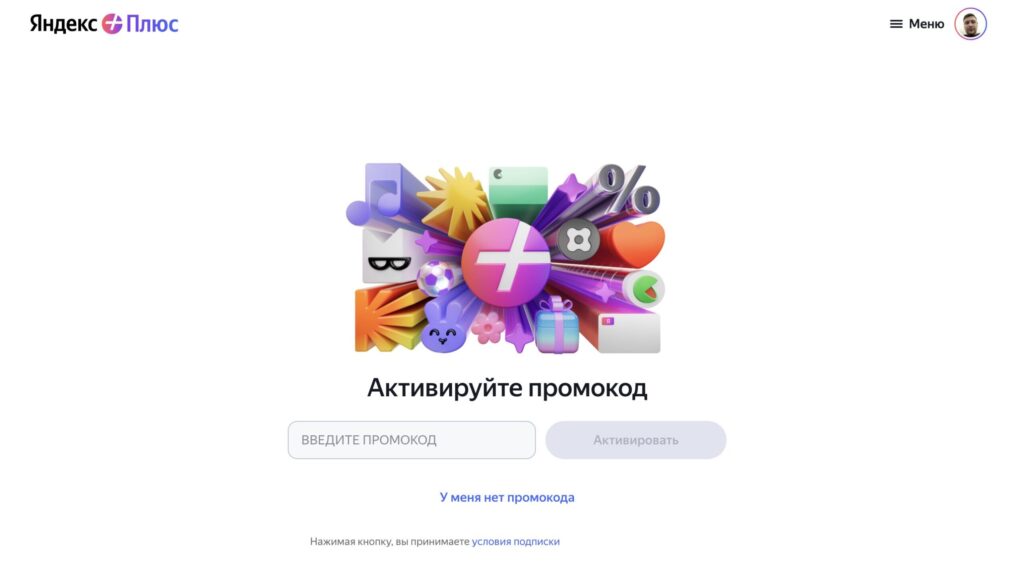
Enter the promo code and activate it
- Open the Yandex Plus activation page in your browser — plus.yandex.ru/gift.
- Sign in to the Yandex ID account where you want to activate the subscription.
- Enter the code you received in the designated field.
- Click the “Activate” button.
- Done — the subscription will be applied automatically.
If you already have an active subscription purchased directly from Yandex, the new period will start after the current one ends. Your remaining days won’t be lost — they’ll simply be extended. Note that if you enter the code incorrectly multiple times, the system will block activation for 24 hours.
You can also activate the code via your smartphone. To do this, open your mobile browser, go to the Yandex website, sign in, and navigate to the Plus section. Find the “Activate promo code” option through the menu and enter the code.
How to Cancel Your Yandex Plus Subscription
If you’ve decided that you no longer need the subscription and don’t want to pay at either the old or new price — you can cancel it. The process is a bit convoluted, but it works. Here’s how to do it through the website or app:
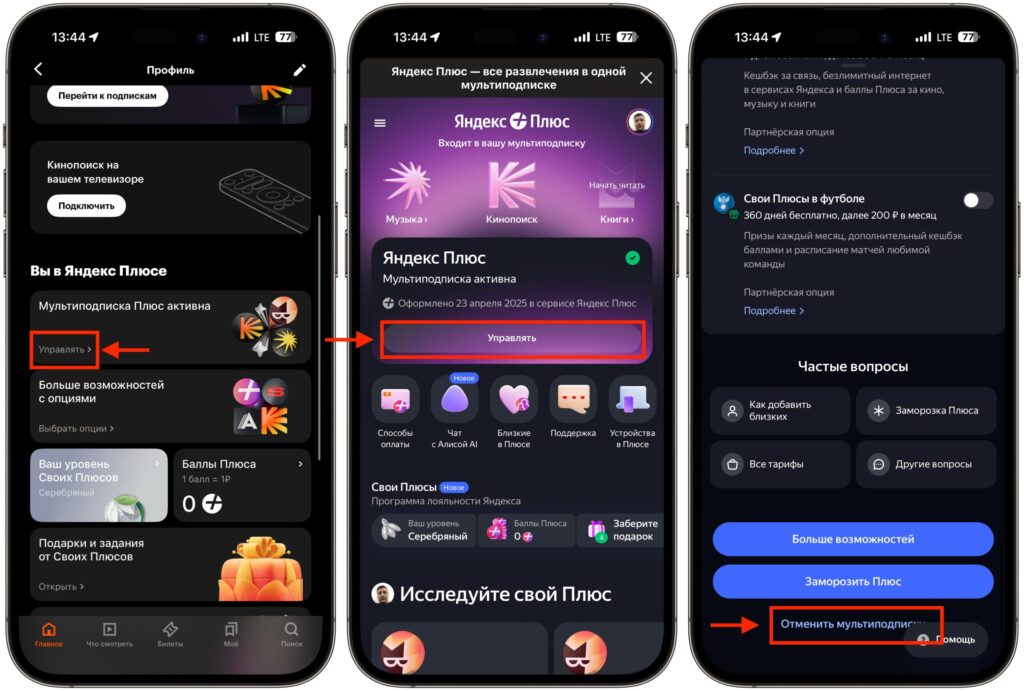
The subscription can be cancelled from here. Be prepared for Yandex to persistently resist this


