When was the last time you looked in the banking apps folder on your iPhone? A friend of mine decided to tidy it up and was shocked: four versions of T-Bank, a couple of half-dead versions of unknown origin, and a long list of open access to money she had forgotten about. If you download every new banking client and keep old versions of T-Bank in a separate folder just in case, this article is for you.
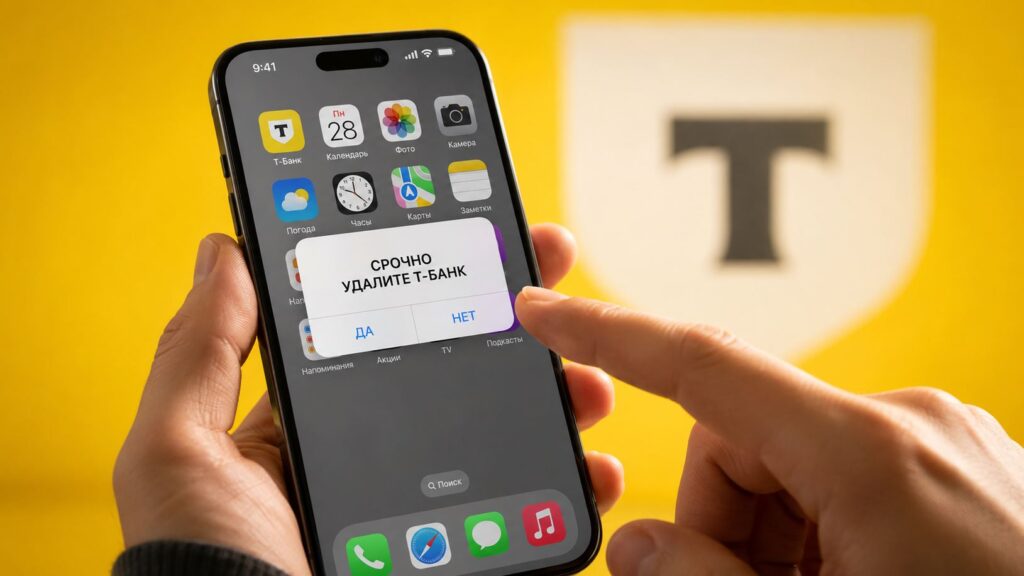
We explain why keeping old banking apps hurts both you and your iPhone
Why You Need to Delete Old Apps from iPhones
The routine is familiar to everyone who has a ruble card. The banking client gets removed from the App Store, returns a couple of weeks later under a new name, and then the cycle repeats. We all react the same way: spotted a fresh Sber app for iPhone, downloaded it, and left the old one to live out its days. What if the new one gets blocked, and the old one still works?
The bottom line: your iPhone should only have the current banking app
And so it happens that T-Bank on iPhone exists in several versions at once, from the very first to the latest. It seems like being prepared, but in reality you’re creating a problem out of nothing. While the apps just sit in a folder, it seems harmless. In fact, each one drags along its own baggage:
- Active sessions pile up. Each login to a new client creates a separate session, and nobody kicks you out of the old versions. The device list accumulates dozens of lines with identical faceless names, and figuring out which login belongs to whom is impossible.
- A stranger’s login gets lost in the pile. If a scammer logs into your bank, their session will look just like the other forty. With a single app, an extra device would immediately catch your eye, but among clones it goes unnoticed.
- Old versions of banking apps don’t get updated. The developer forgot about them long ago, and any vulnerability remains unpatched.
- Banking clones take up space and run in the background. Four T-Bank apps easily eat up a couple of gigabytes, and with background refresh they also consume data and battery, even though you don’t use them.
And simply put: why would you need 4-5 (or more) versions of the same bank? If you don’t clean up your home screen, sooner or later you’ll get confused.
Should You Delete Sber from Your iPhone and Other Banking Apps
In short: yes. Should you delete Sber from your iPhone, VTB, Alfa, and everything else after updating the client — people ask constantly, and the answer is the same for everyone. The mechanics are exactly the same: old versions spawn sessions and don’t receive patches.
You update iOS on your iPhone when it comes out, right? It’s the same principle here: download the new one — delete the old one, just manually.
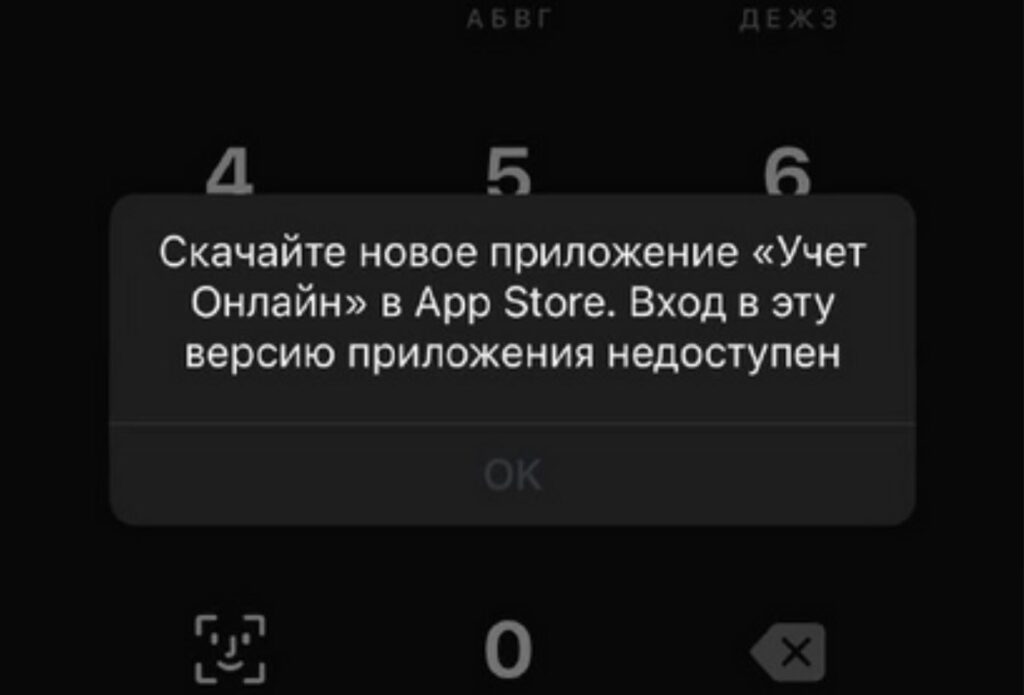
Users don’t delete old apps even when they no longer work
So how many banking apps to keep on your iPhone is almost a rhetorical question. Keep one current client, and send the museum of clones to the trash.
How to Properly Delete the Old T-Bank App
There’s a non-obvious trap here. If you simply delete the old T-Bank from the home screen, the session on the bank’s servers stays alive. The iPhone forgot about the app, but the bank didn’t forget about your authorization. So the process is the reverse of what you’d expect:
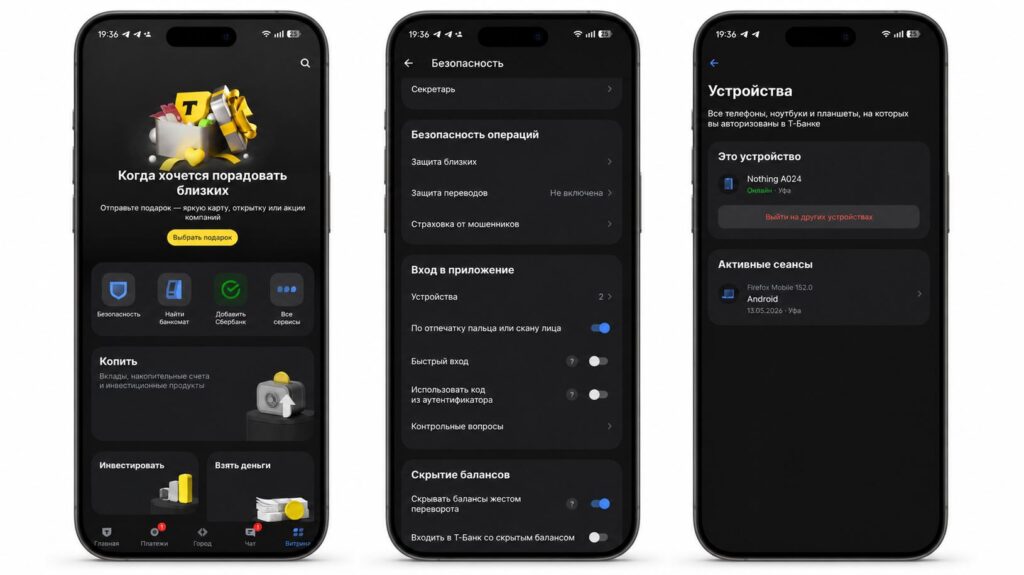
Make sure to log out of the old version of the app
- Open the current banking client and go to your profile.
- Find the “Security” section, then open “Devices” or “Active Sessions” inside it.
- Tap “End All Sessions” except the current one.
- Re-authorize only on the devices you actually use.
- Now you can safely delete all extra versions of the app.
This way you solve in one go how to view active sessions in T-Bank and clean out the extras. But I understand: wiping everything clean is scary. What if something happens! Here’s a reasonable compromise: instead of a junkyard, keep exactly one previous version. The approach is simple and repeats with every update: keep one old version, download the new one, and repeat the procedure when new banking apps come out.
What to Do If Sber or T-Bank Glitches After an Update
Why would you keep an old version of a banking app on your iPhone at all? I see exactly three reasons. All of them are perfectly valid and reflect the current reality.
- You didn’t like the new banking app interface or it’s outright buggy.
- The old banking app after iOS 27 works more stable than the fresh one.
- You’re using the old version of T-Bank until it gets forcibly shut down, which usually takes a couple of weeks.
What to Do with Old Banking App Versions on iPhone

Delete copies and don’t clutter your iPhone storage
If you don’t feel like reading the whole thing, here’s the short version: make sure to delete old Sber, T-Bank, or Alfa apps and stop interfering with your iPhone’s performance. Here’s the expanded version in five lines:
- Open your banking app and end all active sessions except the current one.
- Keep one current client, at most plus one previous version.
- Delete everything else without regret.
- Make sure the working version is authorized and in place.
- Repeat this procedure with every major update.
Five minutes of effort, but your iPhone is tidy and your access to money is under your control.


