Turning off Bluetooth from the quick settings panel on an Android phone does not always stop the phone from looking for nearby devices. Android has a separate location feature that can keep scanning for Bluetooth devices while the regular Bluetooth toggle is off. A similar setting exists for Wi-Fi. Both can be turned off in the location settings, usually under Settings → Location → Location services. The trade-off is that location accuracy may drop, especially indoors.
What you need to know
- Android’s “Bluetooth scanning” setting belongs to location services, not to the regular Bluetooth menu. It can detect nearby devices even when Bluetooth is switched off.
- A separate “Wi-Fi scanning” setting does the same with nearby access points, even when Wi-Fi is disabled.
- Turning off either option does not delete saved Wi-Fi networks or paired Bluetooth devices, but it may make indoor location less accurate.
- Google’s nearby device detection and lost-device features have their own settings, so they may still use Bluetooth after you turn these options off.
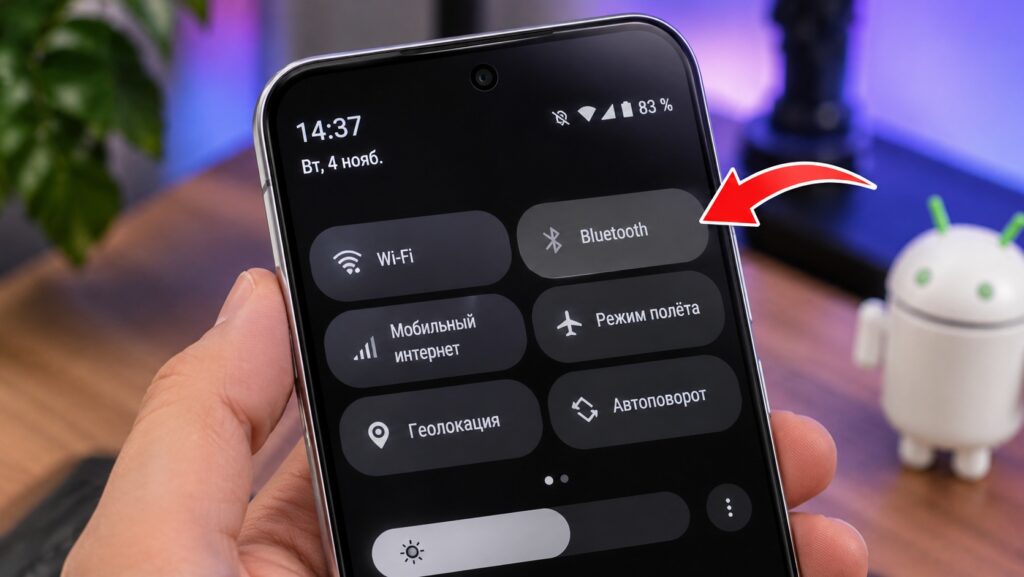
The Bluetooth toggle in an Android smartphone’s quick settings panel
Why Android keeps scanning with Bluetooth off
Tapping the Bluetooth icon in the quick settings panel turns off regular wireless connections. Headphones disconnect, a smartwatch may lose its link, and a speaker stops playing music. But Android also has a separate mechanism for finding Bluetooth devices. It is part of the phone’s location services and helps estimate the phone’s position from nearby wireless signals.
A shopping mall is a good example. GPS works poorly inside the building, but there are many Bluetooth beacons and other devices around that can help the system work out your position more accurately. That is why a disabled Bluetooth toggle does not necessarily mean scanning has stopped.
This scanning does not mean the phone connects to every device it finds, and it does not automatically gain access to those devices’ data.
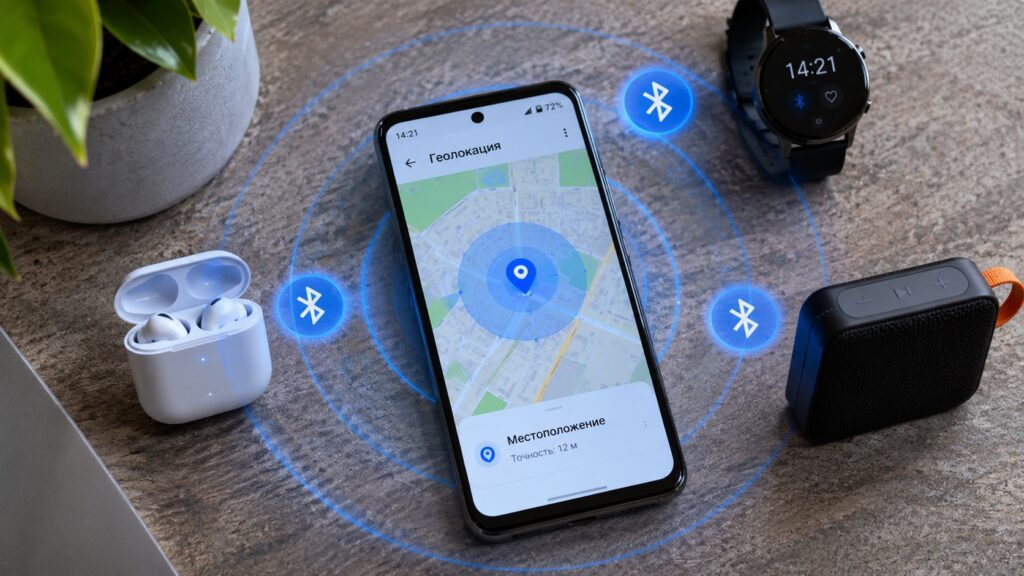
A smartphone determines its location using nearby Bluetooth devices

This location scanning is also different from Bluetooth turning itself back on. Switching the Bluetooth radio on for normal use is one thing; background scanning for location is another.
How to turn off background Bluetooth scanning
The setting is not in the Bluetooth menu but among the location settings. On most modern Android smartphones, the path looks like this:
- Open the phone’s Settings.
- Go to Location.
- Select Location services.
- Find Bluetooth scanning.
- Turn the toggle off.
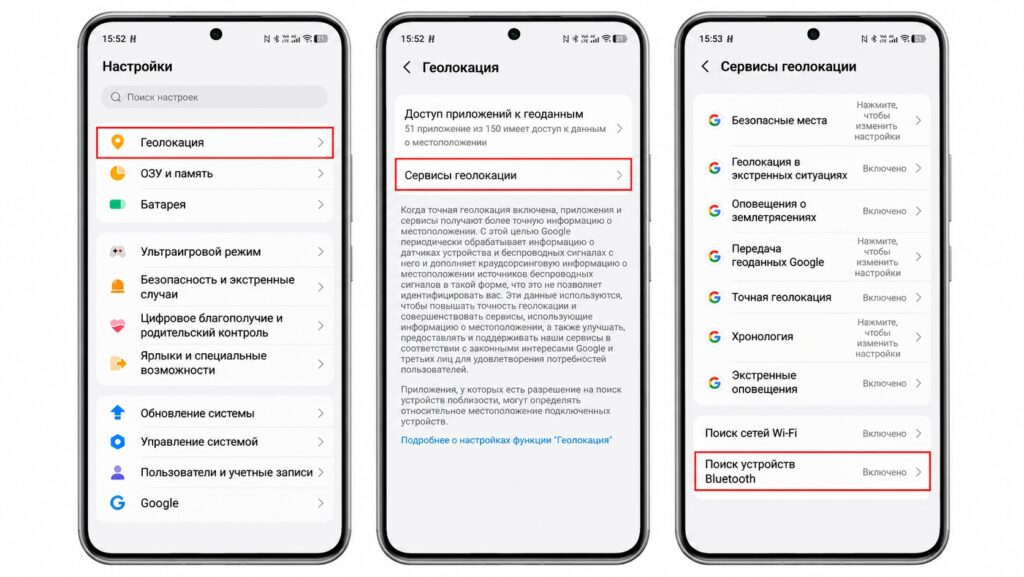
Turning off hidden Bluetooth scanning on Android
After this change, Android stops using this Bluetooth scanning mechanism to improve location. Regular Bluetooth keeps working: when you turn it on manually, you can still connect headphones, a speaker, or a car infotainment system.
Device caveat: Menu names vary by manufacturer. On Samsung phones, the option is in the location services settings. On Xiaomi and other brands, section names may differ slightly.
A matching setting exists for Wi-Fi
The same section includes a Wi-Fi scanning toggle. It lets Android detect nearby access points to improve location, even when the normal Wi-Fi connection is off. This means there are two independent settings:
- Bluetooth scanning detects nearby devices to improve location accuracy.
- Wi-Fi scanning uses nearby wireless access points for the same purpose.
You can turn each one off separately. Saved Wi-Fi networks and paired Bluetooth devices are not removed.

Don’t expect a big battery boost
These settings are sometimes suggested as ways to save battery. However, turning off these two toggles alone should not be expected to noticeably improve battery life. Power use depends on how often the phone scans and on what other services are running.
What you give up by turning scanning off
The main drawback is a possible drop in location accuracy, especially indoors, where satellite signals are weak or unavailable. If you use navigation often, it is worth leaving scanning on, since Bluetooth and Wi-Fi scanning both play a role in locating the phone more precisely.
Turning off location scanning also does not stop every kind of wireless discovery. Google has separate features for detecting nearby devices and finding lost gadgets. These features have their own settings and can use Bluetooth. One example is offline finding for a lost Android phone, which relies on a network of nearby devices.
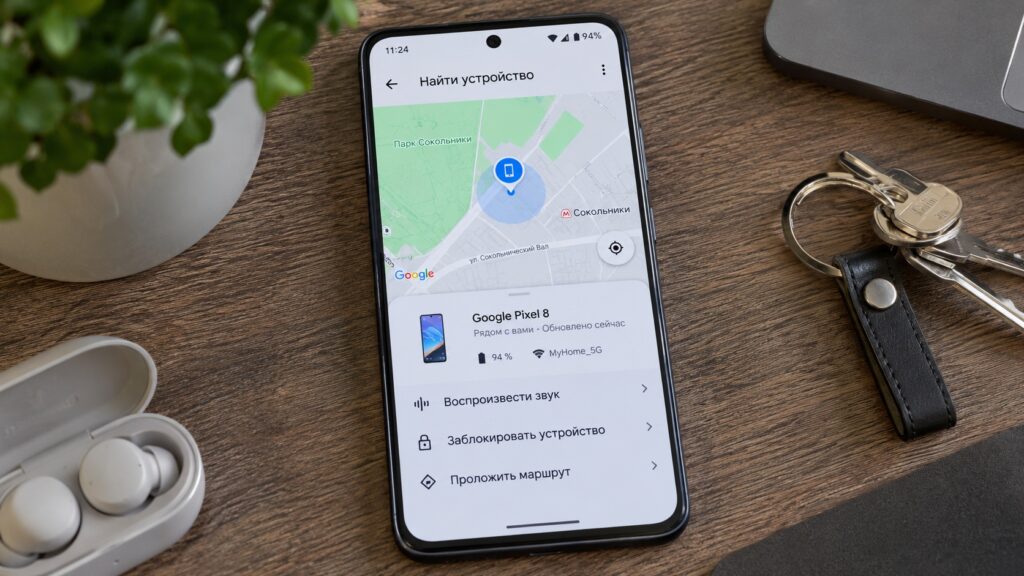
The device-finding feature on an Android smartphone
Should you turn scanning off completely?
The original article’s author suggests starting by checking your settings. If you only use Bluetooth for headphones and your car, and precise indoor location does not matter to you, background scanning can be turned off. If you often use navigation, look for lost devices, or pair new gadgets, it is better to see how your phone behaves after making the change.
Scanning and app location permissions are separate
This scanning is not tracking in itself. Android uses nearby signals to determine location, while whether a specific app can access your location is controlled separately through app permissions. It is worth reviewing those permissions too and removing location access from apps that do not really need it.