Turning on 5G on an Android phone can make the battery drain faster, even if you use the phone as usual. The extra drain often happens in standby, when the phone is sitting in a pocket, rather than during downloads or video streaming. The main causes are an unstable signal, which keeps the radio modem busy, and the type of 5G network. Many networks use a Non-Standalone (NSA) setup that relies on 4G and 5G at the same time. Where 5G coverage is patchy, switching to LTE for a while may help. Where the signal is strong, a modern 5G modem can work efficiently, so turning 5G off does not always extend battery life.
What you need to know
- Samsung warns that on certain 5G networks, a phone may use more power than it does on LTE.
- Extra drain is most likely with unstable coverage, when the phone searches for base stations, raises transmit power and switches between networks.
- In Non-Standalone (NSA) 5G, the phone uses 4G to manage the connection and 5G for additional data, which can need more energy than LTE alone.
- The source suggests testing one day with 5G and one with LTE only, under similar conditions, then comparing battery statistics.
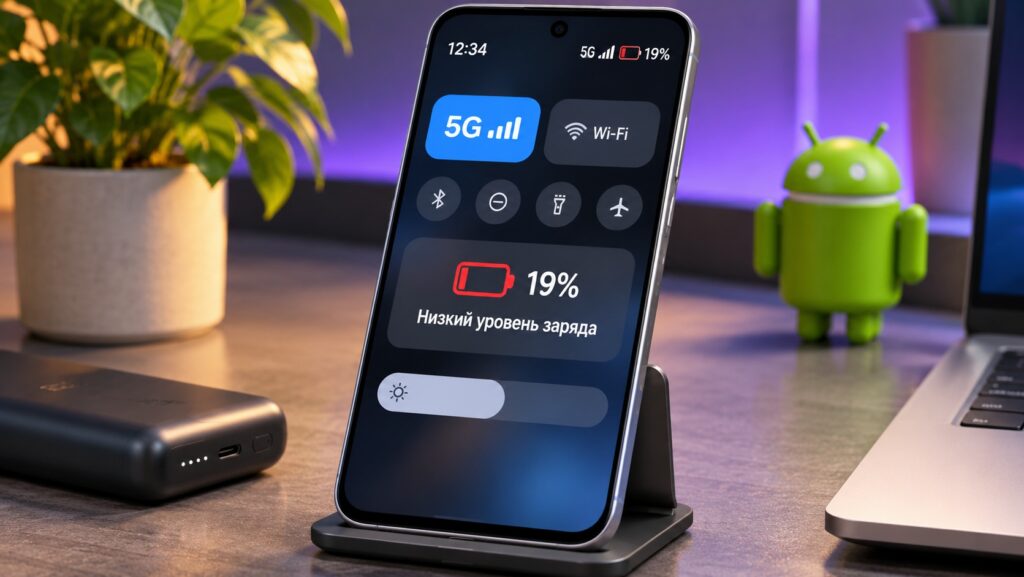
A smartphone with 5G and a drained battery
The source author noticed the effect after 5G became available in Russia. The author was first interested in the faster connection, then found that the phone’s battery was draining more quickly than usual. A newer standard might be expected to be more efficient and easier on the battery. The source argues that in practice the picture is more complicated.
Faster downloads do not guarantee better battery life
On paper, 5G should help battery life. The source gives the example of a 1 GB file. Over LTE, the download might take several minutes. Over 5G, it can finish much faster. Once the transfer is complete, the modem can scale back its activity and use less energy.
Real-world use looks different. A phone does not spend its day only downloading files. It constantly maintains its connection to the carrier, receives notifications and exchanges small packets of data. For that reason, the source notes, download speed on its own says very little about battery life.

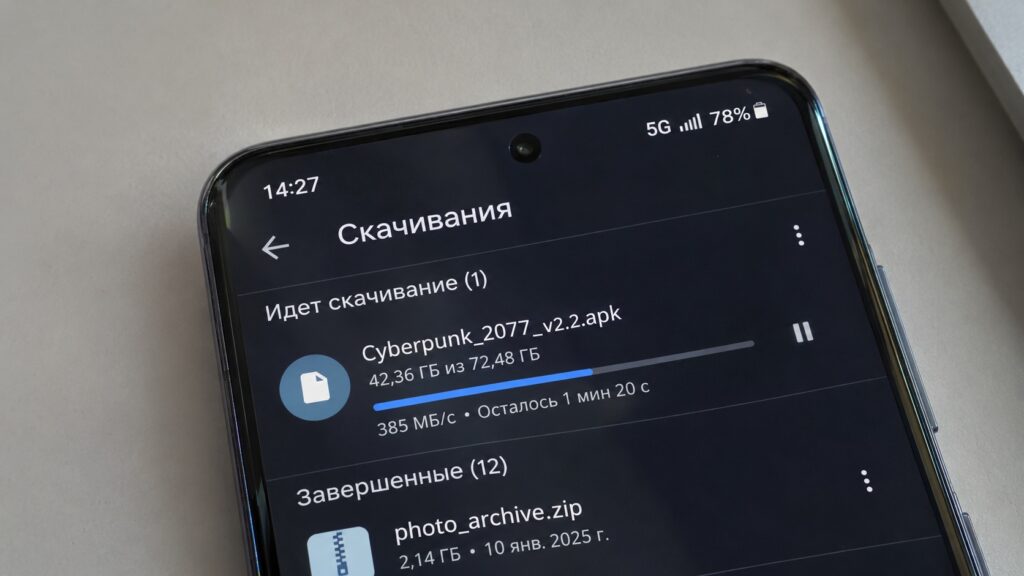
Downloading a file to a phone over a 5G network
According to the source, manufacturers do not hide the issue. Samsung warns that on certain 5G networks, a smartphone can use more power than on LTE. The source adds that the cause is not necessarily poor optimization or an old battery.
The phone keeps working even with the screen off
The source describes a typical day. You check messages in the morning and listen to music on your commute. Then you barely touch the phone for several hours and do not actively use the internet. By evening, the battery is still lower than usual. The source names the radio modem as one possible reason.
Even in standby, a phone must stay in contact with a base station. It periodically exchanges service data, checks that the network is available and stays registered with the carrier. Under normal conditions, this activity does not use much energy.
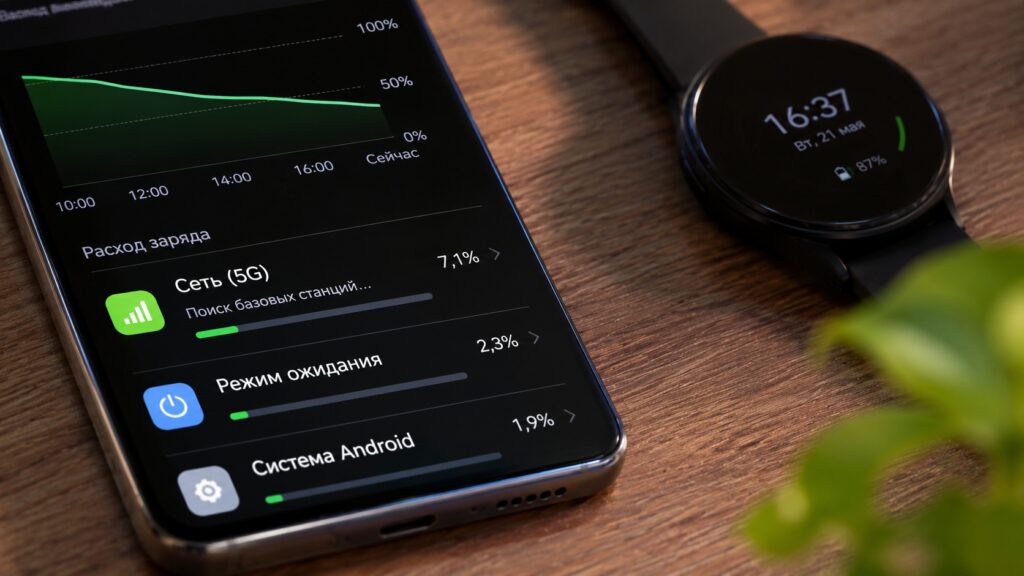
Power consumption when using 5G on Android

Things change when the connection is unstable. The phone may search for a suitable base station more often, increase its transmit power and switch between available networks. As a result, standby drain goes up even though the user is doing nothing unusual.
The source says the problem can be most noticeable where signal strength changes every few meters. Examples include public transport, shopping malls and multi-story buildings.
Why 5G can add extra strain
High-frequency bands struggle indoors
The source points to a specific factor in Russia. One of the bands used for 5G rollout there is n79, at frequencies around 4.9 GHz. These frequencies can carry large amounts of data, but the signal passes through walls and other obstacles less well than lower-frequency networks.

Visualization of 5G signal reception in the n79 band
As a result, a phone may show a solid 5G connection outdoors but switch to LTE inside an apartment or office. Sometimes the connection keeps changing, especially at the edge of a coverage area. The harder it is for the phone to hold on to the network, the higher the load on the modem may be.
Non-Standalone networks run two technologies at once
The source stresses that the issue is not limited to the frequencies used in Russia. The network architecture also matters. Many networks use Non-Standalone (NSA) technology, which lets operators deploy 5G using existing LTE infrastructure.

In NSA mode, the phone uses two technologies at once. 4G helps manage the connection, while 5G provides additional data transfer. This arrangement can require more energy than a regular LTE connection. According to the source, this is the point Samsung highlights.
Standalone (SA) 5G networks also exist. In SA networks, the connection does not depend on LTE in the same way. The source concludes that battery drain depends on more than the network generation. Network architecture, signal quality and the phone’s own capabilities all play a role.
How to switch to LTE on Android
The source sums up the trade-off this way: the newer standard can move data faster, but with poor coverage the extra load can cancel out that advantage. If 5G keeps dropping and the battery drains faster than usual, the source suggests temporarily switching back to LTE.
The source argues that 4G speeds are enough for most everyday tasks. Messaging, music, navigation and even high-quality video do not need a gigabit connection. With a stable signal, it is also easier for the phone to stay connected to the carrier. To check the difference, the source suggests the following steps. Menu names can differ between manufacturers.
- Open the phone’s Settings.
- Go to the section called “SIM cards and mobile networks” or “Mobile network”.
- Select the SIM card you use for mobile data.
- Find “Preferred network type”.
- Choose 4G/LTE instead of automatic selection that includes 5G.
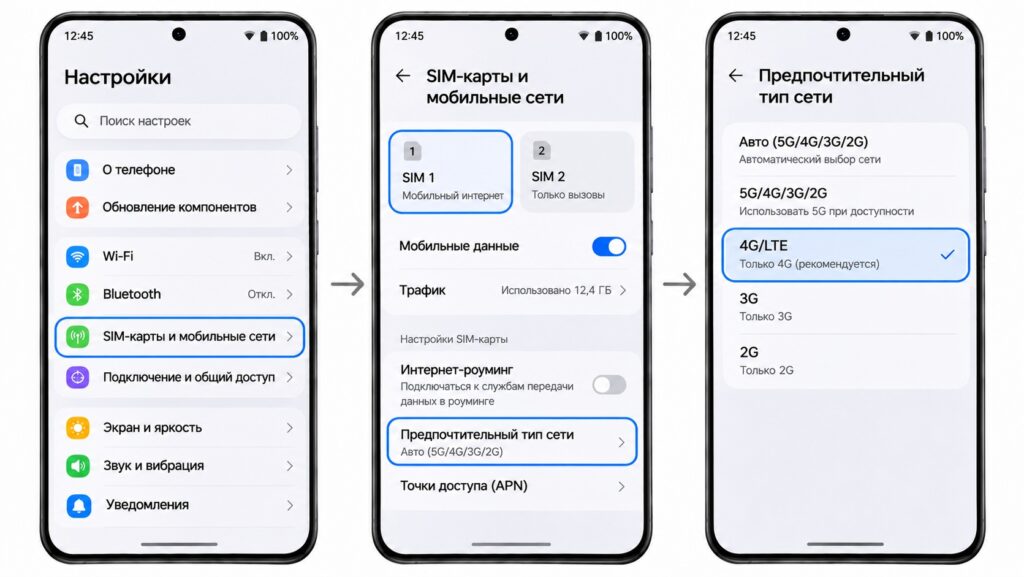
Choosing the preferred network type on Android

Differences between brands
- Samsung: the source says the setting is usually under Connections → Mobile networks → Network mode.
- Xiaomi, REDMI and POCO: menu names may differ slightly.
- Google Pixel: the source suggests checking Adaptive Connectivity, a feature that helps manage connections based on load and power consumption. Where available, it can be turned on in the network settings.
The source also notes that some manufacturers and carriers hide manual network selection, so the option may not appear on every phone.
Test before giving up on 5G
The source recommends a simple experiment before making LTE your default:
- Use the phone for one day with 5G allowed, then one day with 4G only.
- Keep conditions as similar as possible, including your usual routes, screen brightness and roughly the same amount of use.
- At the end of each day, open the battery statistics. Compare the remaining charge, screen-on time and app power use.
If LTE produces noticeably better results, the source says the cause may be how the phone connects to the newer network, especially when coverage is unstable.
When keeping 5G makes sense
The source notes a counterpoint. With a good signal, a modern 5G modem can run quite efficiently, and higher speeds let data transfers finish sooner. Turning off 5G therefore does not always extend battery life.
The source’s advice is to judge by real-world conditions rather than by the network icon in the status bar. If your phone holds a steady 5G connection and easily lasts until evening, there is no need to change anything. With a weak signal, LTE may be the more practical choice.