Switching an iPhone from LTE to 5G can cost noticeable battery life. The cost depends mostly on signal quality and on what you do with the phone. According to estimates compiled by the source author for the iPhone 17 and iPhone 17 Pro Max, 5G with a good signal costs roughly 25 to 100 minutes of screen time over a typical day. With a weak signal, the loss grows to 1.5 to 2.5 hours. Calls and messaging show almost no difference. The heaviest drain comes from streaming video, FaceTime calls and large downloads.
What you need to know
- With a good signal, 5G adds about 5 to 12% to battery consumption during video and social media use compared with LTE. Aggregated measurements across various smartphones put the average extra drain at 6 to 11%.
- With a weak signal, where the phone keeps switching between cell towers and network modes, consumption can rise by 20 to 30% compared with LTE.
- The source says the iPhone 17 modem behaves noticeably better than those in the iPhone 14 and iPhone 15. The penalty is smaller on the new generation, but it is not zero.
- On an iPhone, you can choose between the “5G Auto”, “5G On” and “4G” modes. “5G On” uses the most battery.
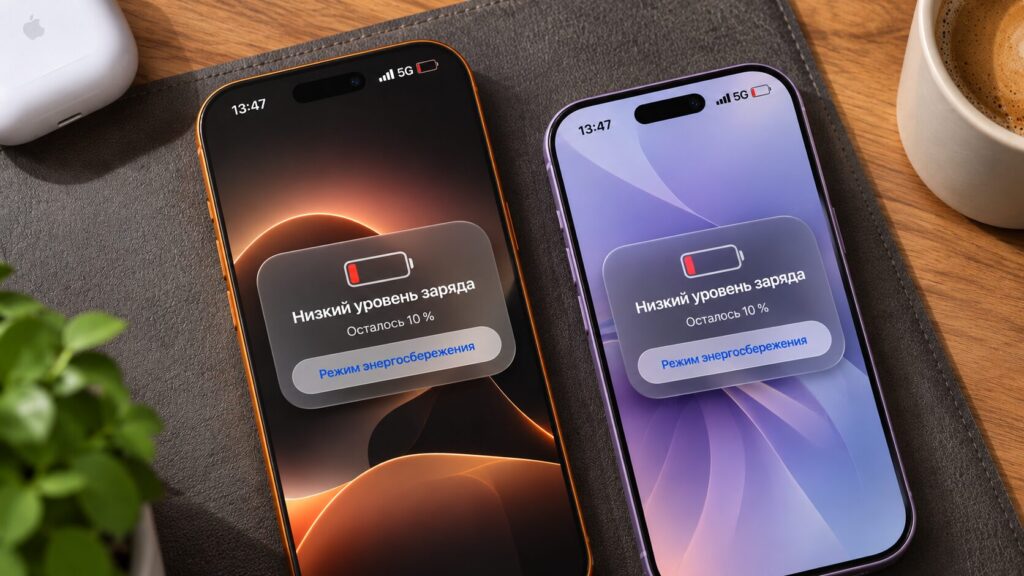
Two iPhones with a 5G icon in the status bar showing a low battery warning: 10% remaining
From under half an hour to 2.5 hours of screen time
A few extra percentage points of consumption sound modest. The source author converted them into hours of screen time for both models.
The baseline is a typical day of mixed use:
- social media and web browsing;
- some video and navigation;
- indoor brightness of around 200 nits.
The author stresses that these figures are estimates, not laboratory measurements. Results can shift in either direction depending on location and mobile carrier.
| Parameter | iPhone 17 | iPhone 17 Pro Max |
|---|---|---|
| Screen time over a typical day on LTE | 8–9.5 hours | 10–13.5 hours |
| Loss on 5G with a good signal | 25–70 minutes | 30–100 minutes |
| Loss on 5G with a weak signal | 1.5–2 hours | 2–2.5 hours |
| Calls and messaging | almost no difference | almost no difference |
The source also cites one test for reference. An iPhone 17 Pro Max kept on 5G all day delivered 10 hours 22 minutes of active screen time, plus about 16 hours in standby. That sits at the lower end of its typical LTE range. In other words, the flagship still works fine on 5G, but it runs at the bottom of its usual endurance.
Messaging barely notices 5G, but video does
The source first offers a caveat. If an iPhone starts draining faster right after a software update, rule out the system first. In the first days after an update, background indexing can change battery behaviour. Only if the software is fine should you look at the modem.
According to the source, the gap between 5G and LTE builds up in specific scenarios, not evenly across the day.
- Calls and messages: very little data moves, so the modem gets to rest between packets. The difference is barely visible.
- Streaming video, FaceTime calls and large downloads: these keep the modem under constant load. This is where 5G costs the most.
A phone that mostly sits in a pocket and occasionally receives notifications pays almost nothing for 5G. Someone who streams shows on a daily commute could lose an hour or more.
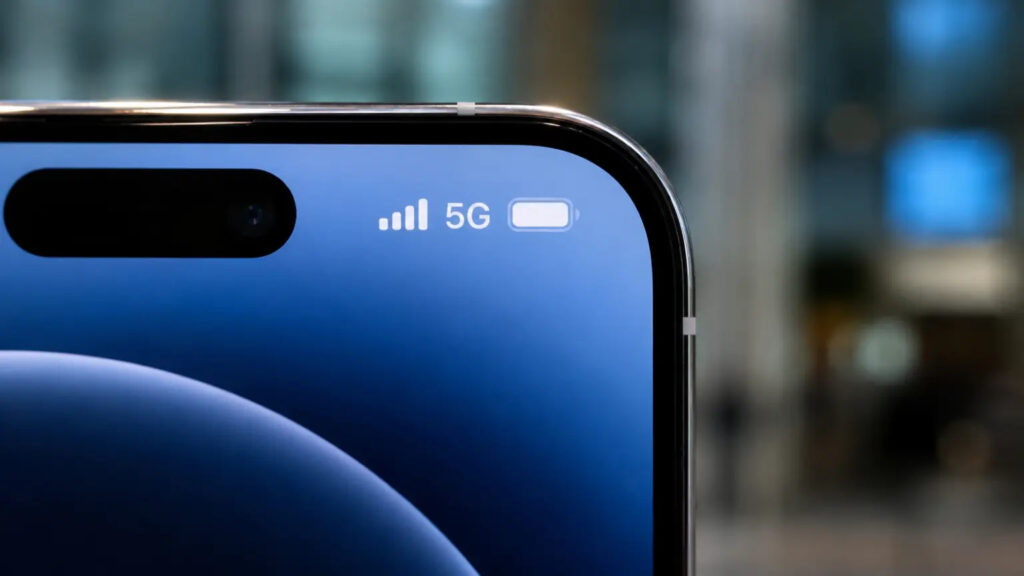
Close-up of an iPhone status bar: signal strength, 5G icon and a full battery
Why the base iPhone 17 feels it more
The source points to a paradox. The Pro Max has a larger battery, so it loses more minutes in absolute terms. Even so, it still reaches the evening with charge to spare.
The standard iPhone 17 has less headroom. For it, an extra hour lost to 5G is noticeable. The source describes it as the difference between making it home and looking for a socket in a café. Owners of the base model who spend long days away from a charger should pay closer attention to their network settings.
Why 5G drains faster on Russian networks
The source focuses on the situation in Russia, where network conditions make 5G particularly costly for the battery. These points describe Russian networks specifically and should not be read as applying to 5G everywhere.
Who is affected
According to the source:
- Apple has still not officially enabled 5G for Russian carriers.
- Apple has closed the CarrierSIM workaround, so 5G can no longer be enabled again on iOS 27.2.
- 5G currently works only for users who installed a carrier profile before updating.
- A network name such as “MTS 5G” shown on a phone that was never configured is just a new network label. The phone is still on LTE and not using extra battery.
Two connections at once
The source reports that commercial 5G networks launched on September 11 in only 16 cities. They use frequencies previously allocated to LTE: n1 for MTS and n7 for Beeline.
Almost everywhere, these networks run in non-standalone mode. In this mode, the iPhone maintains two connections at once, one to 4G and one to 5G. The modem effectively does double work.
Patchy coverage
Coverage is the second problem. Urban 5G zones are still small, and walking a couple of blocks can put the phone at the edge of the network. There, the modem raises transmitter power and keeps switching between modes. These are the places where consumption climbs by the 20 to 30% mentioned above.
According to the source, 5G may barely affect battery life in central Moscow, while the same iPhone could be drained by lunchtime in a residential district.
The source author illustrates this with MTS’s coverage map. With the “5G up to 300 Mbit/s” layer open for Novosibirsk, there is no continuous coverage even in the city centre. Pink 5G zones alternate with white gaps almost block by block. Around the Studencheskaya and Sportivnaya areas, 5G disappears in whole sections. For the modem, this means that on a walk from the metro to home, it may pick up 5G and drop back to 4G several times.
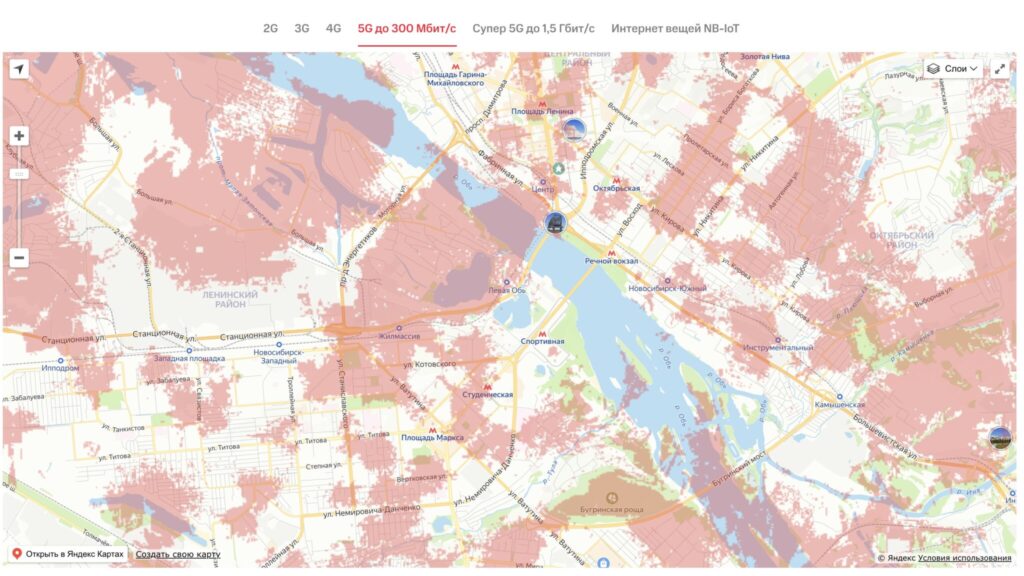
MTS 5G coverage map of Novosibirsk: pink network zones alternate with white areas without 5G
Every one of these switches costs charge. The source therefore suggests checking a carrier’s coverage map before keeping 5G on all day. If your daily route passes through gaps, you will see little speed benefit but still pay in battery.
The n79 band warning
The source also mentions the n79 band, where carriers are building their fastest 5G. iPhones with Russian SIM cards cannot see this band.
Enthusiasts who tried to force the modem onto it reportedly ran into trouble. The phone got stuck in endless connection attempts and lost about 40% of its charge in an hour. The source author advises against repeating such experiments.
Choosing the right network mode
The source argues that you do not have to abandon 5G entirely to save battery. The iPhone offers three network modes, and the choice between them matters more than whether 5G is available at all.
To switch modes, as described in the source:
- Open Settings and go to Cellular.
- Under SIMs, tap the line that uses 5G.
- Go to Voice & Data.
- Choose “5G Auto”, “5G On” or “4G”.
The source’s screenshots show Russian-language menus. English labels are given here, and exact wording and layout may vary with iOS version and carrier.
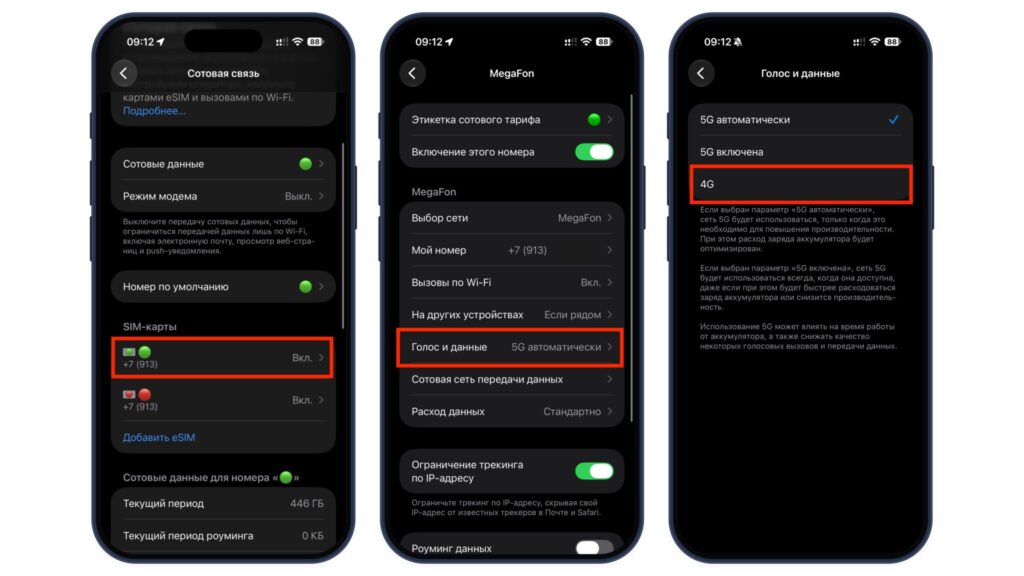
Three iPhone settings screens: choosing a SIM in Cellular, the Voice & Data option, and 4G mode selected
What each mode does
- 5G On: keeps the phone on 5G whenever it is available and uses the most battery. The source notes that Apple itself warns about this in small print under the options.
- 5G Auto: the iPhone falls back to LTE when high speed brings no noticeable benefit, such as during ordinary messaging. However, at the edge of coverage the automatic switching starts toggling the modem back and forth, and little of the saving remains.
- 4G: keeps the phone off 5G entirely.
Separately, the source notes that Low Power Mode disables 5G almost everywhere except video streaming.
The source’s verdict
The source author offers the following recommendations:
- Strong, reliable 5G where you live and work: use “5G Auto” and don’t worry about the battery.
- Patchy signal, or trips to areas with weak coverage: switch to 4G. You lose a little speed but regain about an hour of screen time.
- iPhone 17 Pro Max: there is little to worry about. The source calls it the longest-lasting iPhone of the previous generation, even on 5G.
- Base iPhone 17: the author suggests enabling 5G only when you need to download something large quickly, and staying on LTE the rest of the time.
- Fast mobile data needed all day while travelling: the source suggests carrying a compact power bank instead.