Apple previously announced that the first public beta of iOS 27 will be released in July — that is, within this month. The public version is usually more stable than the one already available to developers, and anyone can install it for free. Below — when exactly to expect it, which iPhones are supported, and what to do before installing so you don’t lose important apps and data.
You need to prepare for the update in advance. Especially for one this major
When Will the iOS 27 Public Beta Be Released
Apple hasn’t given an exact date, but we can look at previous years for guidance. If you recall, the first public betas of iOS 16, 17, 18, and 26 were released between July 11 and July 24. Here are the exact dates:
- iOS 26 — Thursday, July 24, 2025
- iOS 18 — Monday, July 15, 2024
- iOS 17 — Wednesday, July 12, 2023
- iOS 16 — Monday, July 11, 2022
There’s another nuance. Usually, the public beta comes out after the third or fourth developer beta. So you should follow that schedule: as soon as the third or fourth developer version appears, the public beta won’t be far behind.
Which iPhones Support iOS 27
The list of compatible models is wide. iOS 27 works on iPhone 11 and newer — meaning owners of iPhone 11, 12, 13, 14, 15, 16, and newer models have nothing to worry about. However, older iPhones (iPhone XS, XR, and earlier) will no longer receive updates.
An important nuance concerns smart features. Apple Intelligence capabilities, including the updated AI-powered Siri, are only available on iPhone 15 Pro and newer. This means even if you install iOS 27 on an iPhone 12 or 13, the most notable AI-powered features won’t appear on them — the hardware can’t handle it. For most owners of older models, this means the update will bring a new design and minor improvements, but not the flagship features.
How to Install iOS 27 Beta on iPhone
After the public beta is released, anyone can install it for free on a compatible iPhone. Here’s what to do:

Register for the beta testing program, and you’ll be able to install the beta version when it comes out
- Register for free at beta.apple.com using your Apple ID.
- Open “Settings,” go to “General,” then “Software Update,” and select “Beta Updates.”
- Choose “iOS 27 Public Beta” and follow the on-screen instructions. If the option isn’t there, restart your iPhone.
If you don’t want to wait, the developer beta is already available right now and can also be installed for free. However, it’s a less stable version and is less suitable for an everyday phone.
What to Do Before Installing iOS 27 Beta
The main thing to understand: a beta is a test version with bugs. Even the first public beta is usually more stable than the developer version, but problems are still possible. Some of your usual apps may not work, and glitches can sometimes affect CarPlay in your car.
So before installing, it’s worth taking precautions:
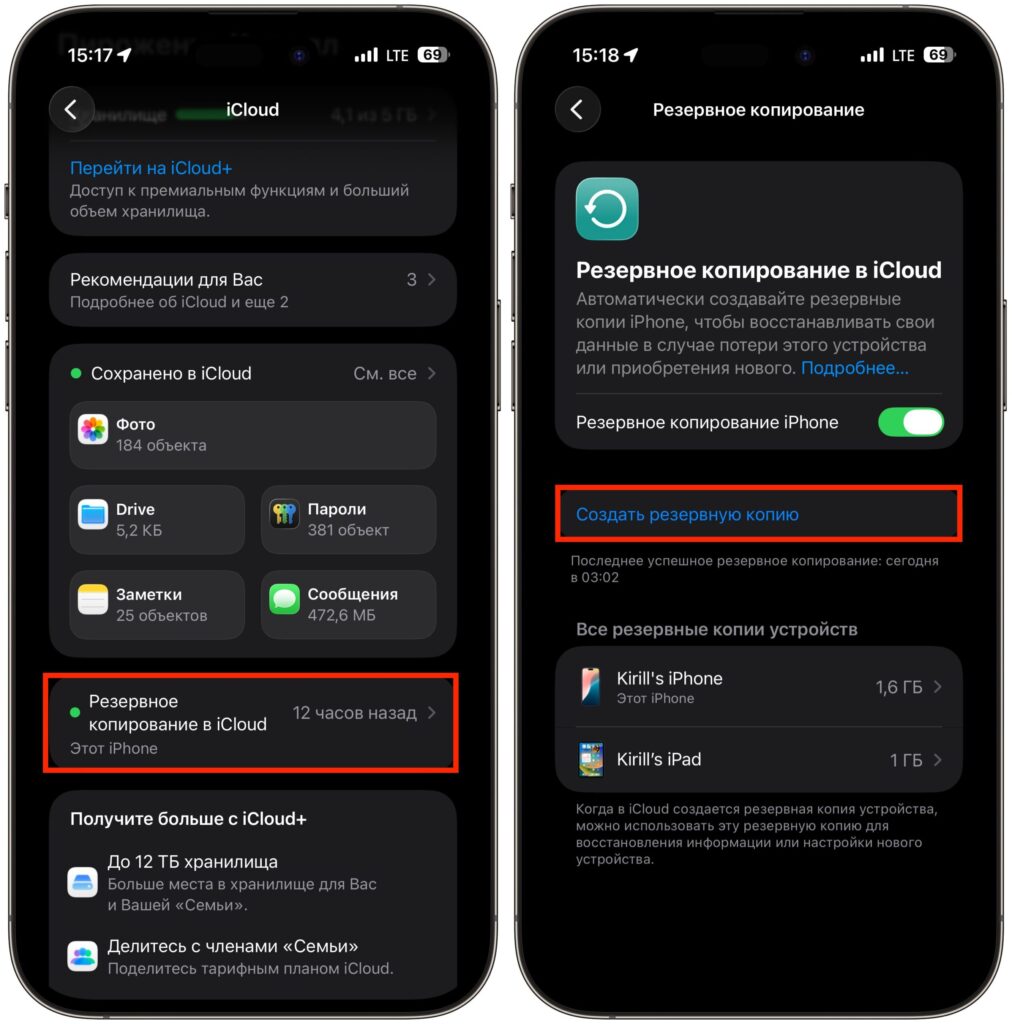
You can start a backup manually
- Back up your iPhone — via iCloud or computer. This will let you restore your data if something goes wrong.
- If possible, install the beta on a spare iPhone, not your main one. This way you don’t risk your work phone.
- Think ahead about which apps are critically important to you every day — banking, work services, navigation. If you can’t do without them, it’s better to wait on the beta.
If you’re not ready for potential glitches, it’s wiser to wait for the final version.
New iOS 27 Features and Siri AI Limitations
The most discussed feature in iOS 27 is the updated Siri with artificial intelligence. But there’s a catch: the new Siri works on a waitlist basis. To join the queue, you need to open “Settings” on iOS 27 and go to the Siri section. According to Apple, access to the new Siri and its dedicated app may not come immediately — sometimes the wait takes several weeks.
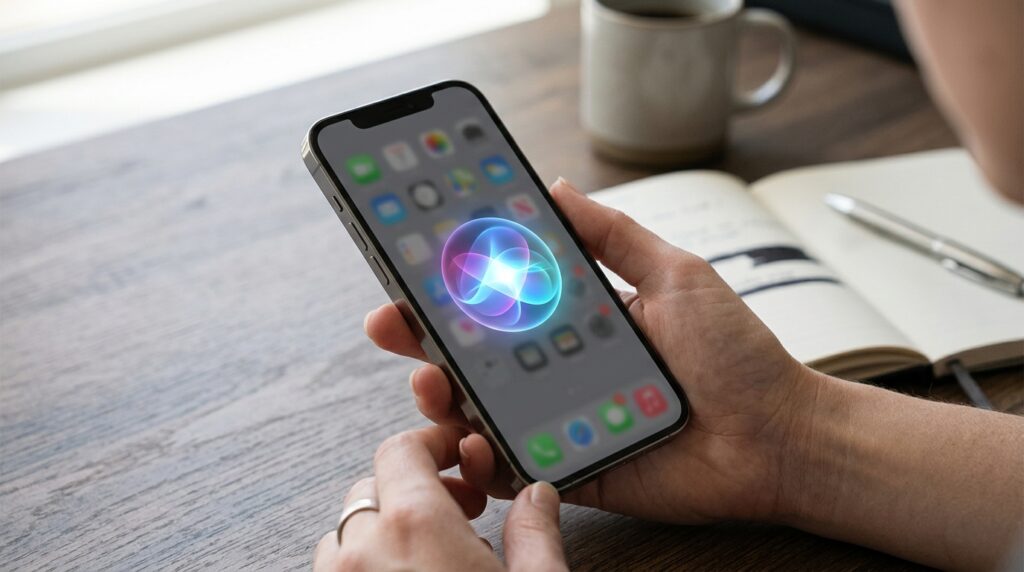
Updated Siri interface in iOS 27
Besides Siri, iOS 27 promises Liquid Glass design improvements, performance boosts, and expanded child safety features. It’s not a revolution, but rather a set of cosmetic and system improvements on top of the new AI assistant.
The iOS 27 public beta is a great option for those who love new features and are willing to put up with potential glitches. But installing it on your only work iPhone is not recommended: the risk of losing access to essential apps or experiencing battery drain is real. If you don’t have a spare phone and depend on your iPhone for daily tasks, it’s safer to wait for the stable iOS 27 release in the fall. And owners of iPhones older than iPhone 15 Pro should remember that the main AI features are unavailable to them anyway — there’s no point in updating to the beta just for those.


