WhatsApp is testing its own cloud for backups on iPhone: chats will be stored on the messenger’s servers, not in iCloud. According to WABetaInfo, encryption will be mandatory, and some storage space will be offered for free. Let’s break down what this changes for iPhone owners and whether it’s worth waiting for.
WhatsApp backups can now be made without iCloud
WhatsApp Cloud Storage: What It Is and How It Differs from iCloud
Currently, chat backups on iPhone go to iCloud, and on Android — to Google Drive. WhatsApp wants to give users a third option: store chat copies on the messenger’s own servers. As reported by WABetaInfo, the development for iOS was spotted in the TestFlight beta version (Apple’s testing platform for early app versions).
The main difference from iCloud is simple: storage space for WhatsApp backups will no longer be taken from your overall Apple storage. iCloud will remain the default option, so those who don’t want to change anything can simply ignore this update.
Why iCloud Free Storage Runs Out So Quickly
Apple provides only 5 GB of free iCloud storage, and this space is shared among photos, documents, app data, and device backups. WhatsApp backups grow over time, especially for those who actively share photos and videos, and they often take up the most space.
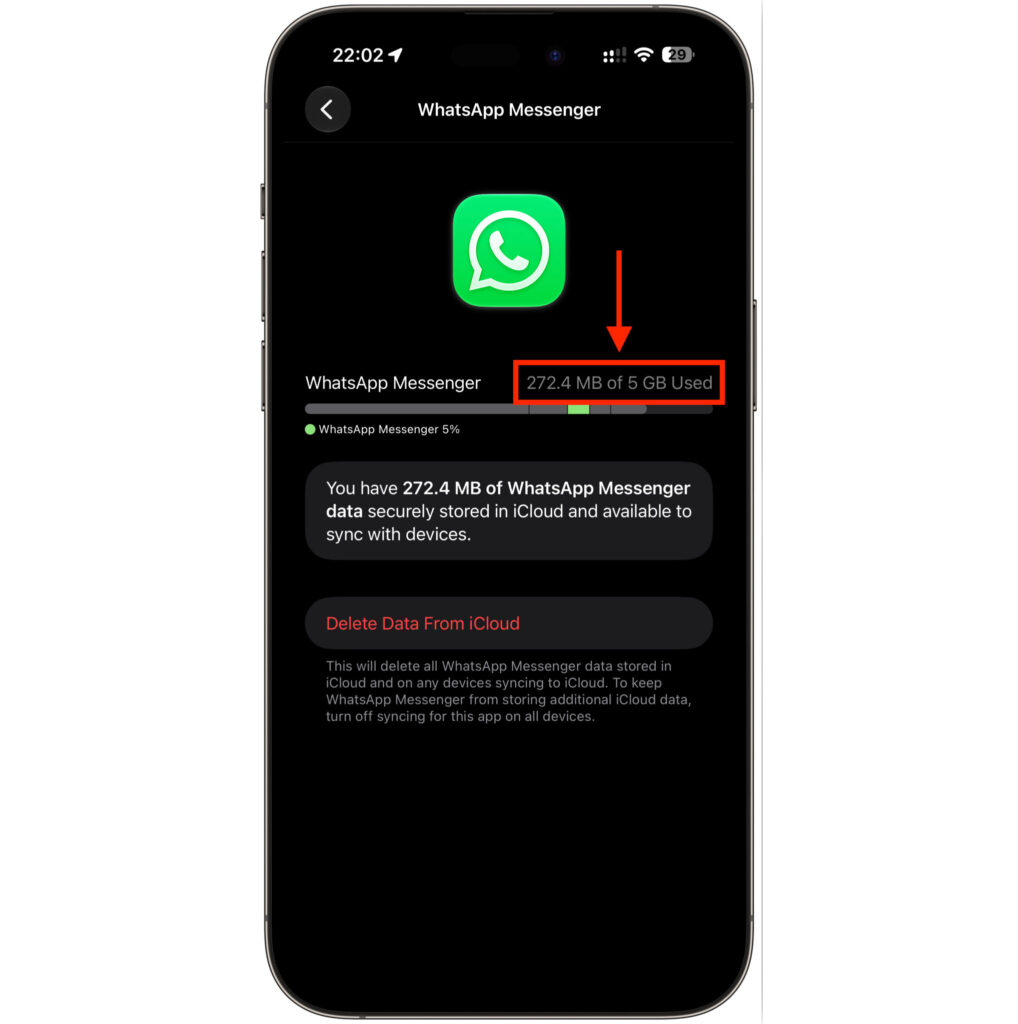
WhatsApp backups also take up cloud storage space
When the 5 GB runs out, there are two options: manually clean up storage or pay Apple. The cheapest paid plan is 50 GB for about $0.99 per month. Separate storage for WhatsApp frees up iCloud for everything else.
WhatsApp Backup on iPhone: What Will Change
Unfortunately, backing up WhatsApp to an external drive is still not possible. That would have been a great feature though
In a future update, backup settings will include the option to choose where to store chat history. WhatsApp promises 2 GB of free storage for those who choose its own cloud.
The logic is simple: chats are stored on WhatsApp’s servers, while iCloud space is entirely dedicated to photos, documents, and backups of other apps. You can switch back to iCloud at any time — there’s no one-way lock-in.
End-to-End Encryption of WhatsApp Backups by Default
There’s an important distinction here. In iCloud, end-to-end encryption of WhatsApp backups is optional: you have to enable it manually. On WhatsApp’s servers, however, encryption cannot be turned off — it’s on by default, and the only way to opt out is to switch back to iCloud.
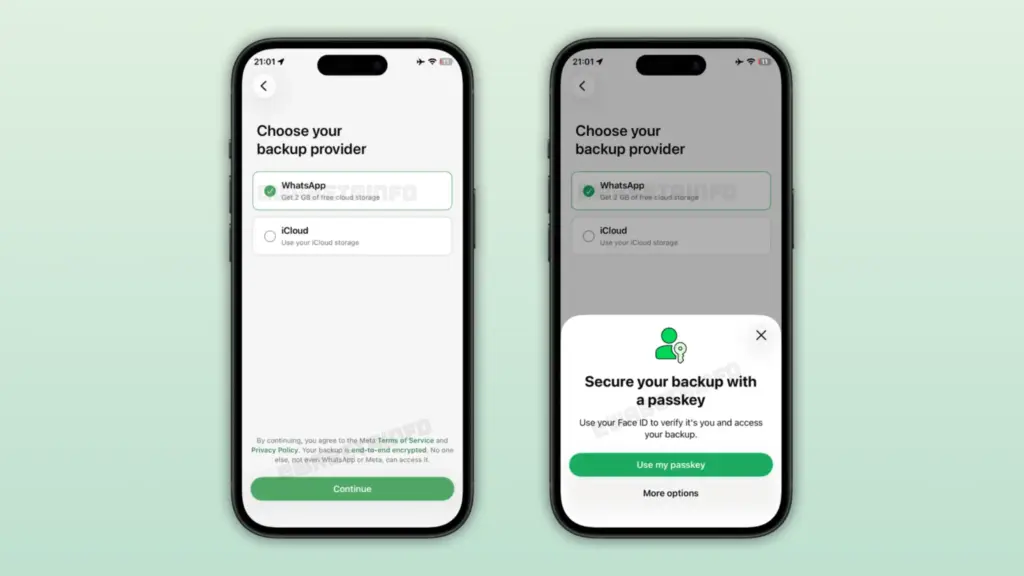
WhatsApp backups on iPhone can be stored without iCloud
End-to-end encryption means that only you have access to your chats: neither WhatsApp nor Meta can read the backup. The primary protection method offered by the messenger is a passkey (a digital key stored in the device’s password manager that replaces a traditional password). Those who don’t want to use it can protect the backup with a regular password or a 64-character key.

Backups in WhatsApp cloud are encrypted by default, and only the user has the key
How Much Does WhatsApp Storage Cost and Is 2 GB Enough
The free 2 GB won’t be enough for everyone: if your chats contain a lot of media, the backup can easily exceed this amount. With three billion users, WhatsApp can’t give away more storage for free, so it’s preparing paid plans:
- 50 GB for about $0.99 per month — the same price as the entry-level iCloud upgrade;
- 1 TB — for those who need a lot more space.
Important note: prices and storage amounts are preliminary and may change before the official launch.
What Will Happen to the Old iCloud Backup
It’s still unclear what will happen to the old backup in iCloud after switching to the new cloud. If it doesn’t delete itself automatically, it will need to be removed manually to free up space.


