Yesterday, Apple released the fourth developer beta of iOS 27, and this time the update turned out noticeably calmer than the previous ones. There are few major changes here, but the company still threw in a couple of nice touches and even accidentally hinted at a future iPhone. Let’s go through everything in order and figure out what’s new and whether it’s worth installing the build right now.
We broke down all the new features in iOS 27 beta 4
What Changed in the Fourth Beta of iOS 27
By feel, the fourth build is more of a polish than a major update. The core feature set Apple showed off back at the keynote, and now it’s refining the details before the September release. By the way, based on my measurements, the fresh system also speeds up even older iPhones, so installing it is tempting if only for the performance boost.
Apple continues to refine iOS 27
I should also note that Apple removed some features rather than adding them. This happens regularly in betas: the company tests an idea, watches the reaction, and calmly rolls back whatever didn’t stick. That’s exactly what happened with one of the recent lock screen features, which I’ll cover below.
At the same time, it’s noticeable that Apple’s main focus has been on Siri. The assistant has undergone the most changes over the recent betas: the voice selection was revamped, preview and transcription settings were added, and a splash screen appeared when invoking search. It seems the company is preparing the updated Siri for September and is trying to polish every interface detail.
All New Features in iOS 27 Beta 4
To keep things concise, I’ve compiled all notable changes into one list:
- Auto-download series in Apple TV. A new Automatic Downloads toggle has appeared in the app’s settings. It automatically preloads the next two episodes of a show from the “Continue Watching” section and deletes the files after you’ve finished watching them to free up storage.
- Zoom photos to fill the screen. A new Zoom Photos to Fill toggle has appeared in the Photos section of Settings. It slightly enlarges photos whose aspect ratio nearly matches the screen. The feature is enabled by default.
- Notification Center wallpaper removed. The feature from the third beta has been rolled back. Previously, when swiping, you’d see a cutout of your wallpaper subject overlaid on the home screen — that effect is now gone.
- New Siri voice selection. The voice selection interface has been redesigned. On devices without a custom voice, a section with voices and accents now appears, and where customization is available, there are noticeably more options.
- Siri preview length. In the assistant’s settings, you can now set up to five lines of preview text or disable them entirely if the extra text on screen just gets in the way.
- Show request on screen. In Accessibility settings, a new Always Show Request toggle has been added. It displays a transcription of what you’re saying to the assistant directly on the display.
- Siri search splash screen. When you swipe down to search or make a Siri request, an explanatory screen now appears describing how it works.
- ProRes Log format. If you enable Apple ProRes in the Camera section, you can now choose between Log and Log 2. The second format is newer and preserves more data for flexible color grading during editing.
- Wi-Fi network assistance. The Connectivity Assist feature can now be enabled or disabled for each network individually, regardless of the main toggle.
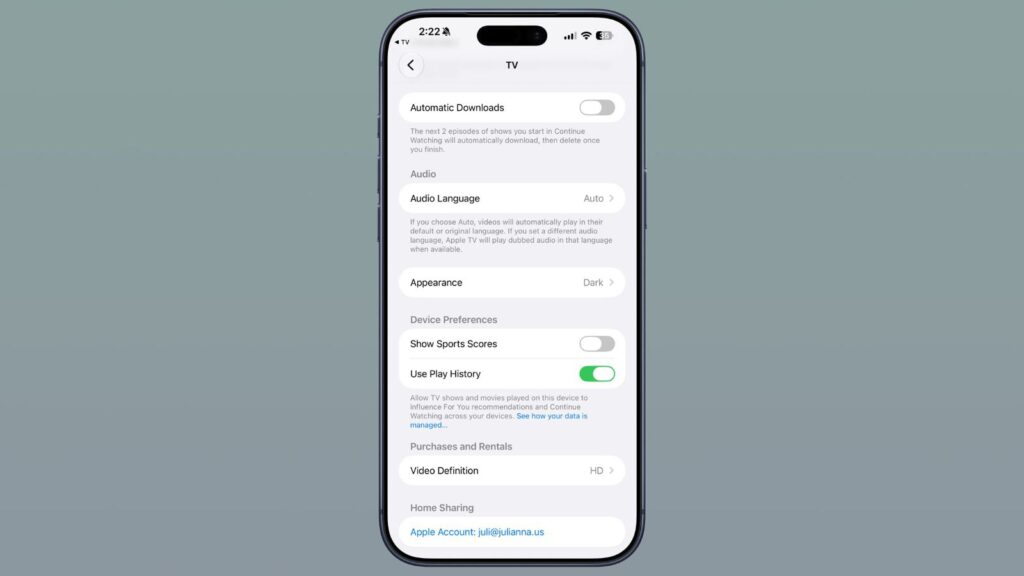
Apple TV now automatically preloads episodes
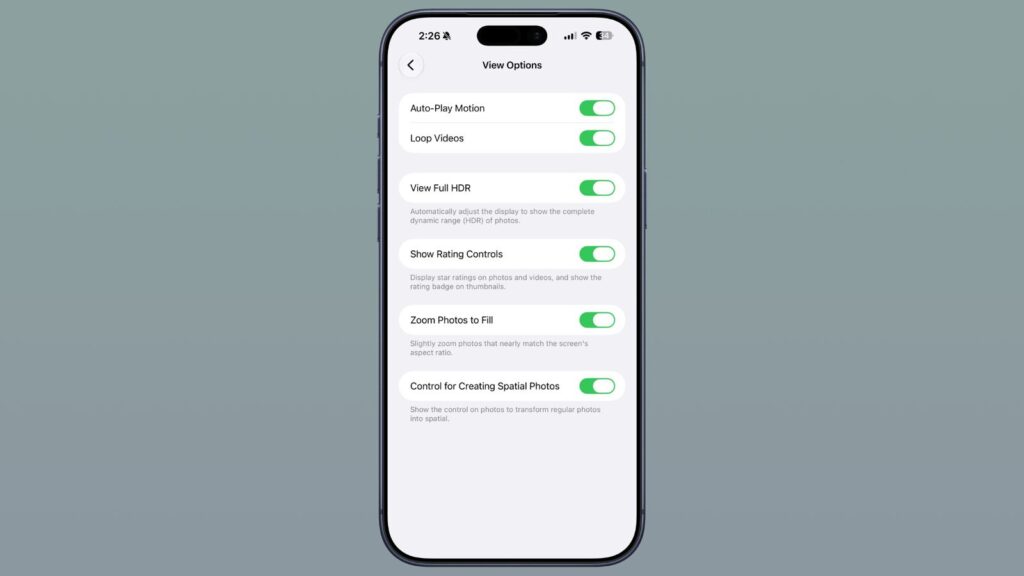
Photos can now be fitted to the smartphone screen
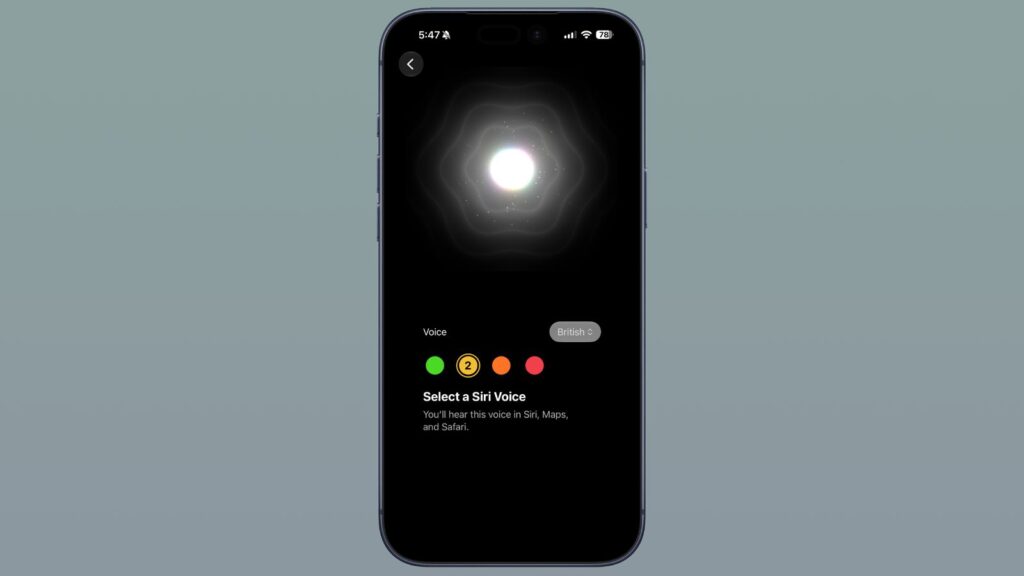
The voice selection for Siri has been slightly redesigned
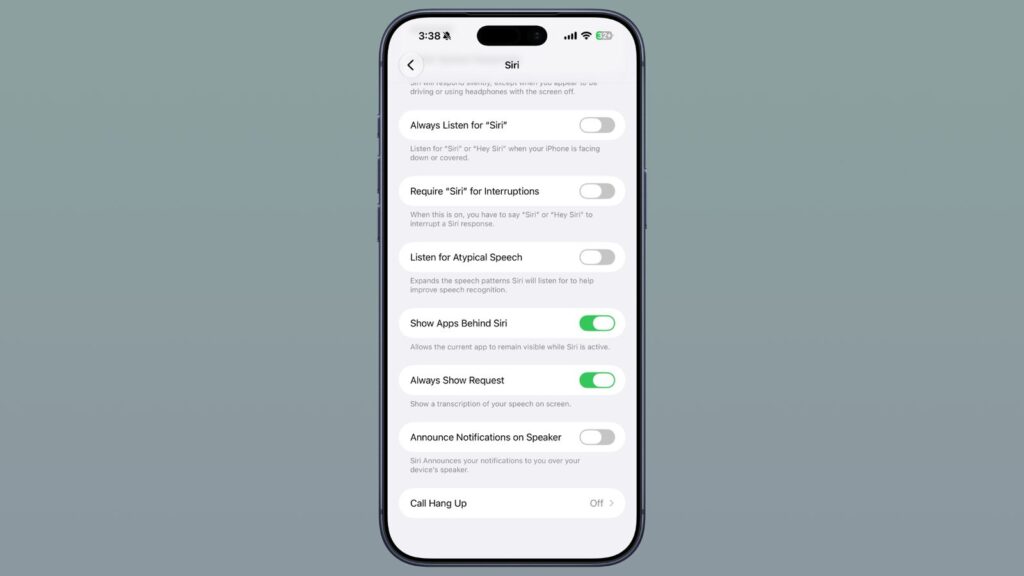
Siri now has many more settings
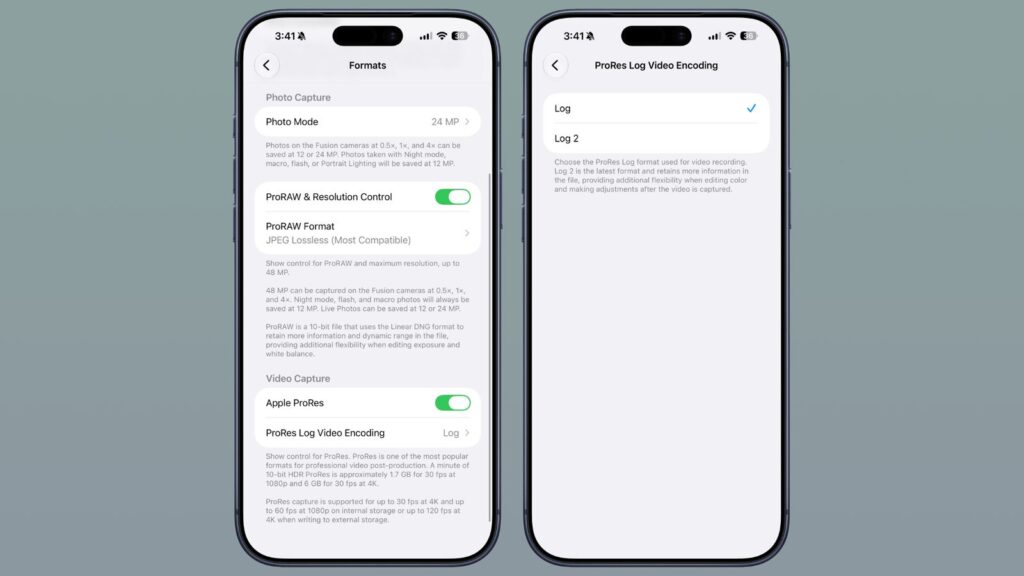
New settings have appeared in the Camera as well
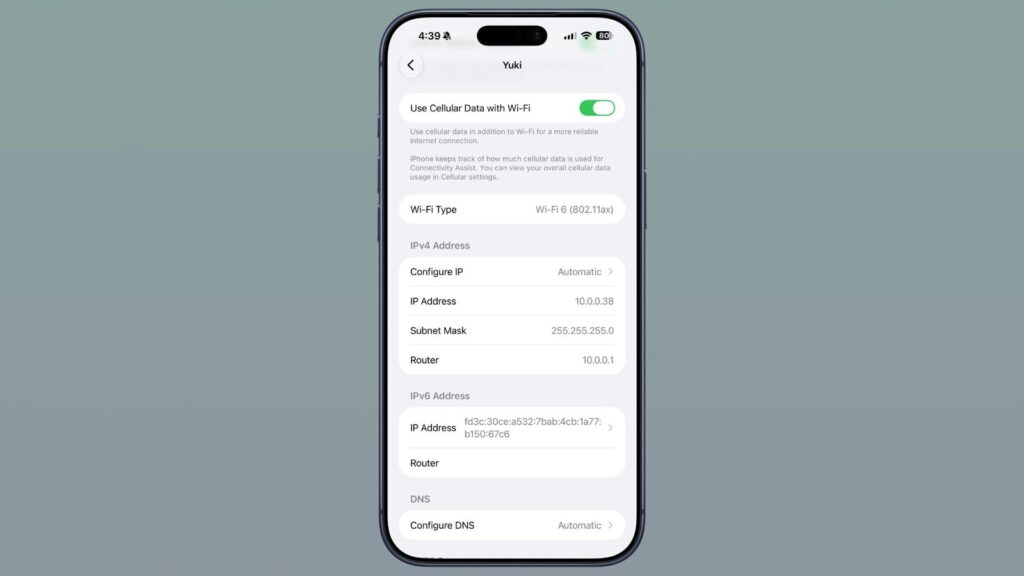
Wi-Fi assistance has been improved


