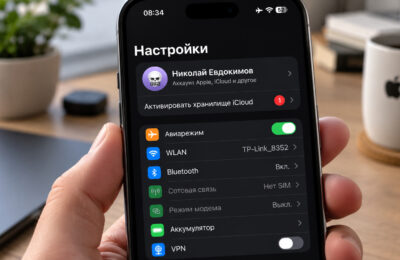
A remaining Apple Account balance can prevent a country or region change, even when the amount is small. The correct fix is to spend the credit or contact Apple Support when the balance is below the cost of a single item. Apple’s current published instructions also say to check subscriptions, Family Sharing, pending transactions, and destination-region billing details; there is no documented one-step exception that bypasses all of those checks.
Figuring out what to do if you can’t change your Apple ID region because of money on your account. Photo: imore.com
Why You Can’t Change Your Region in the App Store
Store credit is tied to the country or region in which it was redeemed, so Apple requires the balance to be spent before the account moves. A small remaining amount is not the only possible blocker. Apple also tells users to cancel subscriptions that prevent the change and wait for the paid period to end, complete or cancel pre-orders, wait for rentals and pending refunds, and leave Family Sharing when required.
Apple may ask for a valid payment method and billing address for the destination country. The options shown on the screen vary by country and account; seeing “None” is not guaranteed. Check the current requirements in Apple’s region-change guide rather than relying on instructions written for a different market.
How to Spend the Remaining Apple Account Balance
Open the App Store, tap your profile picture, and check the displayed balance. If it covers a normal purchase you actually want, use the balance for an app, game, media item, or other eligible content in the current store. Prices and gifting options vary by region, so do not assume that a specific low-cost item or gift feature will always be available.
Avoid starting a new recurring subscription merely to drain the balance: a subscription can become another blocker, and Apple may require you to cancel it and wait for the current billing period to end. After the purchase settles, check the balance again before attempting the region change.
What to Do When the Balance Is Too Small to Spend
If the remaining credit is below the price of a single item, Apple explicitly directs users to contact Apple Support. Sign in through Apple’s official support flow, choose the Apple Account or billing topic, and explain that residual store credit is blocking a country or region change.
Do not rely on a phone number copied from an article, a search advertisement, or a messenger. Support contact methods differ by country and can change. Apple will determine what can be done with the balance and whether identity or purchase verification is required; a refund to the original funding source is not guaranteed.
Should You Create a Separate Apple Account?
A separate account can keep the primary iCloud account unchanged, but it also splits app ownership, subscriptions, purchase history, and update credentials between accounts. That trade-off should be understood before signing out of Media & Purchases or creating another account.
Apple says that if you do not want to enter a payment method, wait until you are physically in the new country or region and then create the account. Use genuine identity, billing, and address information. Random address generators and invented tax details can cause verification, payment, or account-recovery problems. Manage an existing account only through account.apple.com or the device’s Apple Account settings.