Apple promised the new Siri back at its 2024 presentation. Then it was delayed, then delayed again, and many people gave up hope. But in iOS 27, the assistant was finally rewritten from scratch. I got access to the developer beta, spent an evening testing it, and now I can say honestly: this is no longer the same dummy that set timers and mixed up tracks on the HomePod speaker. Here’s what the new Siri can actually do and where it still stumbles.
Tried the new Siri in voice mode
How the New Siri in iOS 27 Differs from the Old One
Let’s recall what the old Siri was capable of. Setting an alarm. Creating a reminder. Playing a song if you pronounced the title correctly. That was essentially it. Any slightly more complex request hit a wall, and the assistant either opened a browser search or forwarded the question to ChatGPT.
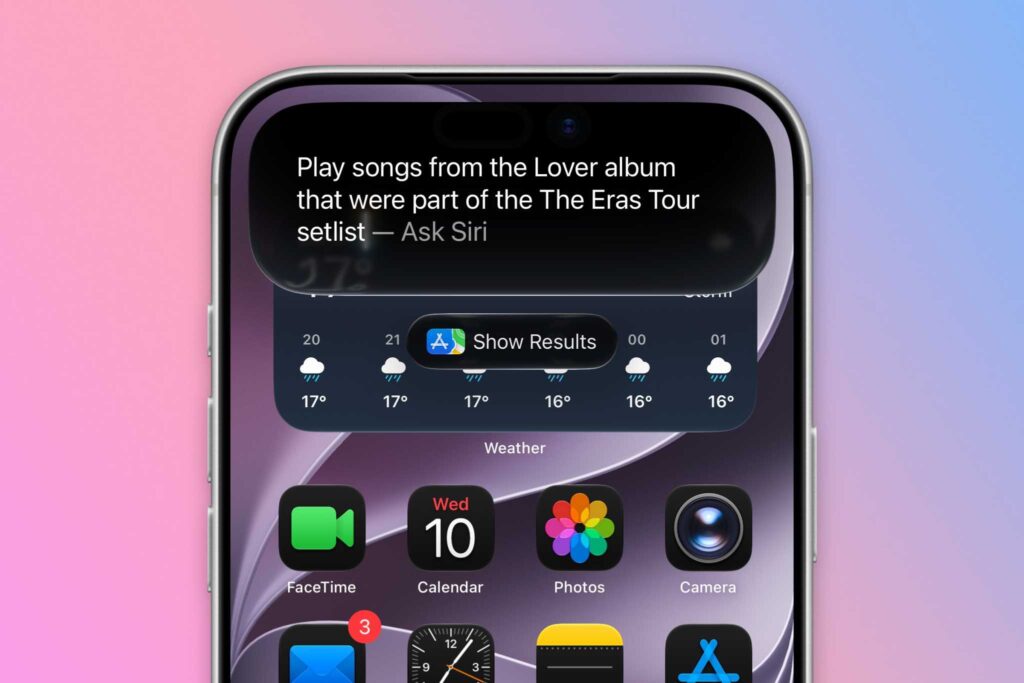
First, the new Siri AI even looks different. And second, it can actually search for data
The new version is built differently. Inside is now a full-fledged language model that understands natural speech and can reason. You can talk to it like a real person, without memorized commands. Siri reads your emails, notes, calendar events, and messages to provide context-aware answers. According to developers, the engine is built on Google Gemini technologies, although Apple doesn’t talk much about it.
Before the first launch, the new Siri needs to be activated in settings, otherwise you won’t see any AI. It sounds nice in the press release, but I was curious how it works in practice. So instead of asking about the weather, I went straight to Apple Music.
How the New Siri Picks Music by Voice Request
I’m not a big Taylor Swift fan. That’s exactly why I chose her for the test: the singer has a confusing discography, tons of re-recordings, and albums with identical names. A perfect way to stump an assistant.
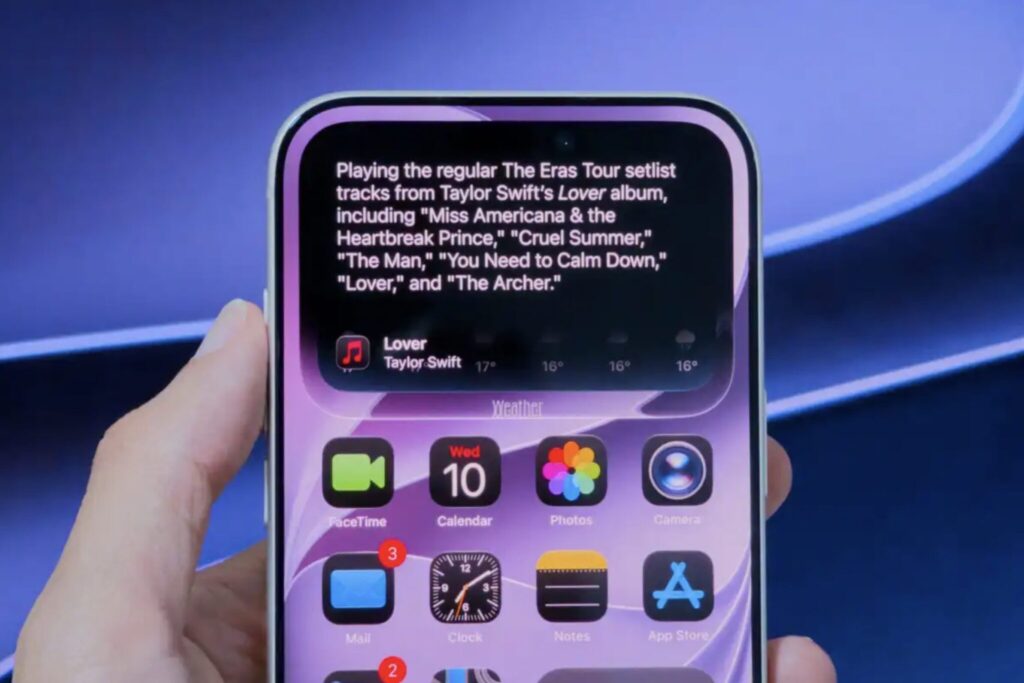
The assistant picked the songs
The first request was: compile songs from the Lover album that were performed in the main setlist of The Eras Tour. The task is trickier than it seems. The tour ran for a long time, the program changed, one of the tracks was removed from the setlist mid-tour, plus the album itself has several variations. The old Siri would have simply crashed on this.
The new one handled it in a couple of seconds. It found all five needed tracks, didn’t include acoustic improvisations, and didn’t throw in extras. Then I asked it to save those tracks to a separate playlist, and it created a playlist right in Apple Music.
Yes, Apple Music already had the Playlist Playground feature for building playlists through AI. But it’s one thing to tap through menus, and quite another to dictate conditions by voice and get a ready result. This changes the whole approach to listening to music.
I should also note that the assistant stopped making playback mistakes. The old Siri on the speaker regularly played the wrong song or even the wrong artist. During testing, the new version didn’t miss once. Although there’s an unpleasant caveat: even iPhone 17 won’t get a couple of Siri AI features due to insufficient RAM, so a lot depends on your device.
How Siri AI Searches for Fresh Information Online
I didn’t stop at music. I wanted to understand how well the assistant keeps up with current events, since language models usually lag behind reality by months.
It even told me where the singer was
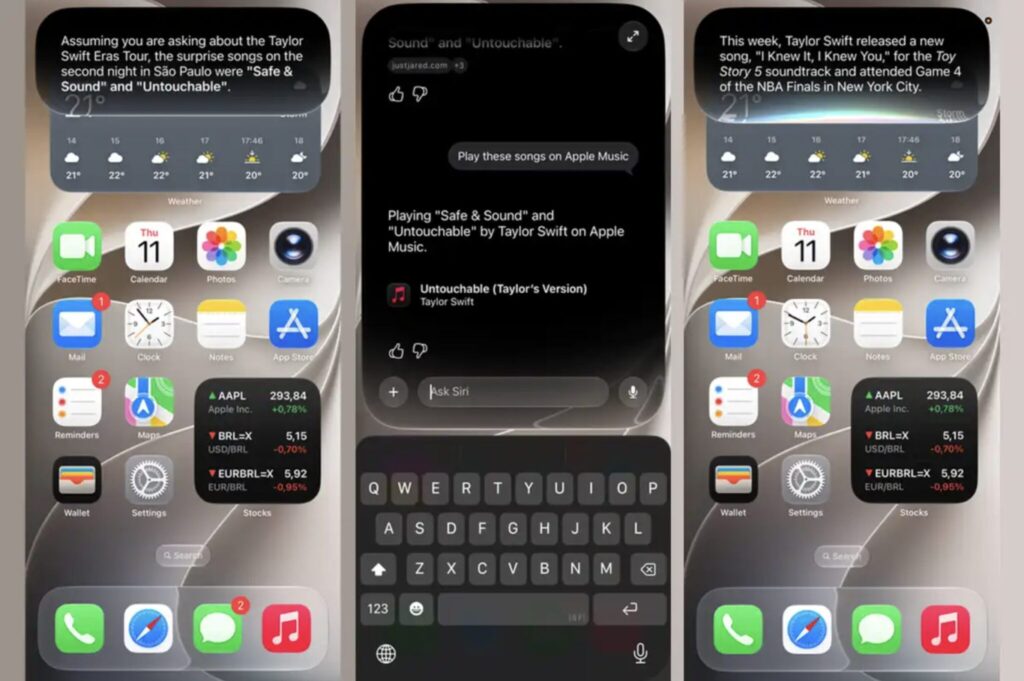
I asked what Taylor Swift had been up to this week. Siri gave an accurate answer: the singer was at the NBA Finals in New York just the evening before, and a week earlier she released a song for the Toy Story 5 movie soundtrack. Moreover, the assistant even described her outfit at the game, down to the color of her T-shirt, jeans, and ribbon in her hair. This means the knowledge base updates almost in real time, and that’s a serious shift compared to what we had before.
The final check was for thoroughness. I asked a specific question about surprise tracks performed at a particular concert on the tour. Siri not only named them correctly but also found both songs in Apple Music and played them. For a first beta, the result is impressive.
But for all of this to work for you, it’s important to know which iPhone, iPad, and Mac will get the new Siri AI. The list of supported devices turned out to be not as broad as one might hope.
Will Siri AI Work in Russian
Now for the practical side. Siri AI will work on all devices that support Apple Intelligence. That’s the iPhone 15 Pro and Pro Max, the entire iPhone 16 lineup and newer, as well as iPad and Mac with the M1 chip or higher. If you have an iPhone 14 or older, the new assistant won’t appear even when iOS 27 itself is installed on the device. Here are the timelines: the developer beta is already available. The public beta starts in July. The stable version will launch in the fall alongside the iOS 27 release.
Overall, the new Siri will be a solid upgrade
And here’s where the important part for us begins. Apple has explicitly warned that in the EU, the new Siri on iPhone, iPad, and Apple Watch won’t be available right after release due to regulatory restrictions. It will also be held back in China. Russia isn’t on those lists, but there’s an even more serious catch: the assistant initially launches only in English, and other languages are added in waves. When full Russian language support will arrive, Apple has yet to say. That said, you can type to Siri AI in Russian. It only doesn’t understand spoken Russian — but it recognizes written text just fine.
My conclusion is simple. The technology is truly powerful, and for the first time in a long while, Siri makes you want to use it rather than turn it off. But if you’re waiting specifically for the Russian-language version on your iPhone, prepare to be patient. Your hardware is most likely already ready, but language and region remain the main bottleneck. I wouldn’t rush to change your smartphone for one feature and would wait until Apple clearly announces Russian localization.