Several major Russian websites have stopped loading in Safari, Chrome, and other non-Russian browsers because their TLS certificates are issued by Russia’s Ministry of Digital Development (Mintsifry) — a certificate authority that Apple and other international vendors do not trust by default. One widely recommended fix is to install the ministry’s root certificate on your Apple device. But does doing so compromise your privacy or security? Here is a look at the technical reality behind the fears.
What you need to know
- Installing the Mintsifry root certificate adds one more certificate authority (CA) to your device’s trust store — it does not grant access to photos, messages, passwords, Apple ID, microphone, or camera.
- The certificate is purely an HTTPS trust mechanism; it does not enable remote device management or traffic interception on its own.
- Apps that use certificate pinning (major banks, Telegram, etc.) largely ignore third-party root CAs, limiting the practical impact.
- A theoretical risk exists: every additional trusted CA widens the attack surface for potential man-in-the-middle scenarios if multiple specific conditions are met simultaneously.
What the certificate actually does
When you install the Mintsifry root certificate and enable trust for it, you add another certificate authority to your device. In practical terms, you are telling your iPhone, iPad, or Mac to accept HTTPS certificates signed by this Russian CA, in addition to the international CAs already trusted by Apple.
Every HTTPS website presents a certificate to your browser. The device checks who issued it and whether that issuer is in its trusted list. Previously, only Apple-approved and internationally recognized CAs were on that list. After installation, the Russian CA joins them.
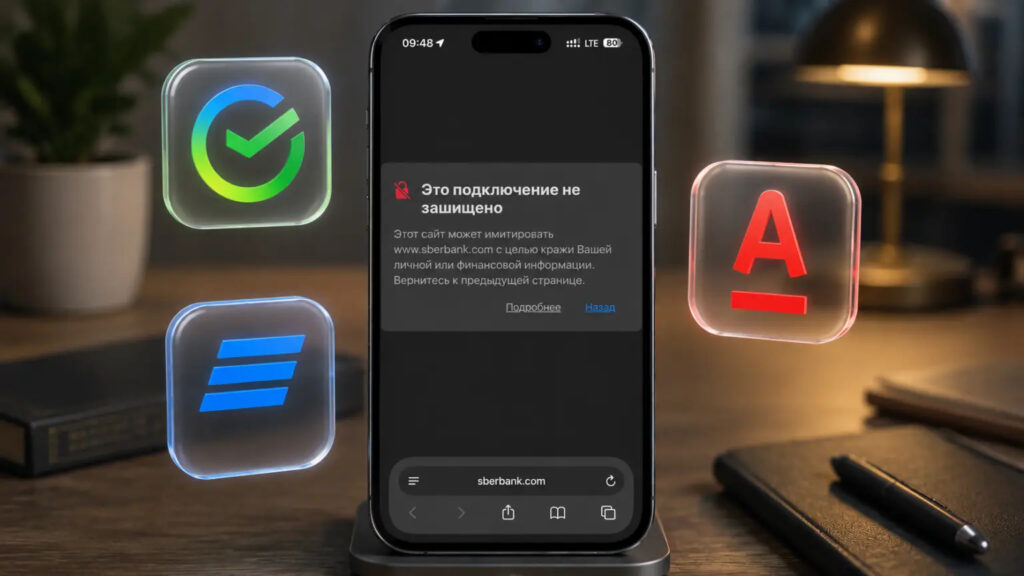
With the certificate installed, this kind of error will no longer appear
The result: Russian websites that use domestically issued TLS certificates load normally without requiring a special browser or manual security overrides. The mechanism is the same on iPhone, iPad, and Mac — only the trust-enabling location differs (a configuration profile on iOS/iPadOS versus Keychain Access on macOS).
Security risks: what the certificate does and does not do
According to the source analysis, the risk for most users is low, but it is not zero, and it is worth understanding.
What it does not do
The certificate does not grant access to your data — not to photos, messages, passwords, Apple ID, files, microphone, or camera. It is not an app permission; it is exclusively an HTTPS trust mechanism. It does not enable remote control of the device.
The two real risks
- A wider circle of trusted CAs. In a strong security model, the fewer trusted CAs the better. Each additional one is a theoretical point that could be compromised. If that were to happen, it could open the door to connection-spoofing attacks.
- Potential traffic decryption — but only under multiple simultaneous conditions. Traffic would need to pass through a controlled network, the device would need to trust the CA, a matching certificate would need to be issued for the specific site, and the app would need to lack additional protections such as certificate pinning. The certificate alone does not intercept or redirect traffic.
Notably, many major banks, messengers, and services use certificate pinning, meaning the app verifies the specific certificate of its own server rather than relying on the system’s CA list. For those apps, adding a third-party CA changes almost nothing.
Can the certificate expose Telegram messages or VPN traffic?
The source addresses this directly: no, it cannot. Telegram does not use standard HTTPS for messages — it relies on its own MTProto protocol. Messages are encrypted between the app and Telegram’s servers, and secret chats use end-to-end encryption. Adding a third-party root certificate does not turn messages into plaintext.
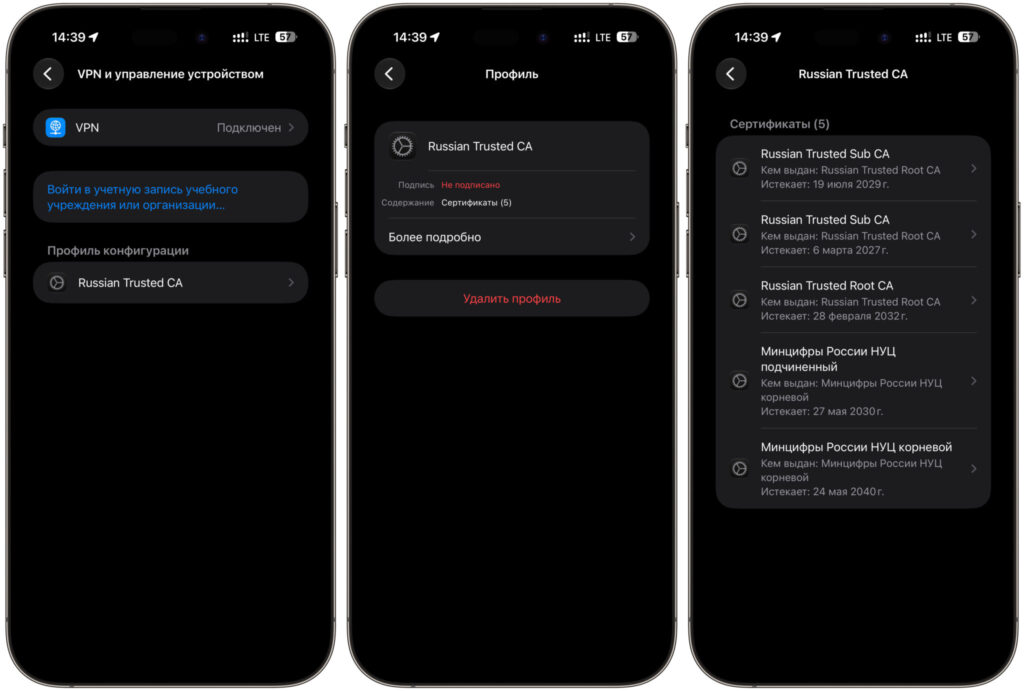
Inside the profile there is nothing that would allow access to your data
VPN is a similar story. A mobile carrier can already see that you are connecting to a VPN server’s IP address, the approximate protocol, data volume, and timing — without any certificate. The contents inside the VPN tunnel remain inaccessible. Installing the Mintsifry certificate adds nothing to what the carrier already sees.
For context, what a carrier can typically observe without any certificates includes: connection IP addresses, session start and end times, traffic volume, and sometimes the domain name. Page contents, passwords, and messenger conversations over HTTPS remain invisible to the carrier.
Precautions if you choose to install
The source emphasizes installing only the official certificate downloaded directly from gosuslugi.ru/crt. Certificates from unofficial or unknown sources represent a genuine danger.
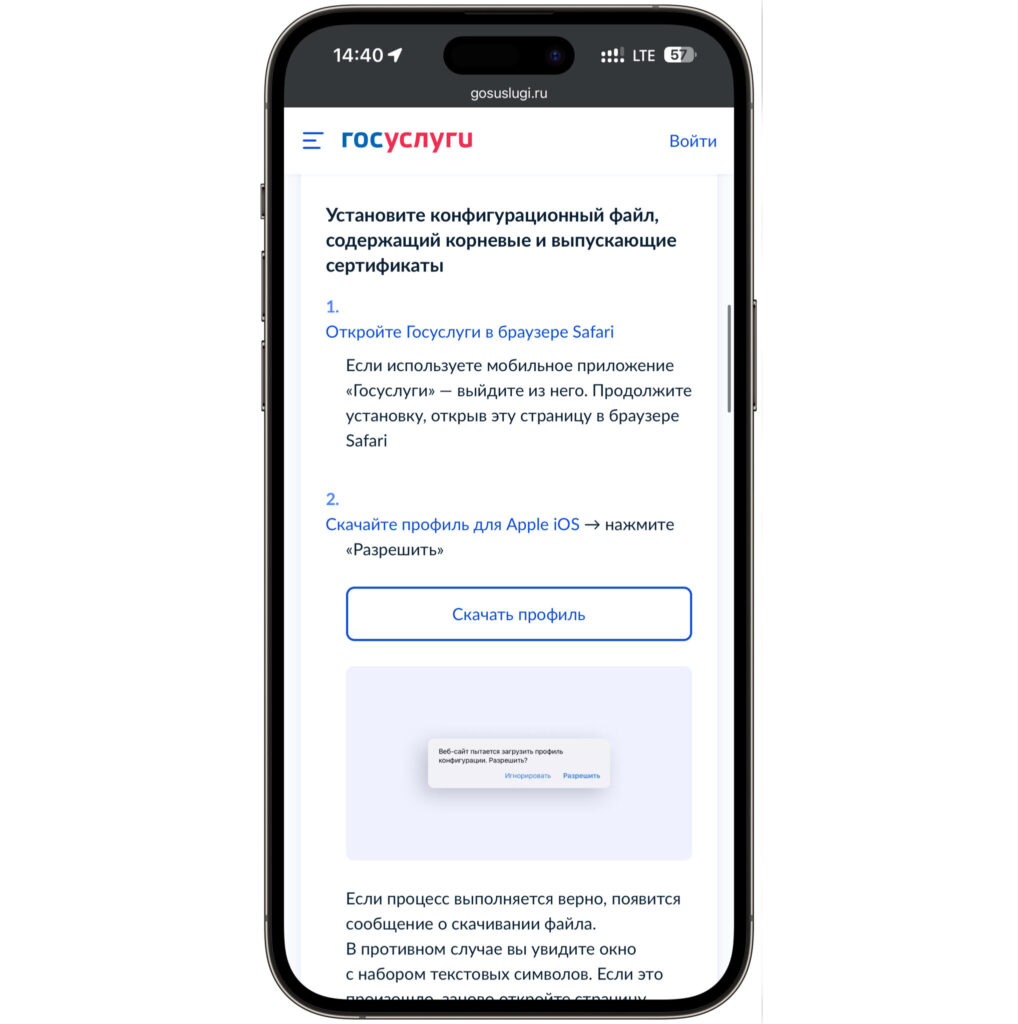
Download certificates from Gosuslugi to avoid problems
Before installing, the source advises opening the profile and checking the “Contains” section. It should list only certificates. If the profile includes VPN, proxy, DNS, Web Clip, or device management entries, do not install it — that is a different kind of profile with different capabilities.
An alternative approach is to use a browser that natively supports Russian certificates without modifying the system trust store, thereby leaving the device-wide list of trusted CAs unchanged.
Bottom line
The Mintsifry certificate does not unlock access to an iPhone, iPad, or Mac, and it does not expose private messages. It adds one more root CA that the system will trust when verifying HTTPS connections. The trade-off is a slightly larger theoretical attack surface. For users who need access to Russian government or banking websites, this is described as an acceptable compromise — especially if the certificate is installed deliberately and removed when no longer needed.


