What is vibe coding? In short: you describe a task in plain language, and AI writes the code for you. Then you run the result, see what broke, and ask it to fix things. Iteration after iteration — and you end up with a working prototype.
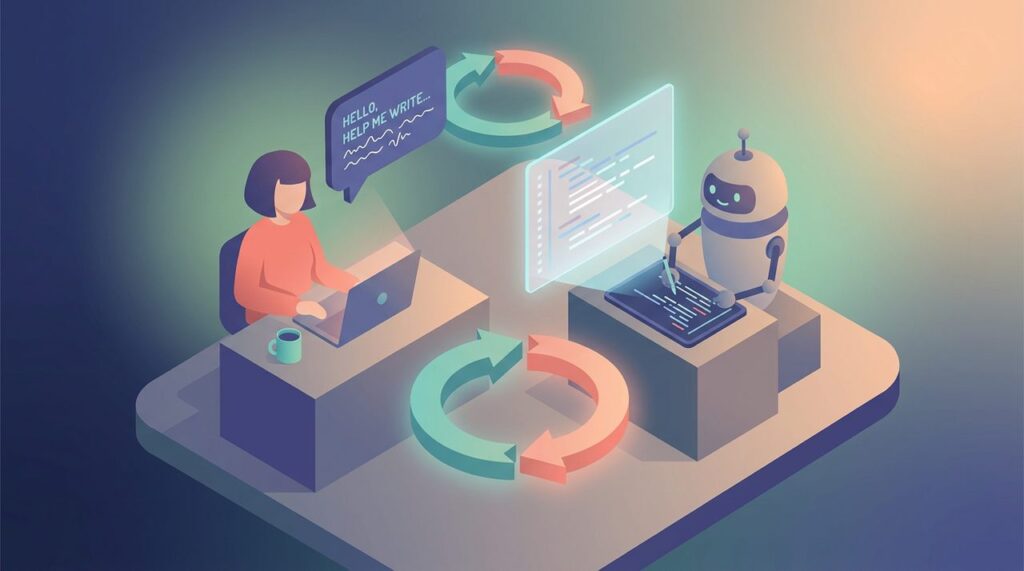
A person describes a task to AI, which generates code in response
What is vibe coding in programming — it’s an approach where part of the development process control is handed over to a language model. Not to a code editor or your own hands, but to an AI agent that generates, edits files, and assembles logic based on your description. You don’t think through every line in advance — you describe the desired outcome.
What is vibe coding in simple terms — here’s an everyday answer: imagine you have a very patient programmer to whom you can explain a task in plain language, and they write the code. You check it, say “this part isn’t right,” and they redo it. That’s roughly how it works.
Why the term is understood differently
The term is young. Andrej Karpathy publicly used “vibe coding” on February 2, 2025 — and the word quickly spread through media and developer communities. Since then, it has been interpreted in different ways.
In the narrow sense, it means working almost entirely through prompts, where the person barely touches the code by hand. In the broad sense, it’s any development with a strong reliance on an AI assistant. Hence the confusion: some believe vibe coding means “handing the wheel to AI,” while others think it’s just a trendy name for familiar AI-assisted development. Honestly, both are right — it depends on the scenario.
What is vibe coding in AI — it’s not a proprietary technology from one company, but a general pattern of working with language models to create software. If you want to ask a voice assistant “what is vibe coding” — the normal everyday answer would be the same: a way to create programs by describing tasks to AI.
A short definition in one paragraph
The essence is simple: you describe a task in natural language, AI generates the code, you run it and refine. No “writing code from scratch yourself” — instead, it’s a dialogue with a system that writes code for you. Vibe coding in simple terms is exactly this approach, where AI handles most of the technical work.
Vibe coding
Development where the user describes an idea in natural language, and AI generates and modifies code.
AI-assisted coding
The developer works with code themselves, while AI helps with suggestions, refactoring, and code snippets.
No-code
Creating applications without manual code — through visual blocks and builders.
Low-code
Development with minimal manual code and visual tools, platforms like Bubble or Webflow.
AI agents
Systems that don’t just respond but also execute chains of actions within a project — reading files, running commands, making edits.
How vibe coding works in practice
In practice, everything comes down to the cycle of “described — received — ran — fixed.” This is where the magic ends and the routine begins. Vibe coding works through iterations — and it’s important to understand this before starting, otherwise the first error feels like a catastrophe.
From describing an idea to the first result
Step 1. Formulate your idea. Describe: who the application is for, what problem it solves, what result the user will get. Example: “An app for a coffee shop owner. Tracks remaining coffee and milk inventory. Automatically generates a supplier order when supplies run low.”
Step 2. Write a prompt following a structure: what to create — for whom — required features — technologies — readiness criteria.
Step 3. Generate the code and run it. Test the main scenarios: adding, deleting, editing. Enter incorrect data. Open it on a phone and in different browsers.
Step 4. Refine through follow-up prompts. Describe the specific problem and desired result: “The ‘Save’ button in the form doesn’t work. After clicking, the data doesn’t appear in the table. Fix it so that a new entry is added to the end of the list.”
Step 5. Save the version via export, snapshot, or git commit.
Two real examples. Cynthia Chen, a product designer at Block with no formal engineering background, created a mobile app called Dog-e-dex in about two months using Claude AI — she described tasks in natural language: “add photo uploads,” “connect an image recognition API.” Breaking things into small steps and precise prompt formulations solved the instability problem in early stages (engineer friends additionally helped her with the complex backend). The result — a working app for identifying dog breeds. Another example: a marketer spent 3 hours a day manually collecting statistics from five ad dashboards. Through vibe coding, they created a dashboard with automatic API connections — reporting time was reduced to 15 minutes.
What happens after code generation
After the first generation, the most important part begins. Working code needs to be run, checked, and examined for behavioral oddities. Based on discussions in developer communities, after the first generation users typically go through several rounds of fixes. UI elements, state management, async logic, and component integration break most often.
AI-generated code may contain security vulnerabilities if it isn’t reviewed by specialists. CISA in the AI Cybersecurity Collaboration Playbook (2025) emphasizes the importance of collaborative identification and mitigation of cyber risks associated with AI systems.
The practical takeaway is simple: AI-generated code should be treated as a draft, not a finished product. Before using AI-generated code in production systems, a professional security audit is recommended.
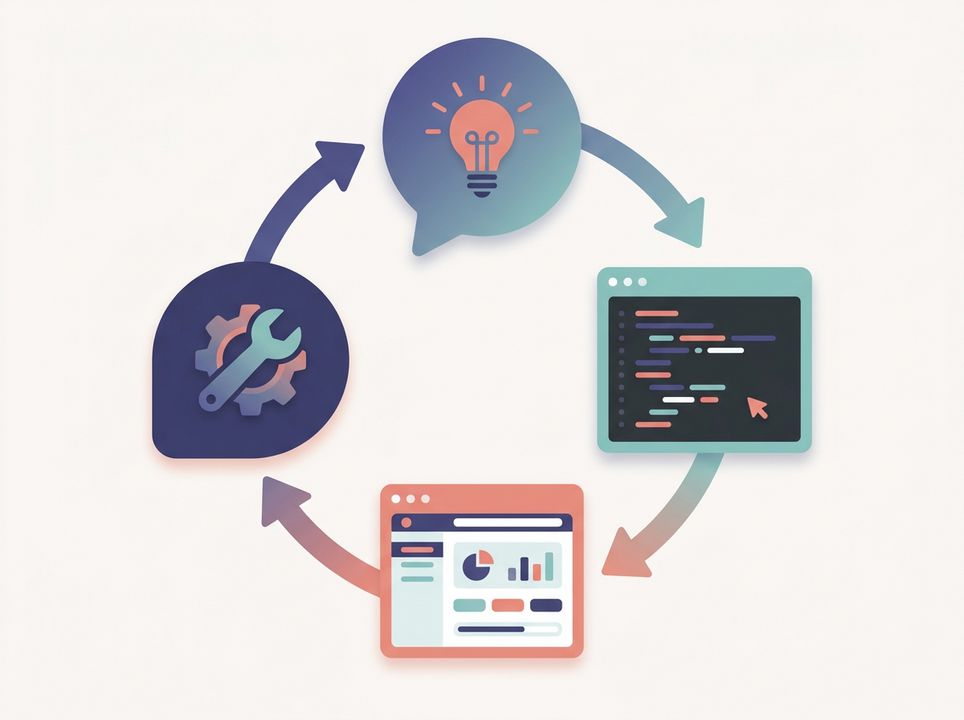
The vibe coding cycle: idea, code generation, running, fixing
How vibe coding differs from AI-assisted, no-code, and low-code
There is a difference, and it matters. Vibe coding means handing the wheel to AI: you describe the result, the model generates the main code. AI-assisted means you develop with AI’s help: you design and write the foundation yourself, AI suggests and supplements. In no-code, you drag and click on blocks, while in vibe coding you simply describe what you need. Low-code involves platforms like Bubble/Webflow with minimal code, while vibe coding uses AI code generation through Copilot/Cursor.
If you break down the four approaches by the role of the person, the role of AI, control over the code, and speed of getting started, the picture looks like this:
- Vibe coding. The person describes the result, AI generates and modifies the main code. Control over the code is lower — especially if the person doesn’t understand the codebase. Speed of getting started is very high.
- AI-assisted. The person designs and writes the foundation themselves, AI suggests, supplements, and refactors. Control over the code is high, speed of getting started is high.
- No-code. The person assembles an application from ready-made blocks, AI’s role is usually secondary. Control is high — but only within the platform’s limits. Speed of getting started is very high.
- Low-code. The person combines visual blocks and code, AI helps speed up assembly. Control is medium to high, speed of getting started is high.
The key difference of vibe coding is the degree of delegation. The less you understand what’s happening inside the code, the higher the risk of losing control as the task becomes more complex.
Who vibe coding is suitable for, and who shouldn’t rely on it
The method is useful where the cost of error is low and speed matters more than perfection. Three groups clearly stand out: non-developers for prototypes, startup founders for quick MVPs, and experienced developers for speeding up routine tasks.
Where vibe coding is truly useful
Landing pages, calculators, chatbots. Internal tools and dashboards. MVPs for hypothesis testing — quickly assembling a prototype without deep coding. Automating routine work: parsing, reports, simple web applications. Learning projects and portfolios. Mobile apps at a demo level are also realistic, as long as the task doesn’t require complex business logic.
Where limitations begin
Production systems with payments. Working with personal data without an audit. High-load services for thousands of users. Complex business logic with many edge cases. Products with security requirements — healthcare, finance.
Important: AI-generated code should be considered a prototype, not a finished product. IEEE Spectrum in 2024 warned about security bugs and hallucinated APIs, InfoWorld in 2025 — about growing maintainability problems. Before deploying to production — a professional security audit. This is not optional.
AI systems can produce errors, bias, and security vulnerabilities that affect code quality and reliability, which is why they require human oversight. This is highlighted by NIST in the AI Risk Management Framework 1.0 (2023).
Advantages of vibe coding: why people use it at all

Vibe coding has opened up unexpected possibilities for many people