ChatGPT has no hidden slash commands, but short cues typed at the start of a message, such as /truth, /devil or /nofluff, can still change how it answers. According to the source author, the model reads them as compressed instructions: it sees a plain English word and infers what you want. The tricks work best with unambiguous words and with definitions saved in ChatGPT’s custom instructions. Some of them promise more than they deliver.
What you need to know
- OpenAI has not built a panel of slash codes into ChatGPT. The model simply interprets words like “truth” or “devil” as instructions.
- Clear cues like /devil or /nofluff are hard to misread. Vaguer ones like /shrink or /rewire may be interpreted differently unless you add a few words of explanation.
- The source recommends defining each code in Custom Instructions so ChatGPT applies it the same way in every new chat.
- /truth does not prevent made-up facts, and the percentage from /odds is the model’s own estimate rather than a statistical calculation.
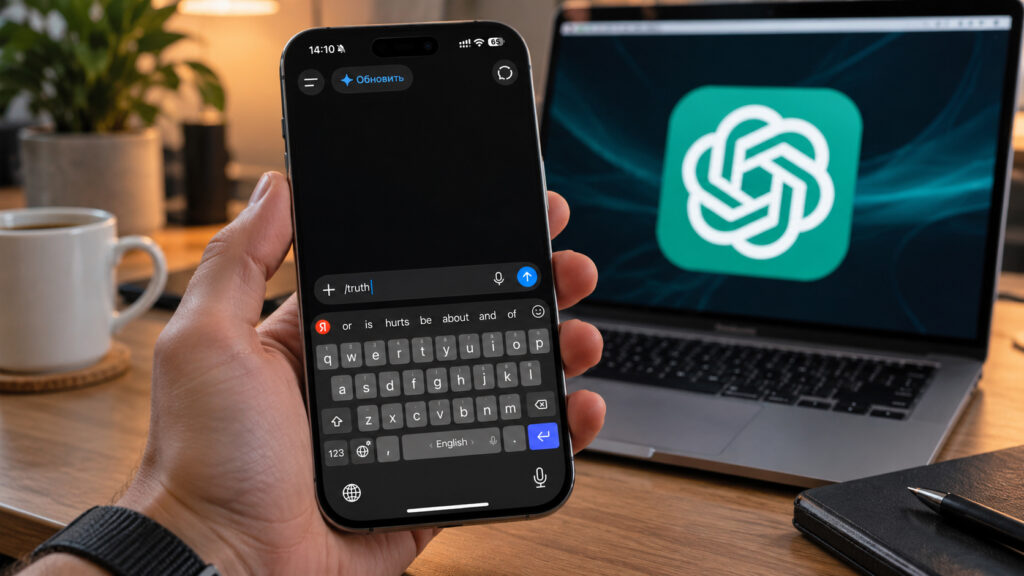
ChatGPT input field on an iPhone with the /truth command typed in
Why ChatGPT’s “secret codes” work at all
The source starts from a common complaint. ChatGPT is often too polite. It praises almost any idea, gives long answers and rarely says things the user does not want to hear. Typing a slash word at the start of a prompt is presented as a way to change that behavior before the model starts answering.

ChatGPT app icon on an iPhone
The key point, the source stresses, is that ChatGPT has no hidden commands. OpenAI did not create a set of codes that a slash word unlocks. The model sees an understandable English word and guesses the intent, just as it would with any other text. So the code is effectively a very short instruction.
That leads to the first caveat. The less ambiguous the word, the more consistent the result. /devil or /nofluff are hard to misinterpret. /shrink or /rewire may be read in unexpected ways unless you add a few words of clarification.
The 10 codes and what they are meant to do
Each code goes at the very start of the message, followed by your normal question or text. The source gives the example “/odds will my startup take off?” Below are the descriptions the source gives for each code. They describe the intended effect, and results may vary.
- /truth — turns off the politeness. ChatGPT stops softening its answers and says what it “really thinks.” The source suggests it for an honest assessment of a text, résumé or business plan, instead of a routine “great idea.”
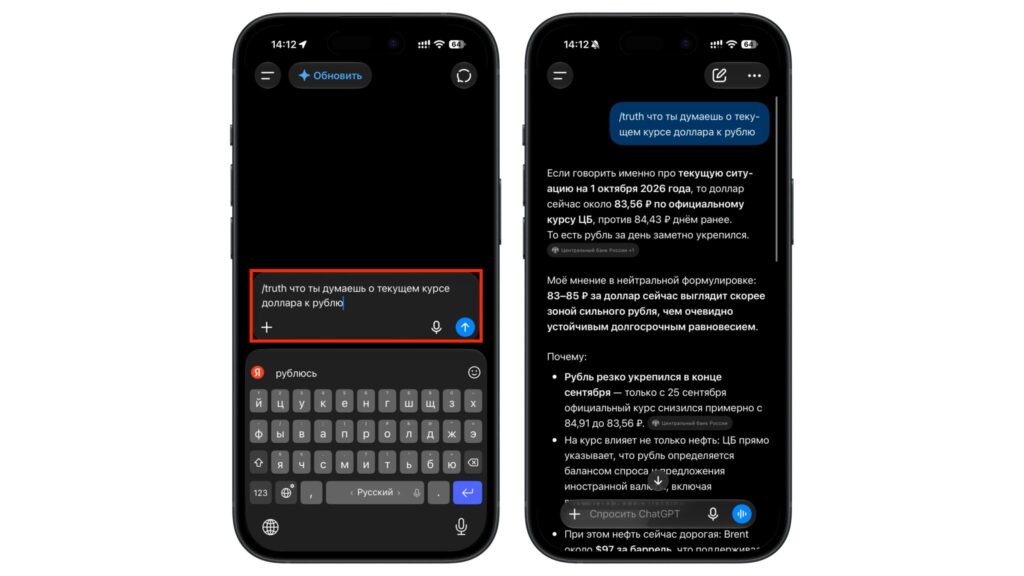
Example of using the /truth command
- /human — makes the answer read as if a person wrote it. It drops bureaucratic phrasing, five-point lists and filler such as “it is important to note.” The source suggests it for messages to a manager, a colleague or a building residents’ group chat.
- /nofluff — removes padding and, according to the source, cuts the answer roughly in half. Intros and conclusions disappear, leaving only the substance. It suits quick questions that need a short answer, not a lecture.
- /devil — ChatGPT stops agreeing and attacks your idea from every angle. In this devil’s advocate mode, it looks for weak spots you may have missed. The source recommends it before launching a project, a job interview or an important meeting.
- /odds — ChatGPT gives a percentage for how likely something is to work out. The source says the number can help you look at a plan more soberly and see what is pulling your chances down.
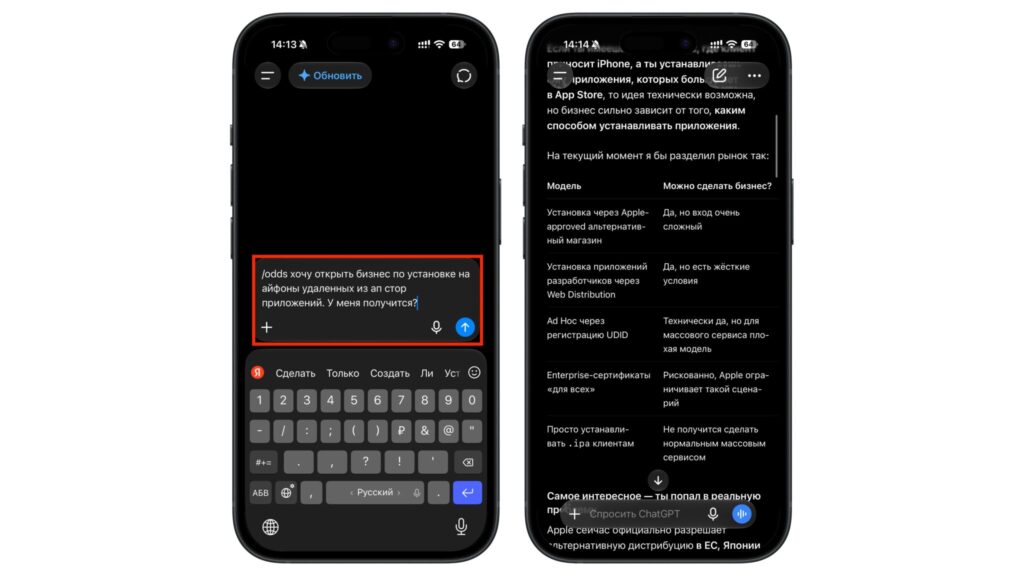
Example of using the /odds command
- /decode — paste in a contract, a terms-of-service agreement or any fine print, and ChatGPT explains what is buried in it. The source says this saves time with a ten-page document you are expected to sign right away. It also notes that this does not replace a lawyer (see the limitations below).
- /simulate — plays a decision forward five years and shows the possible outcomes side by side. The source suggests it when choosing between two paths, such as leaving a salaried job or staying with your company.
- /genius — according to the source, ChatGPT thinks about three times longer and produces a stronger answer. It is meant for complex tasks such as calculations, planning or untangling a messy situation. The source later qualifies this claim, as explained below.
- /shrink — ChatGPT acts as a psychologist and examines why you really do what you do. The source says it helps uncover motivations that usually stay hidden, like the submerged bulk of an iceberg.
- /rewire — takes everything ChatGPT knows about you and builds a daily routine it thinks you should follow. It works better the more the model has remembered about you from previous chats.
The codes can be combined. The source gives two examples. /devil plus /odds first tears an idea apart and then rates its chances. /nofluff added to /decode produces a short list of pitfalls instead of a two-page retelling of a contract.
How to make the codes work consistently
The main problem with these cues, the source notes, is that ChatGPT has to guess their meaning anew every time. Today /shrink may produce a psychological analysis. Tomorrow the model may decide you want a text shortened. The suggested fix is to save the definitions of your codes in Custom Instructions, so ChatGPT remembers them in every new chat.
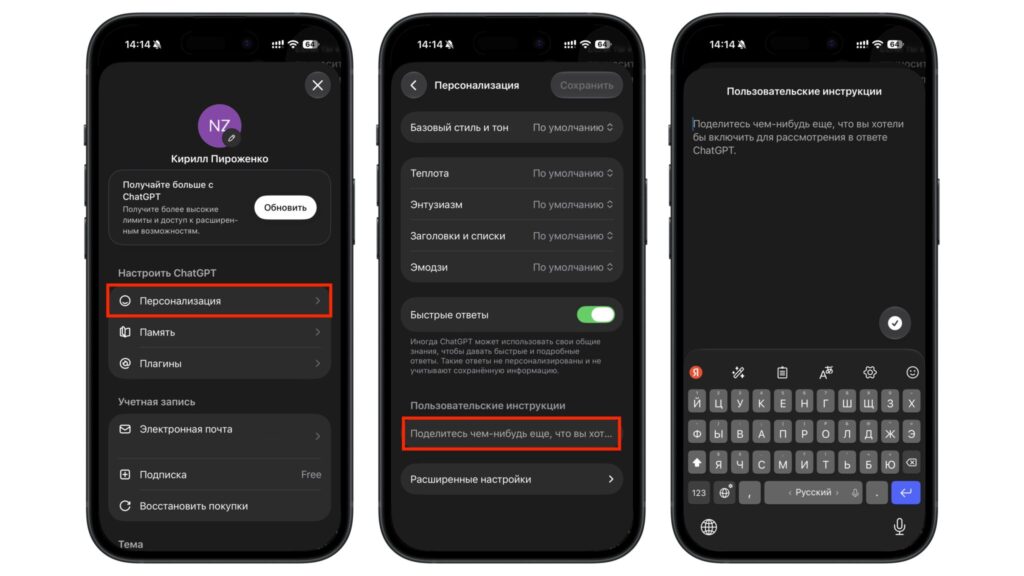
ChatGPT personalization settings
The steps described in the source are below. The source notes that the section name can differ in the iPhone app.
- Open ChatGPT and tap or click your profile.
- Go to Settings, then Personalization, then Custom Instructions. In the iPhone app, the source says this section may be called “Customize ChatGPT.”
- Make sure the setting is switched on.
- In the field asking how ChatGPT should respond, list your codes with their meanings. For example: “If a message starts with /truth, answer directly and without polite caveats. If it starts with /nofluff, answer briefly and without an introduction.”
- Save your changes and open a new chat.
Once defined this way, the source says, the codes work like real shortcuts. You can also invent your own, such as /mail for a business email or /tldr to summarize a long article in three sentences.
Where the codes won’t help
The source is candid that some codes sound more impressive than they are.
/truth makes answers blunter but does not stop fabrication. The model can still be confidently wrong about facts. It simply drops the polite caveats. Numbers, dates and prices still need checking.
/odds produces the model’s own estimate, not a calculation based on real statistics. The source advises treating the percentage as a prompt for reflection rather than a forecast. Arguing over 23% versus 30% is pointless. The reasons ChatGPT gives matter more than the number.
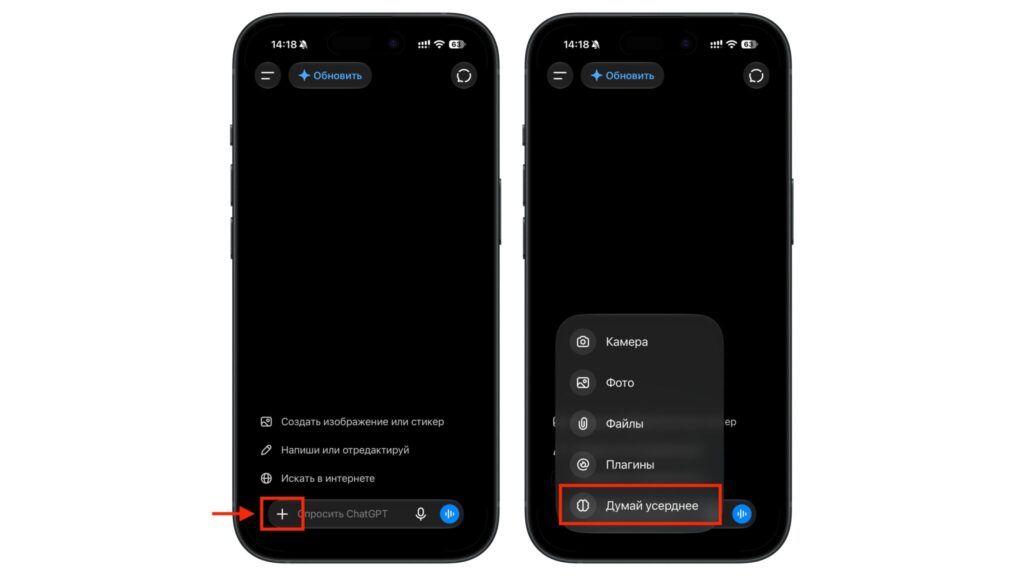
Turning on deeper reasoning in ChatGPT
/genius does not unlock a secret mode. The model just writes out its reasoning in more detail. For a genuinely deep analysis, the source suggests choosing a model with a reasoning (thinking) mode in ChatGPT’s menu and adding the code on top of it.
/rewire is nearly useless without memory. If you have turned memory off or have only used ChatGPT for a few days, the routine will be generic.
/decode is not a substitute for a lawyer. It can flag suspicious clauses, but the source advises getting professional advice before making a decision about a serious contract.
Which codes are worth keeping
If you save all ten, the source author expects you probably won’t use half of them. For everyday use, the author suggests three: /nofluff for quick questions, /human for messages and /devil for stress-testing your own ideas. In the author’s view, these change the answers most, and ChatGPT understands them even without saved definitions.
/decode will be needed less often, but the source says it can save an hour when it matters. One example is buying second-hand electronics or ordering from abroad, where return and warranty terms are often buried in fine print.
The rest, such as /simulate and /shrink, the source describes as more of an evening’s entertainment. It can be interesting to see what the model says about your motivation, but the author warns against basing life decisions on it.
The source’s overall verdict is that the codes are worth using if you treat them as shortcuts, not magic words. In the author’s estimate, five minutes in the settings is enough to make ChatGPT answer the way you prefer.