If your iPhone photos have started coming out blurry, a magnetic accessory near the camera may be the cause. Apple’s support documentation advises keeping accessories with magnets or magnetic metal away from the rear camera. A strong magnet close to the lens can interfere with the sensors behind optical image stabilization and closed-loop autofocus. The guidance applies to many iPhone models, not only the newest ones. Apple also warns separately that long-term exposure to strong vibration, such as from a high-power motorcycle engine, may permanently degrade camera stabilization and autofocus.
What you need to know
- For best camera performance, Apple advises avoiding accessories with magnets or magnetic metal near the rear camera. The advice concerns that specific area, not magnets in general.
- Optical image stabilization is present on iPhone 6 Plus, iPhone 6s Plus, iPhone 7 and later. Closed-loop autofocus is present on iPhone XS and later. Both lists include the second- and third-generation iPhone SE.
- In 2021, Apple warned that long-term exposure to high-amplitude vibration in certain frequency ranges may permanently degrade stabilization and autofocus.
- If low-light photos are blurry, Apple’s camera troubleshooting guidance suggests first removing any lens converter, metal case or magnetic mount.
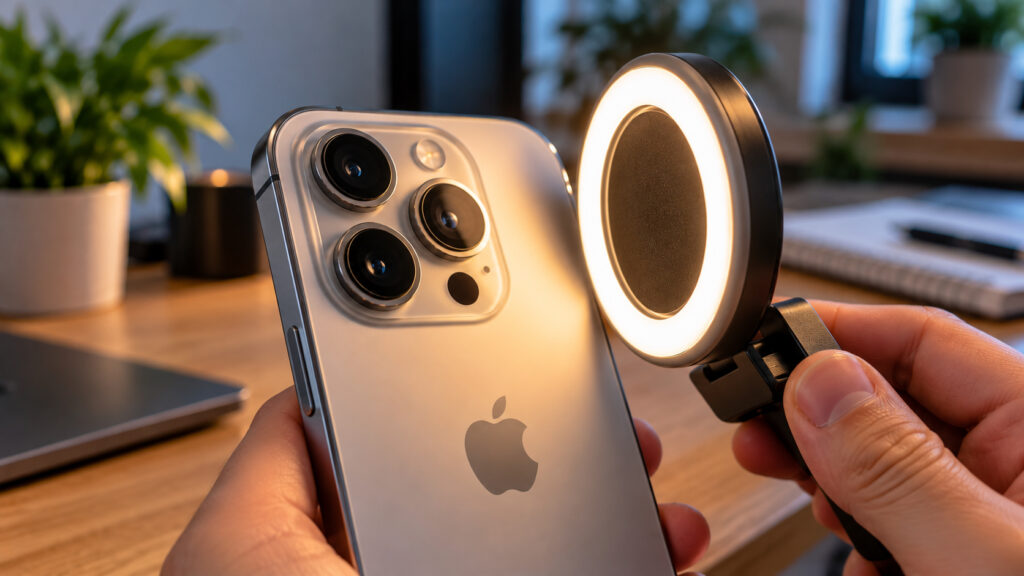
Close-up of an iPhone with a magnetic ring light next to the camera module
What Apple says about magnets and the camera
The warning is not new. It appears in an Apple support document that has been archived and is no longer updated. The guidance has drawn renewed attention since the iPhone 18 Pro and iPhone 18 Pro Max went on sale, because many buyers are adding cases and mounts to their new phones.
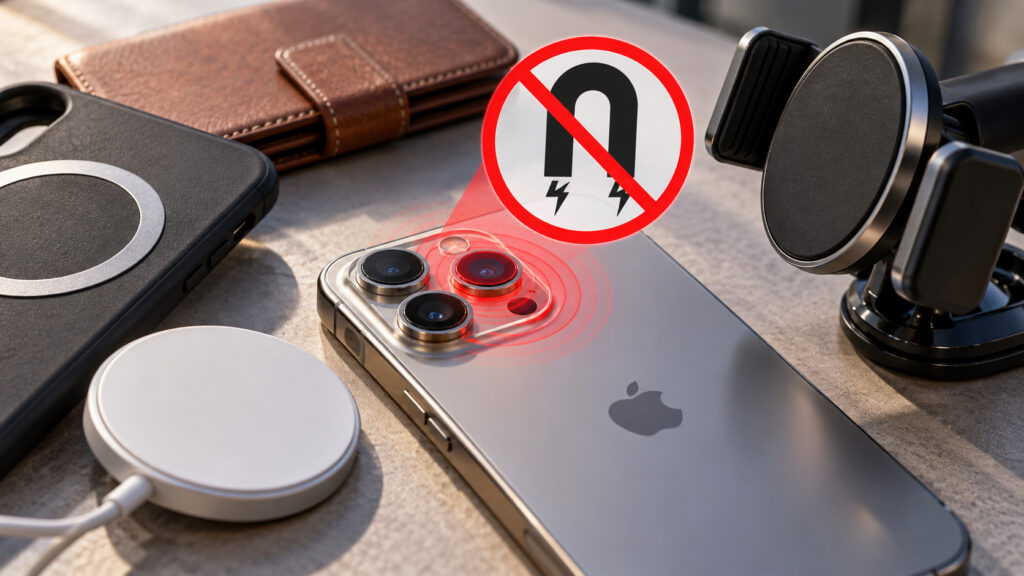
The negative effect of magnets on the iPhone camera
Apple’s wording is brief. For best camera performance, the company advises avoiding accessories that contain magnets or magnetic metal near the rear camera. The location is the point. Apple is not telling users to avoid magnets entirely. Its concern is one specific area of the phone.
The same document lists common reasons accessories contain magnets: to hold a folio case’s cover closed, to join the parts of a two-piece case, or to attach the iPhone to a rigid mount such as a car holder. These are often among the first accessories people buy with a new phone.
Why magnets can disrupt stabilization and autofocus
Two technologies keep iPhone photos sharp. The first is optical image stabilization: a gyroscope detects when the camera moves, and the lens shifts by the right amount to counter that motion. The second is closed-loop autofocus, which counteracts gravity and vibration to keep photos, videos and panoramas sharp. Magnetic sensors track the lens position and calculate how far the lens needs to move.
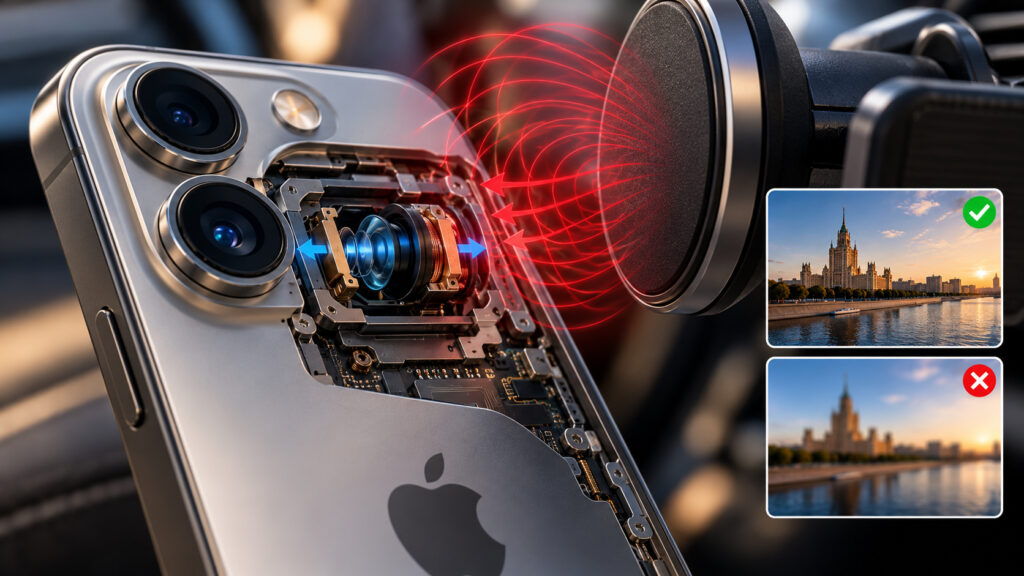
What a magnet affects in an iPhone
These sensors are highly sensitive to outside magnetic fields. A strong magnet near the lens can prevent them from detecting motion correctly and can limit how far the lens moves. Stabilization then falls short and focus can miss, so the photo may be blurry even when the phone was held steady.
Which iPhone models are affected
The guidance covers far more models than many users might expect:
- Optical image stabilization is available on iPhone 6 Plus, iPhone 6s Plus, iPhone 7 and all later models, including the second- and third-generation iPhone SE.
- Closed-loop autofocus is available on iPhone XS and later, including the same iPhone SE models.
The iPhone 18 Pro, with its 48-megapixel Fusion camera and variable aperture, is therefore the latest example rather than an exception. There is one caveat. The ultra-wide camera on iPhone 11 and later has no optical image stabilization, and neither did the telephoto camera on iPhone 7 Plus and iPhone 8 Plus.
Cases, lights and mounts to check
If you use magnetic accessories, check which ones end up near the cameras. These are considered higher-risk:
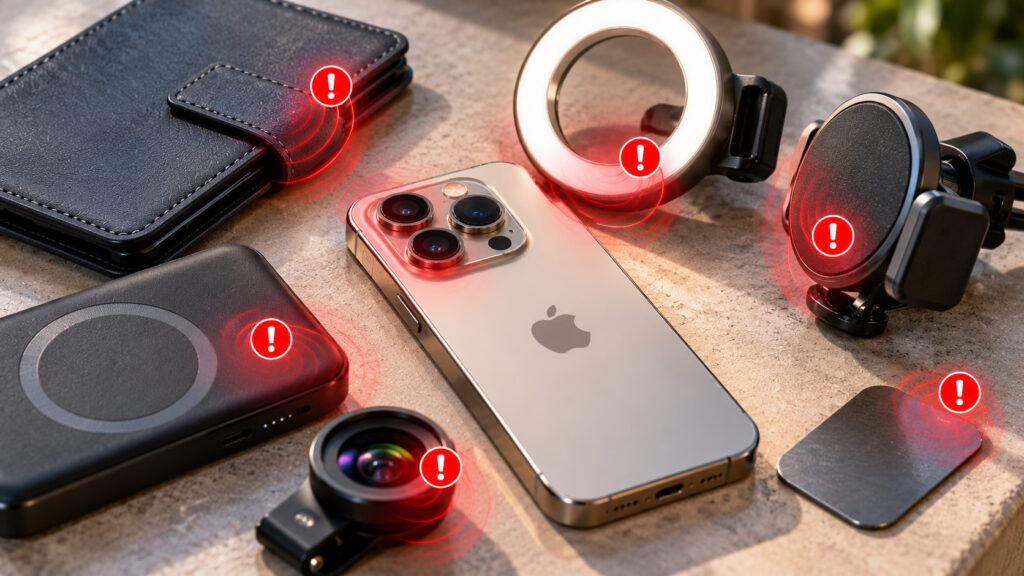
Accessories that can negatively affect the iPhone camera
- folio cases with magnetic closures;
- car mounts;
- detachable magnetic grips;
- power banks;
- magnetic ring lights.
There is no reason to panic. MagSafe magnets are arranged in a ring at the center of the back panel, while the camera module sits in a corner, and Apple’s document does not mention MagSafe specifically. Accessories that place a magnet or metal over the lens corner deserve more scrutiny. Examples include ring lights, magnetic clip-on lenses and the metal plates used with older car mounts, which are often attached under a case. A folio case’s clasp can also end up right behind the phone while you are shooting.
Strong vibration poses a bigger risk than magnets
Apple’s magnet guidance describes interference that affects the camera while the accessory is attached. Its vibration warning is more serious. In 2021, the company warned that long-term exposure to high-amplitude vibration within certain frequency ranges may permanently degrade image stabilization and autofocus. The main example is the engine of a high-power motorcycle.
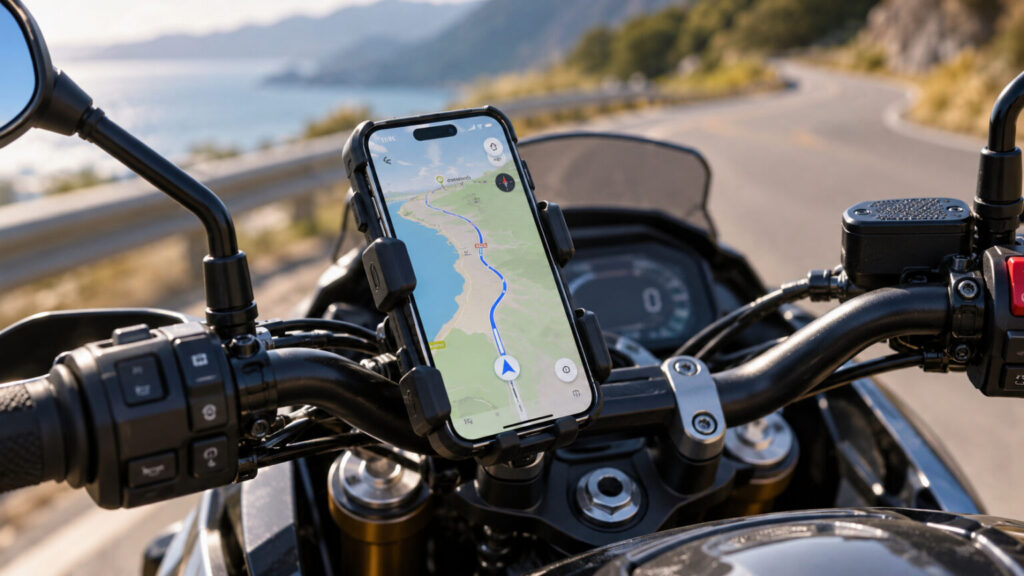
iPhone in a mount on motorcycle handlebars
For that reason, Apple advises against attaching an iPhone to the handlebars of a high-power motorcycle, and no mount changes that recommendation. Mopeds and scooters with small or electric motors produce weaker vibration. Even for those vehicles, Apple recommends a vibration-dampening mount and advises against prolonged daily use. That applies, for example, to delivery riders who keep an iPhone mounted for navigation all day.
Several manufacturers make vibration dampeners for such mounts. They are usually fitted between the holder and the handlebars.
Blurry photos? What to check before seeking repair
In its camera troubleshooting guidance, Apple suggests first removing any lens converter, metal case or magnetic mount if photos taken in low light are blurry. Low light is when the camera struggles most, so interference is easier to notice.
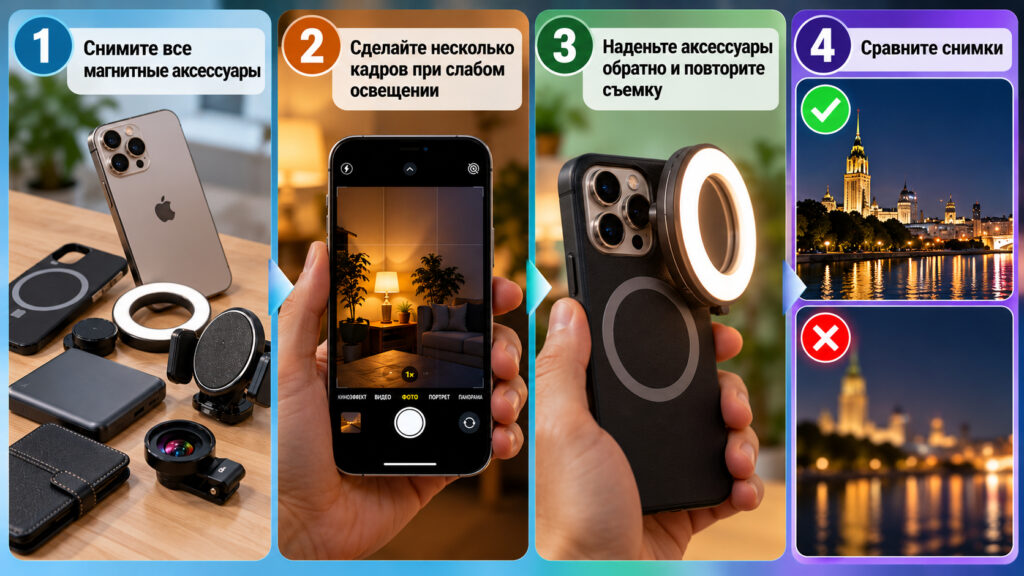
Infographic: steps to follow when shooting with magnetic accessories
A simple comparison can help:
- Remove the case, ring, mount and anything else attached to the iPhone with a magnet.
- Take several photos in a dimly lit room while holding the phone still.
- Reattach the accessories and repeat the test under the same conditions.
- Compare the results. If the photos are sharp without the accessories, the accessory is the likely cause. If both sets are blurry, the iPhone should be checked by a service provider.
No need to throw away magnetic accessories
There is no need to discard a magnetic mount because of this guidance. If your photos are sharp with it attached, there is no problem. If you often shoot in the evening, however, it may be easier to get into the habit of removing a magnetic light or grip before taking photos.