You’ve probably noticed the “Sign in with Sber ID” button on websites and in apps and wondered what it actually is and whether it’s safe to use. In short, it’s a convenient way to log into dozens of services using a single phone number, without a pile of logins and passwords. Essentially, it’s another digital key in your pocket, similar to Mobile ID. Let’s figure out how Sber ID works on Android and whether it’s worth trusting the system with your data.
Let’s figure out what Sber ID offers and what it’s for
What Is Sber ID
To explain what Sber ID is, it’s a unified identifier for logging into Sber services and its partner websites. Imagine one universal pass instead of a bulky keychain for every door. You get your Sber ID once and then use it to log in anywhere without registering again.
Sber ID on your phone — a unique account for various services
What’s important is that you don’t need to be a bank customer to use it: anyone can create an identifier using their phone number. Don’t confuse it with the login and password for Sberbank Online — these are different things, even though they’re connected.
How to Get and Set Up Sber ID on Android
Figuring out how to set up Sber ID is easier than it seems. If you have the SberBank Online app installed on your smartphone, the identifier is essentially already linked to your number. You don’t need to “enable” it separately — it activates the first time you log into any service. To create a Sber ID from scratch, follow these steps:
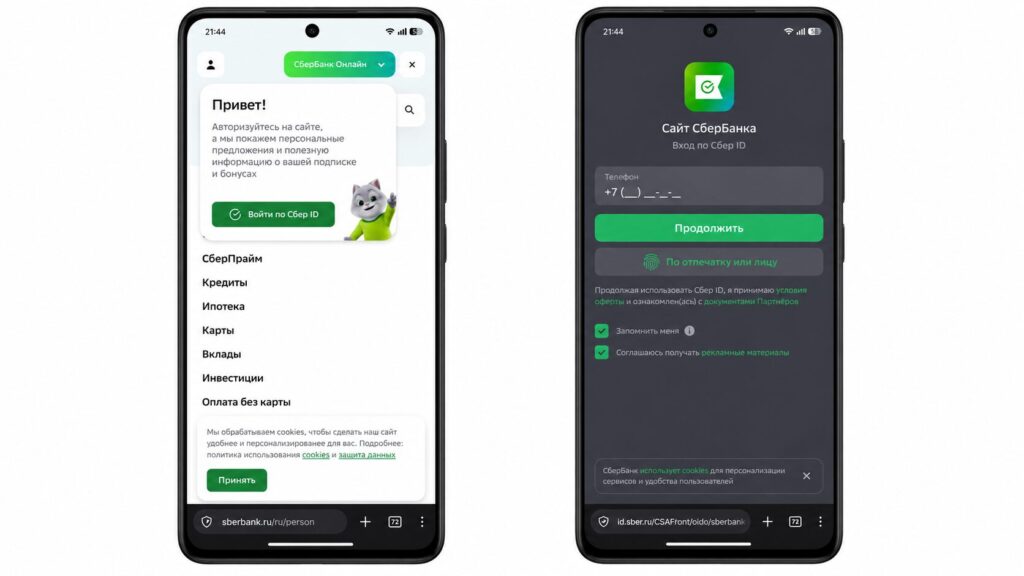
Creating or logging into Sber ID is very simple
- Open a website or app that supports Sber ID login.
- Tap the “Sign in with Sber ID” button or the bank’s logo.
- Enter your phone number and confirm it with an SMS code.
- Follow the system prompts to complete registration.
How to Sign In with Sber ID
Now about how to sign in with Sber ID in practice. On the desired website, you press the authorization button, enter your phone number, and then confirm login using one of the available methods. This can be an SMS code or a push notification directly in the SberBank Online app. On Android, there’s an even more convenient option: point your camera at a QR code and confirm login in a couple of taps.
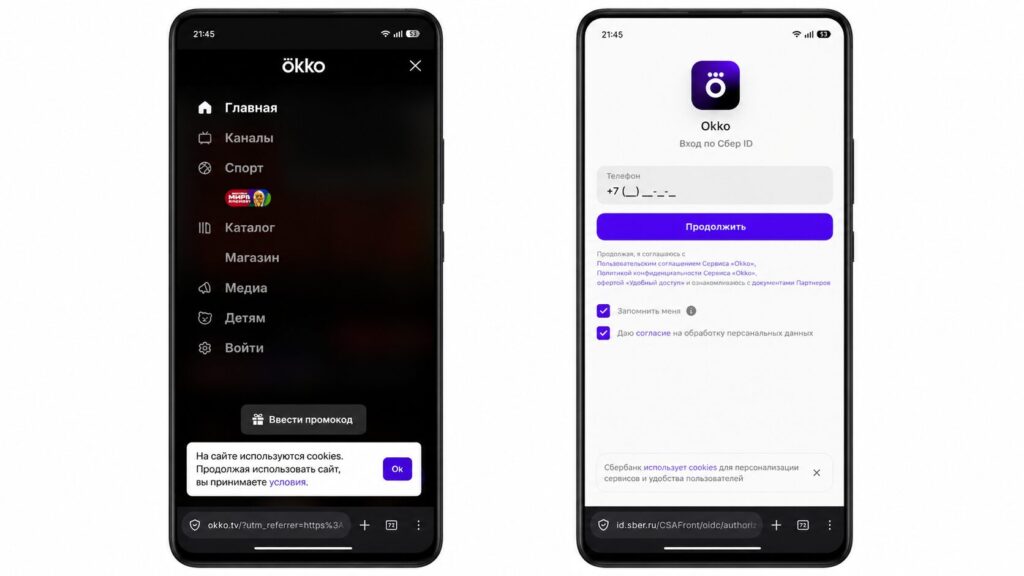
Sber ID is supported on many different services
This is how signing in with Sber ID works on Okko, MegaMarket, Gosuslugi (Government Services), and hundreds of other platforms.
Is Signing In with Sber ID Safe
Everyone’s main fear is the same: will websites with Sber ID get access to my money? I’ll answer honestly — no. When you log in, the partner service only receives confirmation of your identity, while your banking data, balance, and cards remain inaccessible. The website itself doesn’t see anything extra.
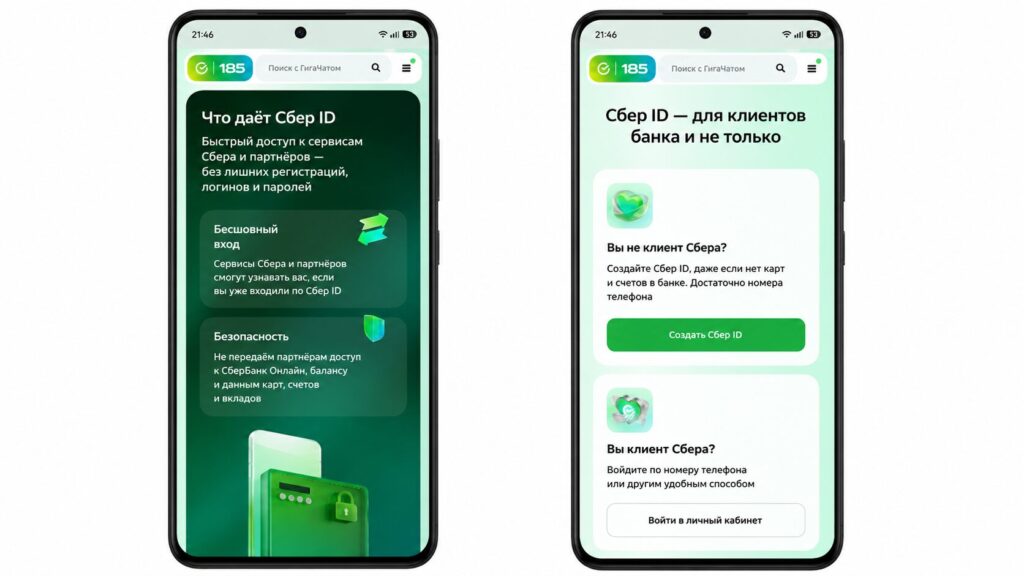
They say Sber ID is safe. We have no reason to doubt it
Sometimes the system may request additional information, but this isn’t a data leak — it’s a standard security measure. So you can use the identifier without worry, though you should never share your Sber ID code with strangers, just like any other confirmation code.
What Benefits Does Signing In with Sber ID Offer
Besides saving time, signing in with the identifier has a nice bonus. By logging into ecosystem websites, you earn and spend SberSpasibo reward points, and with a SberPrime subscription, the accrual rate can be higher. Plus, the system automatically fills in your details in forms, so you don’t have to enter your name and address manually every time.
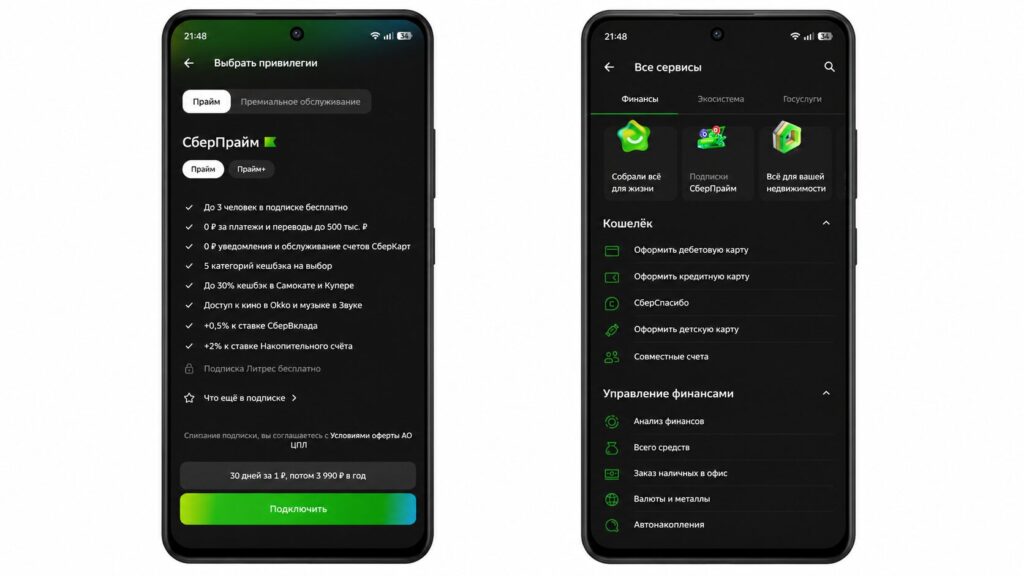
Combined with a Sber Prime subscription, the account also offers great value
In the end, signing in with Sber is simply more convenient than maintaining dozens of passwords. Time savings and cashback out of nowhere — it’s a small thing, but a pleasant one.