The MAX messenger has already been installed by tens of millions of Russians. Some did it voluntarily, others because they were asked to at work or at their child’s school. But not everyone plans to use it on a regular basis. Some, on the contrary, have fully switched to MAX and use it every day. And some want to delete both the app and all conversations at once. But what happens to your chats if you simply delete MAX from your iPhone? Will the messages disappear forever or will they be saved somewhere? Let’s figure it out.

How deleting the MAX app affects chats and conversations
What Gets Deleted from iPhone Along with the MAX App
Many people are used to the idea that deleting an app from iPhone means completely wiping all data associated with it. And in general, that’s true — the cache, downloaded files, and local settings will indeed disappear from the device. But when it comes to conversations, things work quite differently.
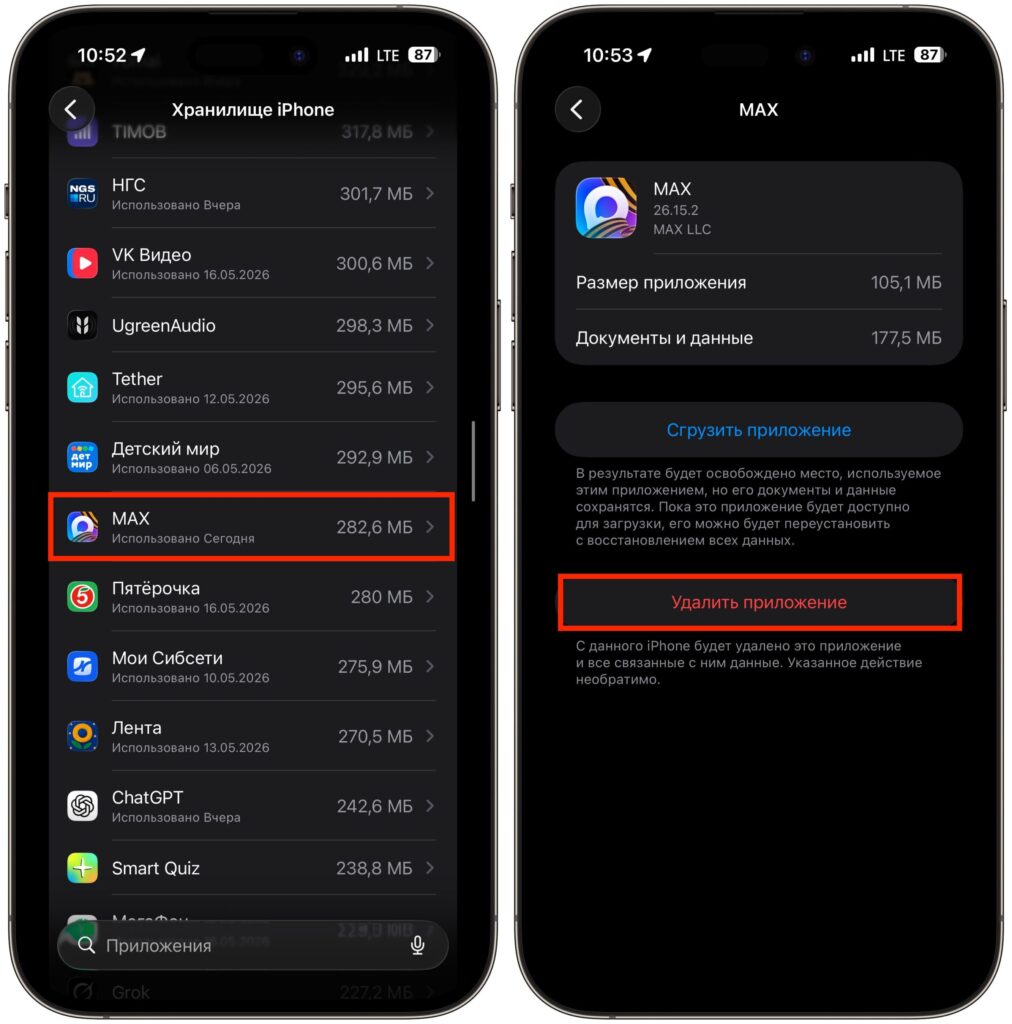
What does deleting the MAX app do?
When you delete MAX from the home screen or through Settings — General — iPhone Storage, you are essentially only erasing the app itself and its temporary files. This will free up some storage space, but it will have no effect on your chats, messages, or contacts.
Chats and Messages in MAX: Where They’re Stored
This is where the main nuance lies, one that not all users are aware of. Unlike some messengers that store conversations locally on the device, MAX uses persistent cloud synchronization. All your messages, photos, videos, and files are stored not on a specific iPhone or Android smartphone, but on the messenger’s servers.
This means something simple but very important: no matter which device you log into your account from, you’ll immediately get access to all your conversations. Reinstalled the app? All chats are intact. Switched phones? Just sign in with your phone number — and there they are, your messages. Logged in through the web version on a computer? Same story. Essentially, MAX works on the same principle as Telegram: data is tied not to the device, but to the account. As long as the account is active, the conversations aren’t going anywhere.
Let’s break it down. When you send a message in MAX, it’s instantly copied to the servers. Every new message, photo, or file — all of it immediately goes to the cloud. Essentially, a backup of your conversations is created automatically every few seconds.
That’s why deleting the app from iPhone is roughly like throwing away the TV remote. The TV keeps working; you’ve just lost convenient access to it. Just download MAX again and log into your account — and all chats will be restored.
This, by the way, fundamentally distinguishes MAX from WhatsApp, where without a backup in iCloud or Google Drive, conversations are irretrievably lost upon reinstallation.
Deleting Messages and Clearing Chats in MAX
Since simply deleting the app won’t help, how do you get rid of unwanted chats? Only manually — through the messenger’s interface itself. Let’s go through the main steps.
Deleting an individual message:
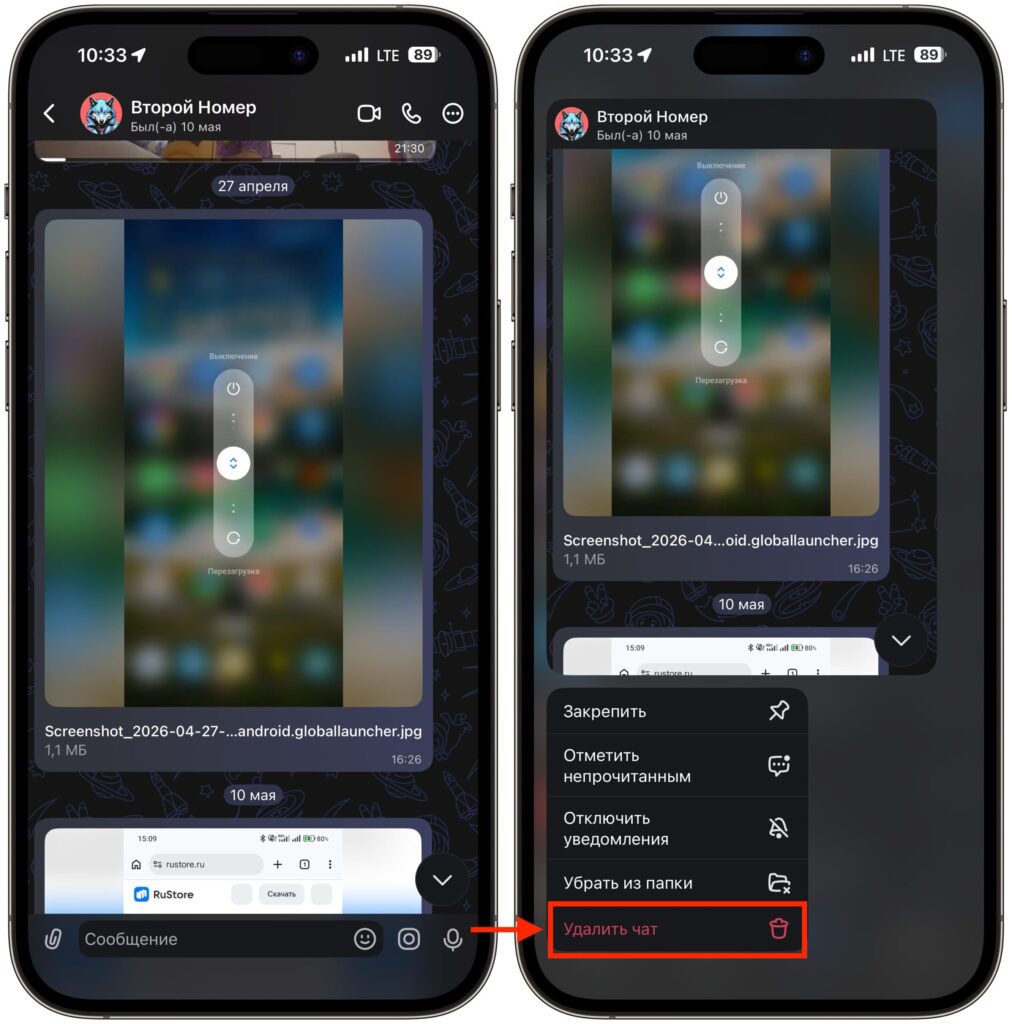
You can delete an individual message
- Open the desired chat in the “Chats” section.
- Tap and hold the message you want to delete.
- In the menu that appears, select “Delete.”
Please note: deletion works only on your side. The other person will continue to see this message on their end. The “delete for everyone” feature in MAX personal chats is currently not available.
Clearing the entire chat history:
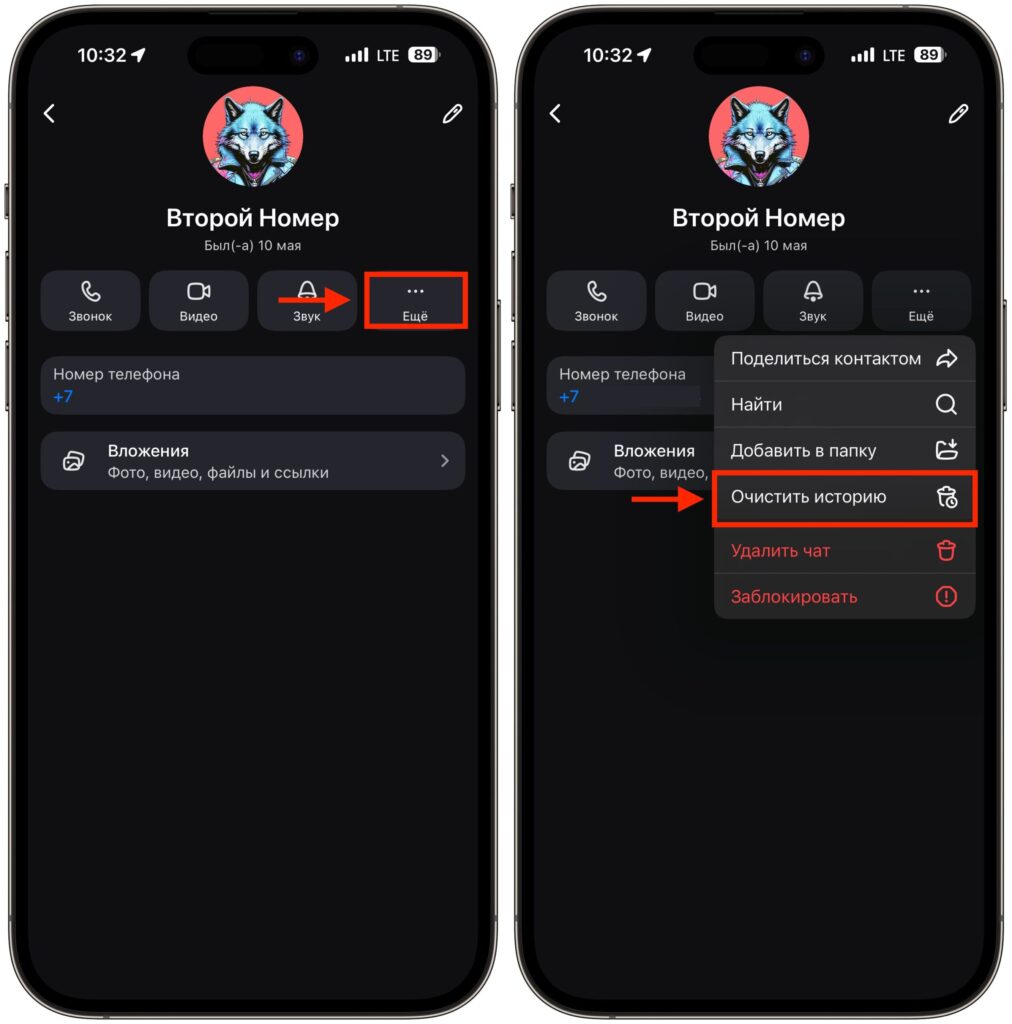
You can also clear the entire chat
- Open the conversation with the desired contact.
- Tap on the contact’s name at the top of the screen.
- Go to the “More” section.
- Select “Clear History.”
After this, all messages from the chat will disappear, but the chat itself will remain in the list — you can continue the conversation with a clean slate.
Completely deleting a chat:
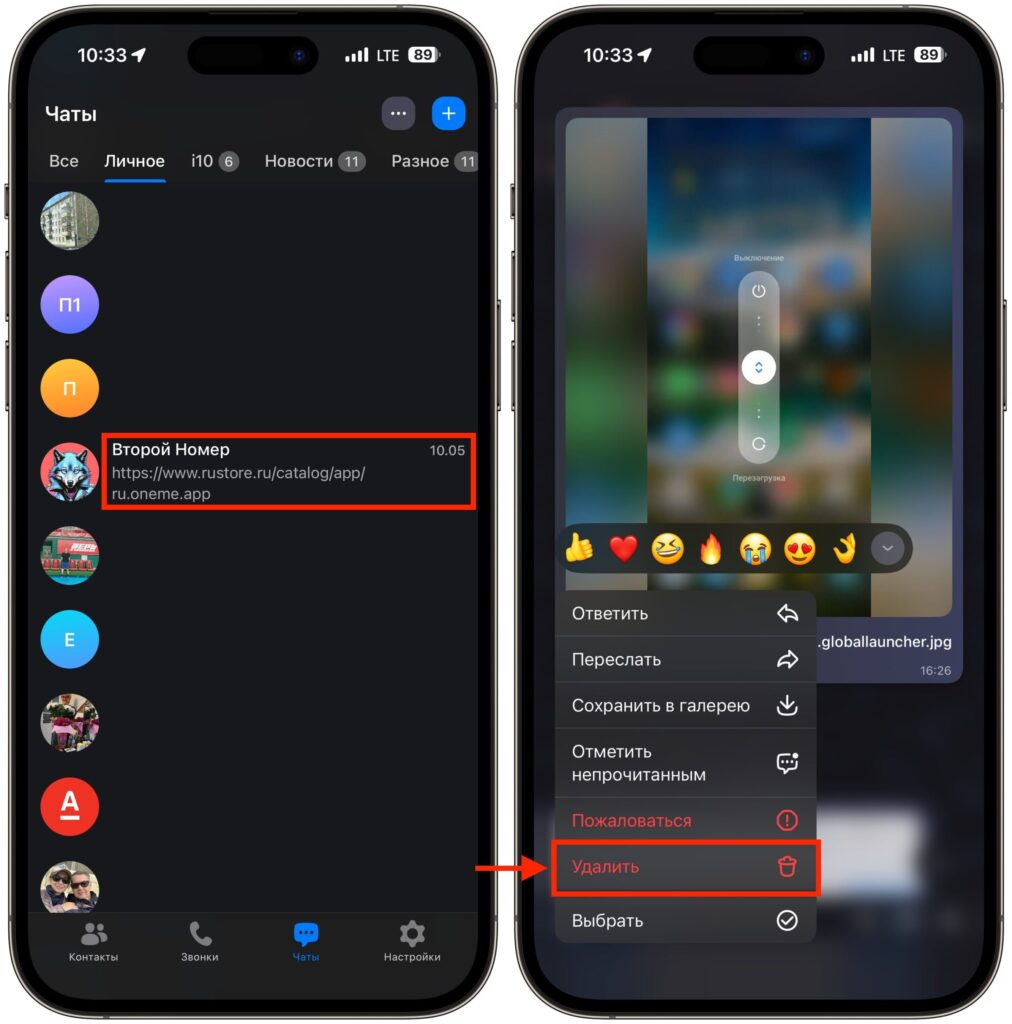
You can also delete the entire chat completely
- In the general chat list, tap and hold the desired conversation.
- Select “Delete Chat.”
Keep in mind: it’s impossible to recover deleted messages. So before clearing, make sure there’s nothing important in the conversation — photos, documents, links. It’s best to save anything valuable to the device in advance or forward it to the “Favorites” chat.
Deleting Your MAX Account Along with Conversations
If you want to not just clear individual chats but completely part ways with the messenger, simply deleting the app isn’t enough either. You need to delete your profile from within MAX. Here’s a brief summary:
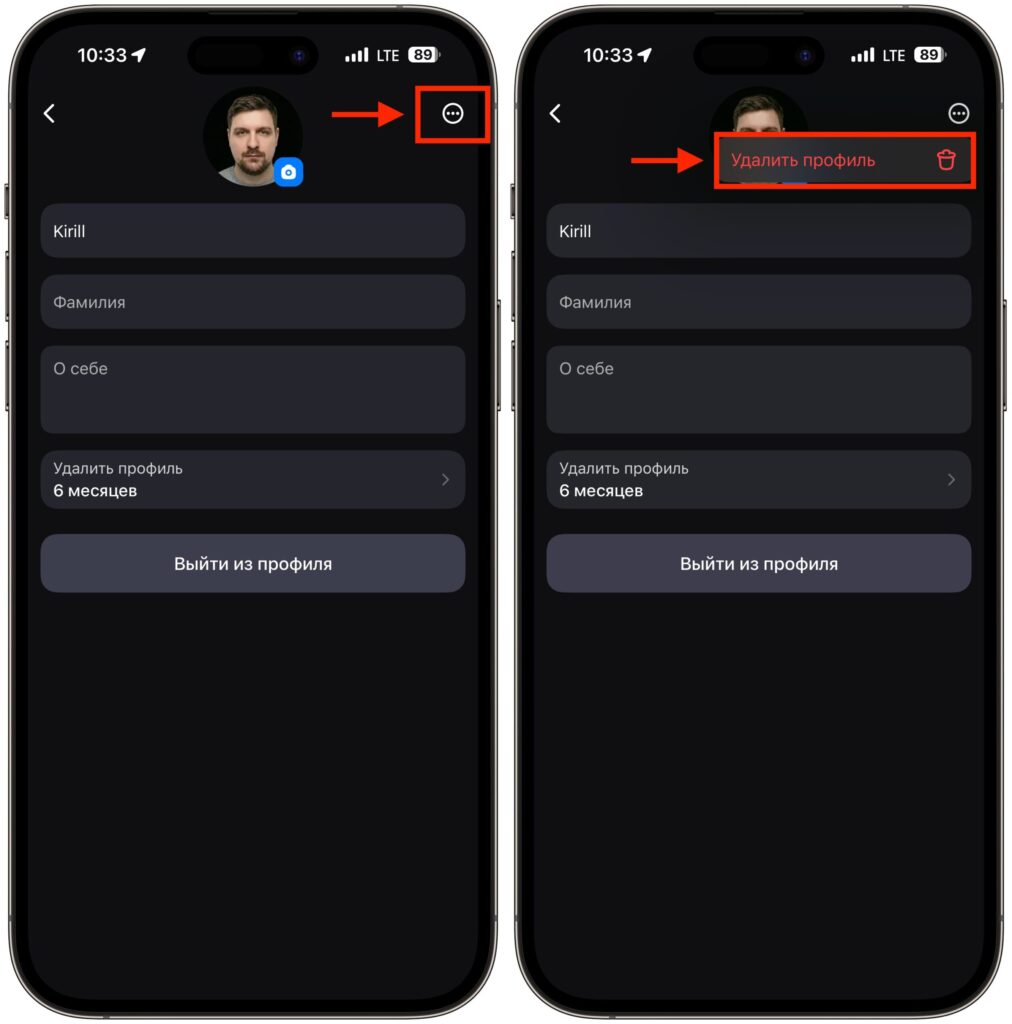
For extra certainty, you can delete your profile
After this, a 30-day waiting period begins. During the month, you can still use MAX and even change your mind — just go to settings and tap “Don’t Delete Profile.” But if 30 days expire — the account will be permanently deleted along with the entire message history, contacts, and chat memberships.
Important details to keep in mind: After deleting your profile, you automatically leave all group chats — both as a participant and as an administrator. The phone number can be reused to register a new account.


