It seems simple: go to settings, switch the country — and you’ve got the entire global App Store. In reality, things turned out to be much more interesting. It turns out that mindlessly changing your App Store region is definitely not worth it, as it leads to quite unpleasant consequences and serious headaches. Here’s what happened after the region change and why I now have to juggle two accounts. If you’ve also been thinking about how to change your Apple ID region on iPhone, this story will be useful.
Tried changing the region myself and was horrified
Why Change Your App Store Region on iPhone
The idea was obvious. In the Russian App Store, you can’t properly pay for subscriptions: cards won’t link, Apple Pay doesn’t work, and topping up your balance from a mobile phone account is no longer possible. You could, of course, buy a gift card worth 500 rubles for 8 thousand, but that seems like complete nonsense to me. Want an iCloud+ or Apple Music subscription — pay up. But there’s nothing to pay with.
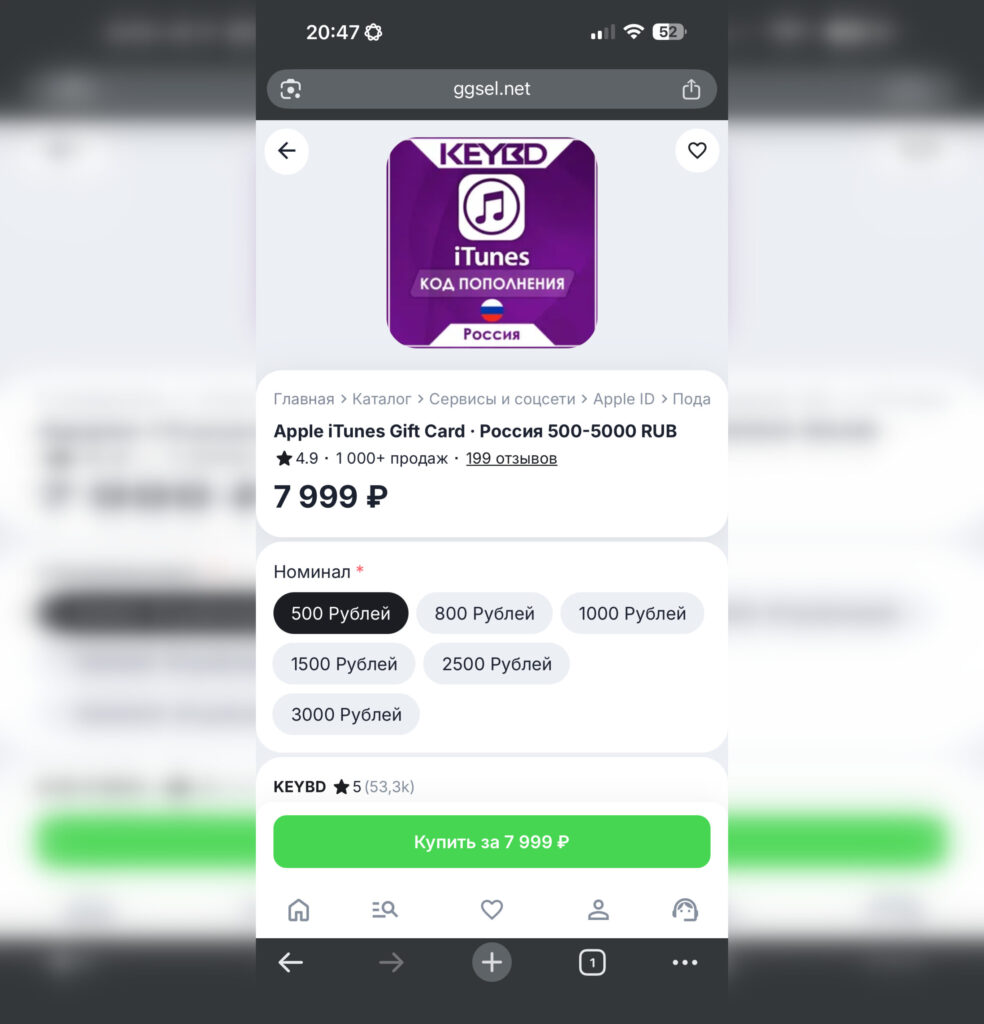
You can still buy payment cards for the Russian App Store, but the price is astronomical
The logical solution: switch the region to US or any other country. There, subscriptions work without issues, and the app selection seems wider. Sounds like a flawless plan. But only at first glance.
Which Apps Disappear After Changing Your App Store Country
The first thing I noticed after switching to the US App Store: some familiar apps simply vanished. They weren’t deleted from the phone, no. But updating them became impossible, and finding them in the store — even more so.
Banking apps are the main pain point. Sberbank, T-Bank, Alfa-Bank, and others appear under modified names exclusively in the Russian store. Direct links don’t help either. Consequently, downloading a fresh version of a banking client is impossible.
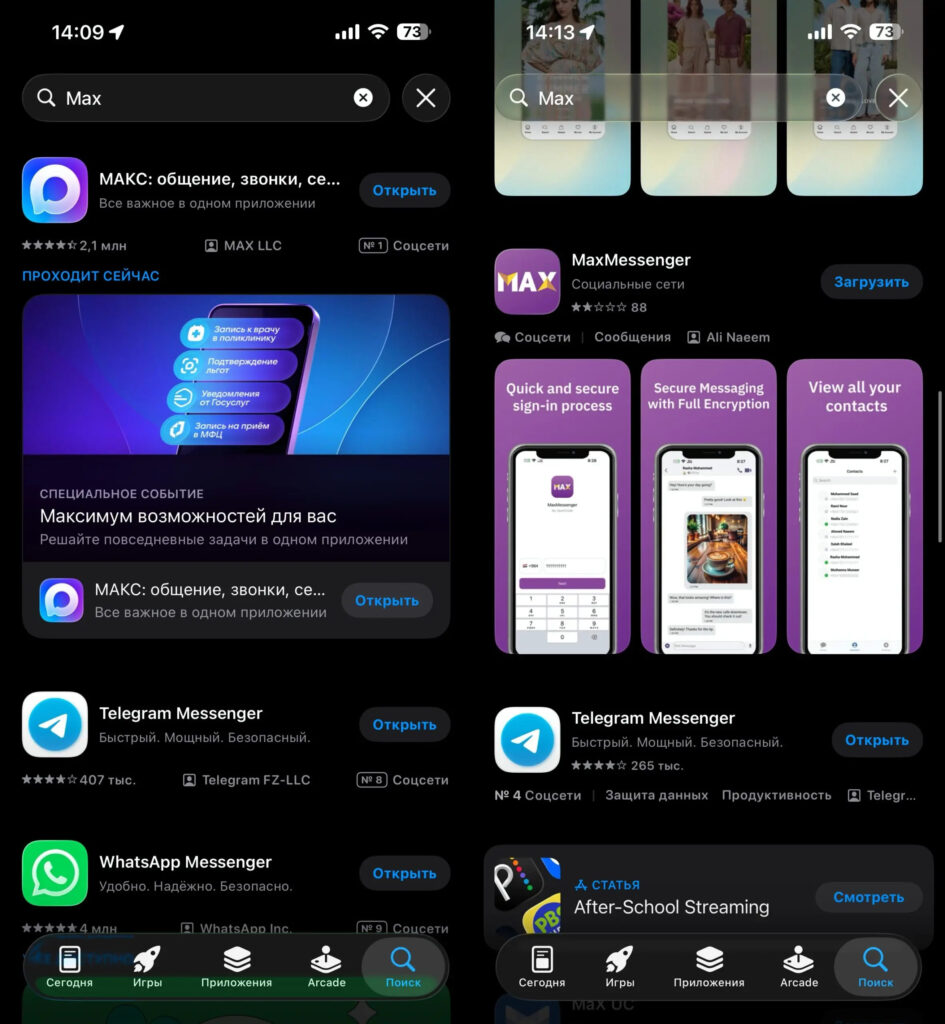
Left is Russia, right is USA. America hasn’t heard of MAX
MAX isn’t in the US App Store either. The messenger from VK only works for the Russian region and a few others. If you use it, updates will stop coming after the country change. The same applies to a number of other domestic services: Gosuslugi (government services), mobile carrier apps, and certain streaming services.
Apps That Are Missing from the Russian App Store
Okay, switch back? Not so fast. The Russian app store has its own problems. There’s no ChatGPT, Gemini, Copilot, or dozens of other AI-powered apps. No Spark, no many utilities you get used to.
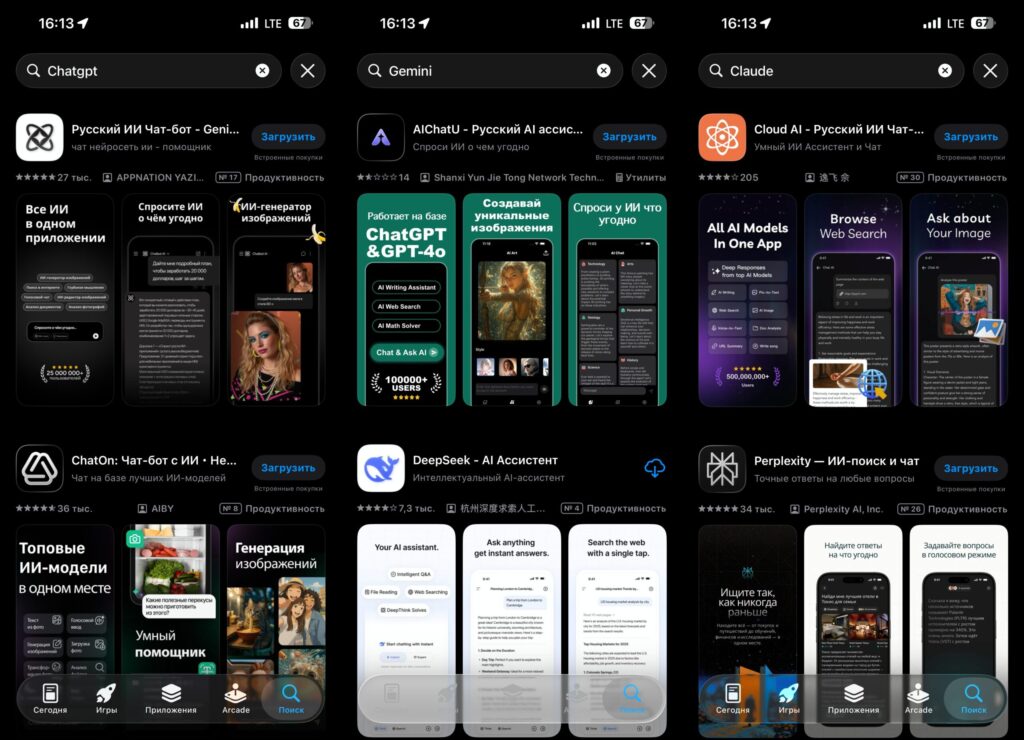
Russia doesn’t have popular AI apps. No ChatGPT, no Gemini. Only lonely Perplexity
So you end up with a paradox: one store lacks Russian apps, the other lacks international ones. The perfect region doesn’t exist.
Two Apple IDs on One iPhone
A solution was found, but you can’t call it elegant. I created two Apple IDs. One — with a US region. It’s set as the primary for iCloud: subscriptions, storage, and syncing are all tied to it. Paying for everything through the US account works without issues.
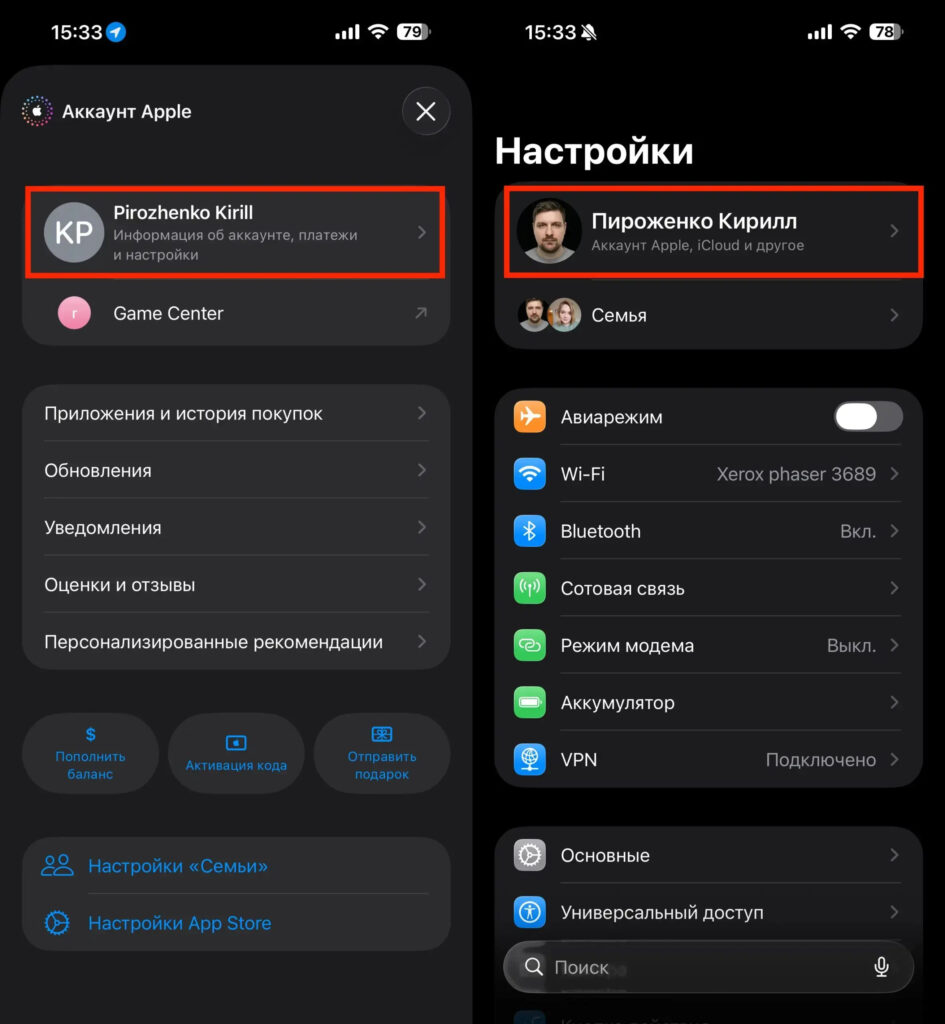
Now I permanently use two Apple IDs. What else can I do
The second Apple ID is Russian. It’s needed exclusively for downloading apps that aren’t in the US store. Banks, MAX, Gosuslugi — everything is downloaded from there.
In practice, it looks like this: when I need to download or update a Russian app, I go to the App Store, sign out of the US account, sign into the Russian one, download what I need, and switch back. The procedure takes a couple of minutes, but I have to do it several times a week.
Is It Worth Changing Your App Store Region in 2026
There’s no definitive answer. It all depends on which services you use. If Apple subscriptions are more important to you than banking apps on your iPhone, a foreign region is a viable option. Payments go through, iCloud works, Apple Music plays.
But if you actively use Russian apps while also wanting access to ChatGPT and other AI tools, get ready to juggle accounts. It’s inconvenient. It’s annoying. But there are no alternatives for now.
Apple could solve the problem by allowing users to install apps from different regions on a single account. Or at least restore normal payment options to the Russian App Store. But since neither is on the horizon, you have to figure things out on your own.
My advice: if you decide to change your region, create a second Apple ID in advance. Set it up, link it to the needed country, download everything necessary. And only then switch your main account. That way, at least you won’t end up in a situation where you need your bank app right now but have nowhere to download it from.


