An unknown number on the screen is a reason to figure out who’s calling and why before you even pick up. Some information can be found out legally — through search engines, caller ID apps, social networks, and banking apps. However, private information like passport details, address, and geolocation is unavailable to regular users, and attempting to obtain it through gray-market services is a direct violation of the law. Below are working methods to find out who called, what apps actually show, and where they get information about phone number owners.
Want to find out who called? It’s possible
What You Can Legally Find Out by Phone Number and What You Can’t
In Russia, communication privacy laws and personal data laws are in effect. Therefore, a carrier won’t reveal the owner of a number, their address, or call details based on a simple request. Restricted data is only provided to law enforcement agencies and only through legally established procedures.
What a regular user can legally find out:
- how the number is labeled in caller ID apps;
- whether other people have complained about it;
- whether the number is linked to a company, delivery service, bank, or call center;
- whether the number has a profile in a messenger or social network;
- whether the number is flagged as spam or fraud.
What you can’t find: passport data, residential address, geolocation without the person’s consent, call details, and information from restricted databases of carriers, banks, and government agencies. Gray-market Telegram bots and “lookup” websites are best avoided — they’re illegal, often work with leaked databases, and also collect information about the people who use them.
How to Find Out Whose Number It Is Through a Search Engine
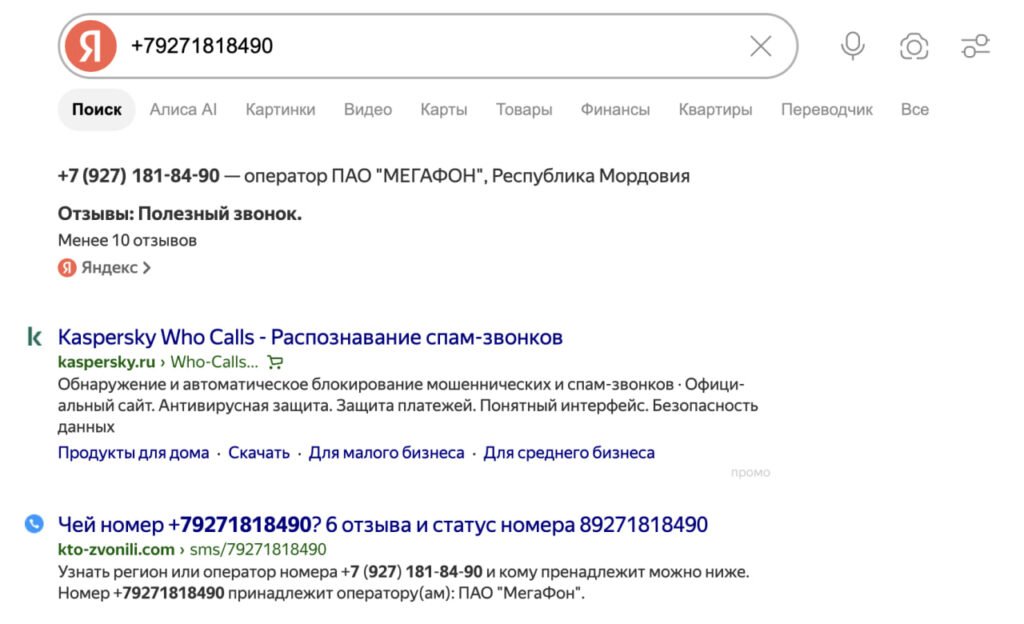
As you can see, search engines even show the region of number registration, but the name — almost never
The simplest and safest method is to enter the number into a Yandex or Google search engine. Often this is enough to understand who called: a real person, a delivery service, a bank, or a mass advertising robocall.
- Copy the number from your call log.
- Paste it into the search in full — with the country and carrier code. If nothing comes up, try a version without spaces and brackets, or just the last 10 or 7 digits.
- Add words like “who called,” “reviews,” “spam,” or “scammers” to the query.
- Open several results, not just the first website.
- Compare the comments: if dozens of people write about the same thing, that’s already an indicator.
This way you can find user reviews, mentions on forums, the organization’s name, region and carrier, as well as labels like “delivery,” “bank,” or “debt collectors.” The main downside is low accuracy: comments can be outdated, may refer to a previous owner of the number, and scammers often use number spoofing.
Which Apps Show a Name by Phone Number
Caller ID apps help decide whether it’s worth answering at all. They show the organization’s name, call category, user labels, or a spam warning. Popular services:
- Truecaller;
- GetContact;
- Kaspersky Who Calls;
- Yandex with caller ID;
- other anti-spam apps and dialers.
Using them is straightforward. Let’s look at how everything works using GetContact as an example:
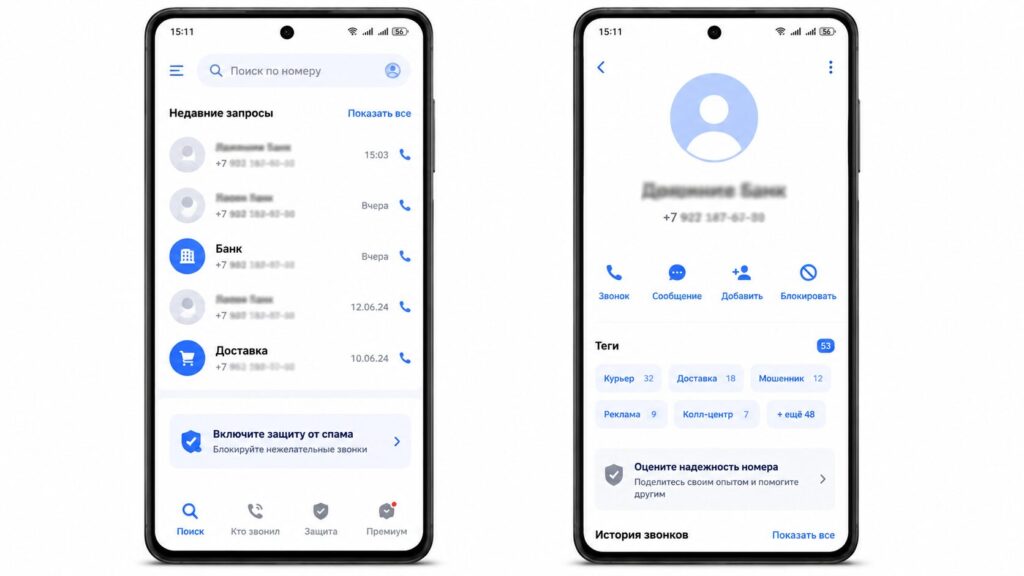
Lately, GetContact hasn’t been working perfectly. It labels spammer numbers with all sorts of different names
- Install GetContact from Google Play.
- Launch it and confirm your number if required.
- Enable incoming call identification and grant call access if necessary.
- Copy the unknown number and enter it into the search within the service.
- If the number is flagged as fraudulent or advertising, don’t call back.
An important nuance: this is not an official registry of number owners. Apps work with user labels, algorithms, and their own databases, so errors are possible. A regular person’s number could accidentally be flagged as spam, while a fresh scam number may not have made it into the database yet.
If you don’t want to share your contact list with a service, use the built-in caller ID on your smartphone or the anti-spam feature from your carrier.
Can You See the Photo and City of a Phone Number Owner
Photos and names are sometimes shown not by caller ID apps, but by social networks and messengers — but only if the person has linked their number to an account and hasn’t restricted phone number search. This is a legal method because you see exactly the information the service allows to be displayed.
It’s worth checking Telegram, VKontakte, the MAKS messenger, and other services with contact synchronization. The easiest place to start is MAKS: you can’t register without a phone number, although the number can be hidden through privacy settings.
- Save the number to your phone’s contact list under a neutral name.
- Open the messenger and refresh the contact list.
- Check if a profile with a photo, name, or nickname appeared.
- Look in the “find friends by contacts” section in the social network.
This way you can see a name or nickname, profile photo, status, and mutual contacts. But this is not an exact identification: the person may have used a pseudonym, set someone else’s picture, hidden their number, or be using a corporate SIM card.
Also, the number may have previously belonged to a different person. As for the city — there is no separate reliable “determine the owner’s city” feature in legal services: at most, you’ll see the region and carrier in search results. But that indicates the number’s registration, not the person’s actual location.
How a Transfer via SBP Shows the Recipient’s Name
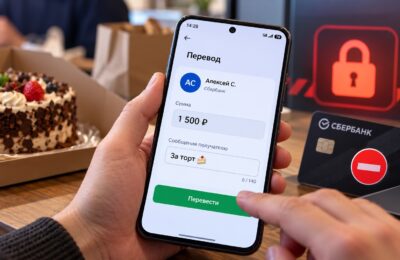
Another legal source is a banking app. When transferring money by phone number through the Fast Payments System (SBP), the recipient’s first name, patronymic, and first letter of the last name may be displayed.
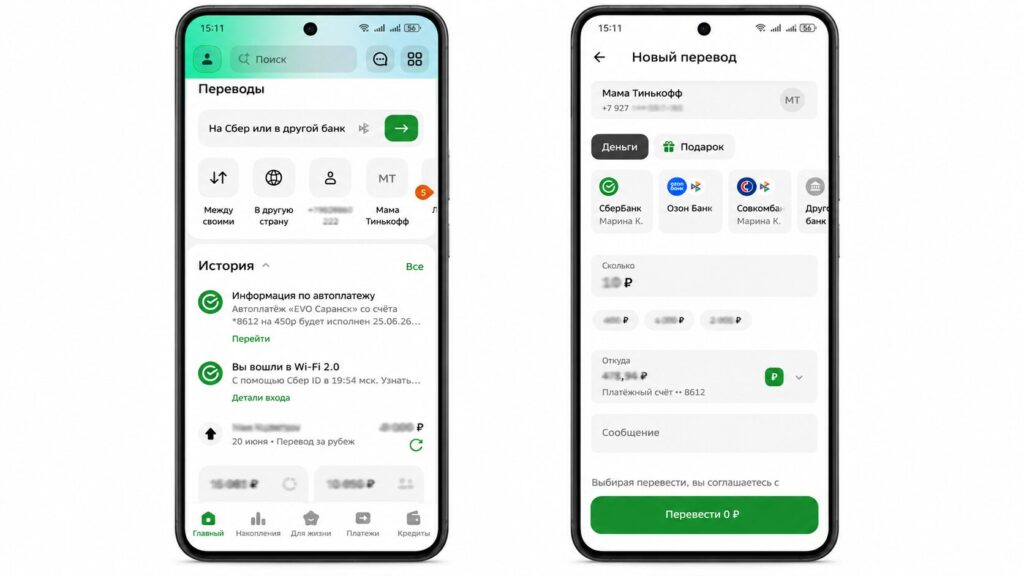
Previously, Sber also showed the patronymic
But you shouldn’t use this as a mass number-checking tool. Don’t cycle through banks and send test transfers: the bank may consider such behavior suspicious. Besides, the name in a transfer doesn’t guarantee that this specific person called — the number could be corporate or registered to a different person.
Where Do Services Get Data About Number Owners
Caller ID services don’t have access to official carrier databases. Their information is compiled from several sources:
- user labels — how other people have saved the number in their contacts;
- complaints and categories that users themselves assign;
- proprietary algorithms that track mass robocalls;
- public data from companies, call centers, and organizations.
This is exactly why the same name in GetContact could turn out to be a joke, an old label, or a mistake. There is no verification of accuracy here — the service simply shows how the number is saved by others. For the same reason, these apps don’t provide full names, passport details, or addresses: they simply don’t have this data, and attempting to obtain it would be illegal.