Apple’s watchOS 26.6, released on July 27, is officially a minor update — bug fixes and security patches, no new features. But one Apple Watch Series 10 user reports that after installing it, battery life improved noticeably and previously unstable third-party apps began working reliably. Apple’s own release notes hinted that the update “may affect battery life and performance,” a vaguely worded note that could cut either way. In this case, the author’s experience over several days was clearly positive — though forum reports suggest results vary by device and usage pattern.
What you need to know
- watchOS 26.6 (build 23U67) is approximately 320 MB and is available for Apple Watch Series 6 and later.
- One user reports roughly 20 percentage points more battery remaining by evening on a Series 10 (55–60% vs. 35–40% previously), sustained over several days — but forum reports include opposite experiences.
- Telegram on Apple Watch, previously plagued by crashes and blank screens, reportedly opens and functions without freezing after the update.
- This is a maintenance release with no new watch faces or features; Apple is focusing development on watchOS 27 ahead of its expected fall launch.
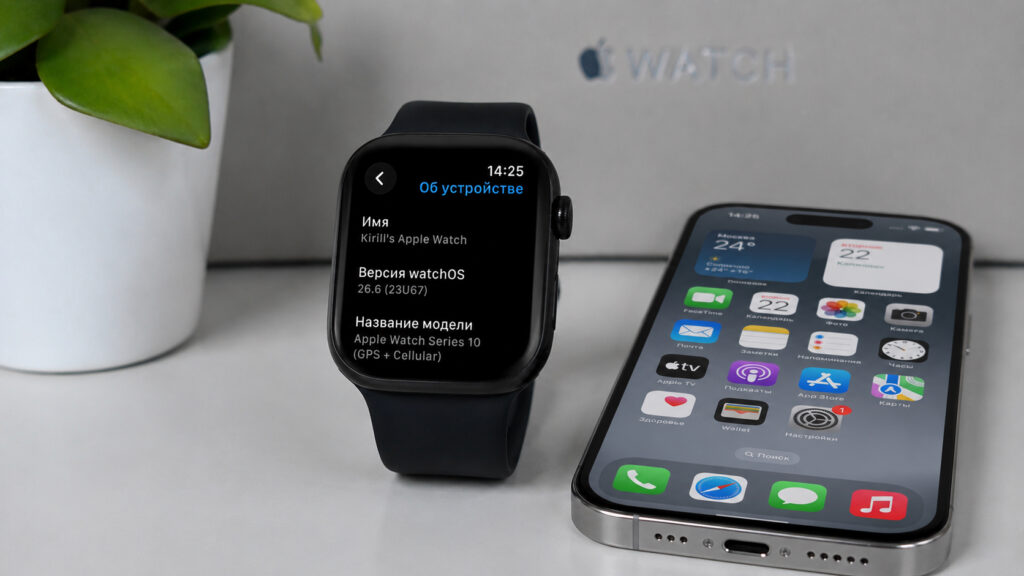
Updated with low expectations but reports a positive outcome
How to install watchOS 26.6
The update is available for Apple Watch Series 6 and newer models. It is the sixth update in the watchOS 26 branch. The standard installation process applies:
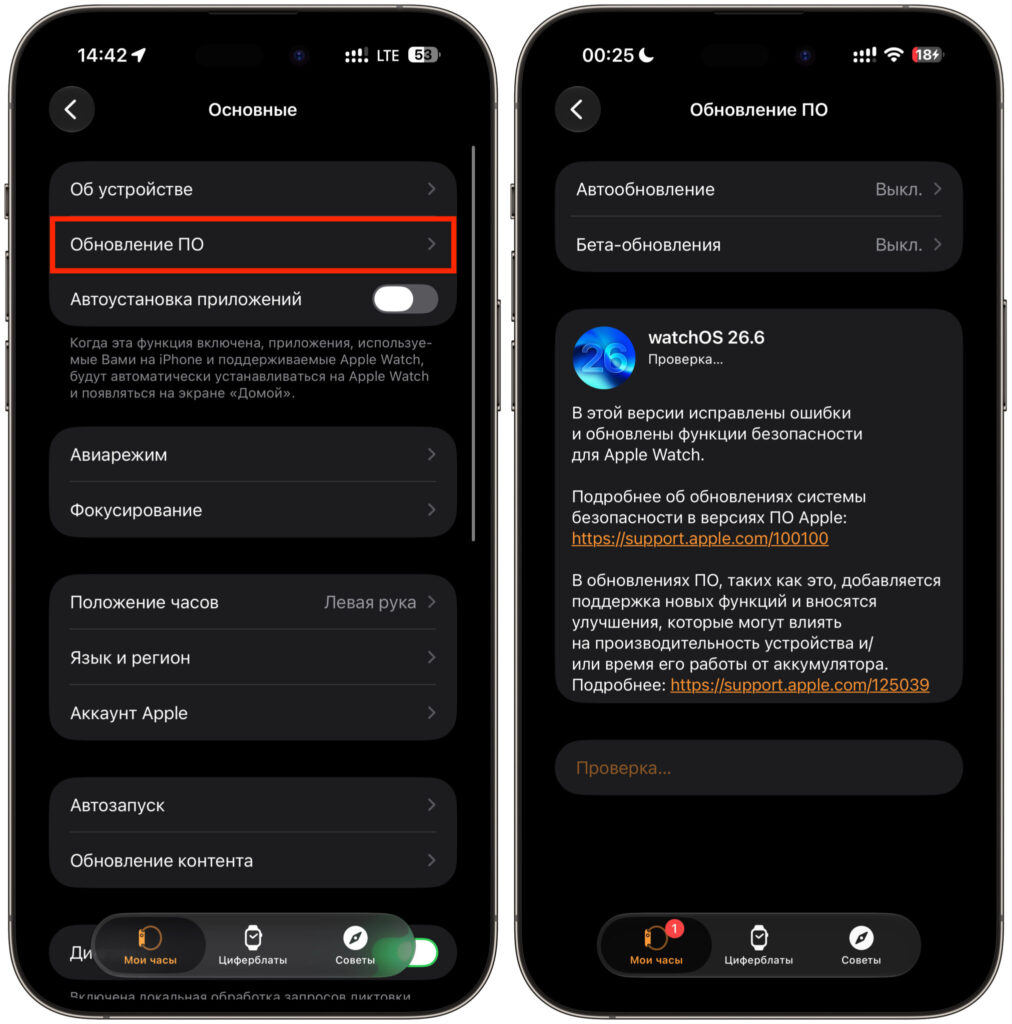
The update can be installed via the Watch app on iPhone
- Place the watch on its charger and ensure the battery is above 50%.
- Open the Watch app on iPhone and go to General.
- Select Software Update and tap Download and Install.
- Keep the iPhone near the watch until installation completes.
The author reports the entire process took about 20 minutes including the reboot. An important caveat: the first 24 hours after any watchOS update typically involve background indexing and other housekeeping tasks that can temporarily affect battery life and performance. The author waited two to three days before drawing conclusions.
Battery life improvements on Apple Watch Series 10
The author describes a demanding daily usage pattern: wearing the watch all day with workout tracking, then sleeping with it on for sleep tracking, and charging only in short bursts rather than overnight. Before watchOS 26.6, this routine left roughly 35–40% battery by evening. After the update, the author reports approximately 55–60% remaining at the same point in the day — a difference of about 20 percentage points that held consistently over several days.
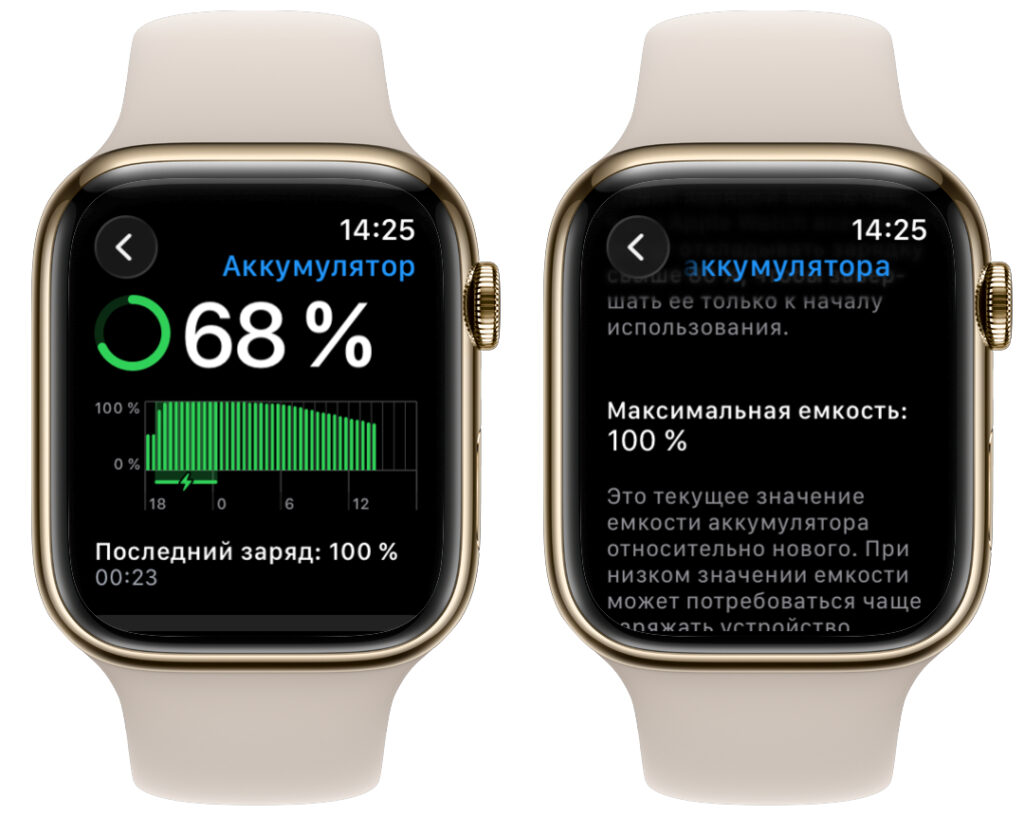
A noticeable improvement in battery life is reported
The author speculates that Apple optimized background processes, though no specific technical details are confirmed. No manual settings changes were made — the improvement appeared to come from the update itself.
Important caveat: The author explicitly notes that this is a single-device experience on one specific Apple Watch Series 10 with a particular set of apps and habits. Forum reports include complaints of worse battery life after the same update. Individual results will vary, and there are no guarantees.
Third-party app stability: Telegram and others
The author had previously uninstalled Telegram from the Apple Watch due to persistent crashes, blank screens, and failure to load chats. After watchOS 26.6, the author reinstalled it and reports that the app now opens without freezing, chats load properly, messages send successfully, and no crashes occurred over several days of use. The author notes it is not blazingly fast, but it is now genuinely usable rather than frustrating.
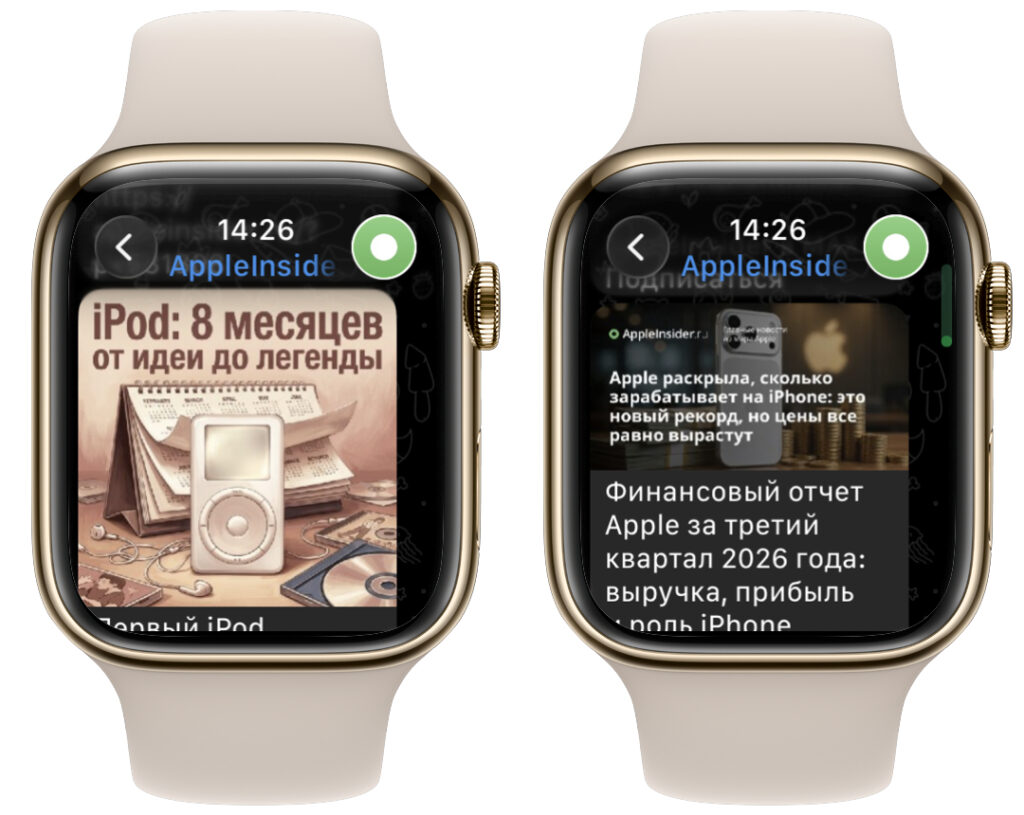
Telegram finally works and even allows browsing channels on the watch
Beyond Telegram, the author reports that other apps feel more responsive and the interface stutters less during fast scrolling. The overall impression is that the watch “feels like new.”
Is watchOS 26.6 worth installing?
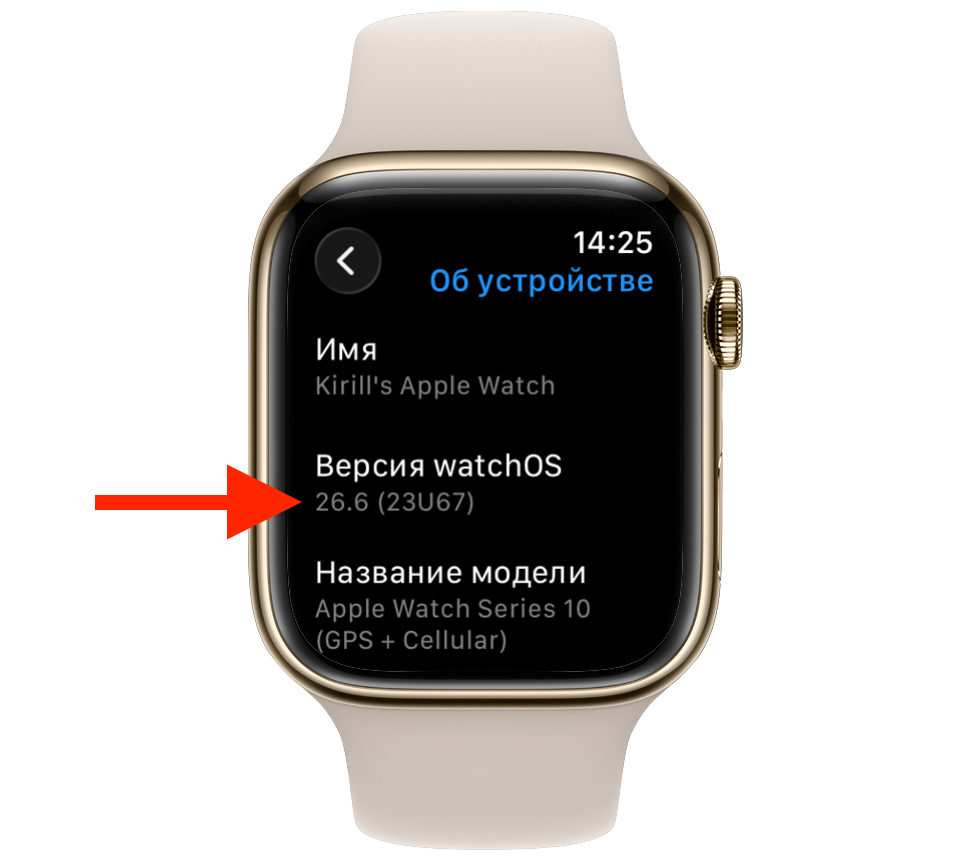
The author reports being satisfied with the update
On paper, watchOS 26.6 is a routine maintenance release — no new features, no redesigns. But the author’s experience suggests it delivers meaningful under-the-hood improvements: better battery efficiency and improved third-party app stability. For users who prefer to stay on the stable release rather than jumping to the watchOS 27 beta, the author considers this update worthwhile.
That said, the author acknowledges that longstanding Apple Watch platform issues remain. Individual experiences with this update clearly vary. As with any software update, it is worth waiting a day or two after installation before judging performance, since background tasks immediately following an update can temporarily skew battery and responsiveness metrics.