Charging your smartphone to 100% every night feels natural, but it accelerates battery degradation. Manufacturers recommend keeping the charge between 20% and 80% for good reason: at full charge, the lithium-ion cell operates at peak voltage, which stresses both the physical structure and the chemistry of the battery. The good news is that most modern phones — from Apple, Samsung, and Google — now include built-in settings to cap charging at around 80–85%, and enabling them can roughly double or triple the useful lifespan of your battery.
What you need to know
- At 100% charge (4.20 V), a typical lithium-ion cell lasts 300–500 full cycles before dropping below 80% capacity; capping at ~80–85% (4.00 V) extends that to 850–1,500 cycles, according to Battery University.
- At full charge, the graphite anode expands roughly 10%, creating mechanical stress that causes micro-cracks and permanent capacity loss over time.
- Temperatures above 40 °C significantly accelerate degradation; a 2023 Communications Engineering study found that thermal gradients inside cells create uneven hotspots of accelerated wear.
- Apple, Samsung (Android 12+), and Google Pixel all offer built-in charge-limiting features in their battery settings.
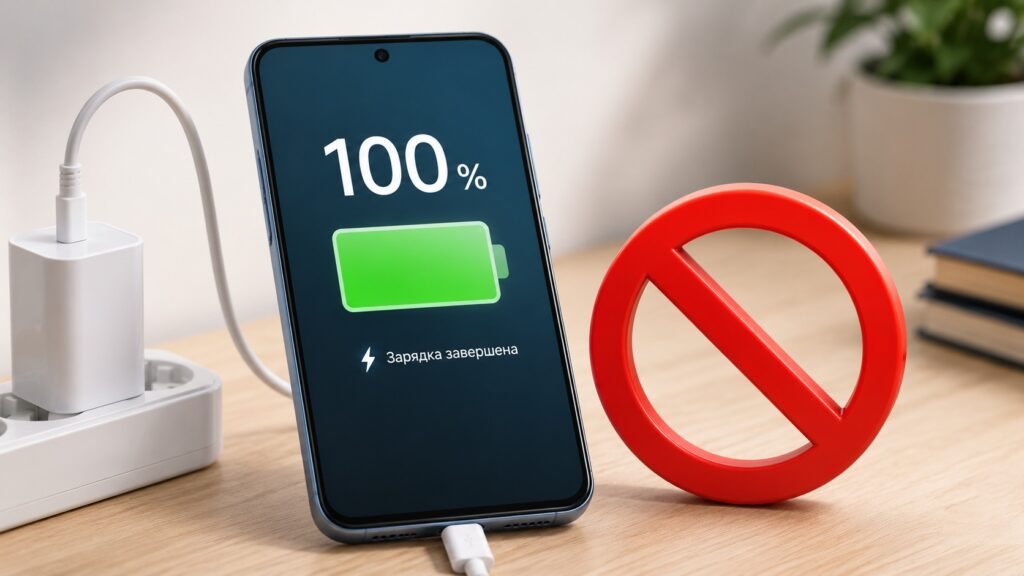
Why you shouldn’t charge to 100% every time
What happens inside the battery at full charge
A lithium-ion battery works by shuttling lithium ions between two electrodes. During charging, ions leave the cathode and embed themselves in the graphite anode — a process called intercalation, where ions slip between layers of the carbon lattice and stay there.
The trouble starts at 100%. When every available graphite layer is filled, the crystal lattice expands by approximately 10%. Inside a sealed, pressurized cell, this creates significant mechanical stress.
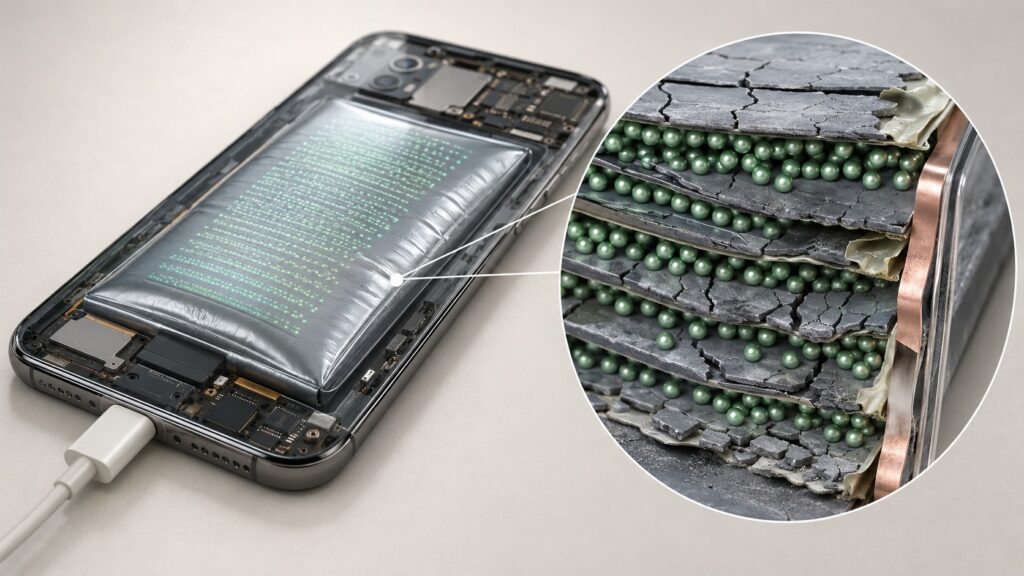
Constantly charging to 100% gradually damages the battery

With each full charge-discharge cycle, the anode slowly loses structural integrity: layers delaminate, micro-cracks accumulate, and some graphite stops participating in the electrochemical reaction. The result is a permanent drop in real-world capacity. In simple terms, every night spent at 100% is one more occasion when the lattice stretches to its limit and becomes slightly less resilient than it was the day before.
High voltage and heat accelerate the wear
Alongside the mechanical stress, there is a chemical process at work. A thin film called the SEI layer (solid electrolyte interphase) forms on the anode surface, protecting it from direct degradation by the electrolyte. But this film grows continuously, and its main growth catalysts are high voltage combined with heat.
The thicker the SEI layer becomes, the harder it is for lithium ions to pass through it. Some energy is lost as heat rather than useful work. At temperatures above 40 °C, the process accelerates noticeably: a 2023 study published in Communications Engineering showed that thermal gradients inside the cell create hotspots of accelerated degradation — uneven and therefore particularly damaging.
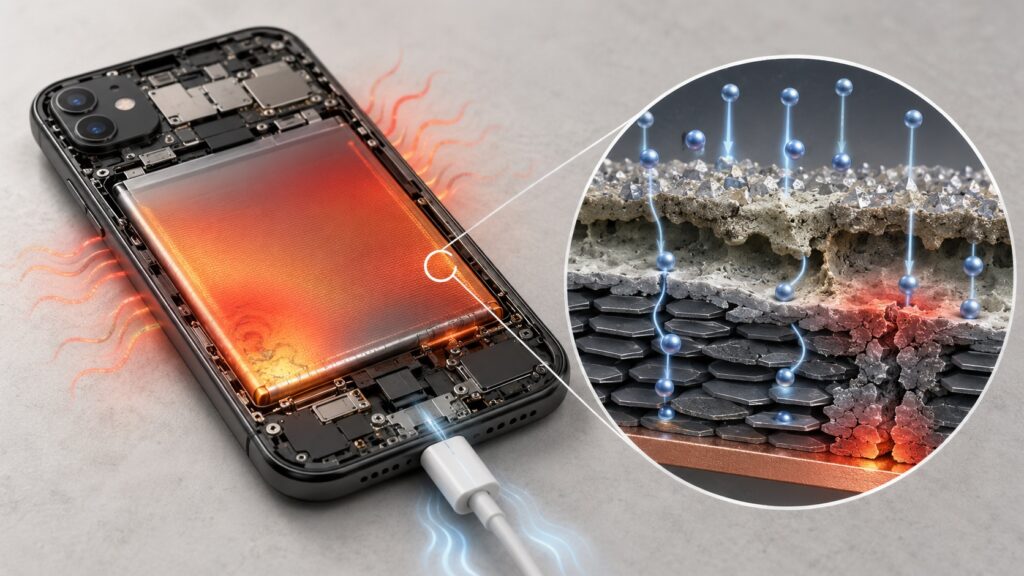
Heat literally destroys the battery from within

One of the most harmful real-world scenarios is familiar to many: a phone in a pocket on a hot summer day, plugged into a charger inside a closed case. The combination of high voltage, active charging current, and poor heat dissipation is especially destructive.
What this means after two to three years
The standard “100%” for a lithium-ion cell corresponds to about 4.20 V. At that voltage, the typical lifespan is 300–500 full cycles before capacity drops below 80% of the original. Reducing the charge ceiling to 4.00 V — roughly 80–85% — yields 850–1,500 cycles, according to Battery University. That is a two- to three-fold difference under the same usage pattern.
Translated into years: at one cycle per day, 500 cycles means less than a year and a half before noticeable capacity loss. At 1,000+ cycles, the same battery can last three years or more before it starts dying by evening. Importantly, the difference between starting the day at 80% versus 100% is barely noticeable in daily use — the phone will still last until evening. But the difference between a battery after two years versus three years of service is very noticeable indeed.
How to limit charging to 80–85% in your phone’s settings
Most major manufacturers have built charge-limiting features directly into their firmware:
- Apple (iPhone): “Optimized Battery Charging” learns your daily routine and, when charging overnight, quickly reaches 80%, pauses for several hours, and tops up the last 20% just before your usual wake-up time.
- Samsung Galaxy (Android 12+): Offers an explicit manual cap at 85% via the “Battery Protection” mode.
- Google Pixel: Implements similar logic through “Adaptive Charging.”
To enable a charge limit manually, the general steps are:

- Open Settings.
- Go to Battery, then Battery health and charging (or similar).
- Find the Battery charge optimization option.
- Set the limit.
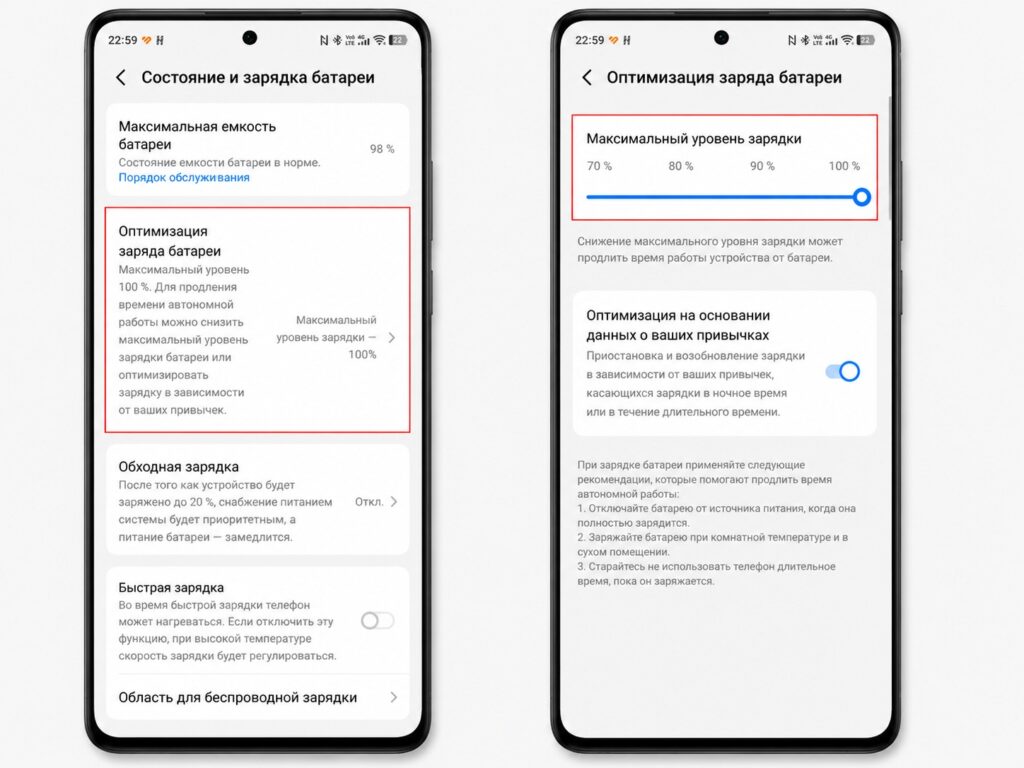
Limit your phone’s charge through the settings
The underlying physics is the same across all devices: the fewer hours the cell spends at 4.20 V, the slower the SEI film grows and the less the graphite expands. Note that exact menu names may vary depending on your firmware version, so look for sections related to battery and device care.
Should you ever charge to 100%?
Charging to 100% is not forbidden, and sometimes it makes sense. Before a long trip or a day when you know you won’t have access to a charger, a full charge is a reasonable choice. But doing it every night out of habit offers no real benefit — each time costs a small, irreversible bit of battery lifespan.
The practical takeaway: keep your daily charge around 80–85%, enable the charge-limiting feature in your phone’s settings, and avoid charging under a case in hot conditions. Save the full 100% for the days when you genuinely need it.