My list of complaints about the state messenger has long exceeded reasonable limits. I constantly explain why MAX is worse than Telegram, but one of the most irritating things about this messenger wasn’t even on that list for a long time. Simply because it seemed obvious: there was no voice message transcription in MAX at all. A basic feature that has been working in Telegram for several years was absent from the national messenger since its launch. Finally, this has been fixed. Let me break down how voice message transcription in MAX works and whether it was worth the wait.
A long-awaited feature that finally works
What Voice Message Transcription in MAX Offers
I’ll say it straight: I can’t stand voice messages. Receiving a two-minute voice note instead of a single text sentence is disrespectful to other people’s time, especially when you’re at work or outside without headphones. That’s why voice message transcription in MAX isn’t just a checkbox feature — it’s a genuinely useful tool.
The feature is free, no subscription required, no limits on the number of messages.
The voice-to-text feature in MAX lets you read audio messages with your eyes instead of listening to them. The text version appears right below the audio waveform (no need to navigate anywhere or copy anything). This saves time and nerves in any situation where playing audio is inconvenient or impossible.
How to Set Up Voice Transcription in MAX
Before looking for the transcription button, make sure the app is updated. The audio-to-text feature in MAX is available starting from version 26.13.0 for Android and iOS. If the update hasn’t arrived automatically, follow these steps:
- Open Google Play on your Android smartphone.
- Tap on the profile icon in the upper right corner.
- Select “Manage apps & device.”
- Find MAX in the list of available updates and tap “Update.”
- After installation, restart the app.
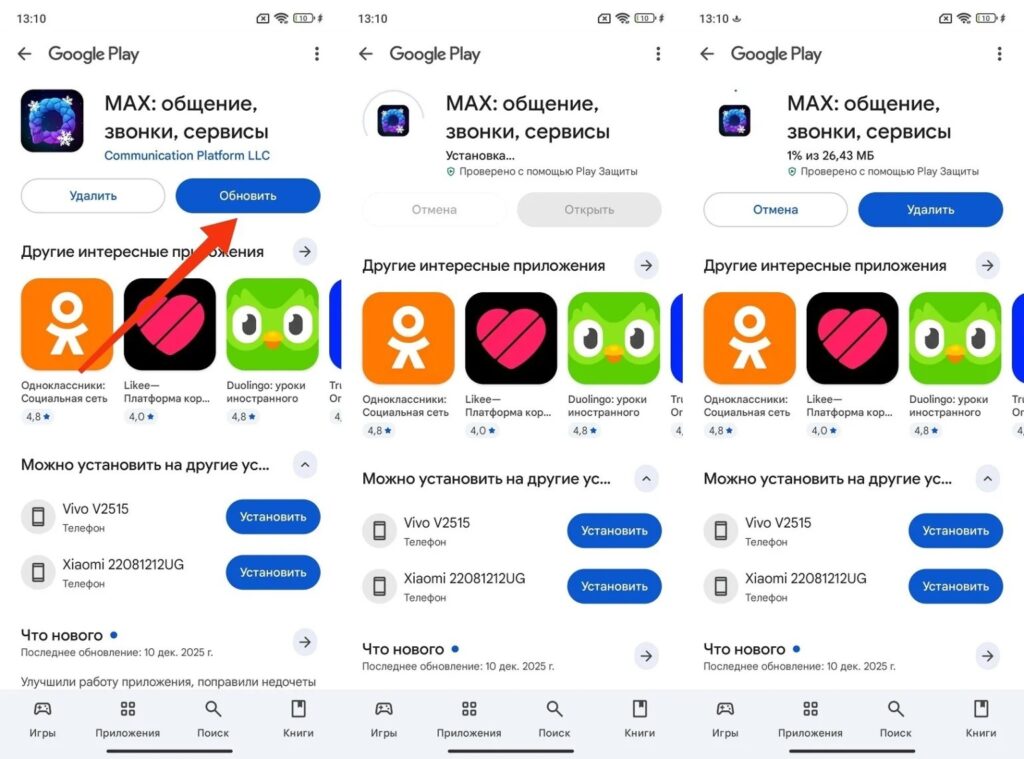
You can update through Google Play
The voice transcription feature is available starting from MAX version 26.13.0.
If the transcription button doesn’t appear after updating, clear the app cache. Go to “Settings — Apps — MAX — Storage — Clear cache” and restart the messenger. In most cases, this solves the problem.
How to Convert a Voice Message to Text in MAX
After updating, everything is simple. No additional settings or permissions are required. The feature works right out of the box. Here’s how to convert voice messages to text in MAX:
- Open any chat with a voice message.
- Find the letter “T” on the voice message in MAX (it’s located next to the audio waveform).
- Tap on it, and the system will instantly generate a text transcription right below the audio message.
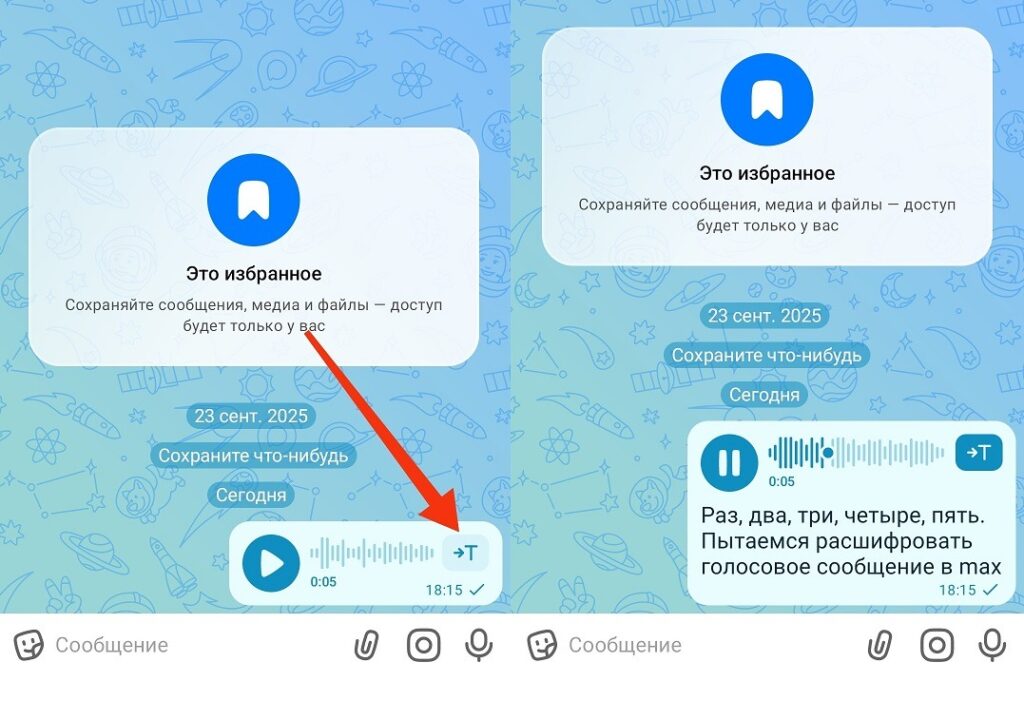
This is how you can transcribe a voice message in any chat
To transcribe, tap the letter "T" next to the audio waveform.
The transcription is saved below the message and can be re-read at any time or the text can be copied. Audio to text in MAX supports voice messages up to 60 minutes long, meaning even the most avid fans of this communication format are no longer a problem. You can convert voice messages to text in MAX in any chat: personal, group, and archived conversations.
Voice Transcription in MAX vs. Telegram — Comparison
Telegram added voice transcription earlier, and for a long time this was one of the arguments against MAX. But now the situation has become more interesting because voice message transcription in MAX is implemented in a fundamentally different way.
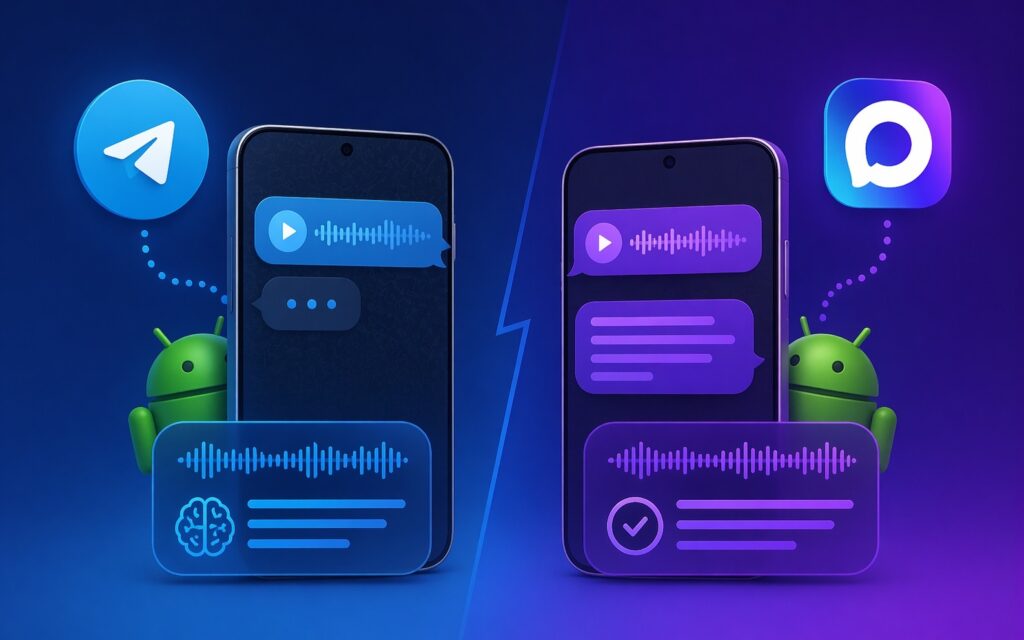
Telegram got transcription earlier, but it works with limitations
In Telegram, voice message transcription is available for free only twice a week. Everything beyond that requires a Telegram Premium subscription. This means if you receive voice messages every day, the feature becomes useless without a paid subscription. In the national messenger, there are no limitations at all: you can transcribe audio in MAX as many times as you want, for free, without any subscriptions or limits.
Unlike Telegram, MAX transcribes voice messages without any limits.
This is the first case where the state messenger surpasses Telegram in a specific feature, rather than just the absence of blocks. Voice messages to text in MAX with no limits versus two free transcriptions per week in Telegram — the difference is significant.


