There are news stories that look like a minor technical formality but actually mean much more. That’s exactly how the current VKontakte situation looks: the social network is asking users to forget the familiar vk.com address and switch to vk.ru. The official explanation sounds mild — supposedly, due to technical nuances, the Russian domain is always accessible, opens faster, and works better. But just this week, VK fell under EU sanctions, and the company’s apps were also removed from Google Play. Against this backdrop, moving to a different domain stops being just a question of loading speed.
VK is changing its domain. What it means
Why VKontakte Is Switching from vk.com to vk.ru
Let’s go in order. The vk.com domain lives in the .com zone, which is managed by the American company Verisign under the control of a U.S. regulator. The vk.ru domain is in the Russian zone, managed by the Coordination Center for .RU domains. The difference might seem cosmetic at first glance, but it determines the key issue — who can take away the website’s address. As long as the social network operates in a foreign domain zone, theoretically its resource could simply be shut down from the outside, and no redirect would help.
That’s exactly what those closely following the situation are talking about. The company is reducing its risks in advance, before anything happens. If one day the vk.com address becomes unavailable, all the links, bookmarks, reposts, and search results accumulated over the years will turn into nothing. And iPhone owners who access the social network through Safari will see an error message instead of their feed.
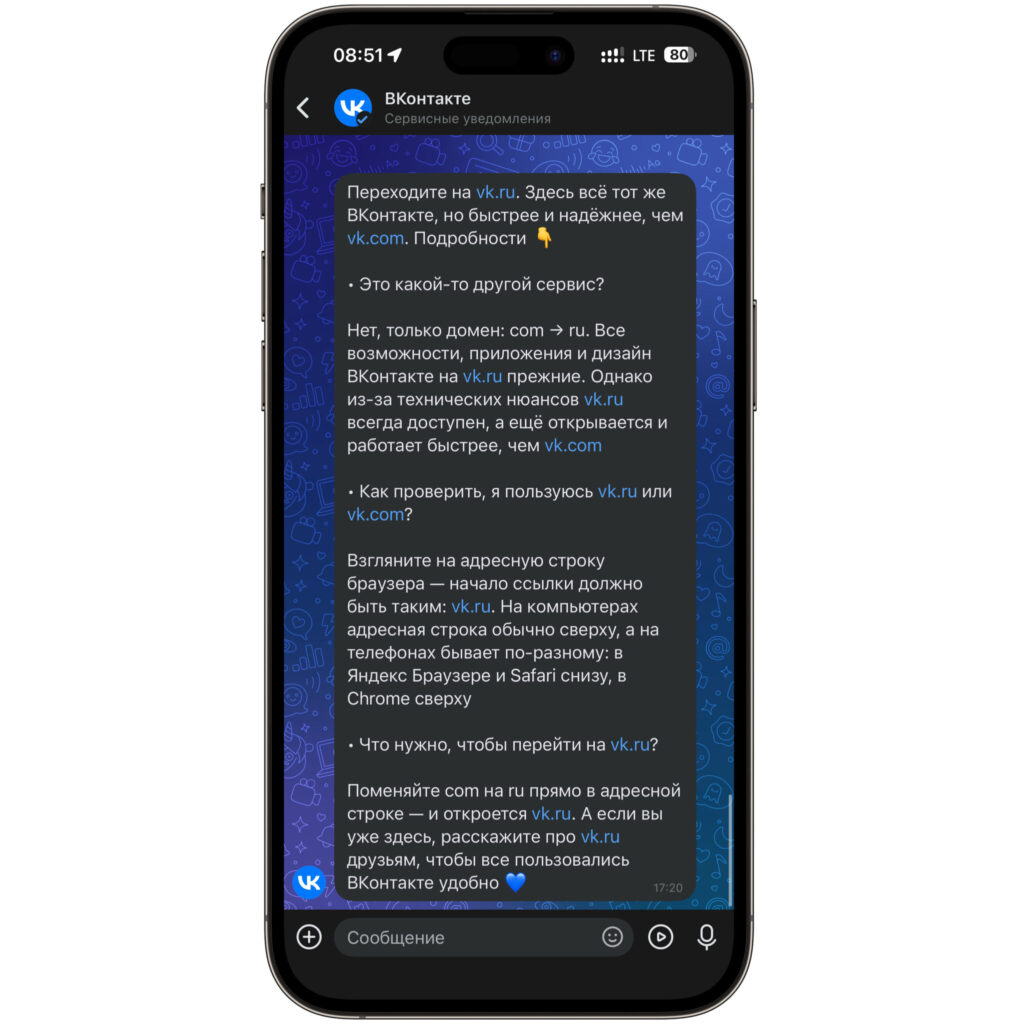
Here’s the notification that came from the social network the other day
The sanctions story only adds to the anxiety. We’ve already been through a similar scenario when all VK apps disappeared from the App Store, and millions of users were suddenly left without their familiar apps. Back then, the browser version became the only way for many to access the social network. Now even that is under threat — or rather, its address is.
There’s also a second, less dramatic explanation. The Russian domain does indeed respond faster within the country because DNS queries don’t go abroad. On an iPhone, this is noticeable on slow mobile internet: the difference in page loading can be fractions of a second, but with dozens of page transitions per day, the savings become noticeable. So the technical explanation isn’t made up — it’s just clearly not the only one.
Will vk.com Links Still Work After the Switch to vk.ru
The most unpleasant part of this story is that there’s no way to set up a redirect if the domain is shut down externally. Normally, when changing an address, a site sets up a redirect: the user enters the old address and lands on the new one. But a redirect only works when the old domain is alive and responds to its owner. If it’s blocked at the registrar level, no redirect will work — the request simply won’t reach VK’s servers.
For an iPhone owner, this means the following. All links to posts, communities, and profiles that you saved in Notes, sent to yourself in a messenger, or added to Safari Favorites could stop opening entirely at any moment. The same applies to links from old articles, chats, and newsletters. You’ll have to re-save them manually, and it’s better to do this in advance rather than in a panic.
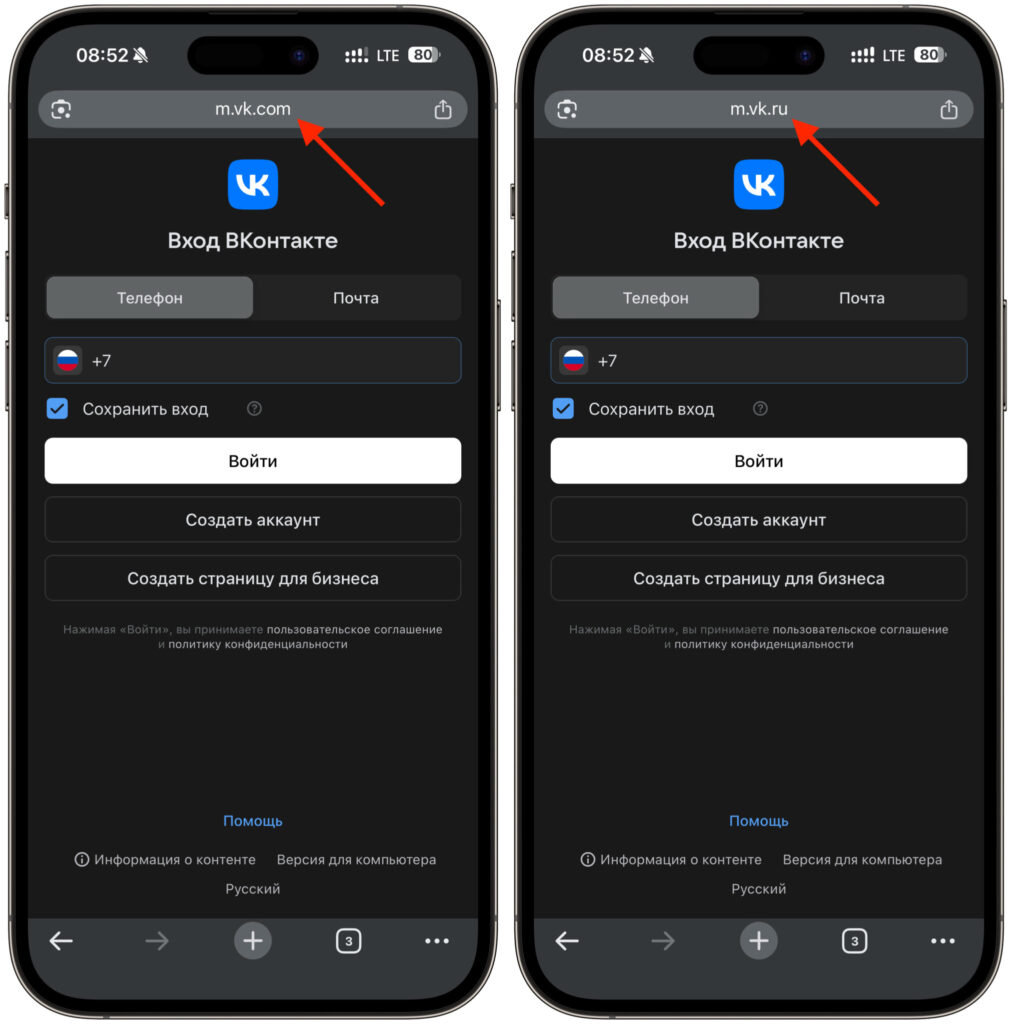
For now, both sites are accessible
Experience from past blocks shows that such things happen suddenly. When Apple removed VK Music and VK Video from the App Store, there was no warning at all: in the morning the apps were there, by evening they couldn’t even be found in the purchases section. Nobody sent notifications or gave time to prepare. It’s logical to assume that the same will happen with the domain.
How the Switch to vk.ru Will Affect iPhone Users
Let’s start with the good news: if you use the VKontakte app installed before its removal from the App Store, nothing formally changes for you. The app communicates with servers directly via API, and the website domain has nothing to do with it. Your feed will keep working, messages will arrive, and music will play.
Problems begin for those who use the social network through a browser. There are surprisingly many such users on iPhone — precisely because reinstalling the app after its removal from the store is impossible. Changed your smartphone, reset settings, accidentally deleted the icon — and that’s it, there’s no way back to the App Store. Only Safari remains, which means the domain suddenly becomes a critically important thing.
A separate pain point is the web version added to the home screen. Many people made vk.com into a full-fledged icon through the Share menu and the Add to Home Screen function. Such an icon is rigidly tied to the address where it was created. If vk.com is shut down, the shortcut will become useless, and you’ll have to create it again with vk.ru.
There’s also a third scenario that’s being discussed more and more. Pressure on Apple from Russian regulators is growing, and the question of whether Apple will be banned in Russia due to its refusal to cooperate on local services no longer sounds like a joke at all. In such a configuration, the browser version of the social network becomes the only safety net for iPhone owners, and it’s better to know its address in advance.
How to Change vk.com to vk.ru in Safari and iPhone Bookmarks
The good news is that preparation takes about five minutes. Follow these steps, and nothing will be lost:
- Open Safari, go to vk.ru, and log in. Make sure everything is in place: feed, messages, notifications. The session there is separate from vk.com, so you’ll need to log in again, and save your login and password in Keychain right away.
- Clean up your bookmarks. Find everything in Favorites that leads to the old address and replace the domain manually — the link structure is the same, only the part before the first slash changes. Also check Notes: saved links to communities usually live there and pop up at the most inconvenient moment.
- Recreate the icon on your home screen if you had one. Delete the old one, open vk.ru in Safari, and through the Share menu select Add to Home Screen. Such a shortcut is rigidly tied to the address, so with the old domain it will simply stop working.
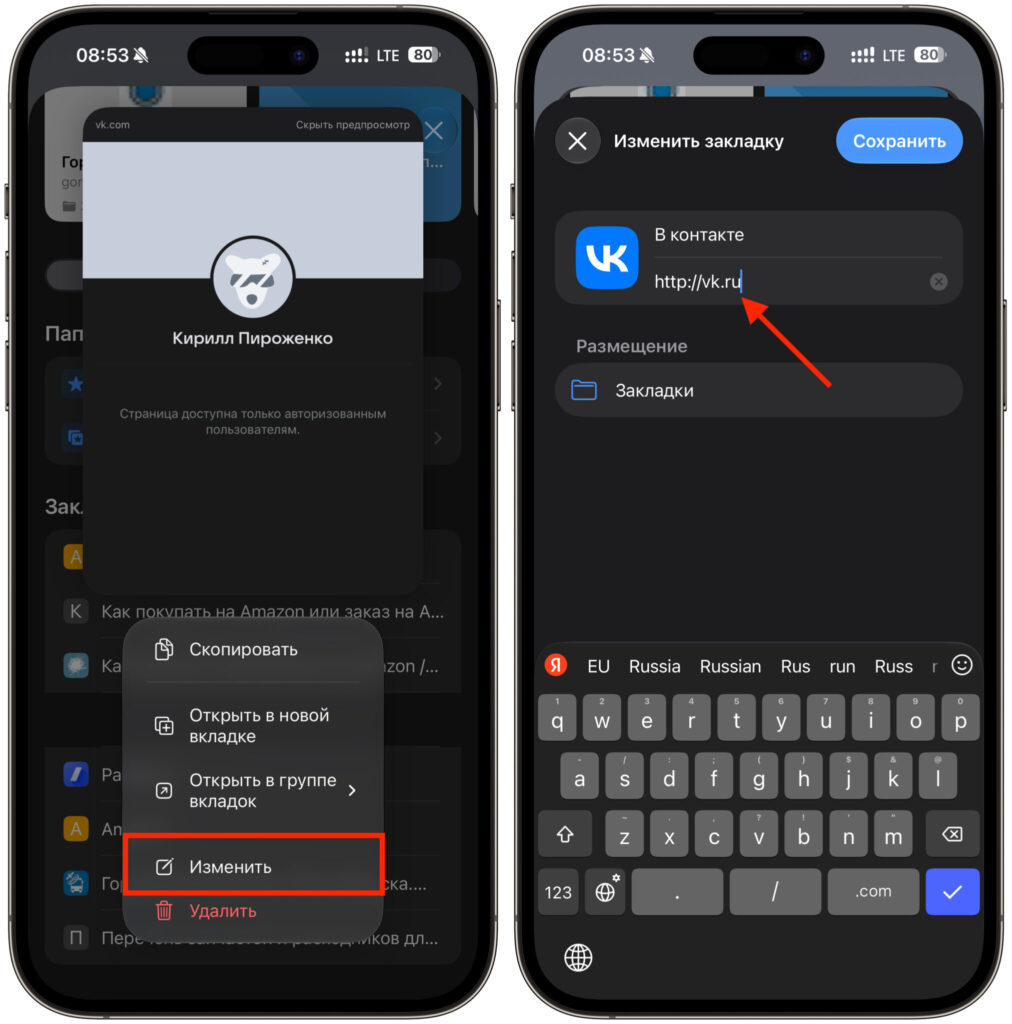
Edit bookmarks with the old VK address


