The SD card slot returned to the 14- and 16-inch MacBook Pro back in 2021, but for many owners it just sits there unused: if you don’t shoot photos or video, there’s not much reason to use it. Independent developer Peter Kuhar decided to fix that and built a small module called SidePulse Pro, which turns the empty slot into a notification light panel right on the laptop’s body.
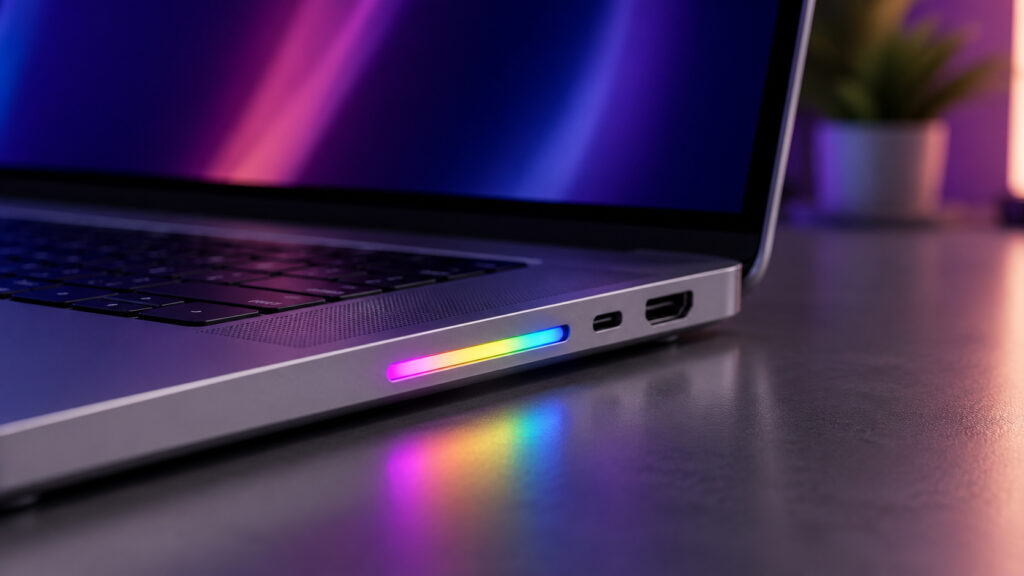
Add an indicator like this to your SD slot
SidePulse Pro for MacBook Pro: What Is This Device
SidePulse Pro is a compact module with eight RGB LEDs that plugs into the SD slot and hides entirely inside it. Its purpose is to show what’s happening with background processes without opening the laptop lid. You can immediately see whether a project build has finished, whether a deployment has failed, or whether an AI assistant is still working.
The MacBook Pro already has plenty of ports: HDMI, several USB-C, and even magnetic MagSafe charging. The SD slot is used least of all compared to those, so dedicating it to an indicator is a perfectly reasonable idea. Instead of keeping a log window open and manually checking the status every time, you catch a colored signal out of the corner of your eye: blue means a process is running, green means success, flashing red means something broke. You configure the lighting logic to suit your needs.
How to Set Up SidePulse Pro on Mac
The most interesting part here isn’t even the hardware, but the control method. Unlike most similar accessories, the module works without drivers or apps, and no complicated setup is needed either.
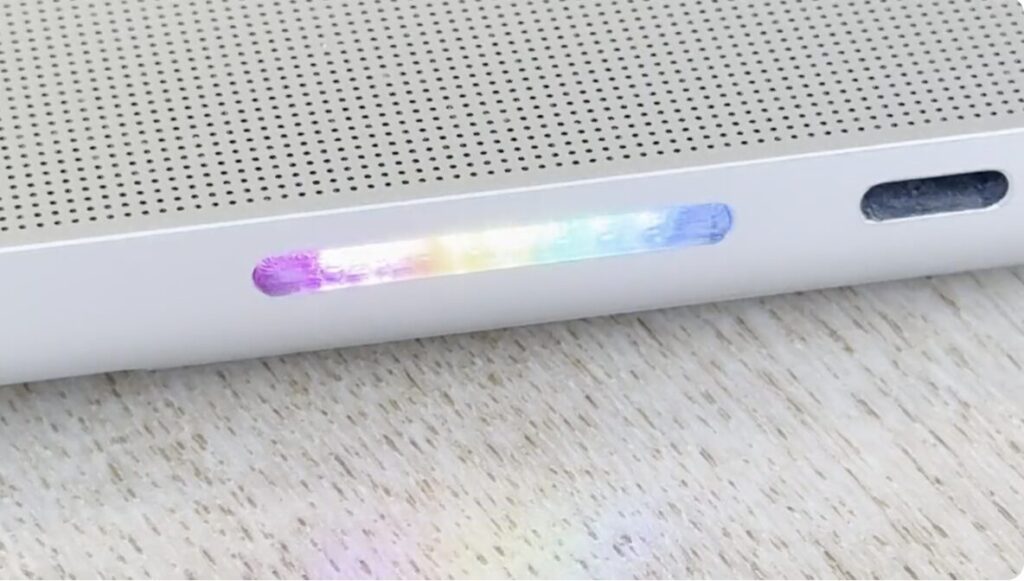
The module doesn’t protrude from the slot, so you can’t accidentally snap it off
When you insert the module into the slot, macOS sees it as a regular flash drive — a small removable disk. Inside there’s a single file called LEDS.TXT, and to change the color or animation, all you need to do is rewrite its contents. The command language resembles CSS, familiar from web page styling: you can set colors, effects, duration, and control each LED individually.
There’s no need to worry about the system: it’s simply a storage device with a text file, not an intervention into macOS.
This is where the main advantage comes from: any program that can write text to a file can control the lighting. This makes the module compatible with almost anything on your Mac without special support.
Who Is SidePulse Pro For
The module is primarily designed for programmers and automation enthusiasts. Any script, scheduled task, or build system can change the indicator color. The scenarios are straightforward:
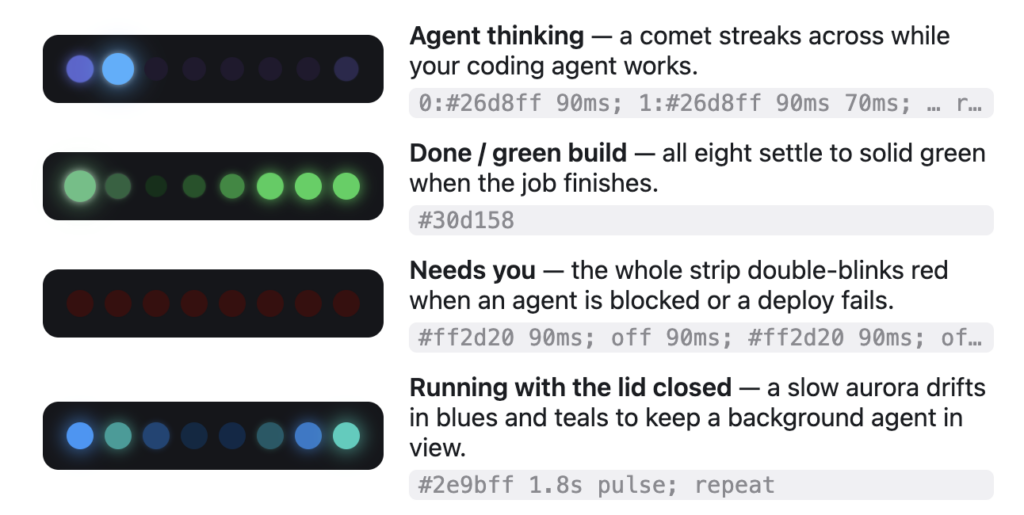
There are several operating modes
- blue animation — a project build is in progress
- steady green — the build completed successfully
- flashing red — a deployment error occurred
The creator specifically highlights integration with AI agents. Autonomous assistants like Claude or Codex can light up the module while writing code or running a long background request. There are also everyday scenarios: a charge indicator when the lid is closed, or a Pomodoro timer with work intervals and short breaks.
Honestly, at home I more often use a MacBook Air and its trackpad than a Pro, so for me this is more of a geeky toy. But if you live in the terminal, the difference will be noticeable.
SidePulse Pro vs. SidePulse Dot: What’s the Difference
SidePulse Pro sits completely flush inside the slot, so you can keep it plugged in permanently: it doesn’t stick out and there’s nothing to snag. Essentially, you insert it once and forget it’s there.
The module is available for pre-order at $69. The first shipments are promised by July 27, 2026. And there’s an important caveat for buyers outside the US: shipping to Europe adds at least $22 on top.
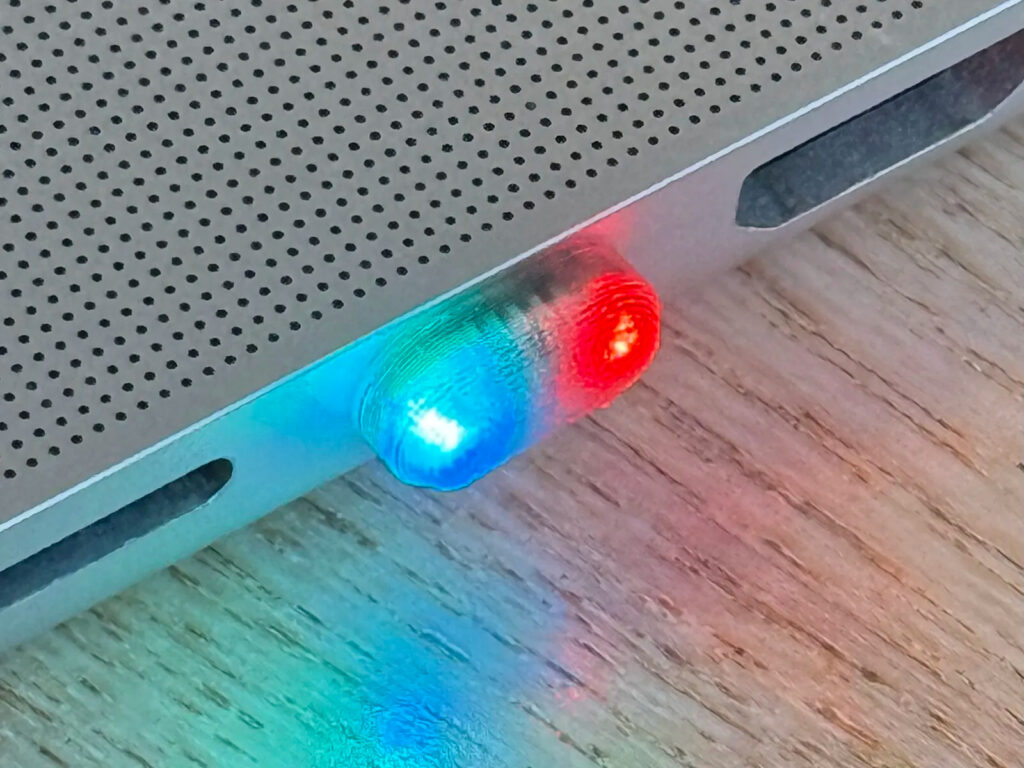
There’s a version for the USB-C port with two LEDs
MacBook Air, Mac mini, iMac, or iPad owners can’t use the SD slot, so a separate version called SidePulse Dot was made for them — with USB-C and two LEDs for $29.
Is SidePulse Pro Worth Buying for MacBook
This is definitely not a gadget for everyone. SidePulse Pro is justified if you’re a developer or frequently run long background processes and want to see their status without getting distracted by the screen. And the control via a simple text file is genuinely convenient: no drivers, no apps, no fiddling with settings.
Everyone else can safely pass. If you don’t write code and don’t set up automation, eight LEDs in an SD slot will just be a pretty light show. And don’t forget about shipping: with it, the price goes up noticeably, so it’s worth calculating the total cost right away.


