The official Telegram app for Apple Watch has appeared in the App Store. It’s a full-fledged messenger client: you can read and send messages, listen to and record voice messages, attach stickers, and browse channels — all right from your wrist without pulling out your iPhone. Interestingly, developers rolled out this update almost immediately after the release of the first beta version of watchOS 27. For a long time, there was no full-featured Telegram on the watch, and users had to make do with limited notifications. Now the app is available to everyone in the App Store through the main messenger’s listing.
Full-featured Telegram now on Apple Watch
Messages, Voice Messages, and Channels in Telegram on Apple Watch
According to the description, this is not just pop-up notifications but a standalone client with a basic set of features. You can have conversations from the watch without taking your phone out of your pocket.
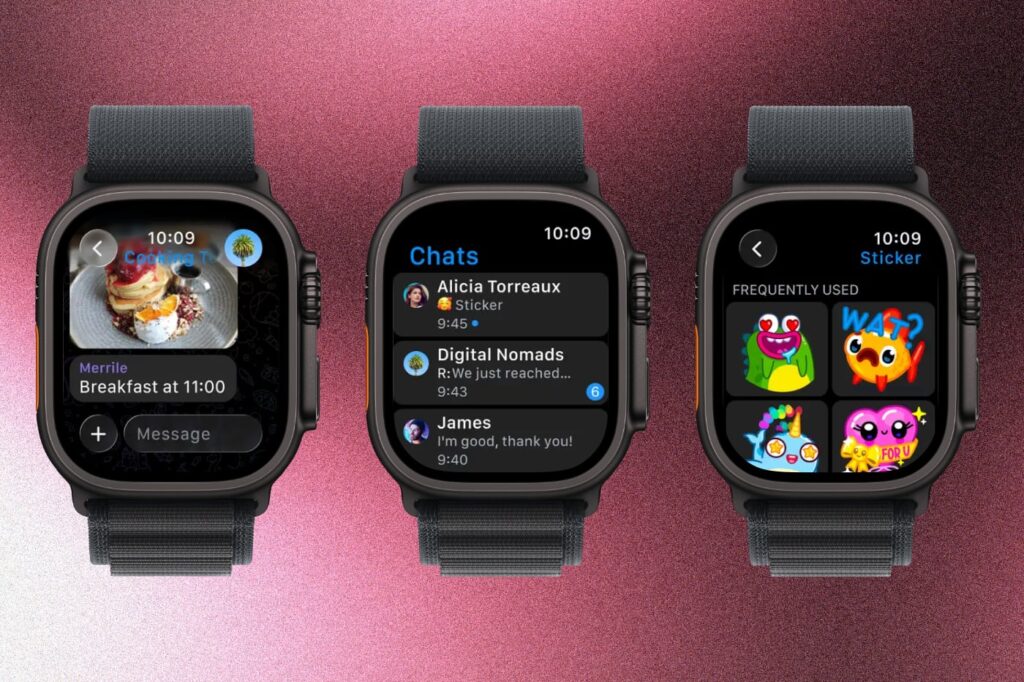
Telegram is back on Apple Watch
The main communication scenarios are available:
- Write text messages
- Send and listen to voice messages
- Attach stickers
- Browse channel feeds
This feature set is enough for quick replies on the go — for example, when your hands are busy or your phone is in your bag. The app won’t become a full replacement for Telegram on iPhone: the small watch screen is poorly suited for long conversations, scrolling through large channels, and working with media.
When Telegram on Apple Watch Is More Convenient Than on iPhone
The main benefit is replying to messages without pulling out your iPhone. This is convenient during workouts, walks, while driving via voice input, or when your phone is simply far away.
If you keep your iPhone at hand most of the day anyway, you won’t notice much difference — it’s easier to reply from the phone. But for those who actively wear a watch and are used to managing notifications from their wrist, the new client fills a long-standing gap: previously, there was almost nothing you could do with Telegram notifications other than read them and quickly reply.
How to Install Telegram on Apple Watch
You don’t need to search for the app in the App Store on the watch separately — it comes bundled with the main messenger for iPhone.
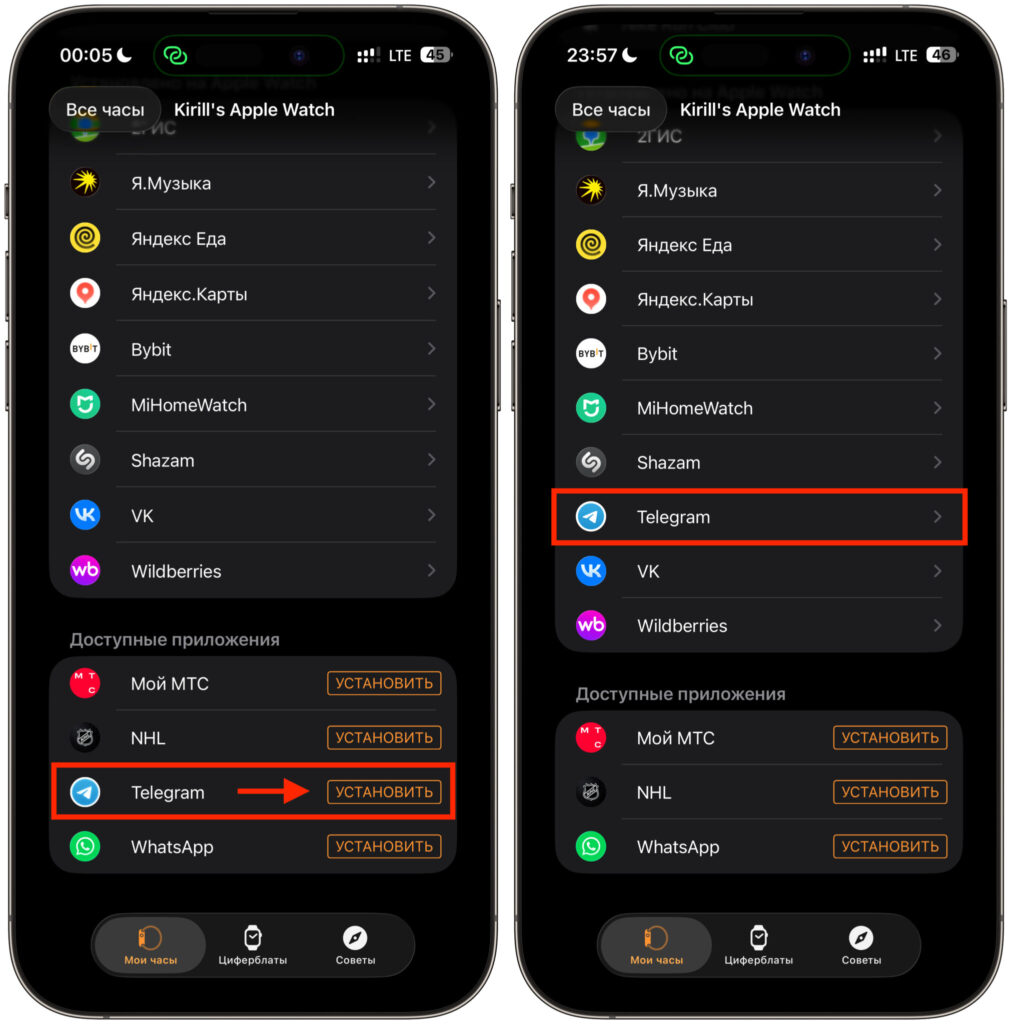
Telegram can be installed via iPhone
- Make sure you have the latest version of Telegram installed on your iPhone
- Open the Watch app on your iPhone
- Find Telegram in the list of available apps and install it on the watch
- Open Telegram on Apple Watch and confirm login if necessary
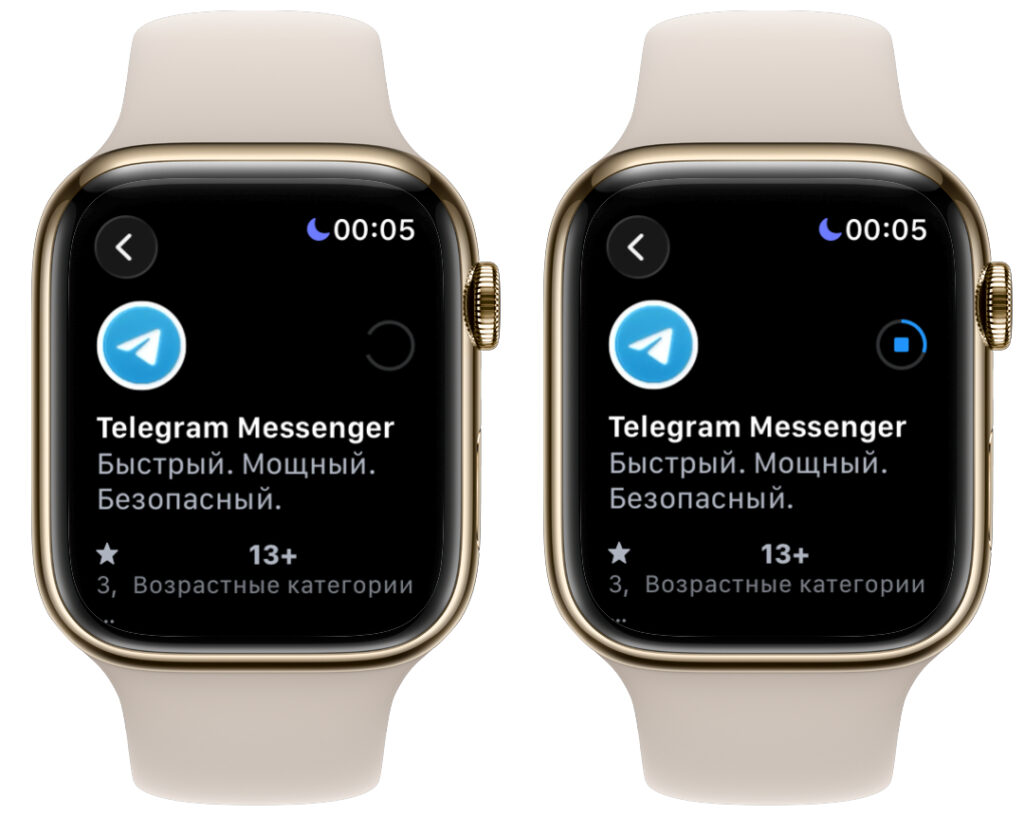
Or download from the App Store directly on the watch
If you have automatic app installation on the watch enabled, Telegram may appear on Apple Watch automatically after updating on iPhone.
Telegram on Apple Watch: Is It Worth Installing?
The main advantage is the return of a full-fledged client rather than limited notifications. Now you can have basic conversations from the watch, not just see that someone has written to you.
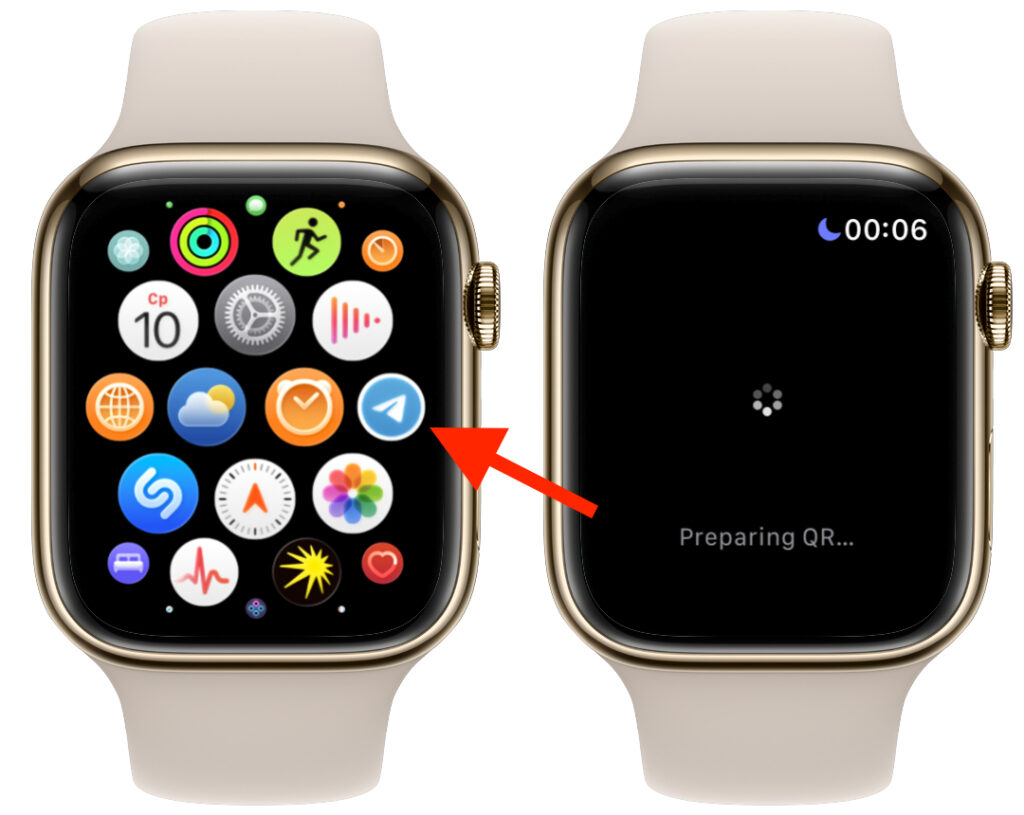
However, the QR code for authorization never generated for me. I can’t say what the reason is
The limitations come from the Apple Watch format itself. The small screen, inconvenient text input, and focus on quick actions mean the app is suitable for fast replies but not for full-fledged communication. This is a story about convenience in specific situations, not about a new way to use the messenger.
If you actively use Apple Watch and Telegram at the same time — it’s definitely worth installing. The app is free and solves the long-standing problem of replying from your wrist. For those who almost always have their iPhone at hand and don’t like small screens, there’s no rush: the difference in everyday use will be minimal.
In any case, this is a welcome update that brings Telegram back to the watch in a proper form.