When talking about Telegram clones that are more dangerous than the MAX app, we didn’t mention APK files of Pavel Durov’s messenger. And they can also pose a threat. As it turns out, Telegram from the APKPure store is not what it seems. Information security researcher Eric Parker discovered suspicious code in this build that collects user data and sends it to a third-party server. If you’ve ever downloaded Telegram from somewhere other than Google Play or the official website, this story is a reason to check where exactly your messenger came from.
No need to worry about MAX if you don’t know how dangerous Telegram can be
What Was Found in Telegram’s Code from APKPure
The version of the messenger available in the third-party APKPure store is not signed with Telegram’s key and contains a class that sends the phone number, profile, and files from the device to a third-party server. When decompiling the APK file, a DataCollector class is discovered in the code that doesn’t exist in the regular messenger’s logic, along with a server address hardcoded directly in the code, located in Hong Kong according to IP verification.
In simpler terms: someone took the real Telegram, added a spyware module to it, re-signed it with their own key, and uploaded it to APKPure disguised as the original. The DataCollector class contains methods for sending the user’s phone number and profile to a third-party server, as well as collecting images and videos from the gallery, documents from the device, and SIM card data.
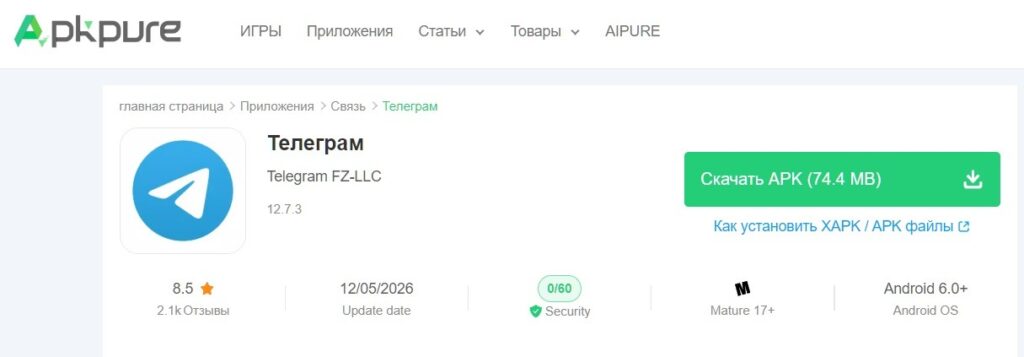
APKPure claims that Telegram is genuine
The modified code is integrated directly into the application’s workflows and activates immediately after the victim logs into their account. In other words, the user simply logs into Telegram as usual, while data exfiltration begins in the background.
Checking the Telegram APK for Viruses
On the VirusTotal service, at the time of the check, only one antivirus out of 56 detected the file, meaning security systems have not yet widely confirmed the threat. This can be explained by the fact that the build is recent and signatures have not yet been updated. Simply put, antivirus databases are updated with a delay, and a new threat can remain invisible to scanners for some time.
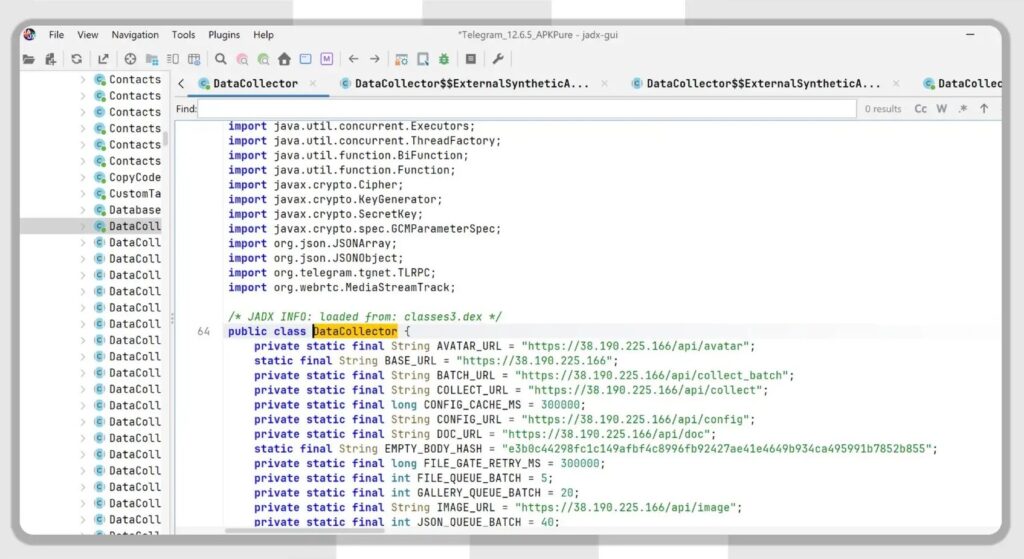
It’s reported that Telegram from APKPure is signed with someone else’s key. Source: kod.ru
At the same time, Parker notes that he did not find the DataCollector class in the official stable Telegram client. The editorial team at “Kod Durova” also found that Telegram from APKPure uses a different digital signature than the client downloaded from the messenger’s official website. Since it’s impossible to rebuild and re-sign an application with a different key without modifying the original APK, the signature discrepancy directly indicates: the build from APKPure has been modified and was not released by Telegram.
Is It Safe to Download Apps Through APKPure
This is not the first time serious questions have arisen about this store. In 2021, specialists from Kaspersky Lab and Dr.Web discovered malicious code in the APKPure app store itself, specifically the Triada trojan, which could display ads and load third-party modules onto the device. APKPure released a fixed version at the time, but the damage to their reputation was already done.

APKPure should be treated with caution
Four years later, users accused APKPure and other third-party platforms of distributing compromised Telegram X clients with a backdoor. The digital signature of these builds differed from the official one. The scheme is the same every time: a re-signed build with malicious insertions is distributed under the guise of the original.
What to Do If You Downloaded Telegram from APKPure
This story concerns everyone who downloads Android apps from sources other than Google Play or official developer websites. In Russia, where Google Play operates with restrictions, third-party stores like APKPure are popular. Many people use them to install apps that are unavailable in RuStore or on other platforms. But it’s precisely this habit that creates risk.
Here’s what you should do right now:
- Check where your Telegram was installed from. Go to Android settings, find Telegram in the app list, and look at the installation source.
- If Telegram was downloaded from APKPure, delete it and reinstall it from the official website telegram.org or from Google Play.
- Don’t trust third-party stores, even if you’ve never had problems with them before. This is a classic supply chain attack: no phishing is needed, just a compromised download source.
- Pay attention to app permissions. If a messenger requests access to files, camera, and contacts during installation, and you haven’t noticed this before, that’s a reason to be cautious.
Where to Safely Download Telegram on Android
It’s important to understand: the problem is not with Telegram itself, but with where it was downloaded from. The official version of the messenger does not contain suspicious code, which the researcher himself confirmed. The threat targets users who install APK files from third-party sources for early access to updates or in regions with Google Play restrictions.
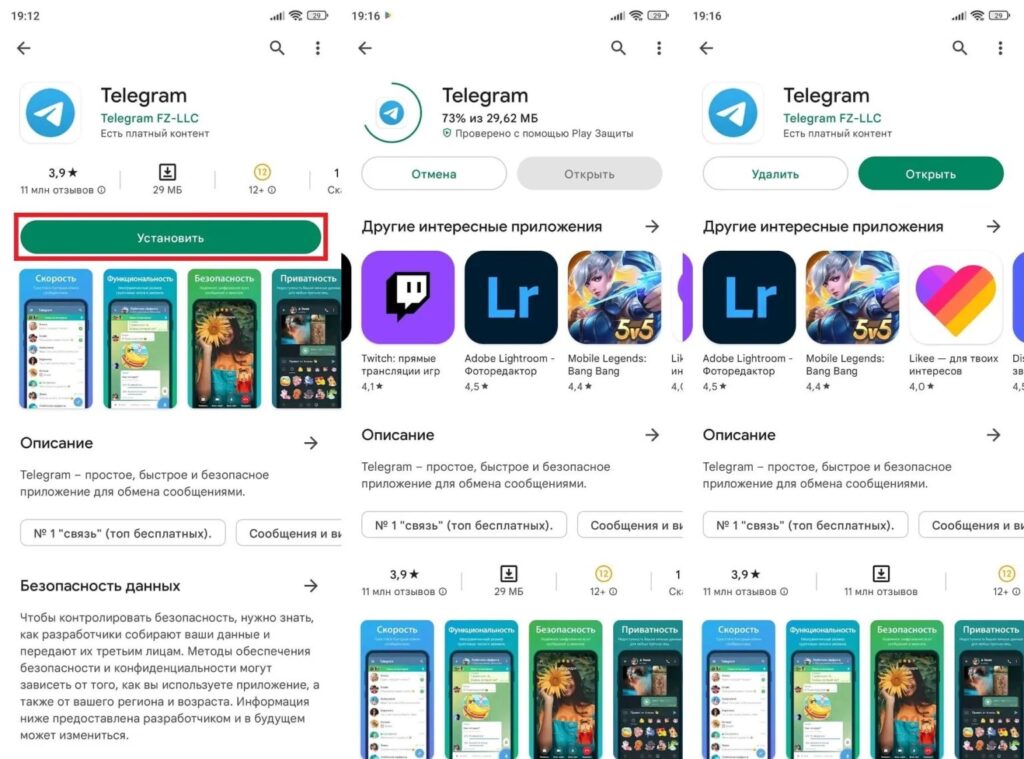
Download Telegram through Google Play or from the official website
The most reliable way to get Telegram on Android is to download it from telegram.org or from Google Play. If Google Play is unavailable, use the direct link from the developer’s website. A third-party store cannot guarantee that the build uploaded to it is identical to the original, and the APKPure case is yet another confirmation of that.


